Start with the same model and the same bug. Give that model to three different coding agents and watch what happens. One batches its shell commands, one reads files separately, and one adds behavioral checks. They can arrive at the same patch with very different evidence about whether it works.
That difference is what I mean by harness engineering. The harness is the software that loads context, exposes tools, executes actions, and decides what evidence is required before the agent can finish. Better models change some of those decisions. I can give a capable model a more general interface and let it compose its own actions. I still want the application to be clear about what the agent is allowed to do and what counts as success.
This is the written companion to my talk Building a Better AI Agent. It follows all 140 slides in the published video, in order. Each slide comes with a written explanation and a link to that point in the talk. You can skim the headings and text or watch along.
Harness basics · Harness choice · Tools · Context and memory · Model routing · Verification · Multiple agents · Evolving harnesses · Recap
Watch the talk
What is an AI agent harness?
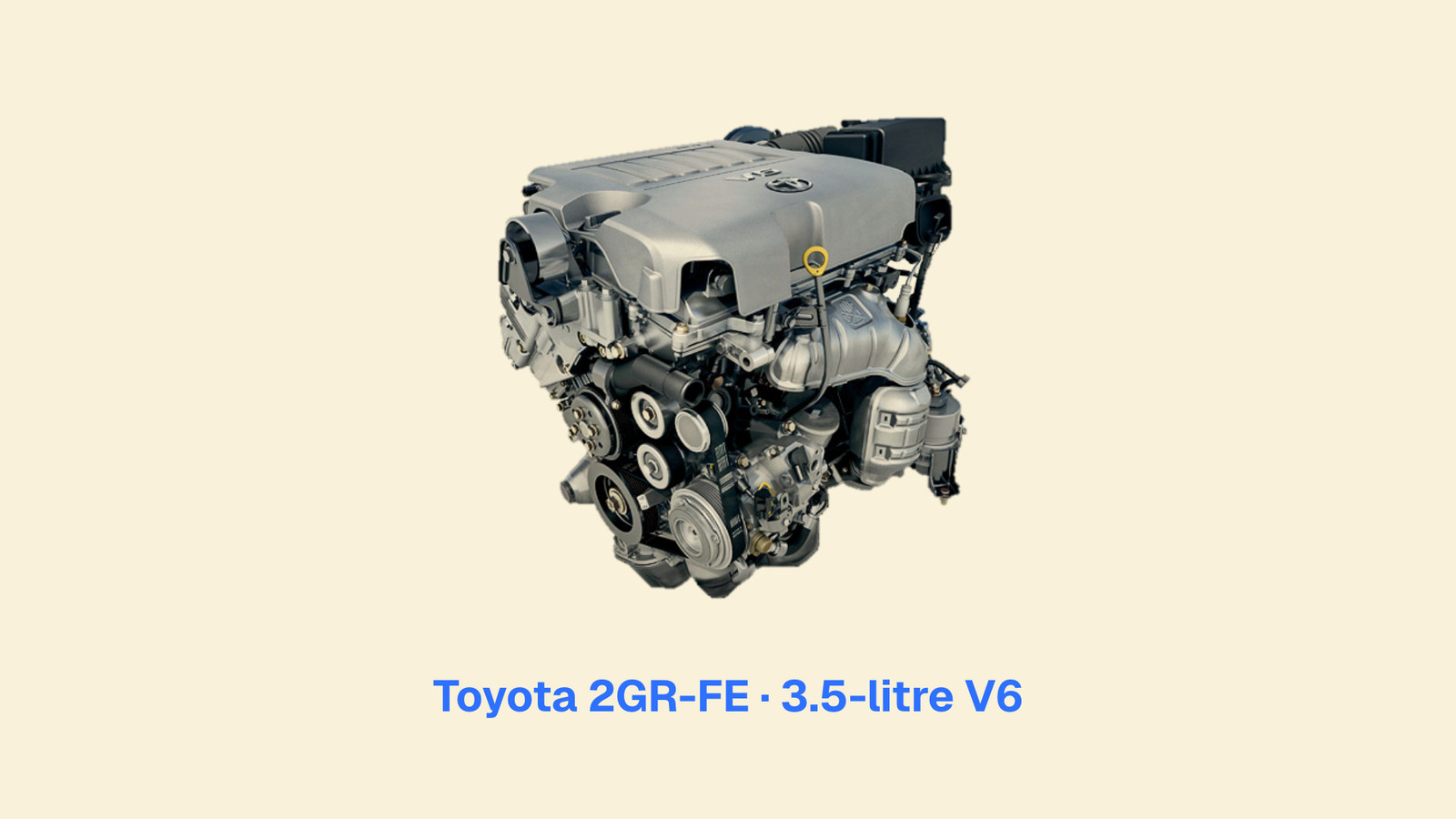
I started with a car analogy. An engine gives you power. A car’s design determines how you can use that power. With an AI agent, the same model can behave differently depending on what it sees, which actions it can take, and what happens when it hits a problem. Watch from 0:00
Building a better AI agent
Start with the job you want the agent to do. The tools, context, and checks you give it will shape how well it does that job.
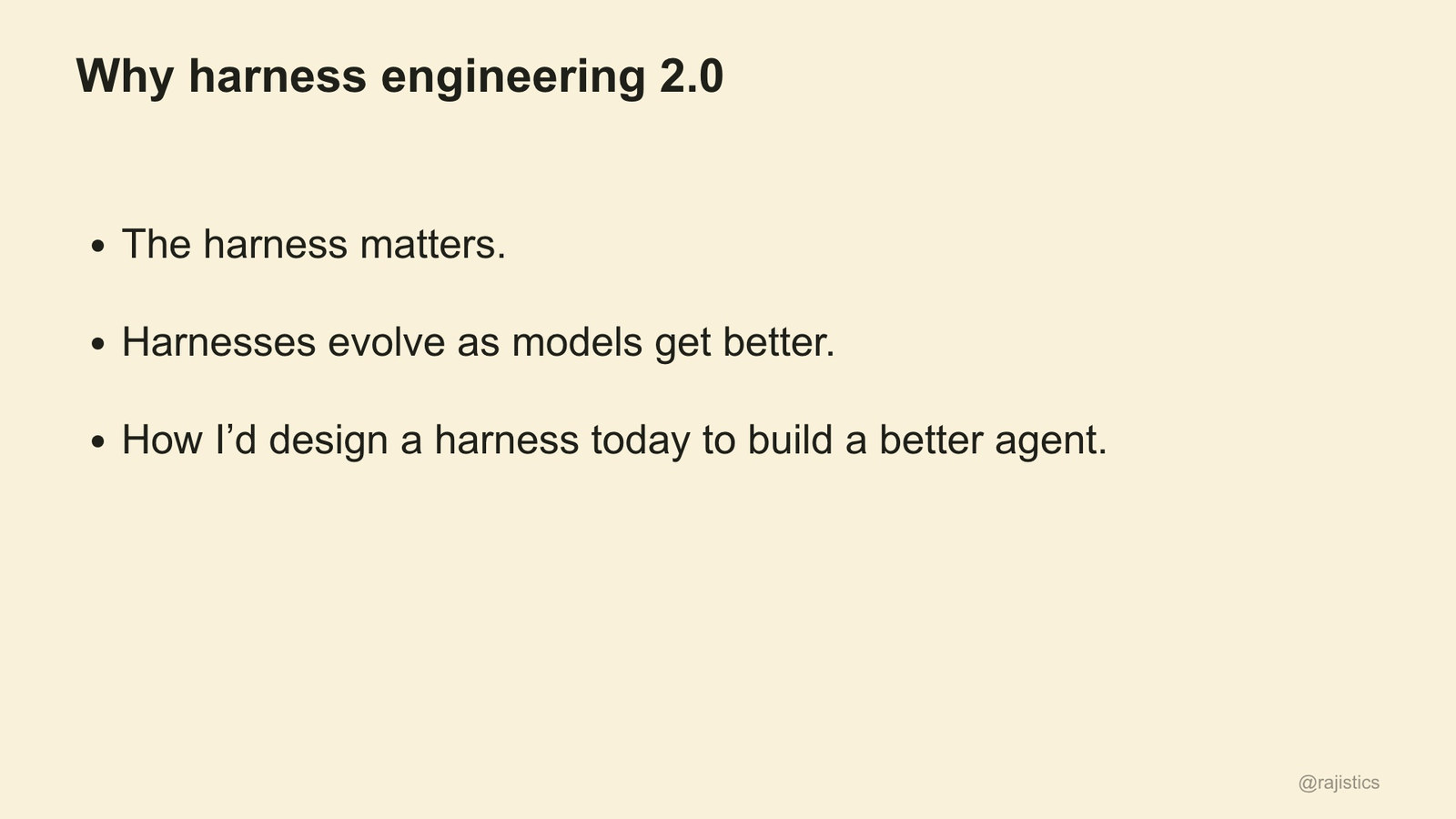
Why revisit harness engineering?
As models improve, I revisit which procedures the harness needs to supply and which the model can work out. The rest of the talk shows how I make that call.
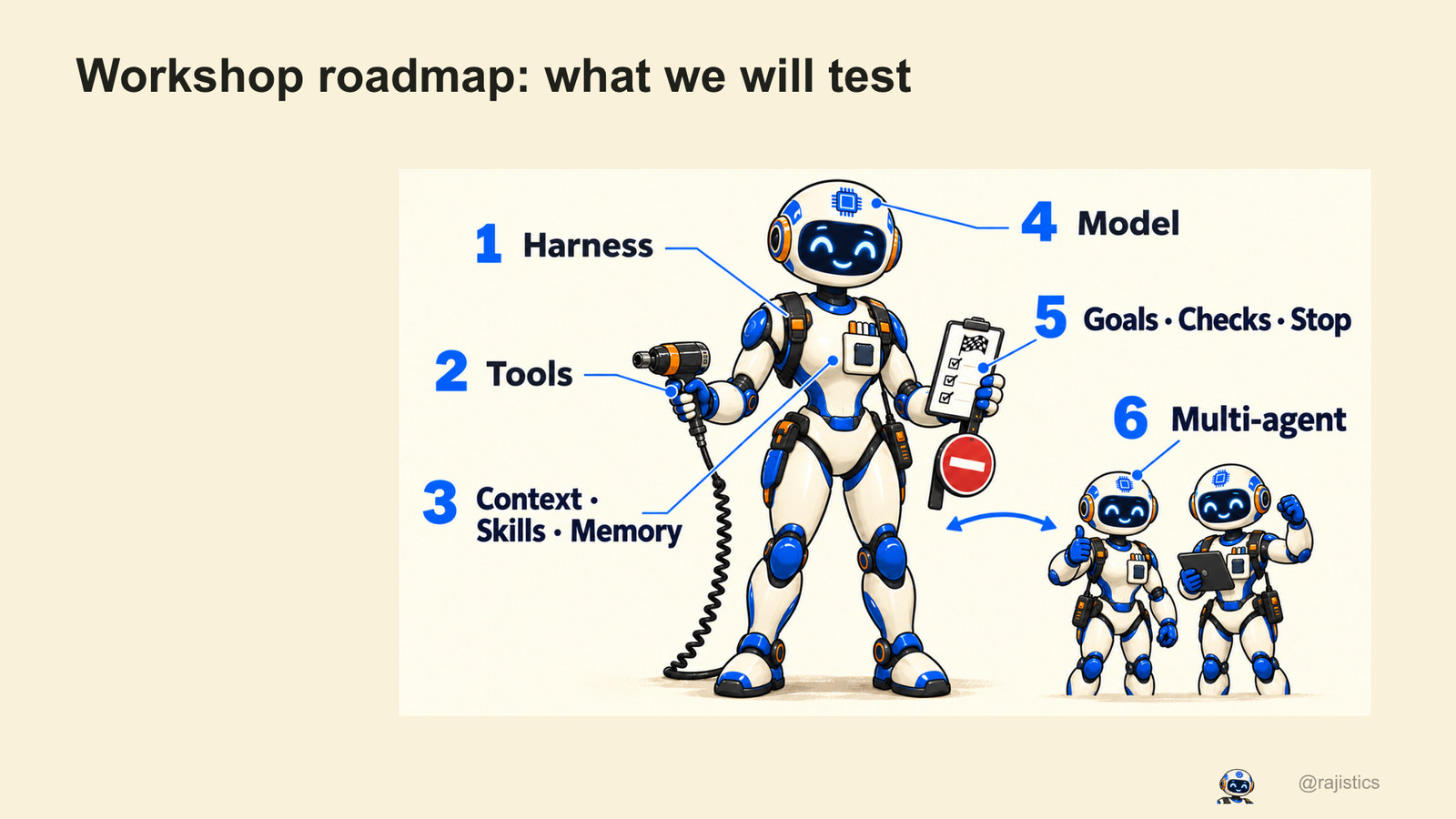
Six decisions to test
The talk moves through harness choice, tools, context and memory, model routing, goals and stopping, and multi-agent design. The workshop examples give each decision a concrete task.
The engine is one part of the car
Toyota’s 3.5-liter V6 gives us a fixed starting point. Watch what happens when the surrounding vehicle is designed for different jobs.
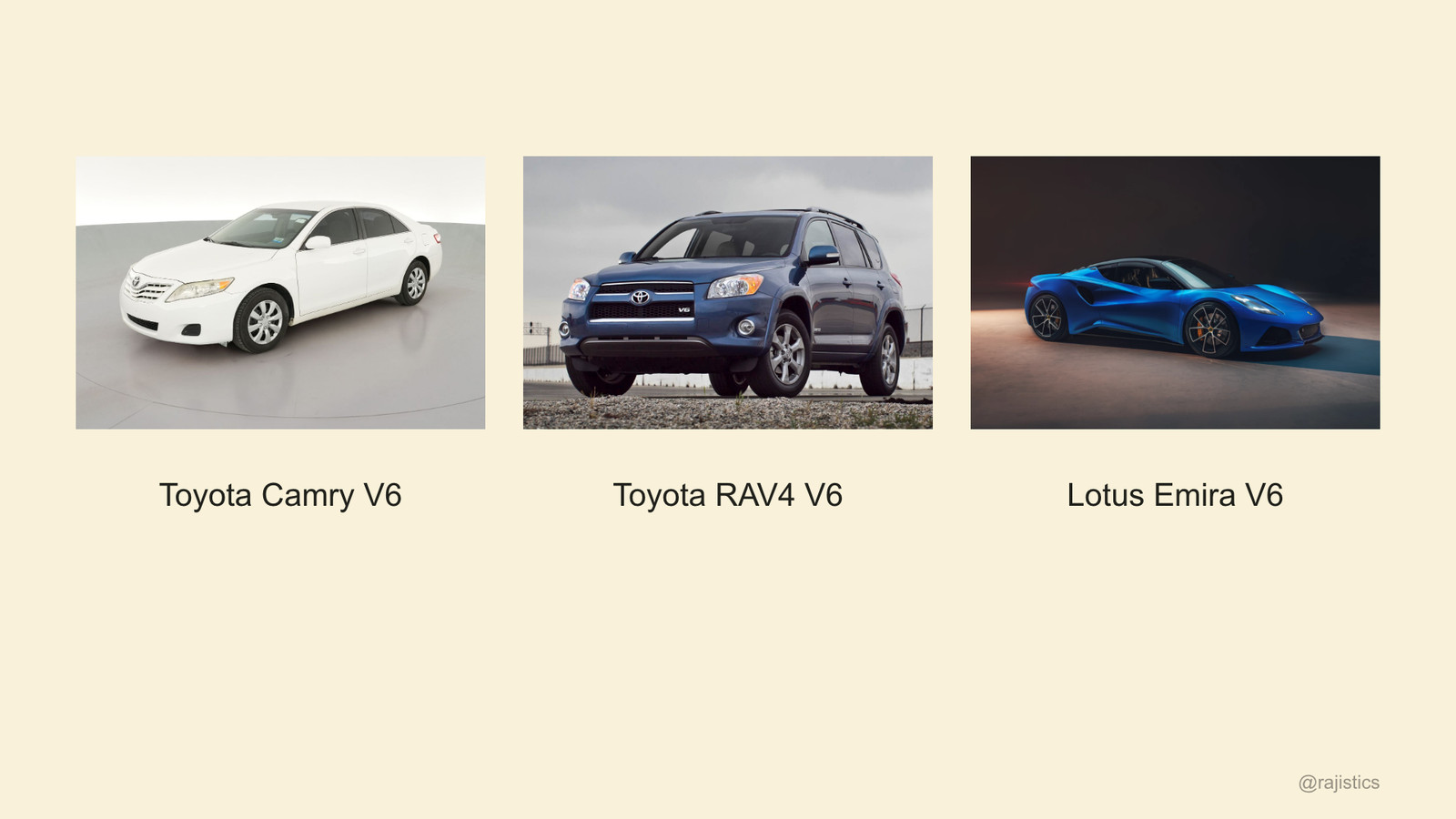
Same engine family, different jobs
I use the Camry, RAV4, and Lotus to get at one design choice. Start with what you want the vehicle to do, then build around the engine. For an agent, the equivalent is to start with the job and decide what environment, tools, and feedback it needs.
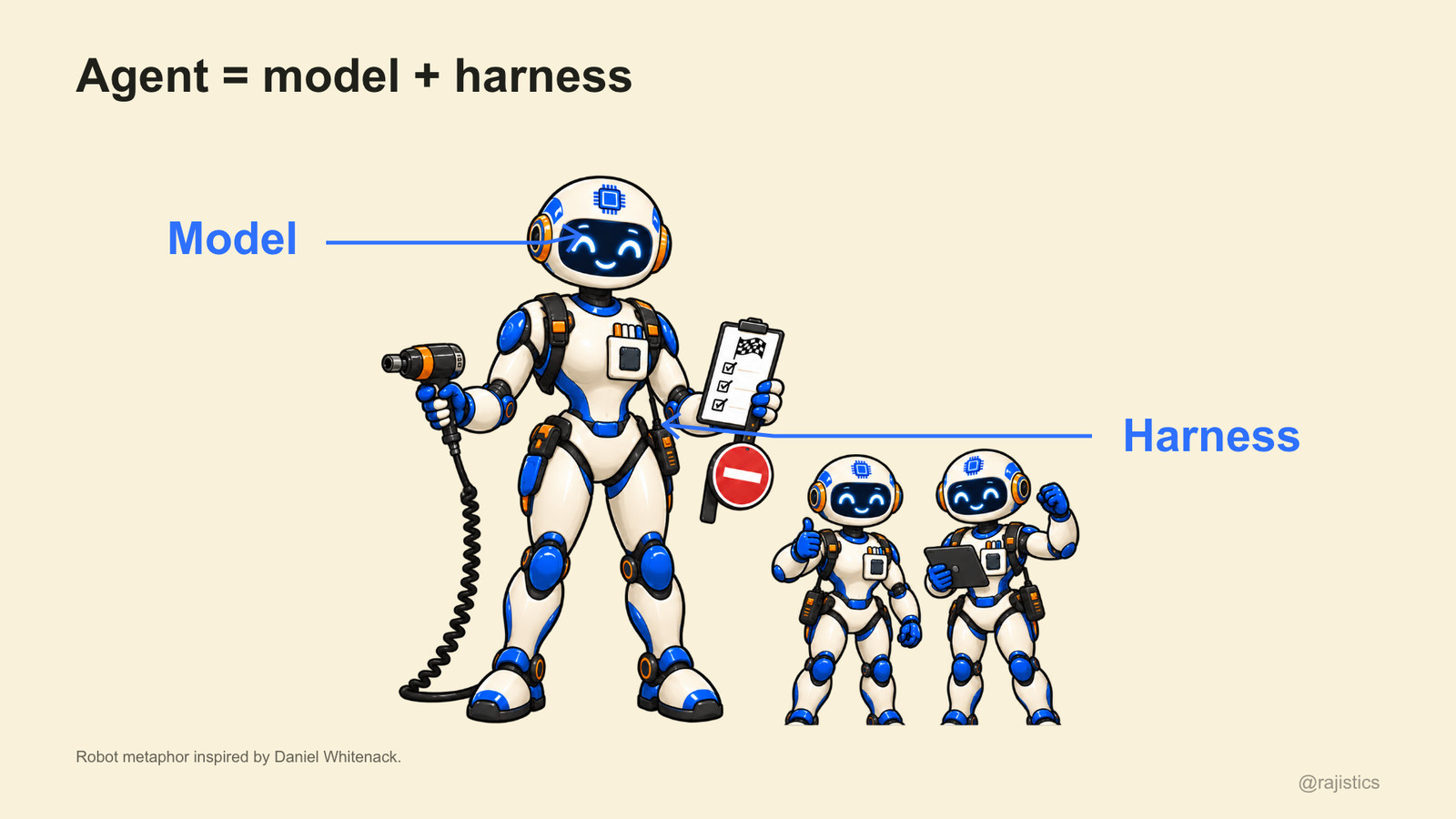
The model and the harness
The model proposes the next action. The harness assembles the input, gives the action somewhere to run, and brings the result back. A test failure, a tool error, or a changed file becomes evidence for the model’s next decision. Agent = model + harness is shorthand for that loop.
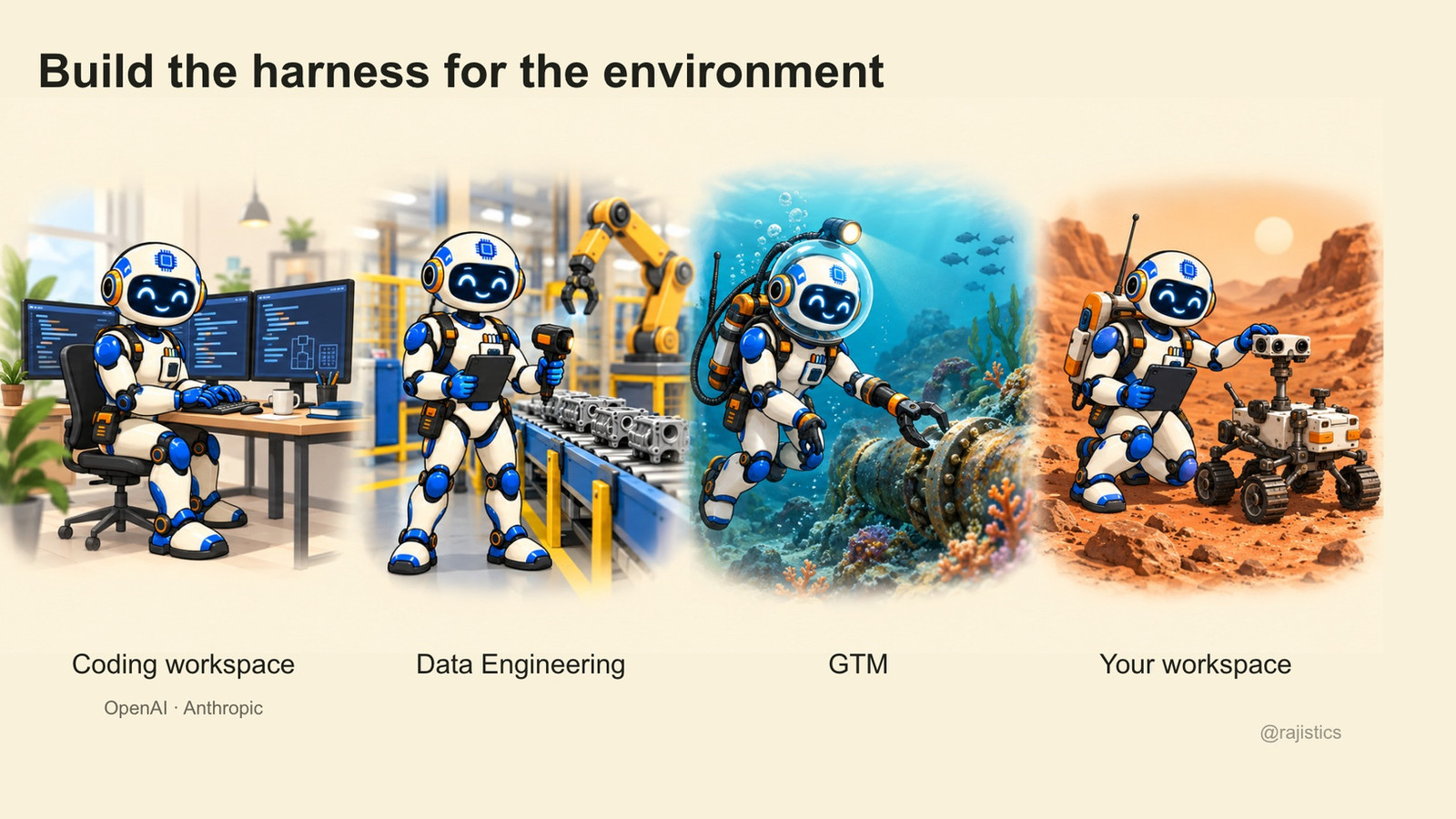
Design for the environment
A programming task may call for a repo, a terminal, and a test runner. A data task might need query access, schema information, and a way to check the result against the underlying data. The job determines what the model can see and do.
Why build a custom harness?
A small model with training and search can be competitive on a narrow task. The synthetic hospital results vary both training and tool access, so they show the potential of the whole setup.
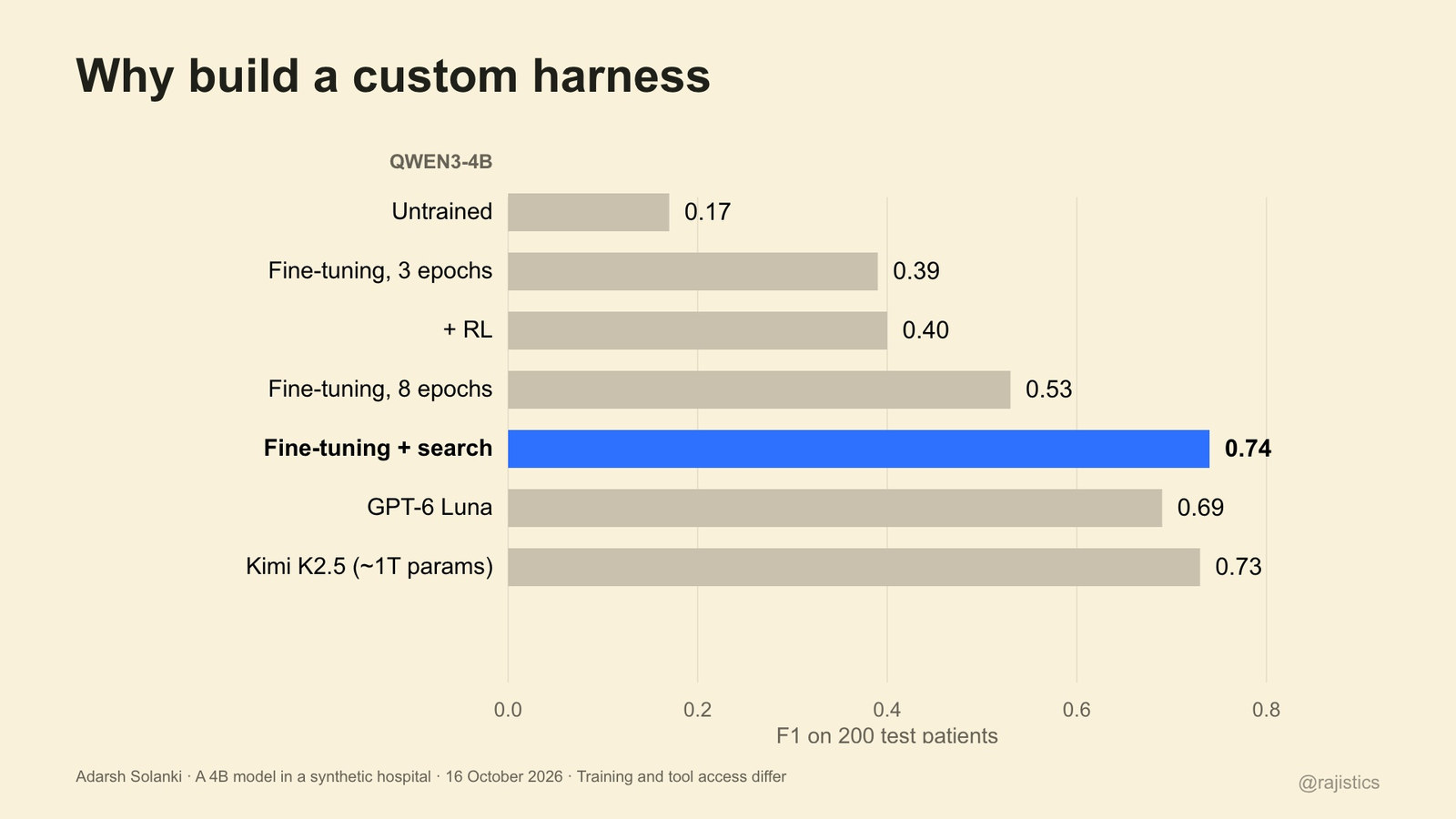
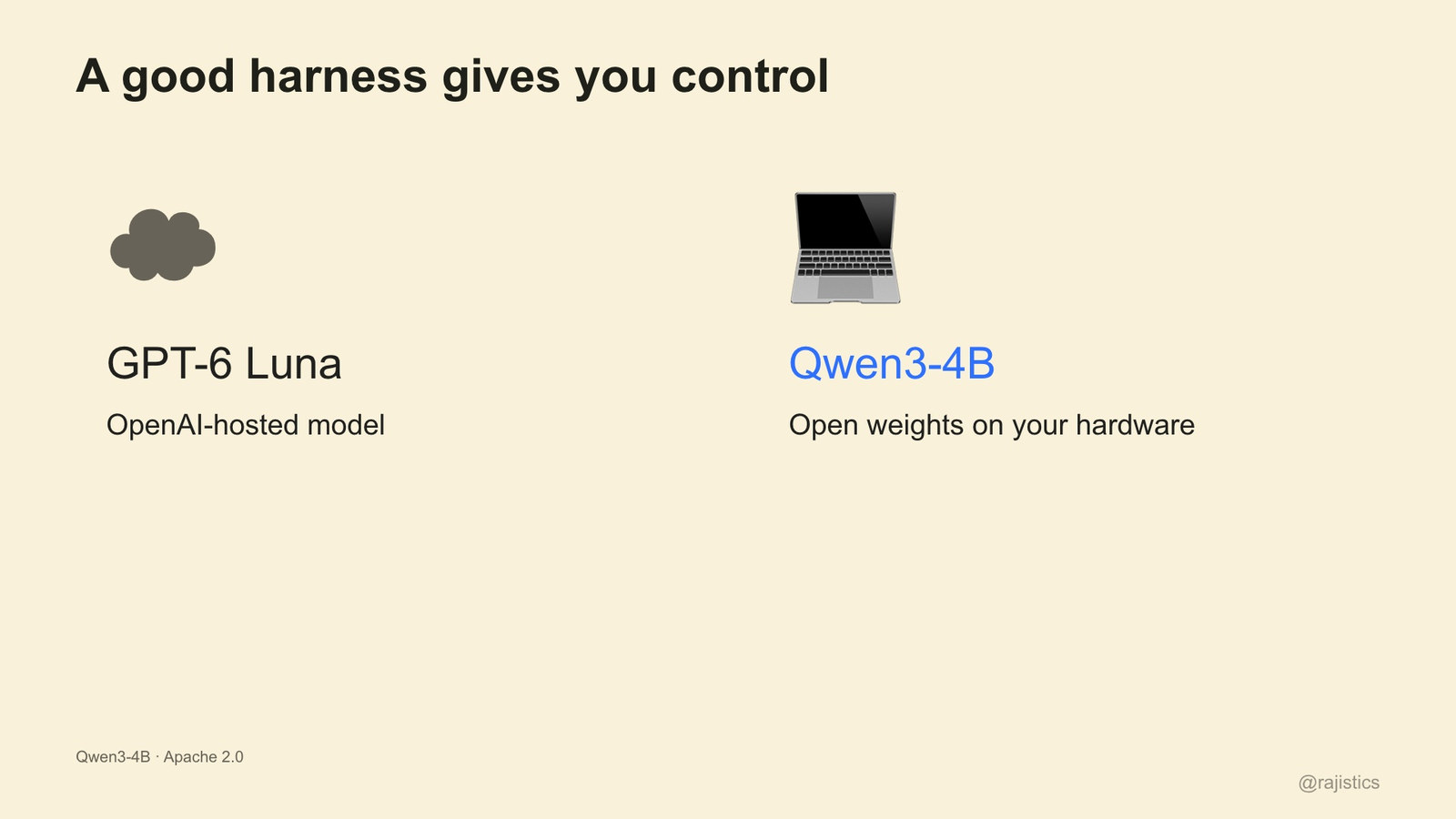
What a custom harness lets you control
Hosting a model yourself can give you control over where computation runs. Check the model license, deployment requirements, and the cost of operating that stack.
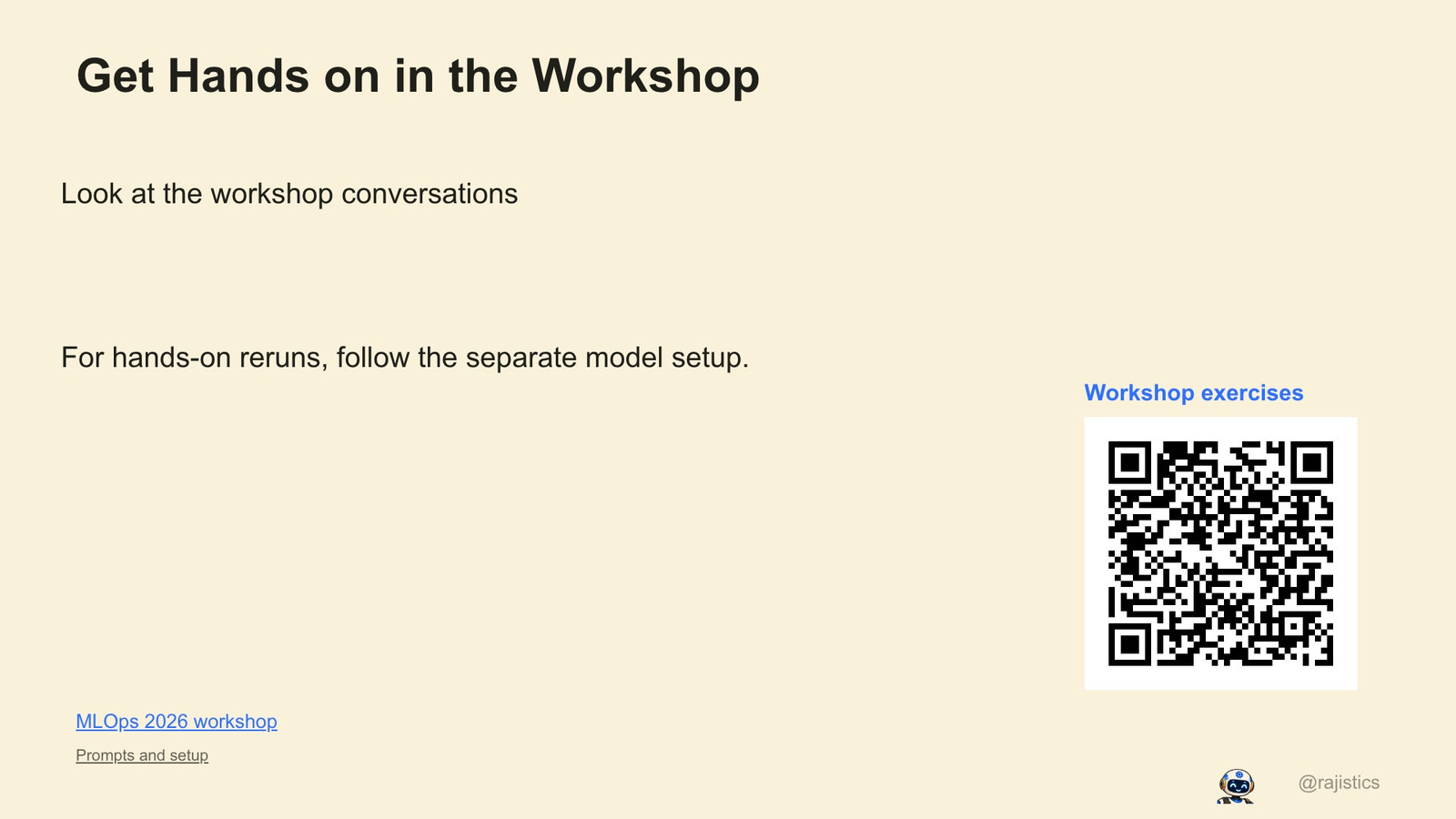
How to follow the exercises
The workshop includes recorded conversations you can inspect. Rerunning the same examples requires the separate model setup.
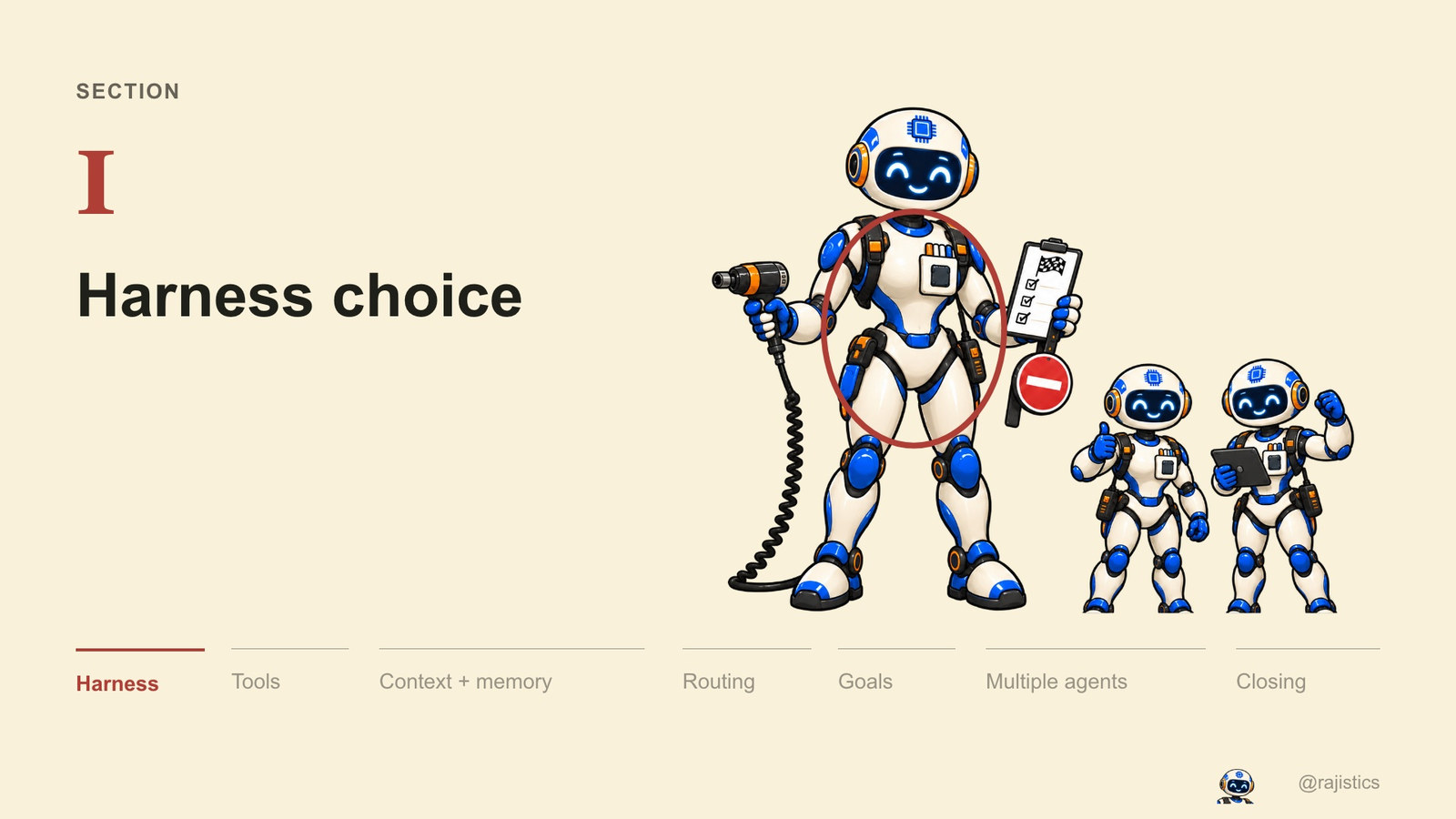
Choosing a harness
When I compare agents, I keep the model and task fixed first. That makes it easier to see where the surrounding system changes the run. Watch from 2:50
What changes when you swap harnesses?
Hold the model and task fixed. Then watch which files each agent reads, how it issues tool calls, and what it checks before it stops.
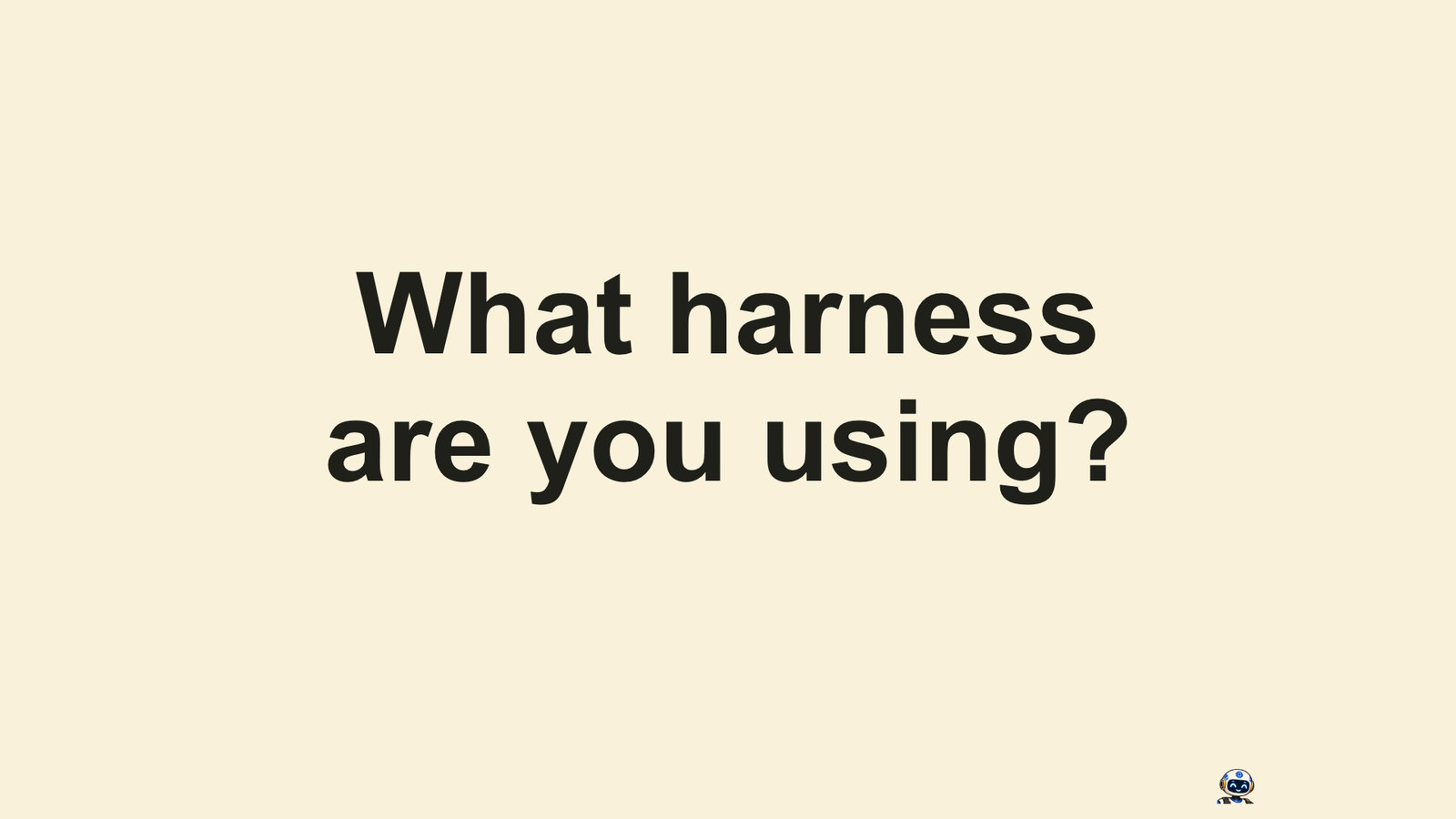
Identify the harness in your comparison
Record the agent or CLI, the model, the reasoning settings, and the tool configuration. Otherwise, it is hard to reproduce the comparison.
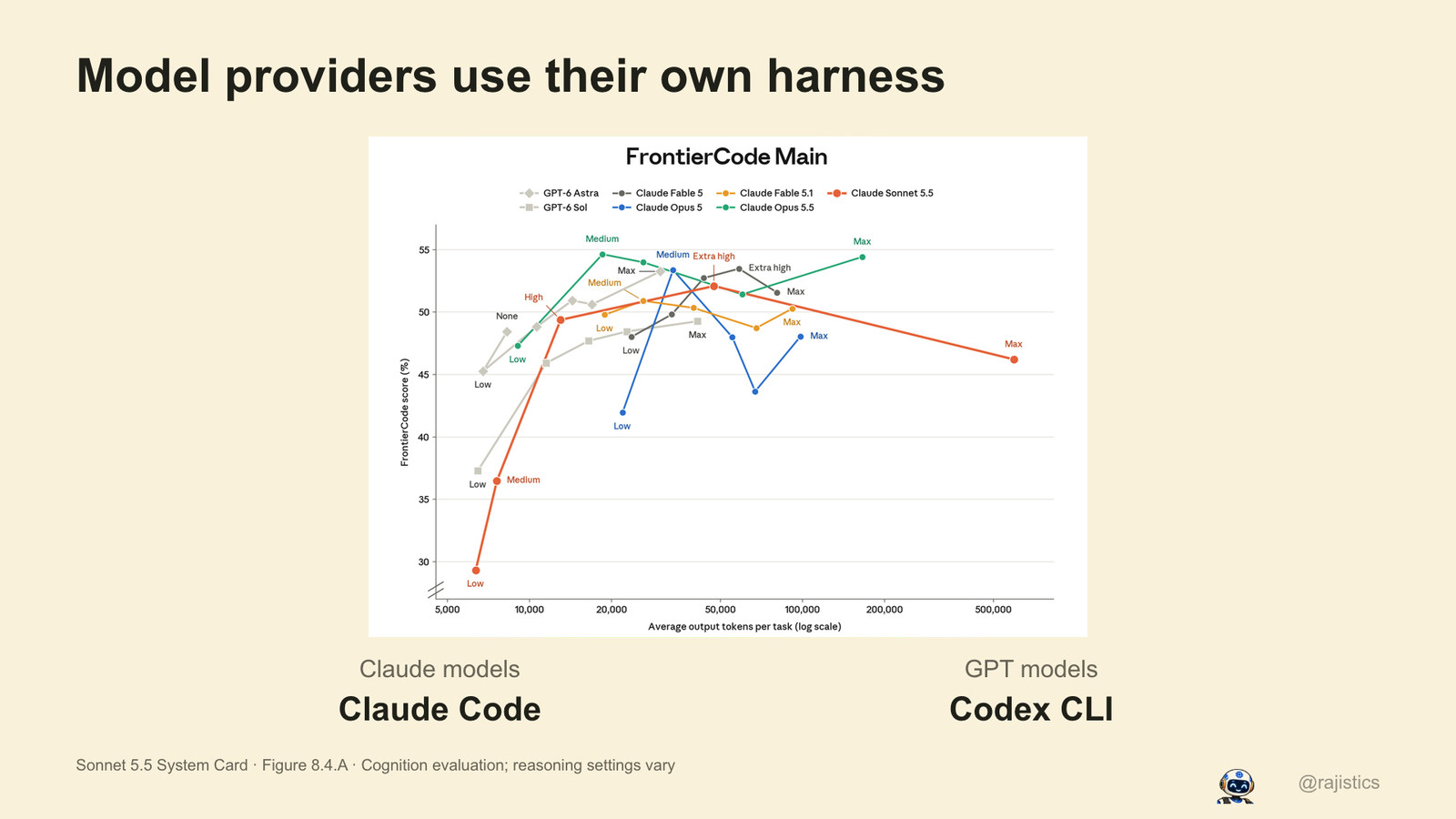
Benchmarks test a complete setup
The benchmark example pairs Claude models with Claude Code and GPT models with Codex CLI. Reasoning settings vary as well. A result belongs to that complete setup. Before carrying a number over to your own application, check which harness, reasoning settings, and tools produced it.
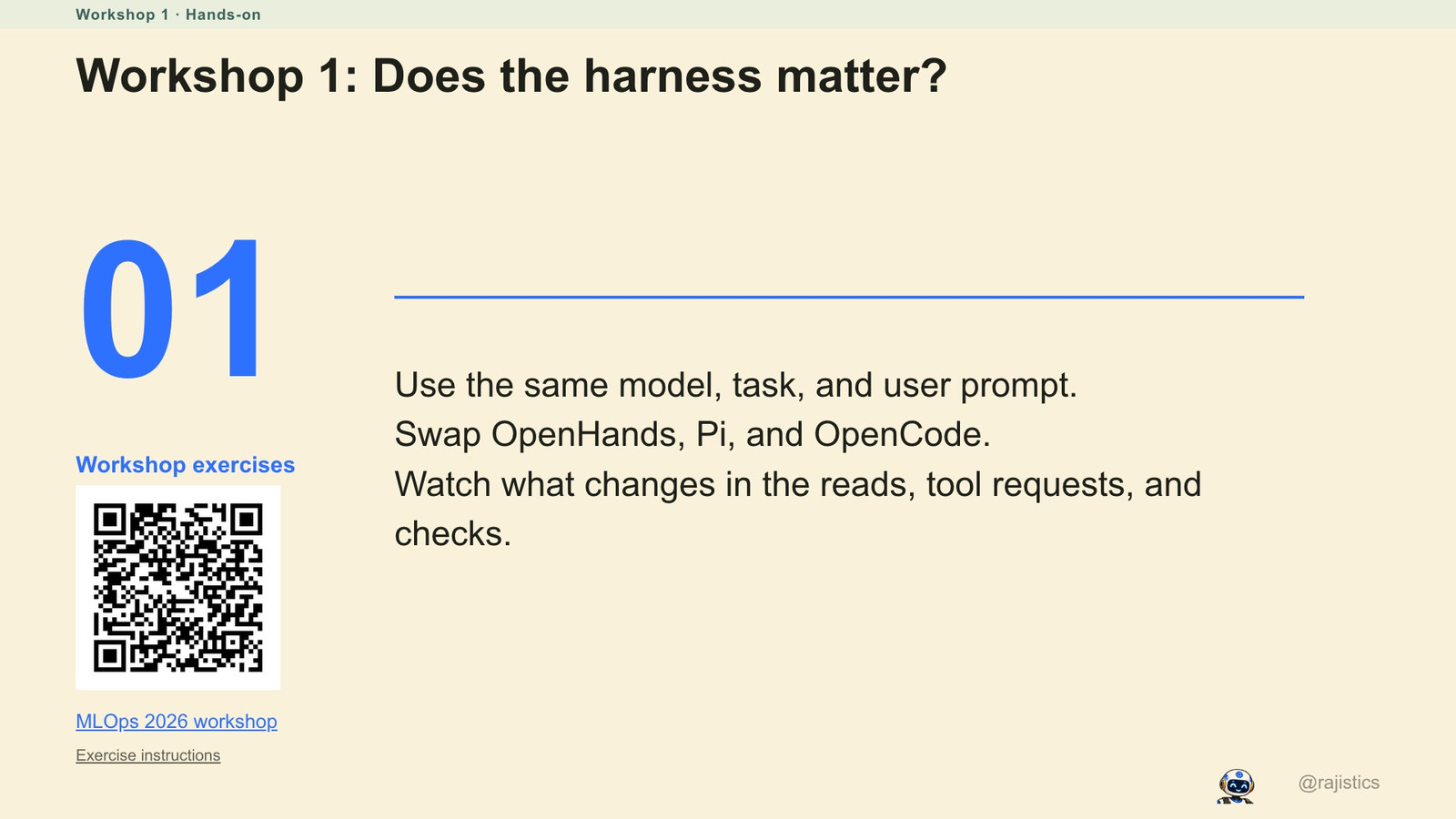
Workshop 1 setup
OpenHands, Pi, and OpenCode get the same prompt and model. Inspect each trace for reads, tool requests, and verification.
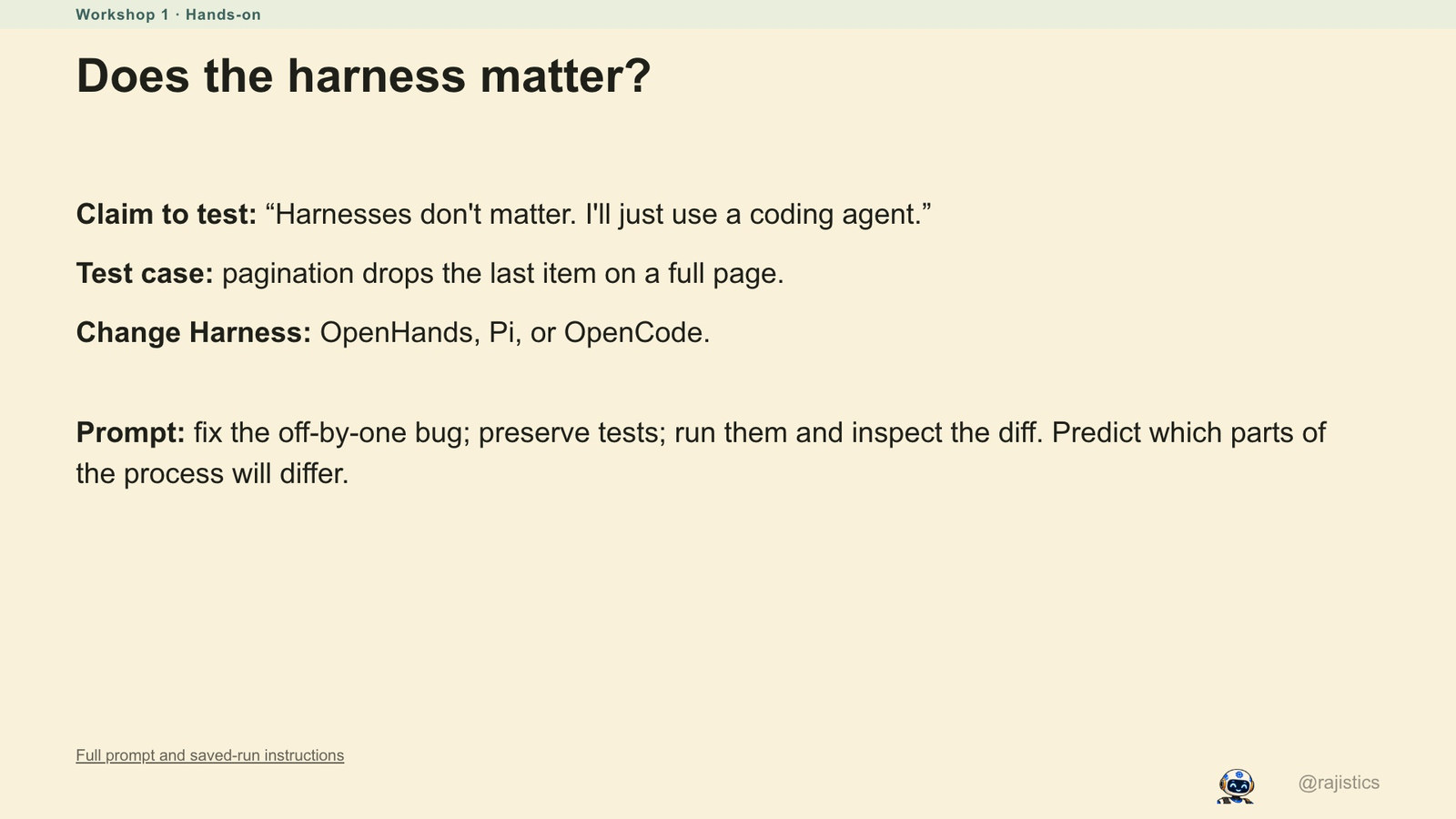
The pagination bug
The app drops the last item of a full page. The prompt asks each agent to fix the off-by-one issue, preserve the tests, run them, and inspect the diff.
Look inside the tool calls
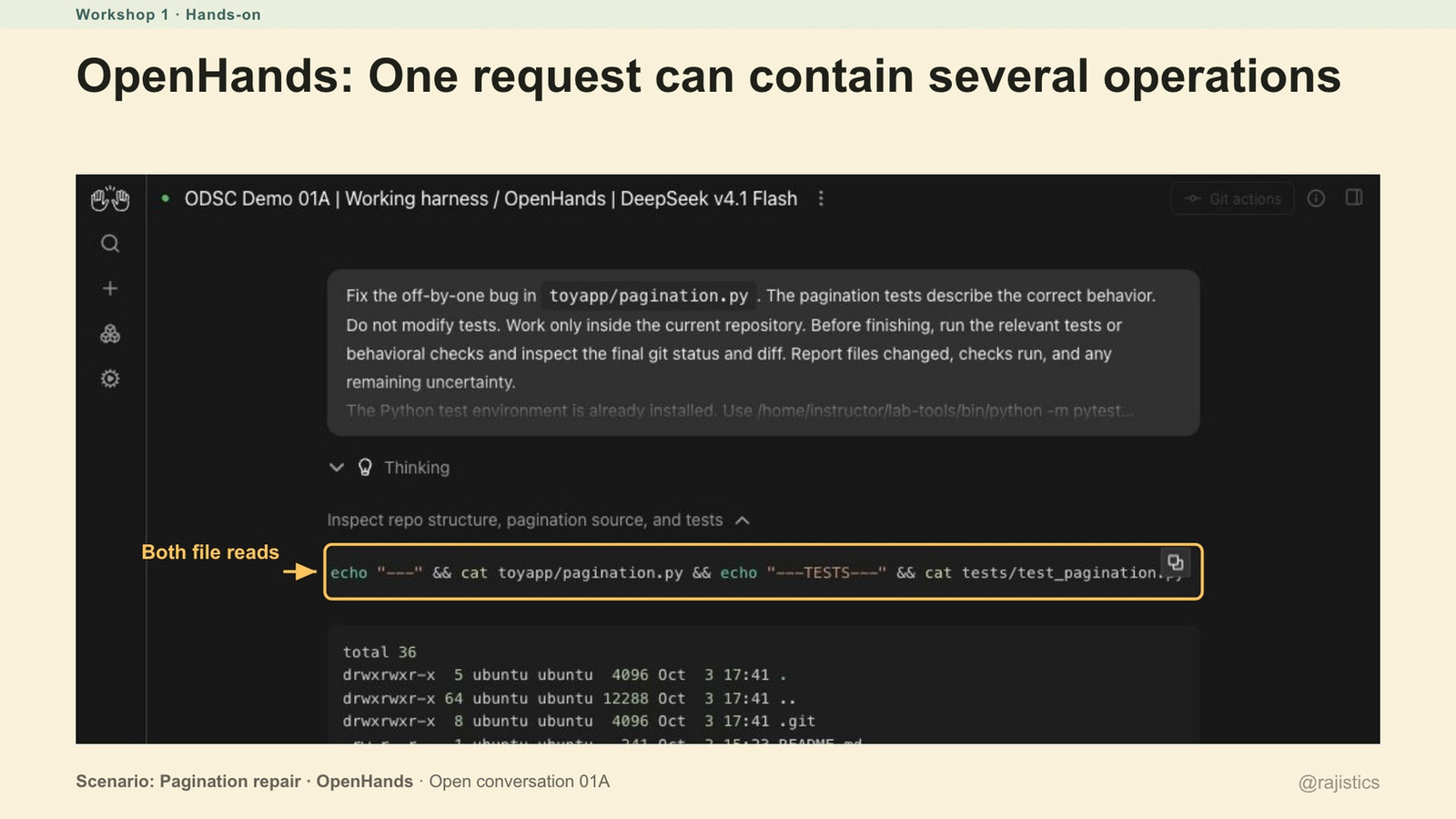
In the pagination exercise, OpenHands batches some repo inspection into a shell request. OpenCode makes separate reads. Pi adds behavioral checks before finishing. Compare what each request does and what evidence it returns. That tells you more than a count of calls.
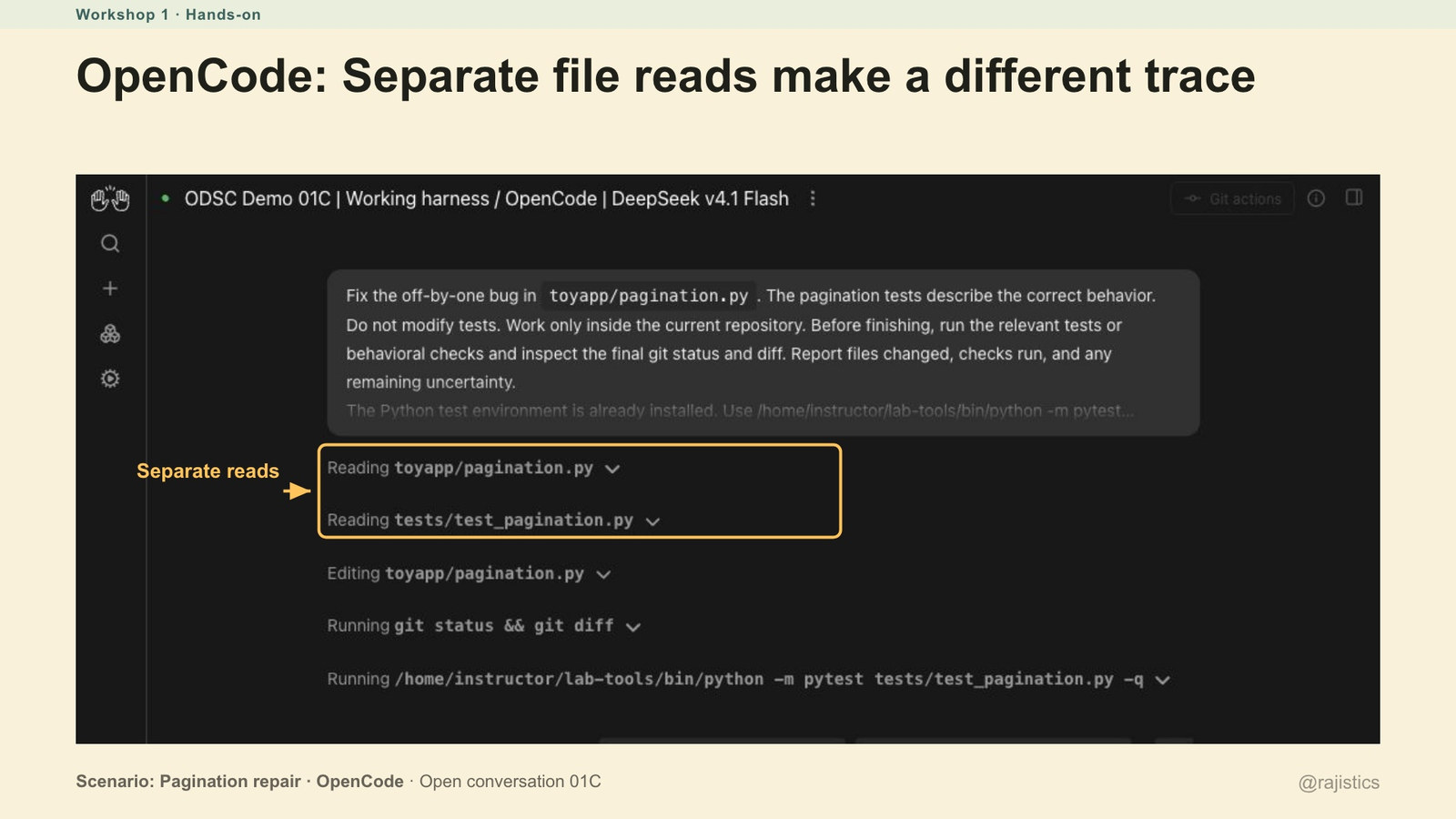
OpenCode reads files separately
OpenCode requests the source and test files in separate tool calls. Those calls make the trace easy to follow and show which evidence the agent requested first.
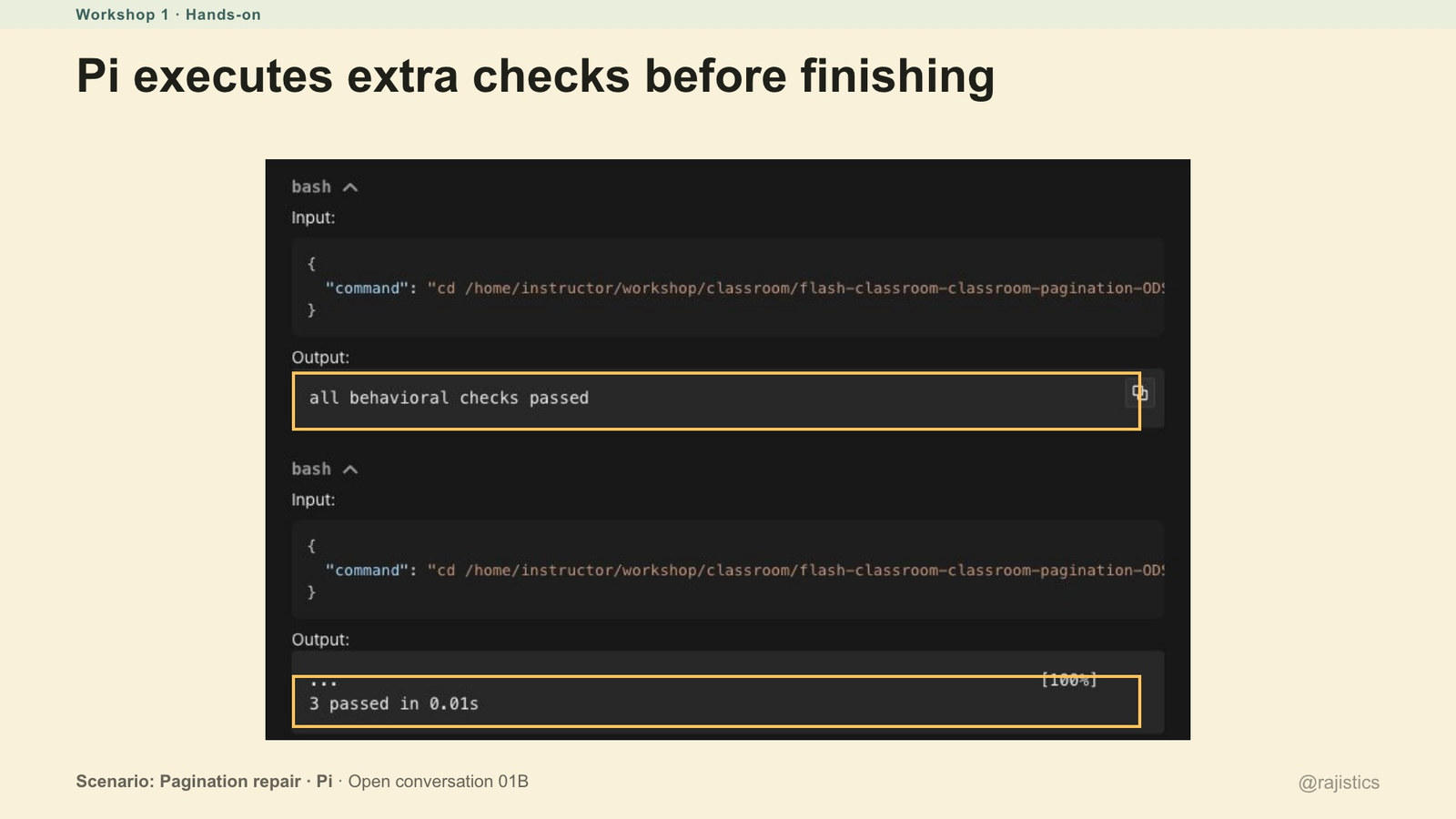
Pi adds behavior checks
Pi checks edge cases while repairing the same bug. Look at which cases it checked and what those checks add to the existing suite.
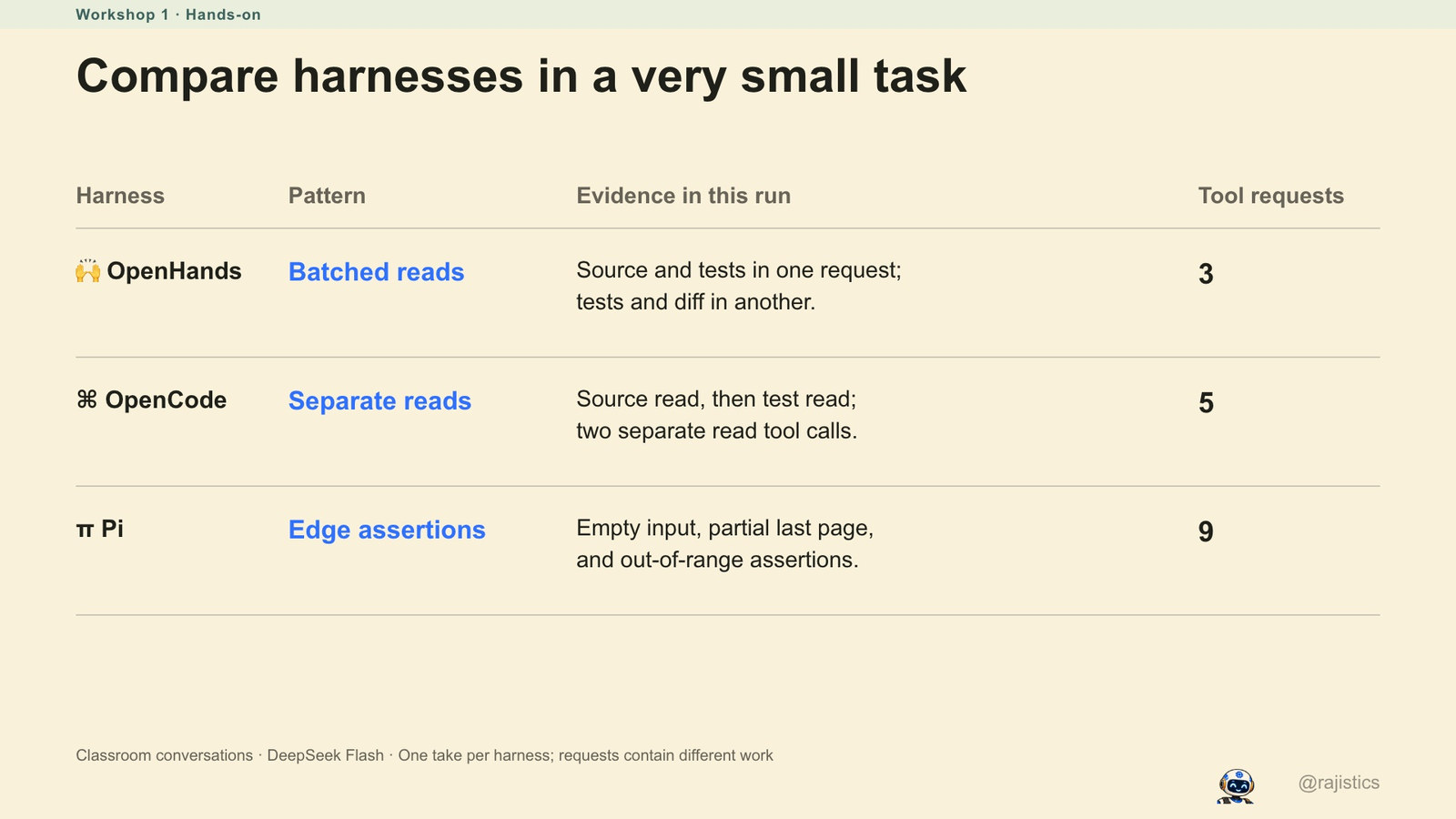
Compare the evidence in the three traces
OpenHands batches reads, OpenCode separates them, and Pi adds checks. A short trace can still contain several operations in one call.
Read the repair and the checks together
The patch tells you what changed. The tool trace tells you how the agent found the problem and what it confirmed before finishing.
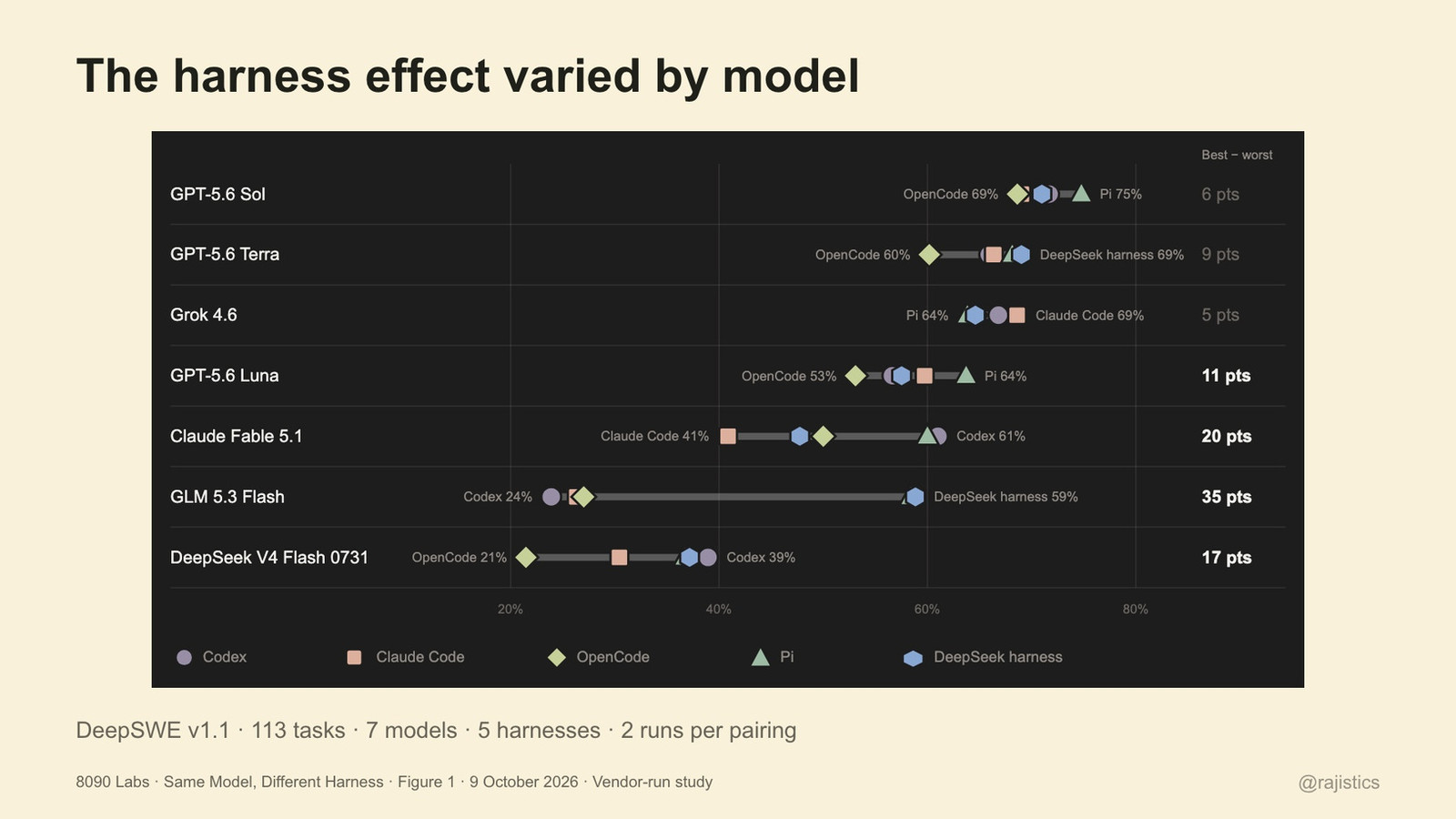
The harness effect varies by model
Some of the results in this table move by double-digit percentage points when the harness changes. The size and direction of the effect depend on the pairing. The study ran 113 tasks twice per pairing, so I treat small gaps cautiously. The practical question is whether a pairing is repeatable on tasks like yours.
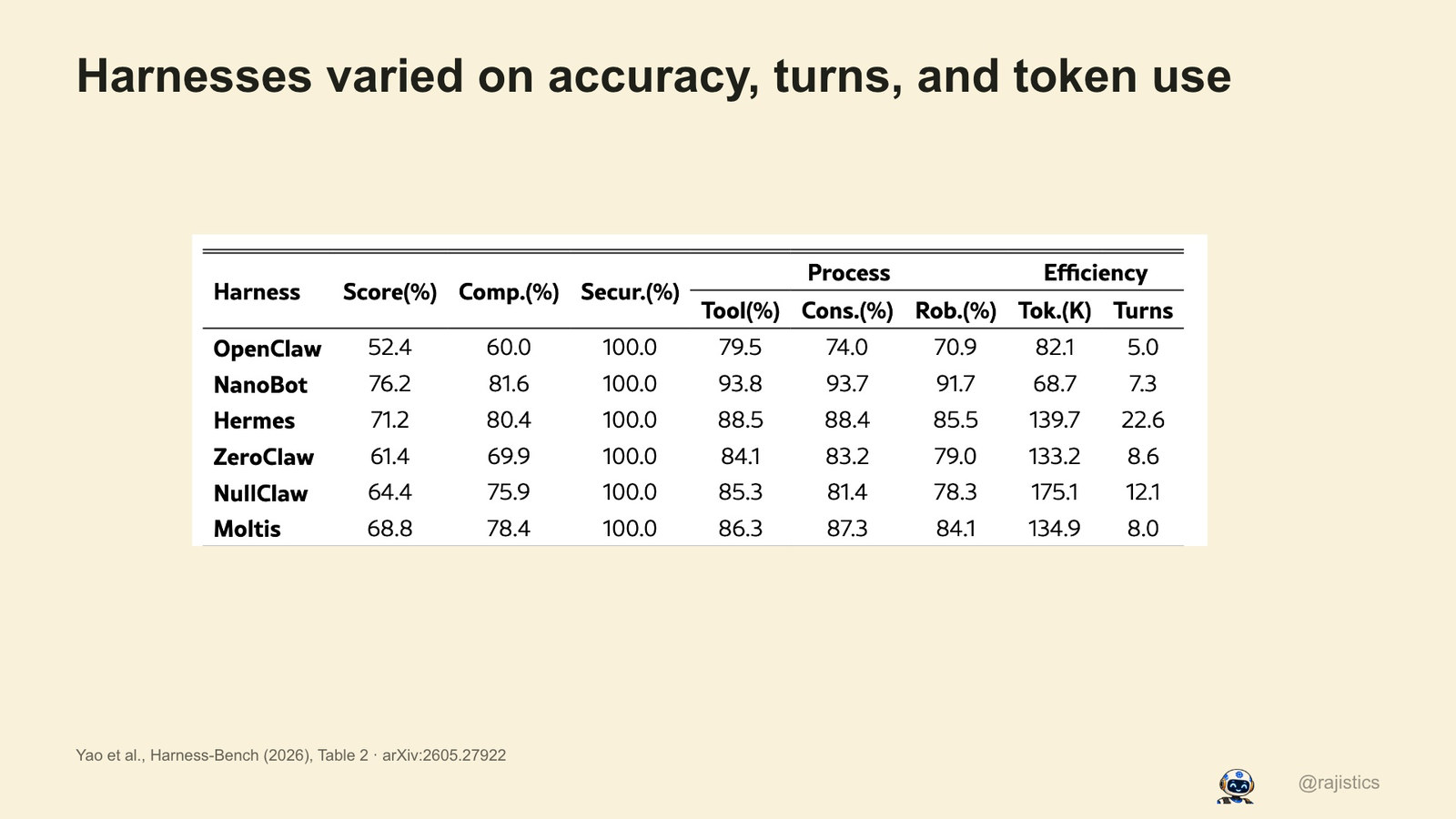
What else should a harness comparison measure?
Harness-Bench reports task quality, robustness, security, token use, and turns. Choose metrics that match the work you intend to run.
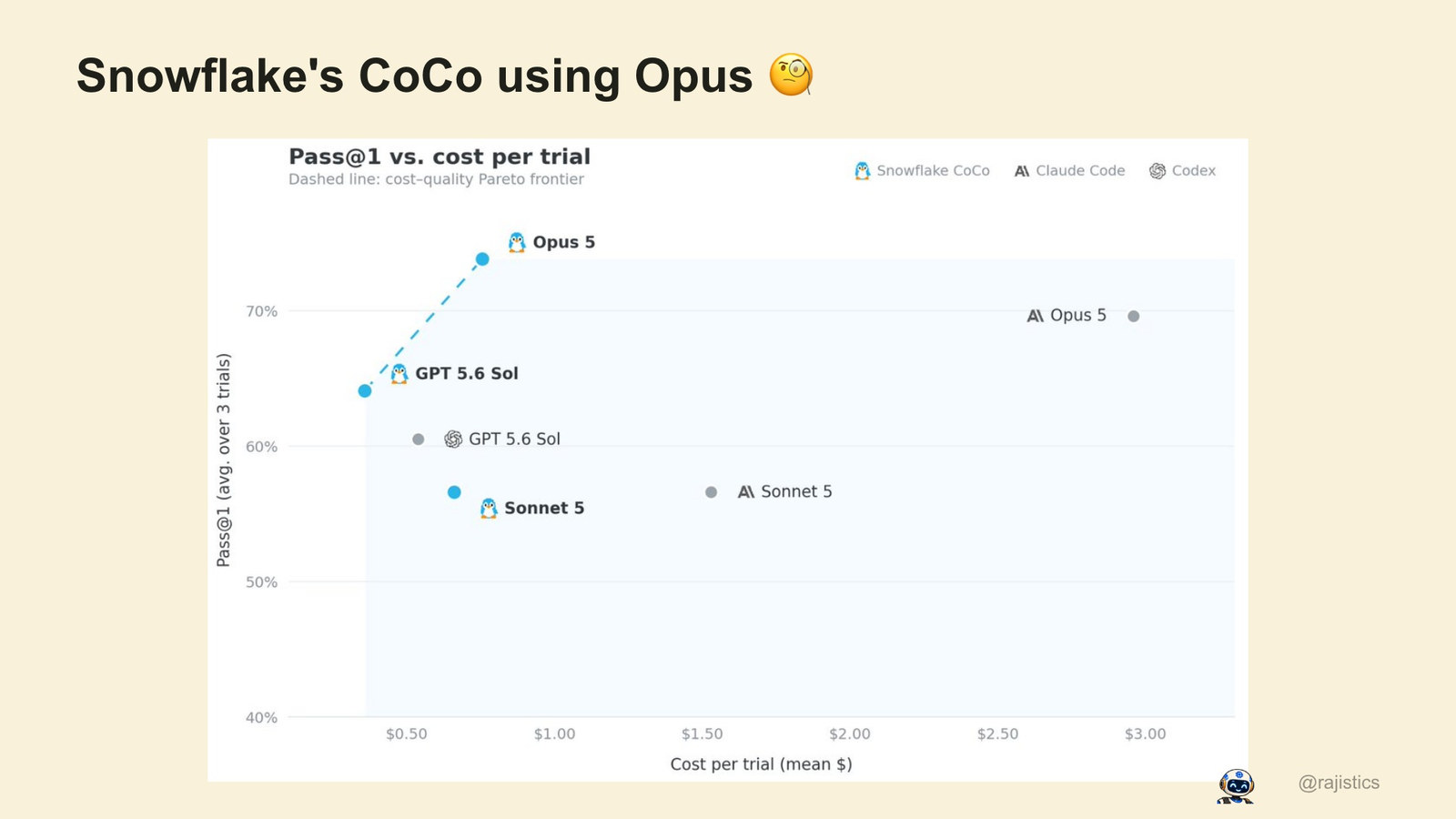
Compare accuracy and cost together
The Snowflake CoCo example plots pass rate against cost per trial for several model setups. Read both axes when choosing a configuration.
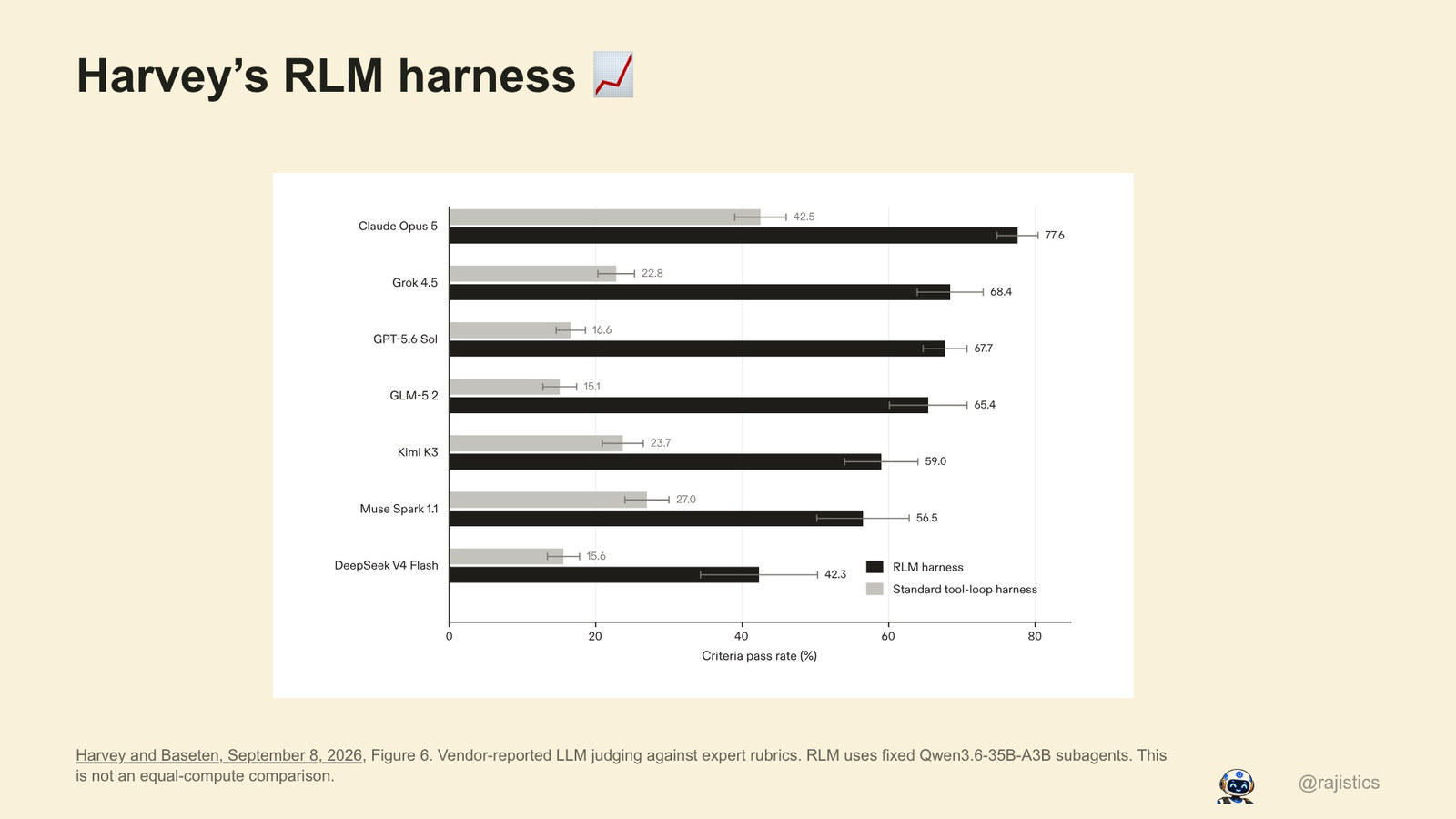
Harvey’s RLM harness
Harvey and Baseten compared a standard tool loop with a recursive language model harness on diligence work. The rubric scores are vendor-reported and specific to that setup.
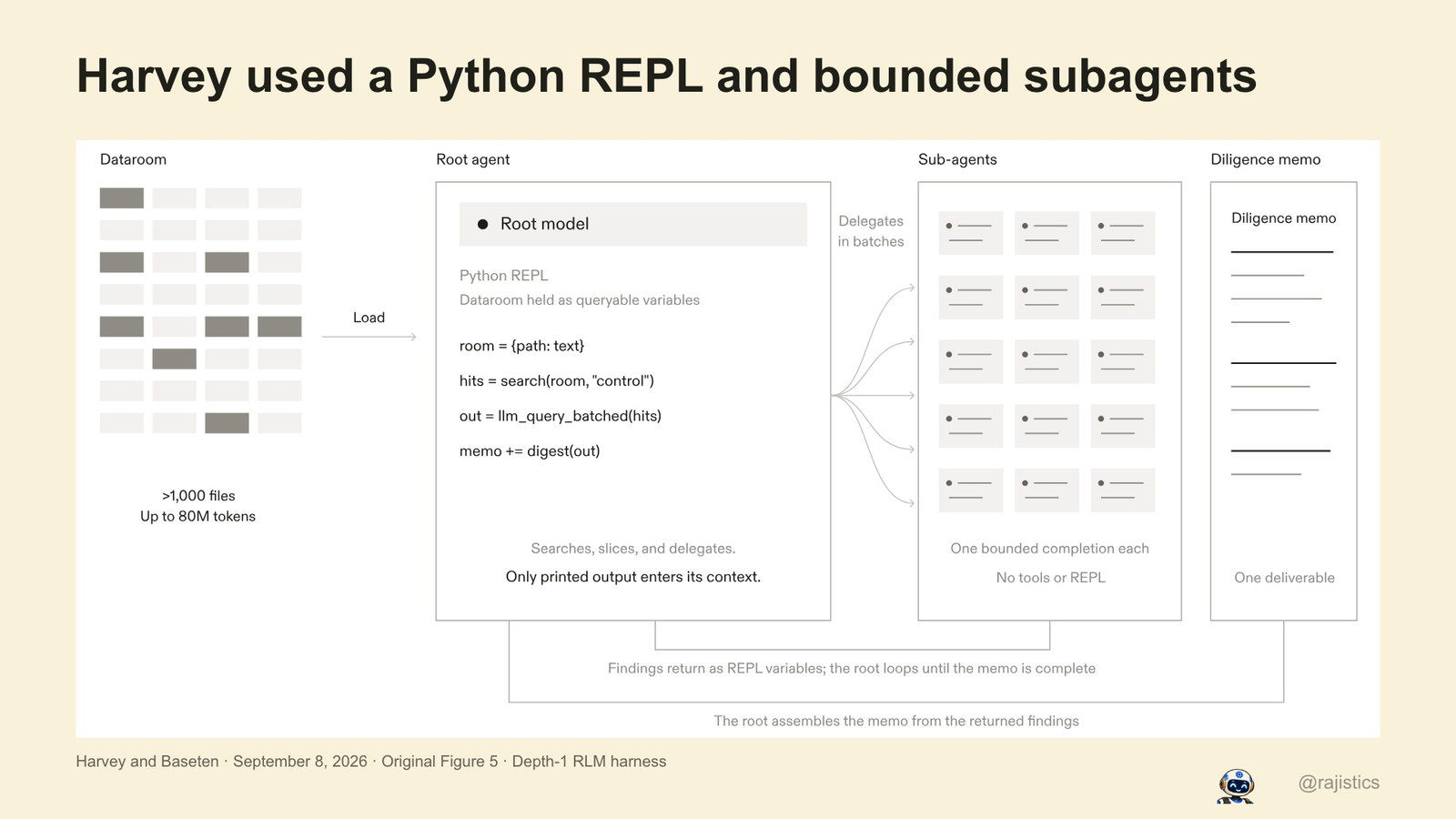
How Harvey queries a data room
The root agent can search documents held in a Python REPL and delegate bounded batches of work. It uses the returned findings to assemble the diligence memo.
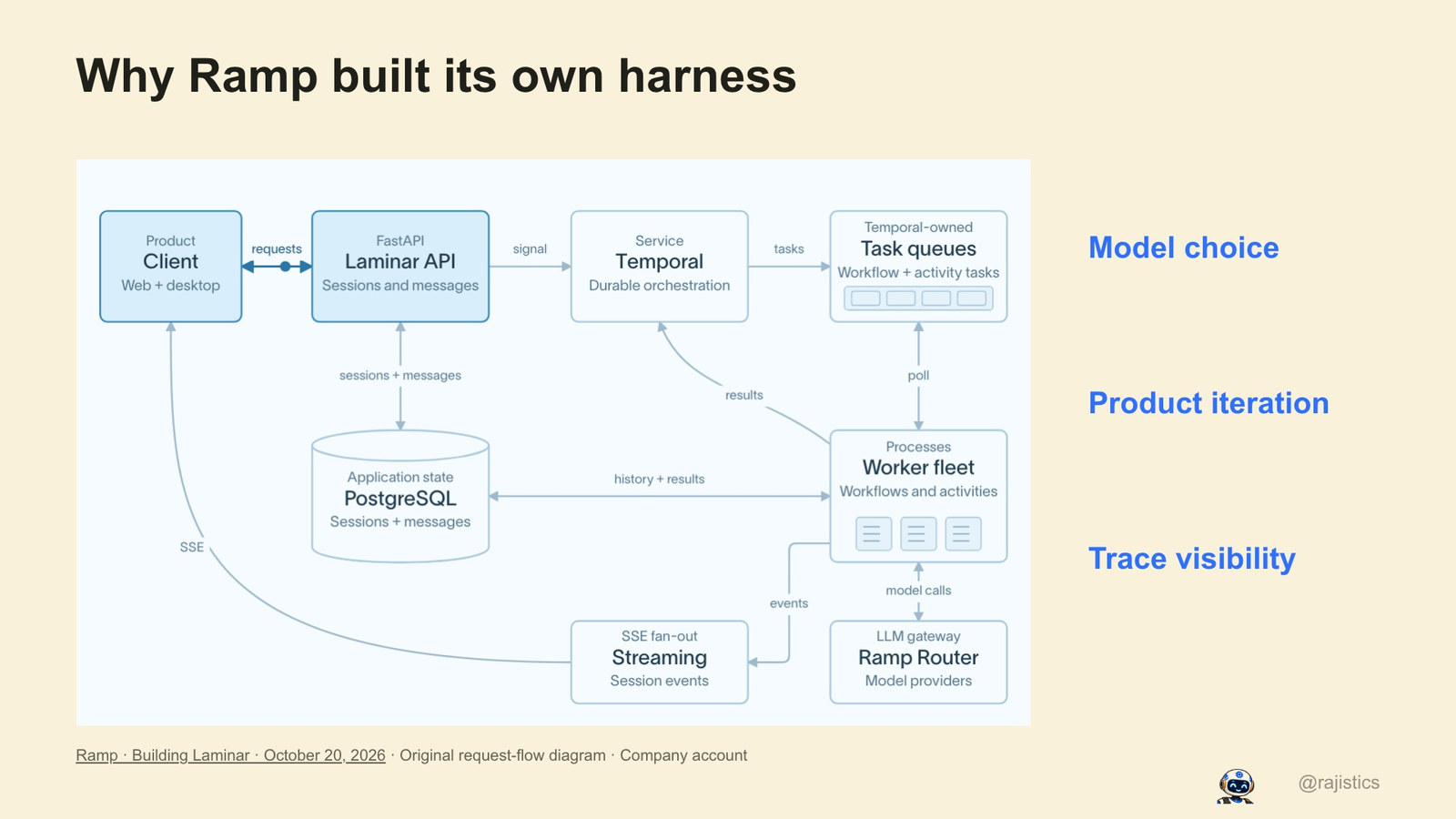
Why Ramp built its own harness
Ramp’s example uses Temporal for durable workflows and activities. Product requests, sessions, model choice, and results all belong to the system the team has to operate.
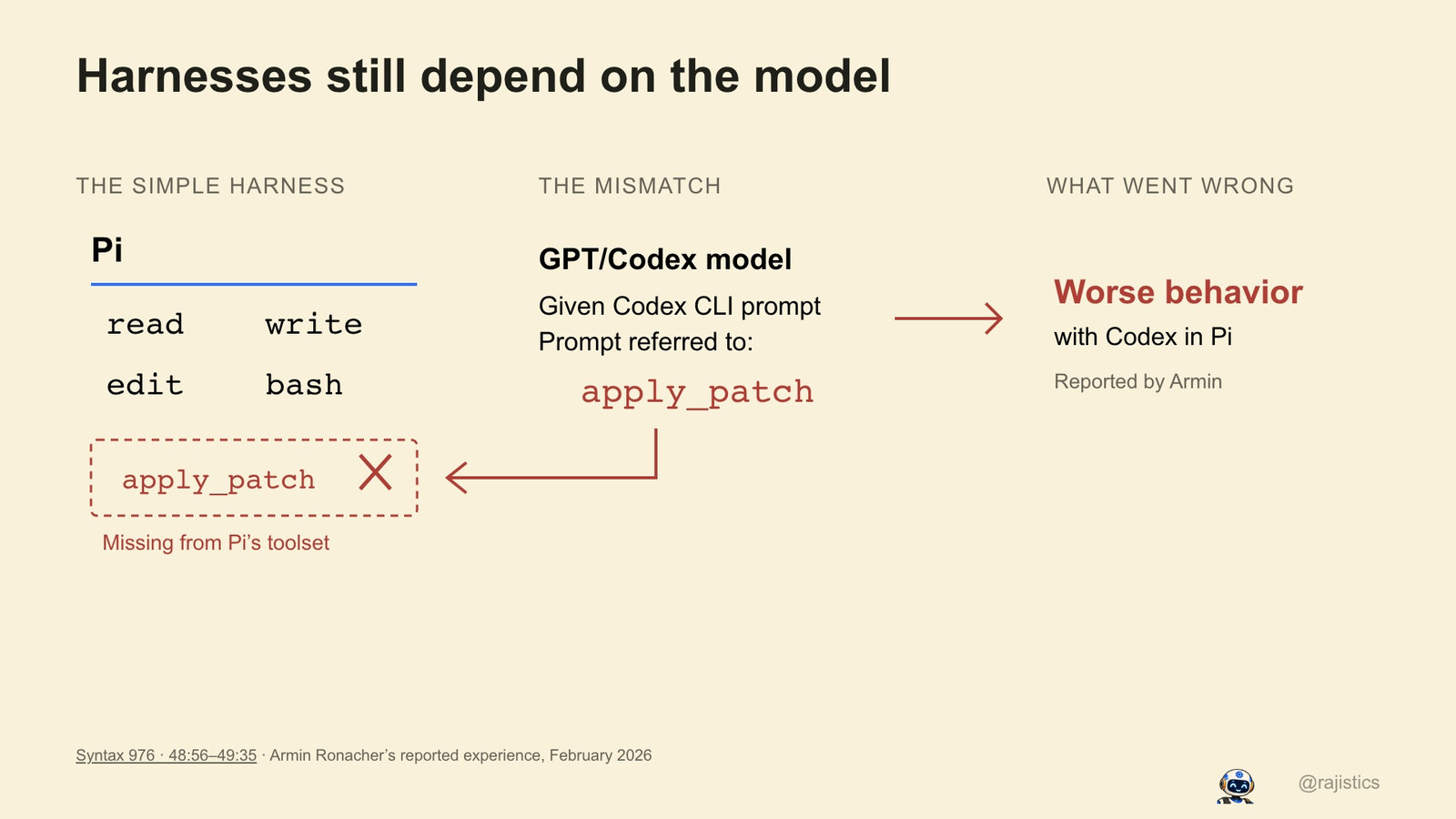
A prompt and its tool set have to agree
A prompt carried over from Codex told the model to use an action Pi did not expose. Check that the prompt names tools the current harness actually provides.
Retry policy can change the result
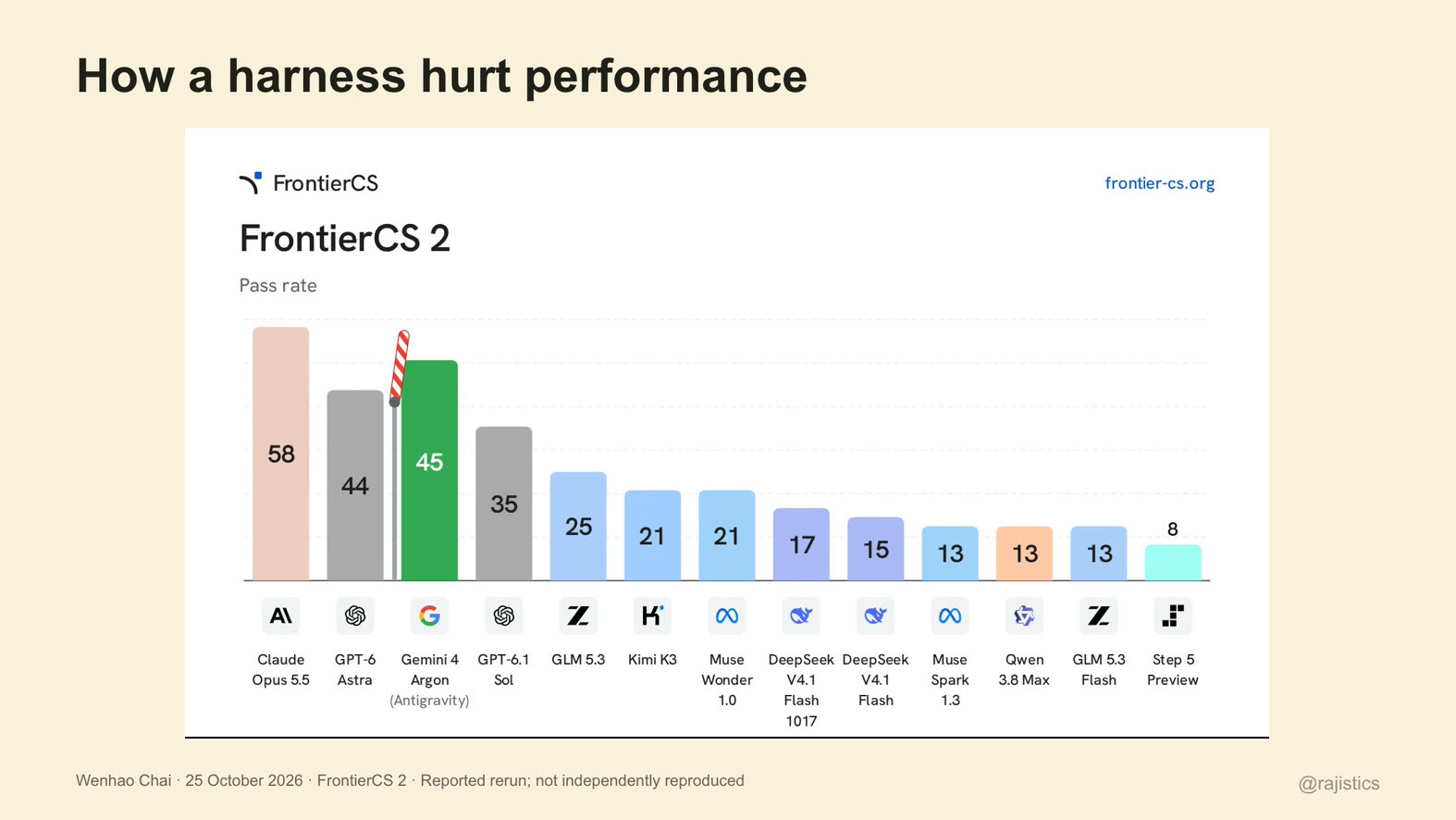
In the FrontierCS 2 comparison shown in the talk, the authors traced some Gemini 4 Argon failures in Pi to provider refusals that ended the run. Antigravity retried some of those requests. The reported pass rate for Argon moved from 40% in Pi to 54% in Antigravity. A trace can show where the implementation contributed to a benchmark result. Original comparison · FrontierCS
Compare harnesses at the source level
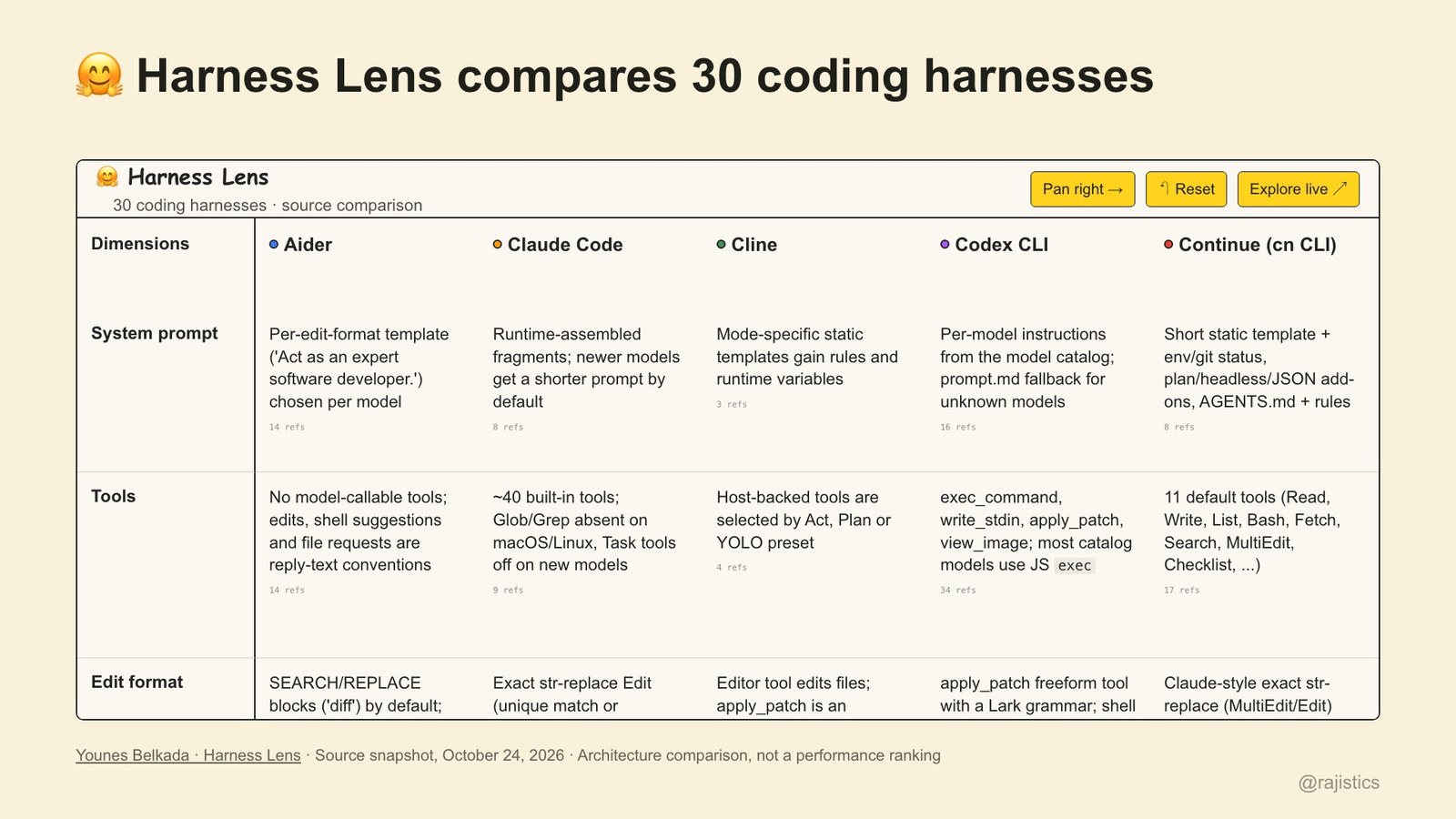
Harness Lens lines up prompts and tool behavior across coding agents. It can help you identify concrete implementation differences worth testing.
Why source access can matter
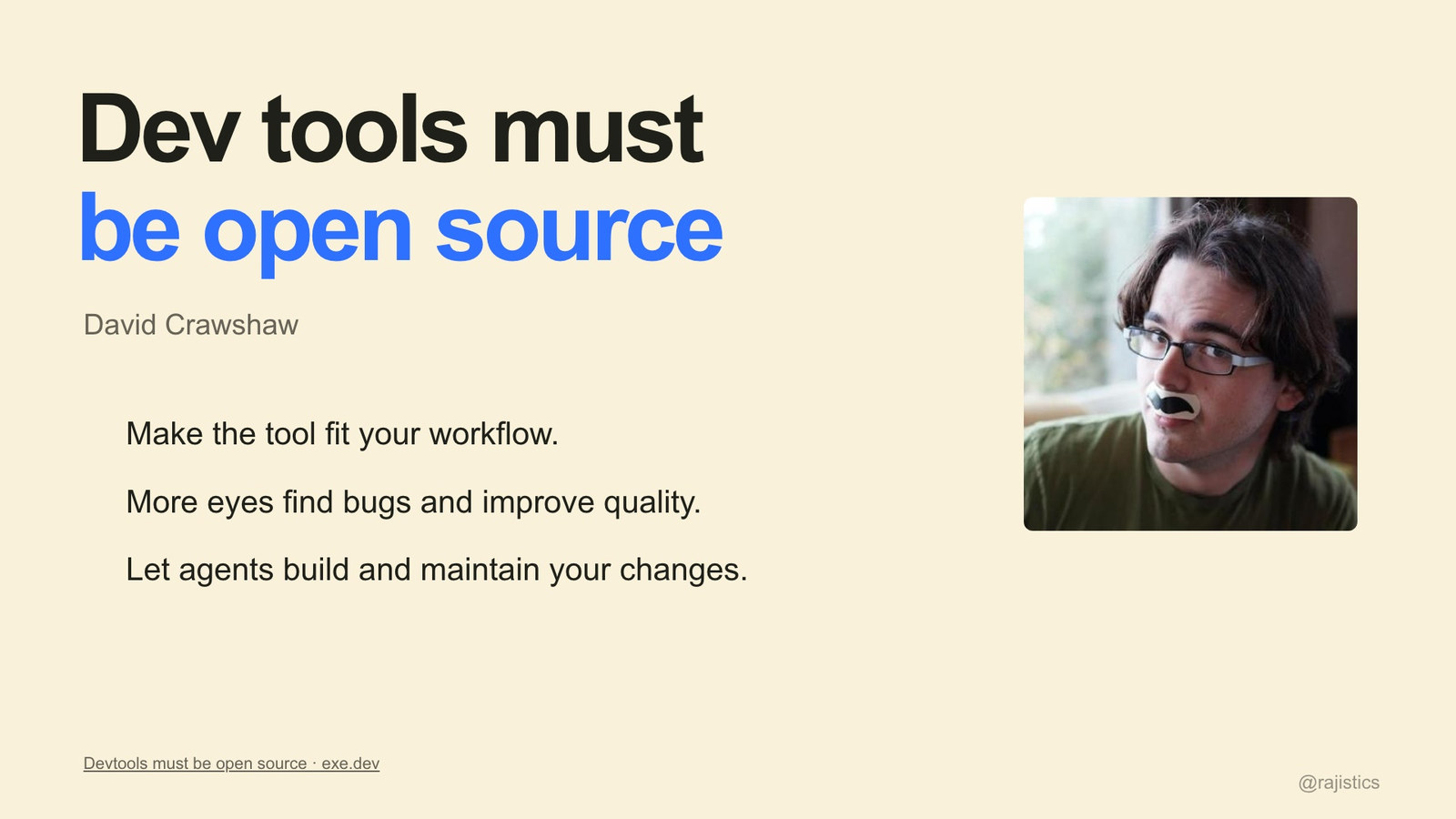
David Crawshaw argues that open development tools make it easier for people to inspect, adapt, and maintain the tools they use.
What to take from the harness comparison
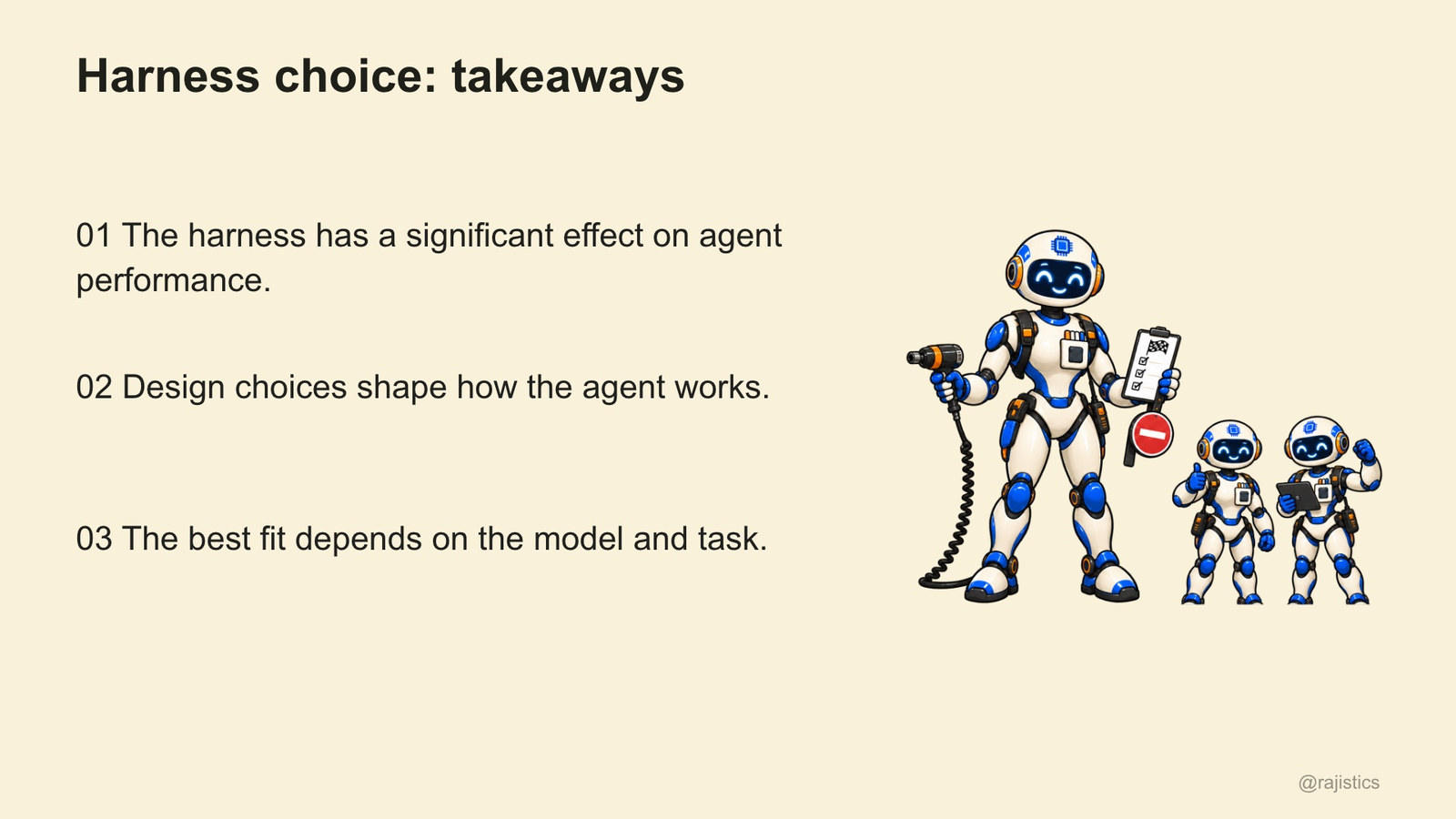
Choose a pairing for your own work. Watch what changes in the trace and measure whether those changes improve the result.
Designing tools for agents
How much of the procedure should the agent work out, and how much should the tool provide? The answer depends on how much the work varies and how often it repeats. Watch from 9:56
What should the tool handle?
Tool design is where I decide which steps to package and how much freedom to give the model.
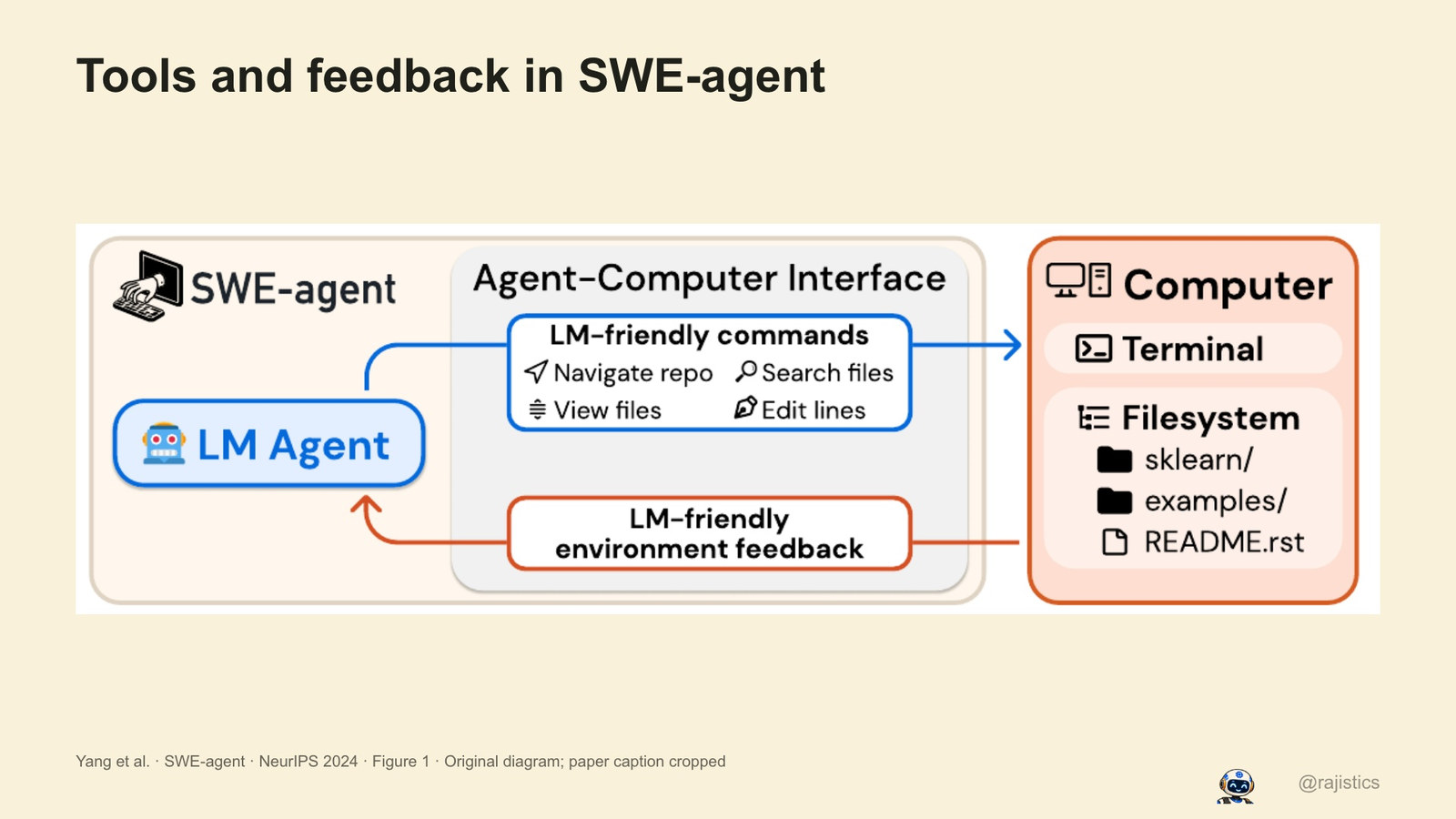
How SWE-agent designed its tools
SWE-agent gave the model commands for searching, navigating, and editing a repository. Those commands return feedback the model can use to decide its next action.
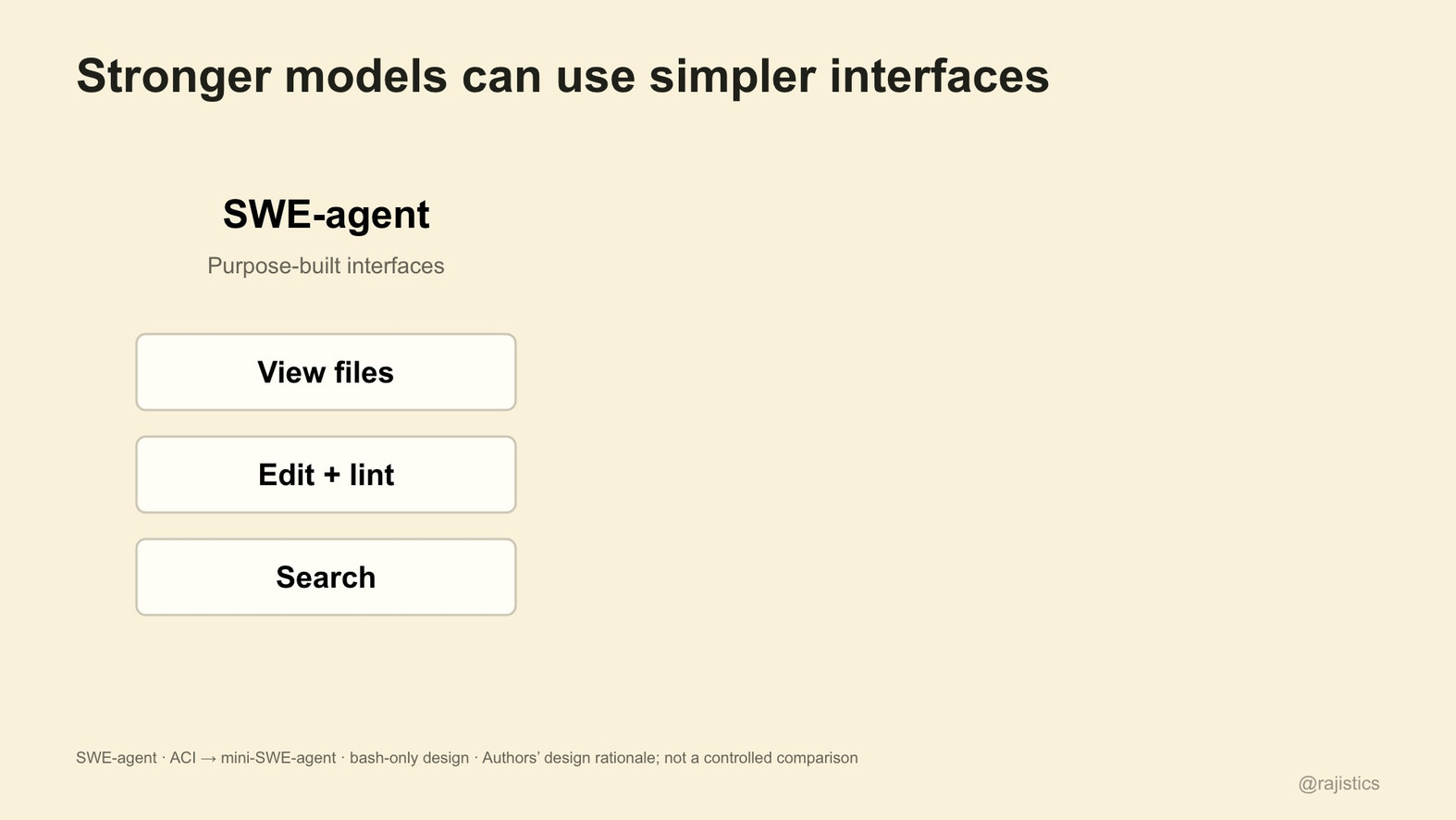
A stronger model can use a simpler interface
The mini-SWE-agent team simplified its model-facing tool interface to bash. A shell still reaches files, programs, and APIs. Their design explains why a general tool can be useful when the model is good at composing actions. I still package a procedure when it repeats often enough and the important evidence is known in advance.
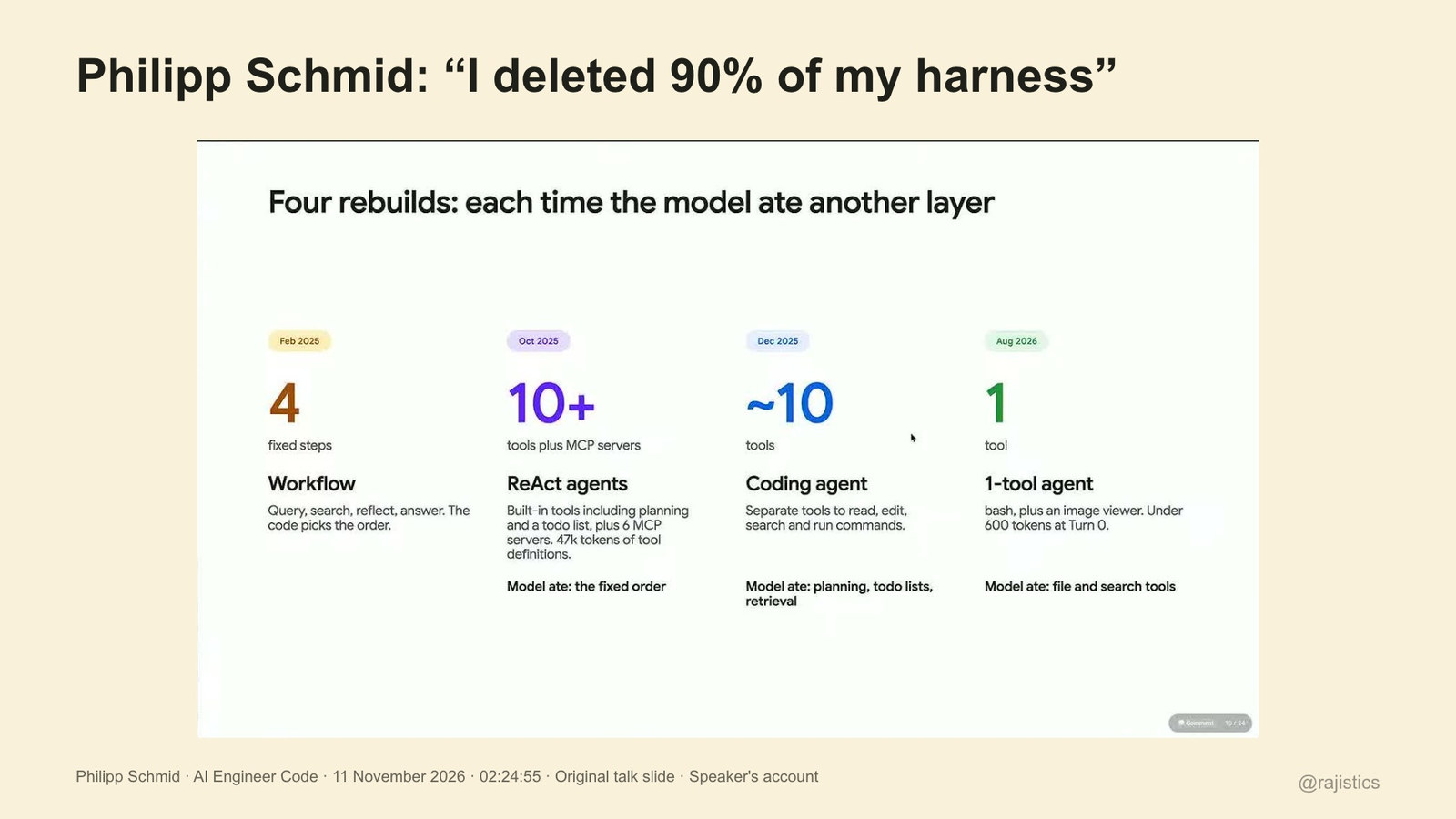
Revisit scaffolding as models improve
Philipp Schmid describes four rebuilds, from a fixed workflow to an agent with a single general tool. Each rebuild moved some decisions into the model.
Workshop 2 setup
Keep the model and job fixed. Compare a terminal, a set of GitHub operations, and one custom tool for the whole collection step.
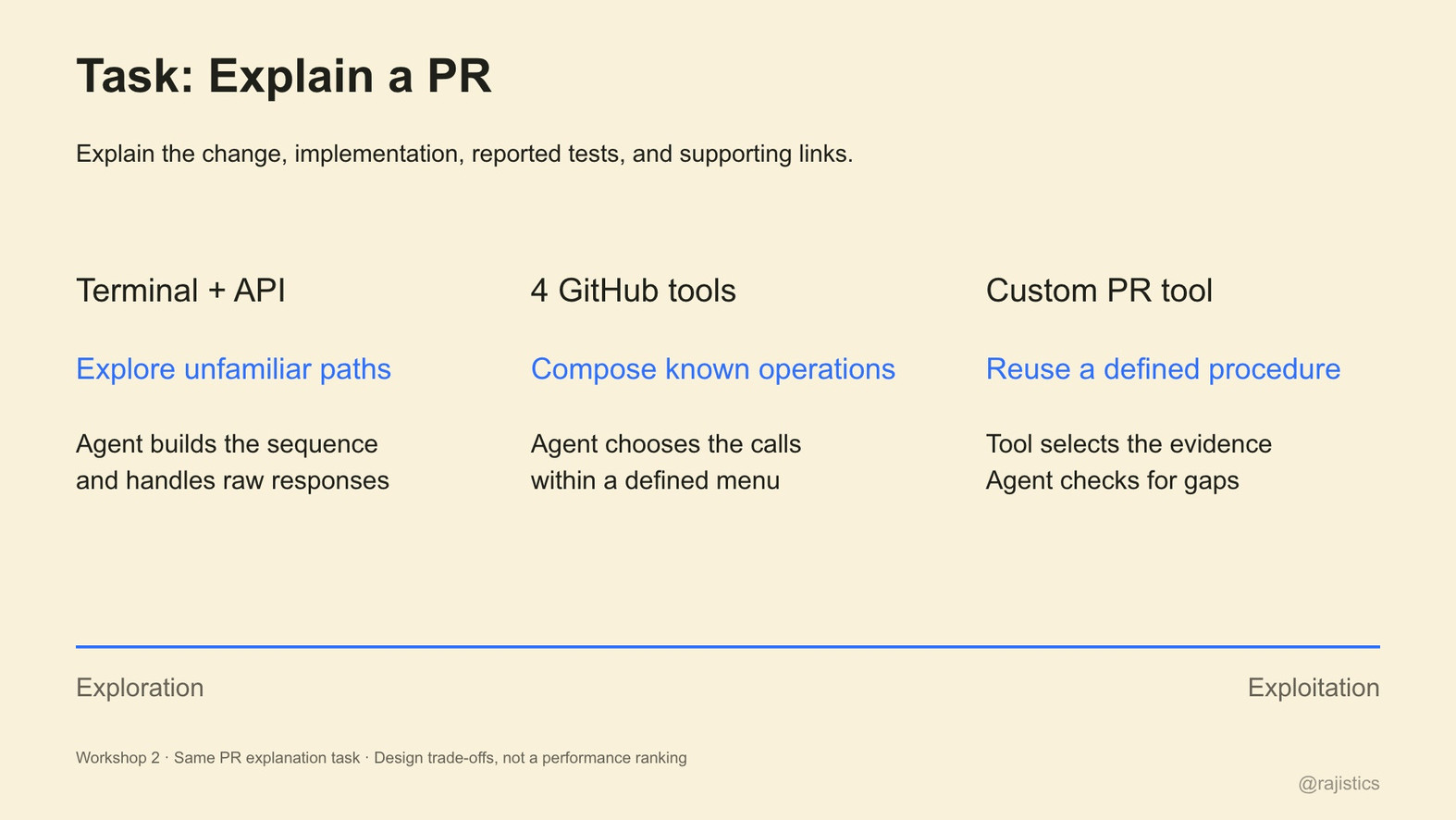
One PR, three tool designs
For the same PR explanation, a terminal gives the agent more freedom to assemble requests. Four GitHub operations define a smaller vocabulary. A custom PR tool supplies the procedure and returns a bundle with the information the agent needs. These are three places to draw the line between what the model figures out and what the tool handles.
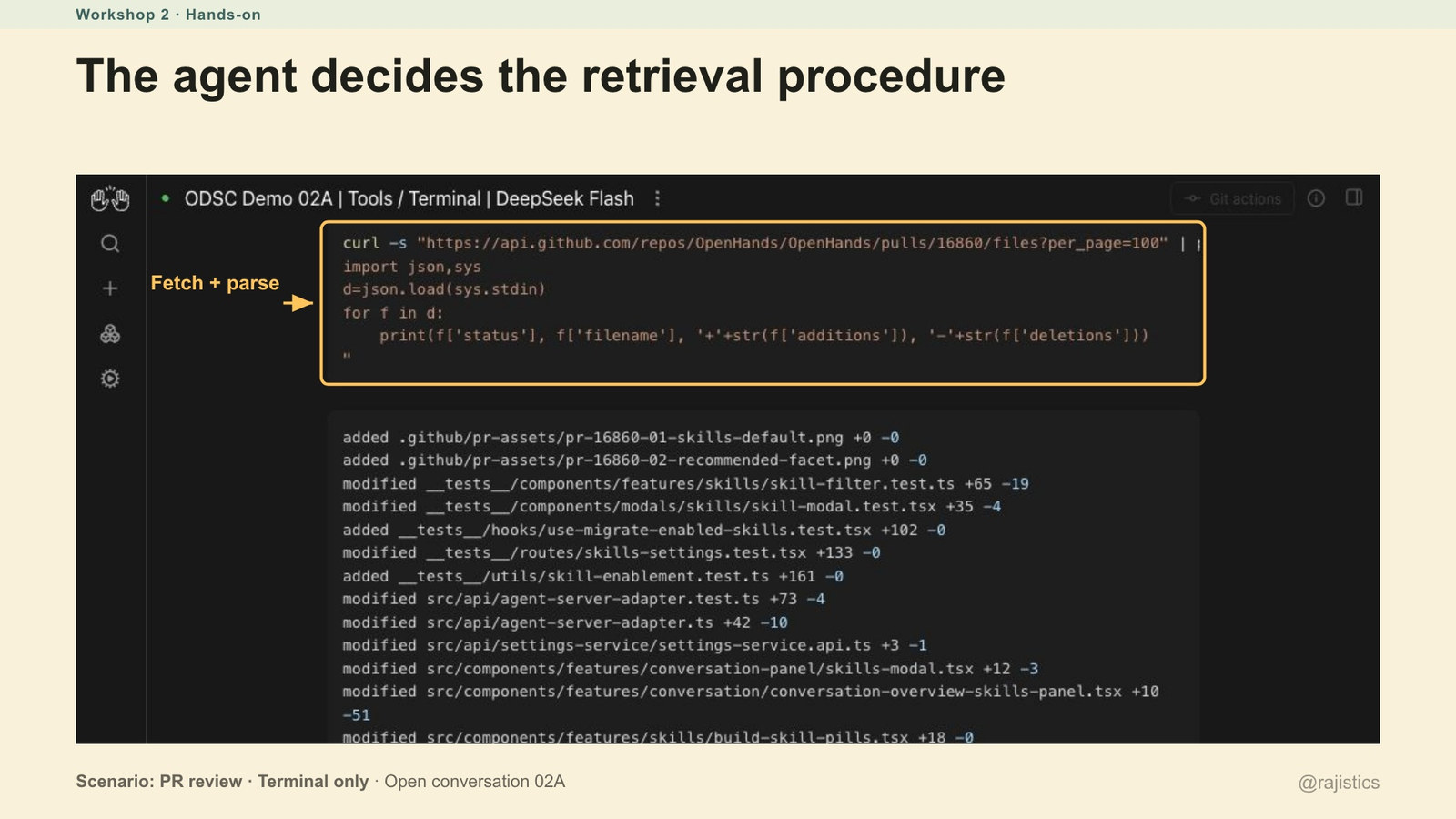
With a terminal, the agent assembles the requests
The terminal run builds its own sequence for collecting PR details and checking the diff. That freedom helps when the evidence varies from one PR to the next.
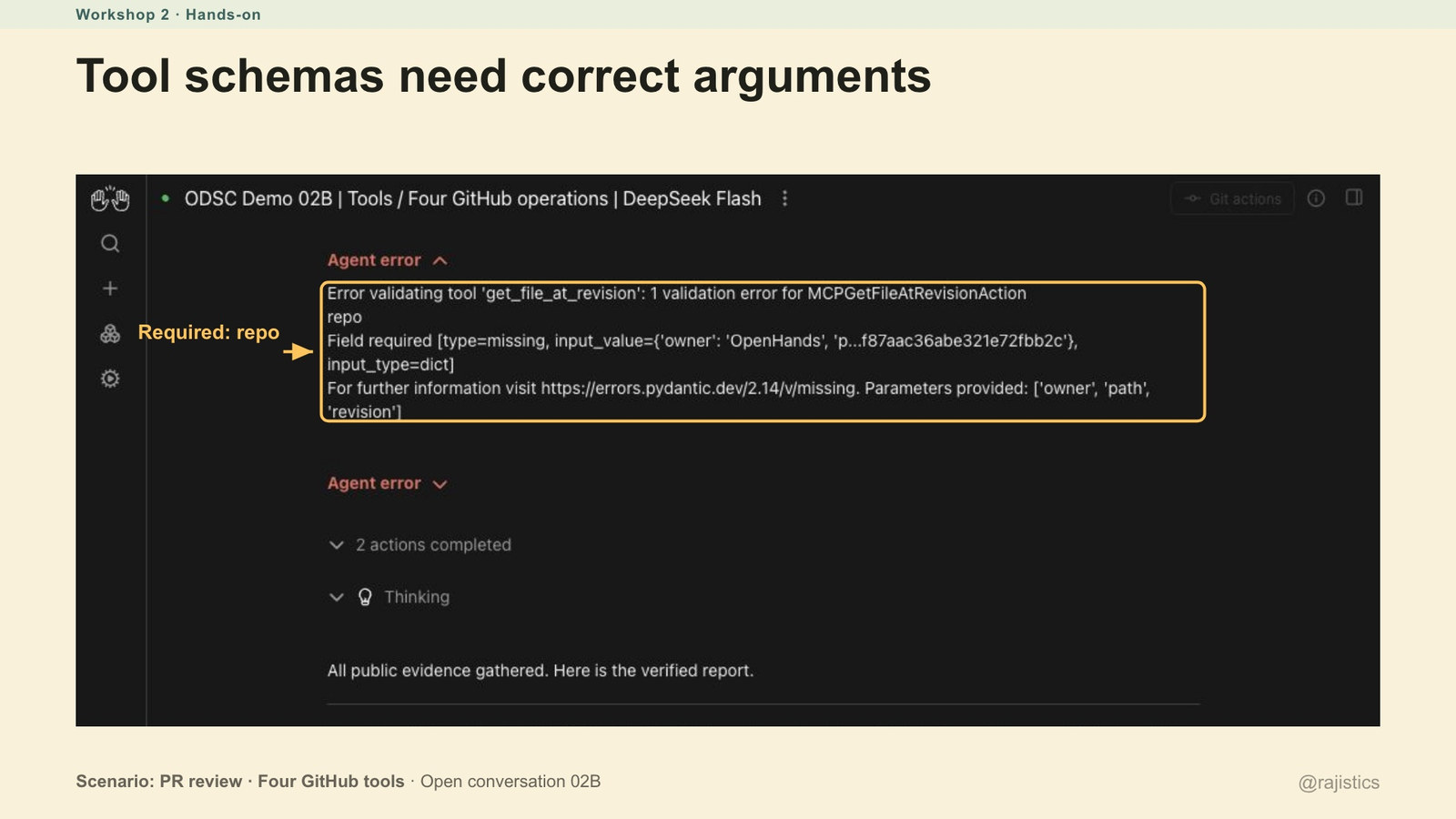
With structured tools, arguments matter
A GitHub tool call fails schema validation when a required field is missing. A clear error tells the model what value it needs to supply on the next try.
With a custom tool, package repeated collection
The custom operation collects the usual PR evidence in one place. It makes sense when the inputs and required evidence recur across many runs.
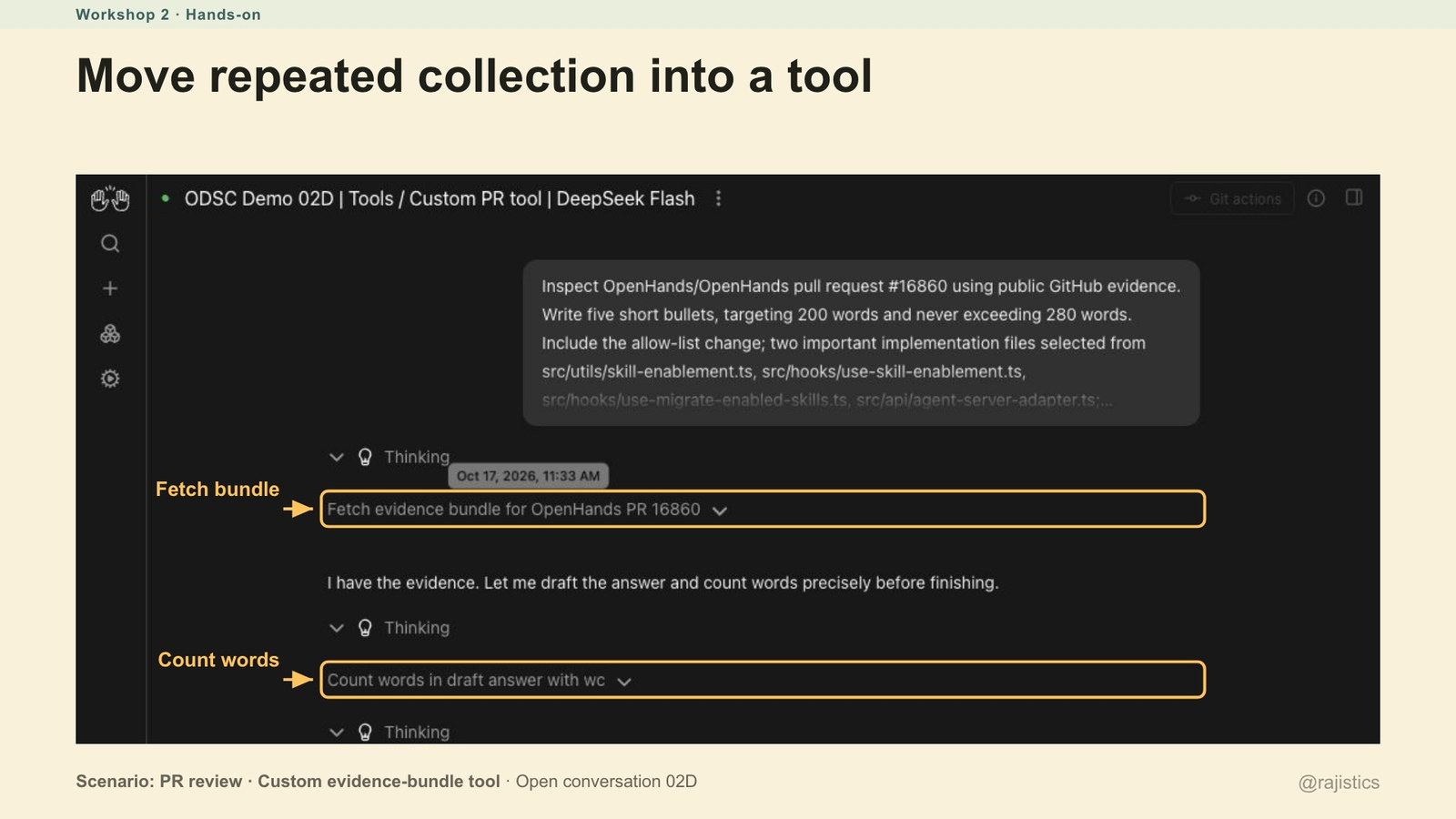
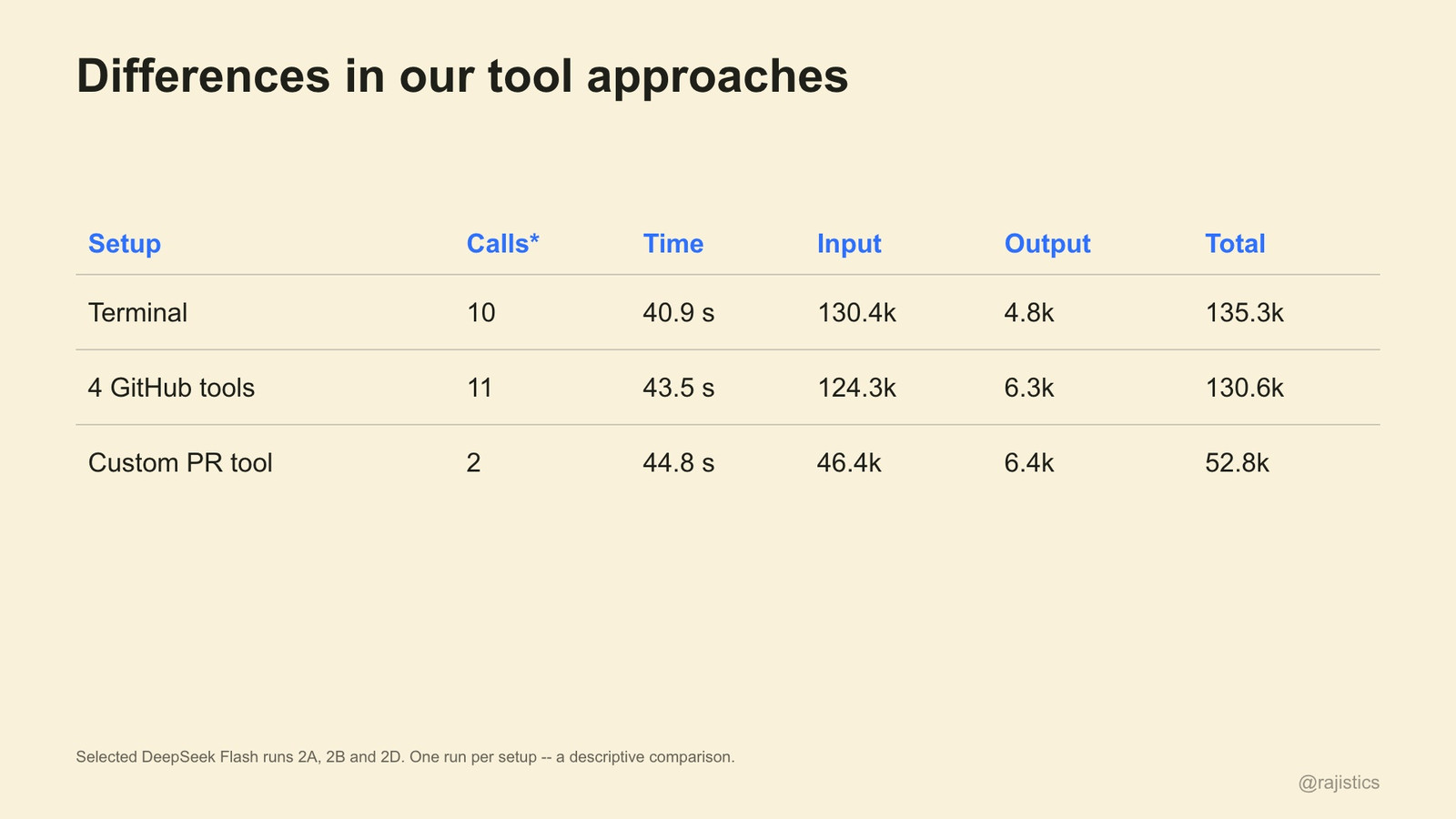
Measure what each tool gives back
The custom tool used two calls and about 53,000 tokens in this example. The terminal used ten calls and about 135,000 tokens. These were individual runs. I’d also test a PR that needs evidence outside the custom bundle and check whether the tool helps the agent recover when it comes up short.
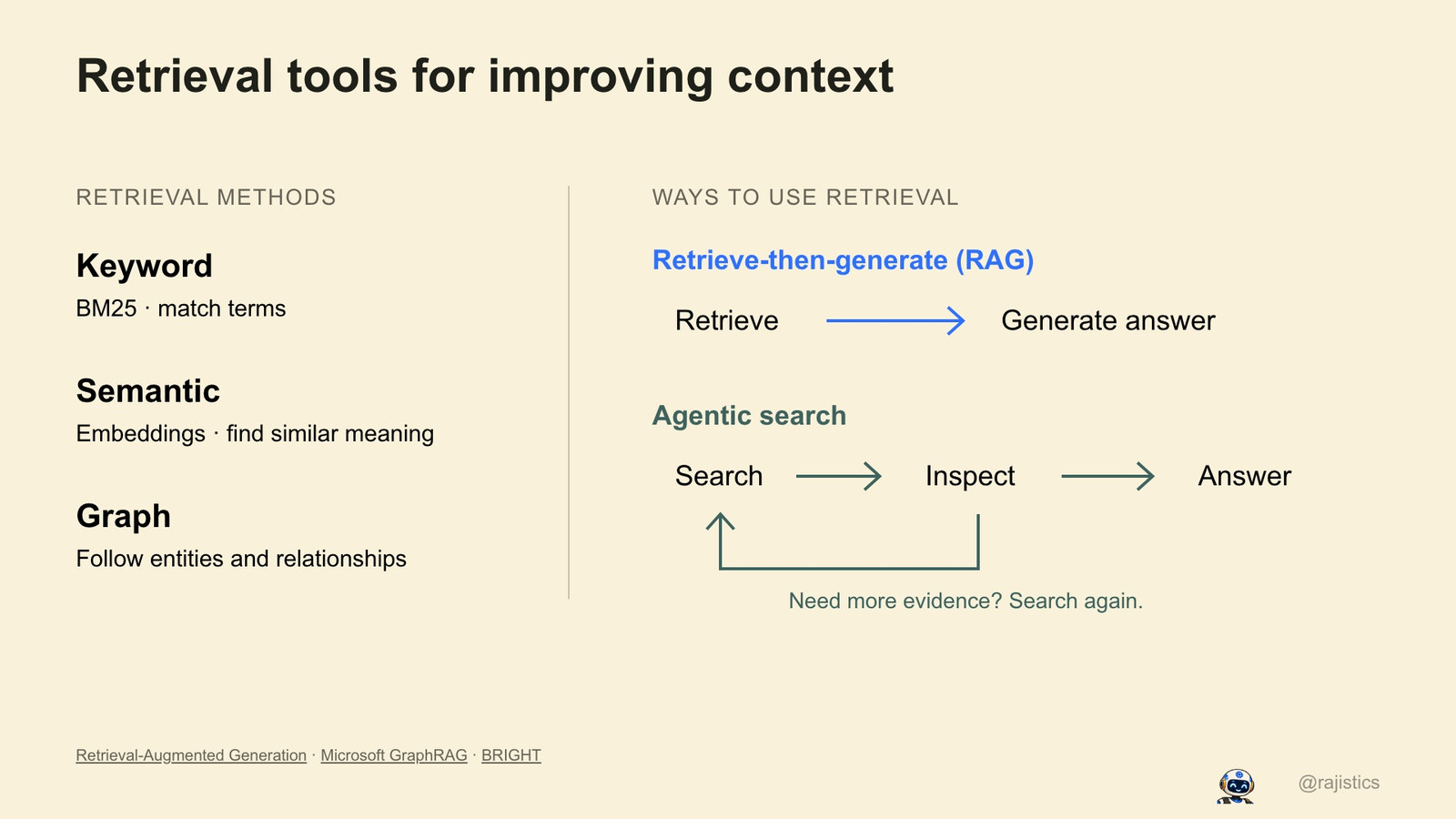
Choose retrieval for the question
Keyword search matches terms, semantic search finds related passages, and graph queries follow relationships. An agent can inspect a result and search again when evidence is missing.
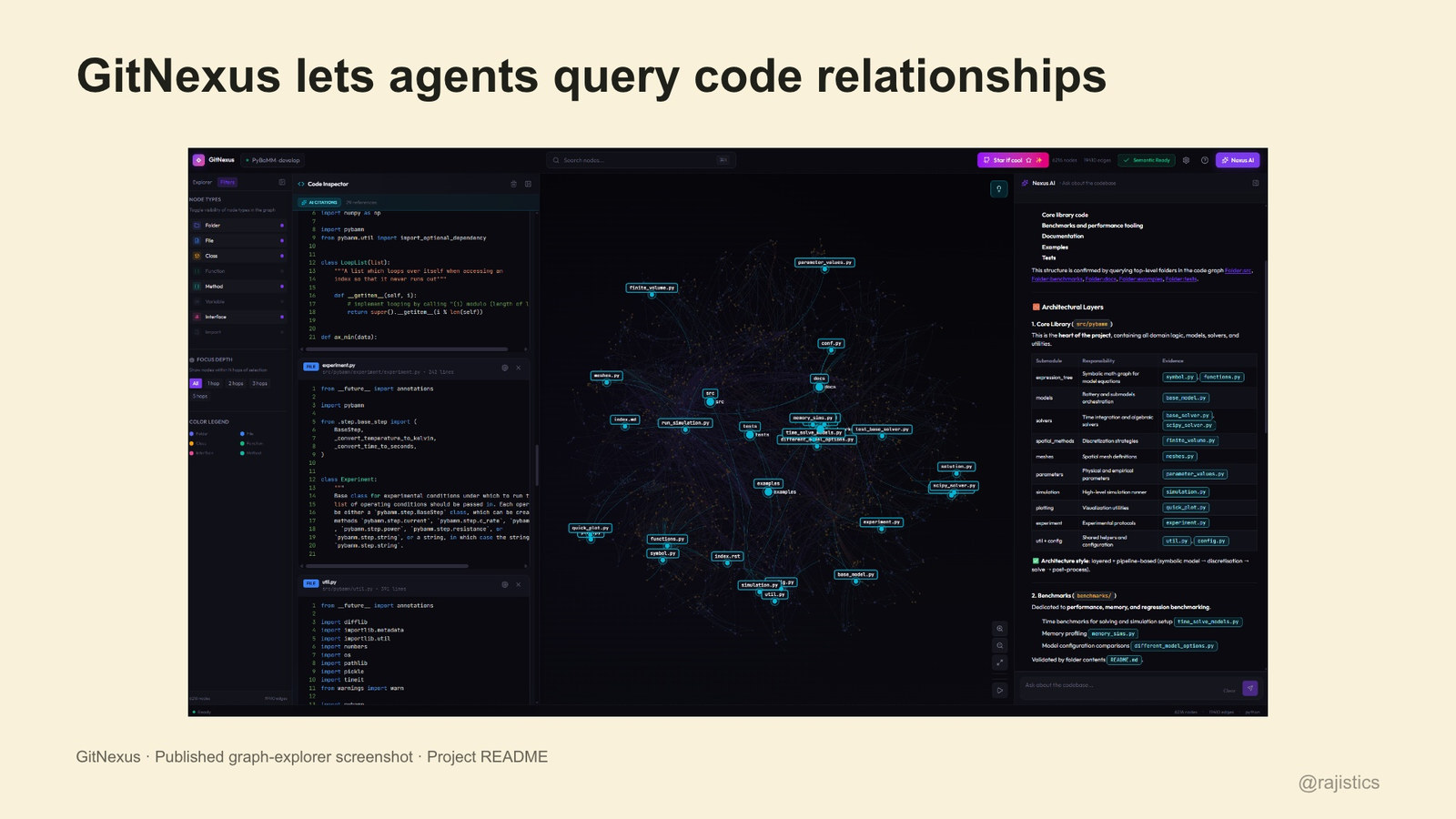
Use relationships to navigate a codebase
GitNexus lets an agent query code relationships. That can help answer questions about dependencies and call paths before opening a long list of files.
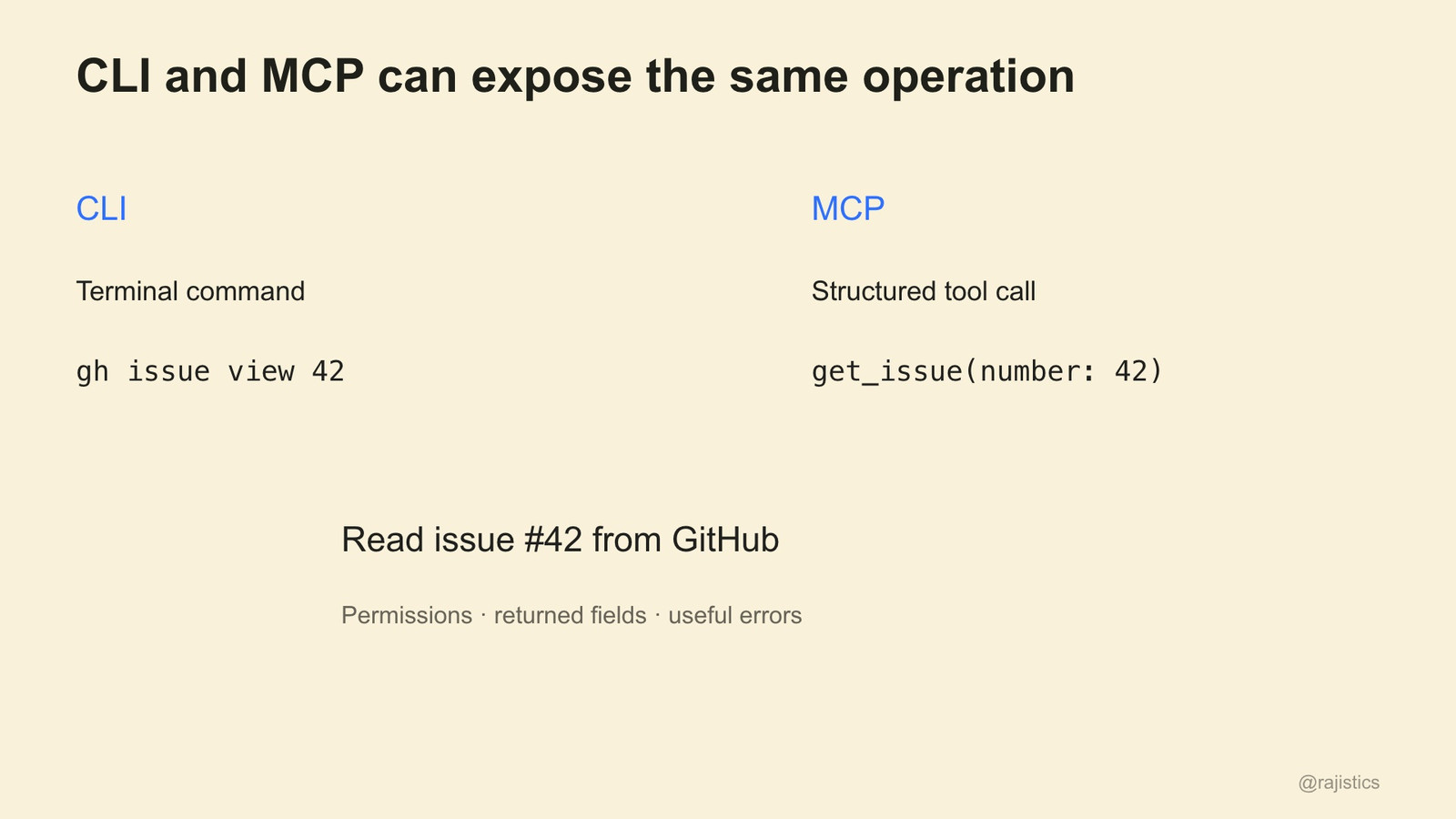
The same operation can have different interfaces
A CLI and an MCP tool can reach the same underlying system. Evaluate the arguments, permissions, response size, and error messages. When a call fails, the response should help the agent make a useful decision about what to do next.
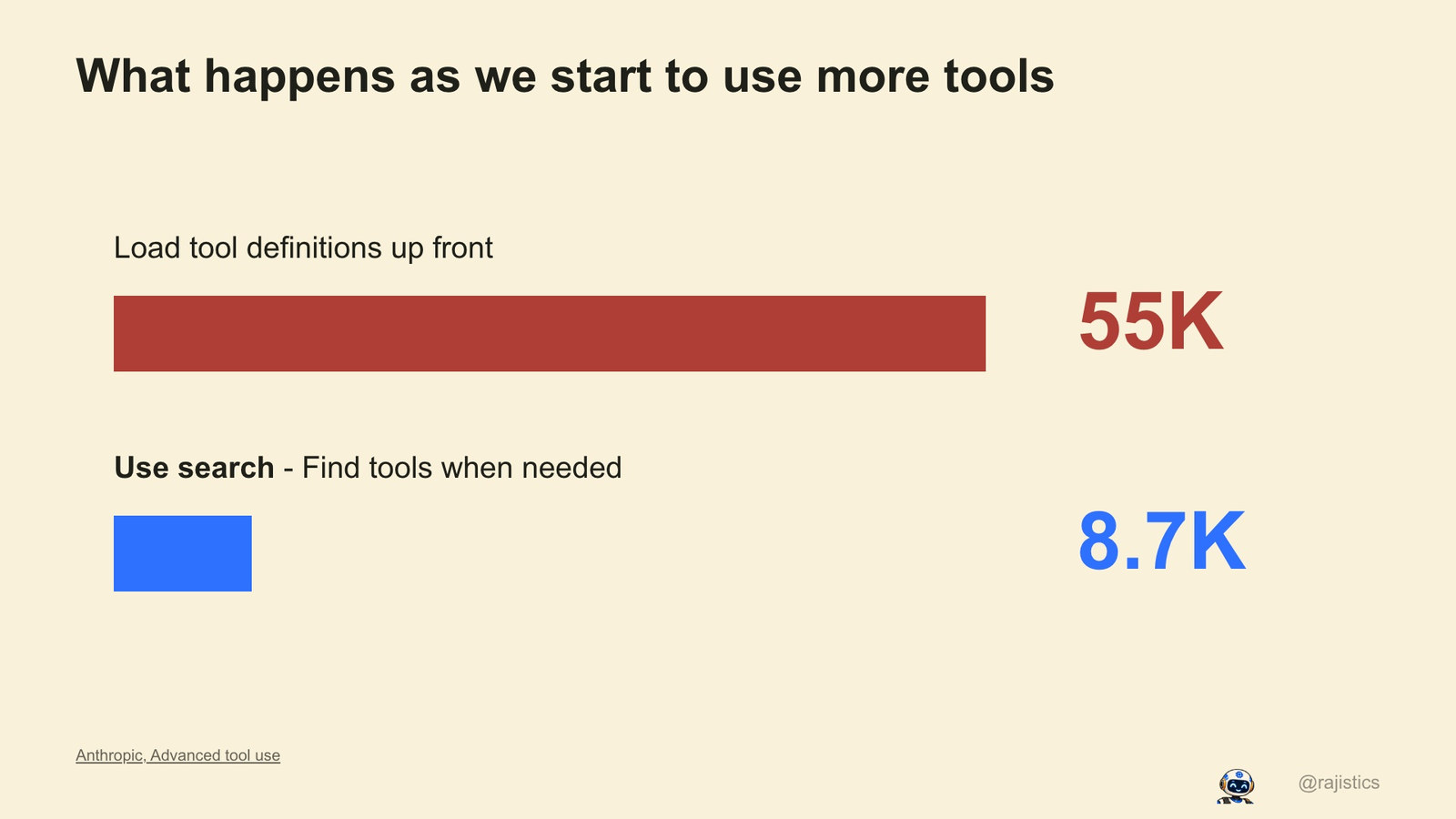
Discover tools when they are needed
A long list of tool definitions consumes context on every call. A search step can load a smaller set relevant to the job in front of the agent.
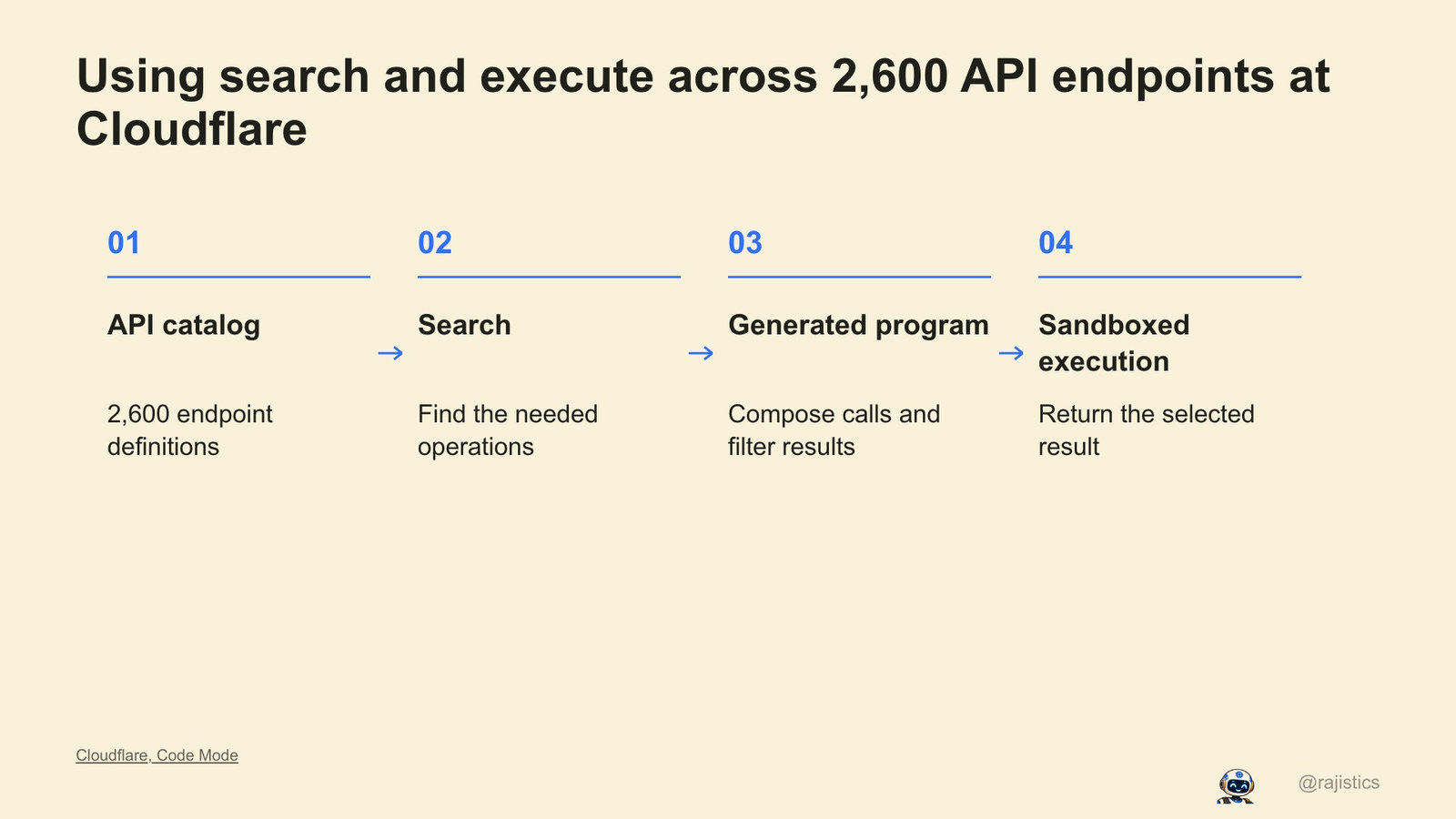
Search and execute across a large API
Cloudflare’s Code Mode example searches a catalog of roughly 2,600 endpoints, composes the needed calls in a program, and returns the selected result.
Use a decision model to narrow the tool set
The SDK example selects three relevant GitHub tools from a catalog of 50. The right comparison includes selector overhead and whether it ever leaves out a tool the task needs.
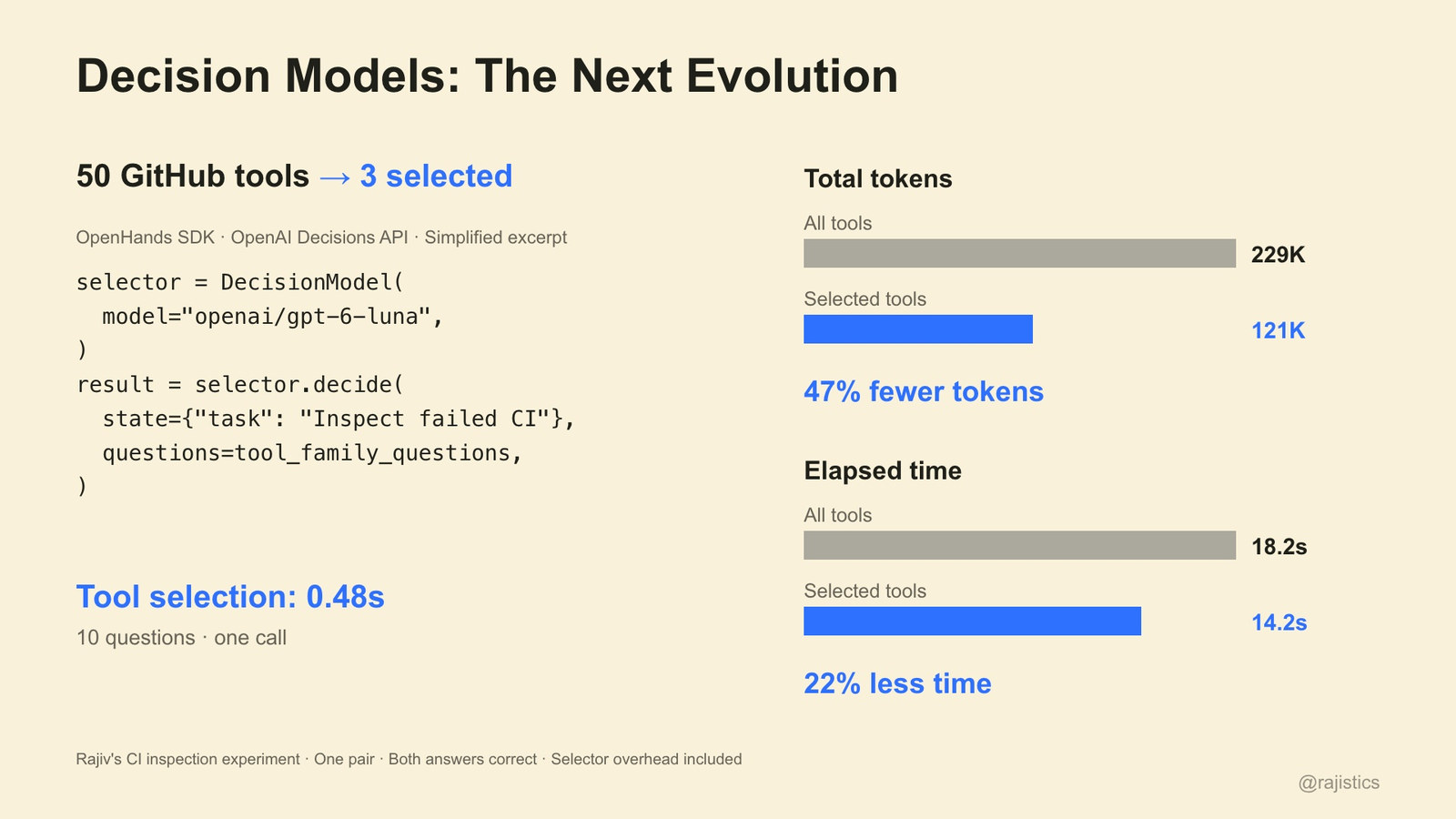
What a tool-choice cascade changes
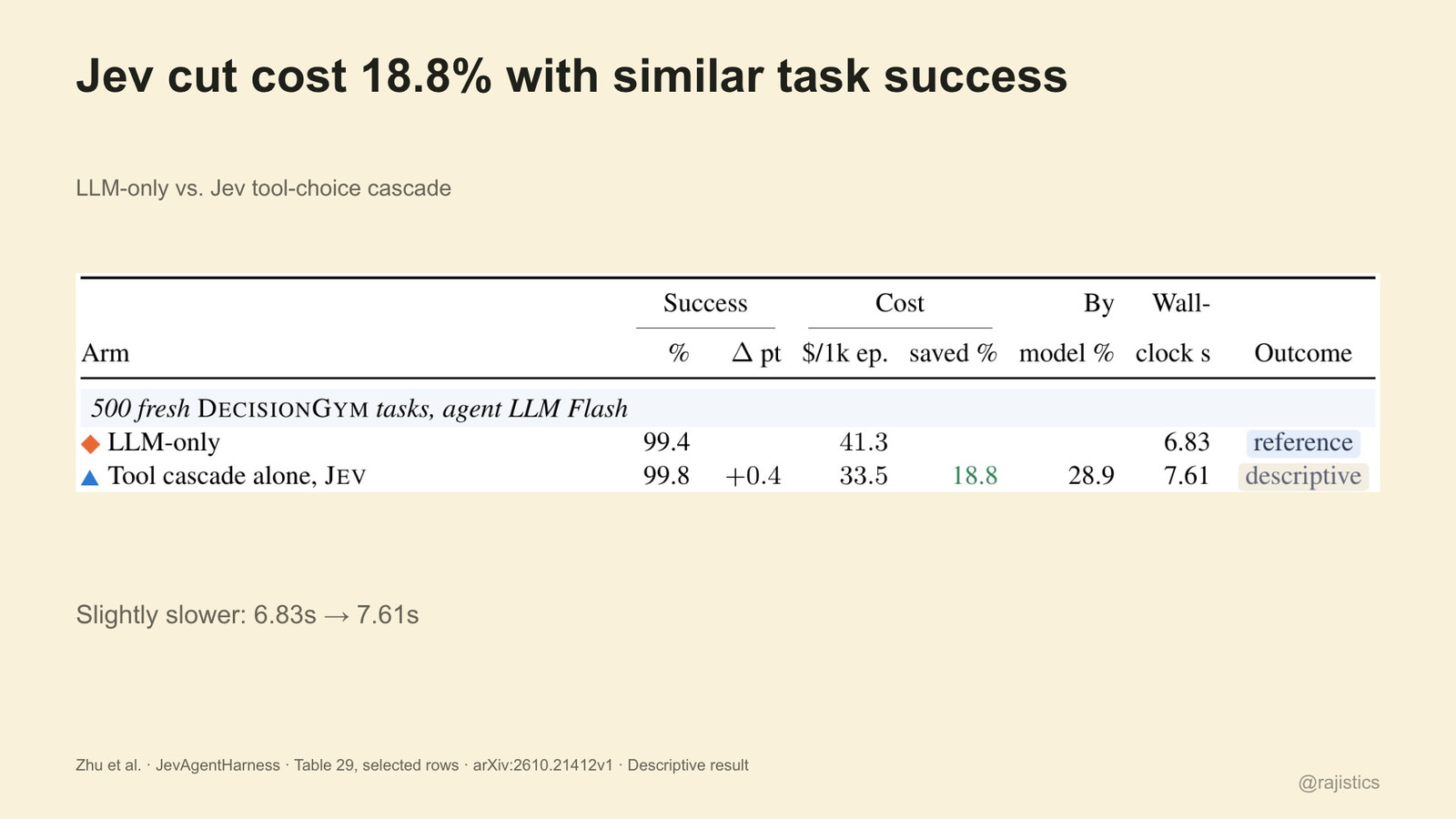
The Jev experiment reports lower cost and similar task success, with a modest latency increase. A cheaper decision step can be worthwhile if the end-to-end run still meets your needs.
How to evaluate a tool choice
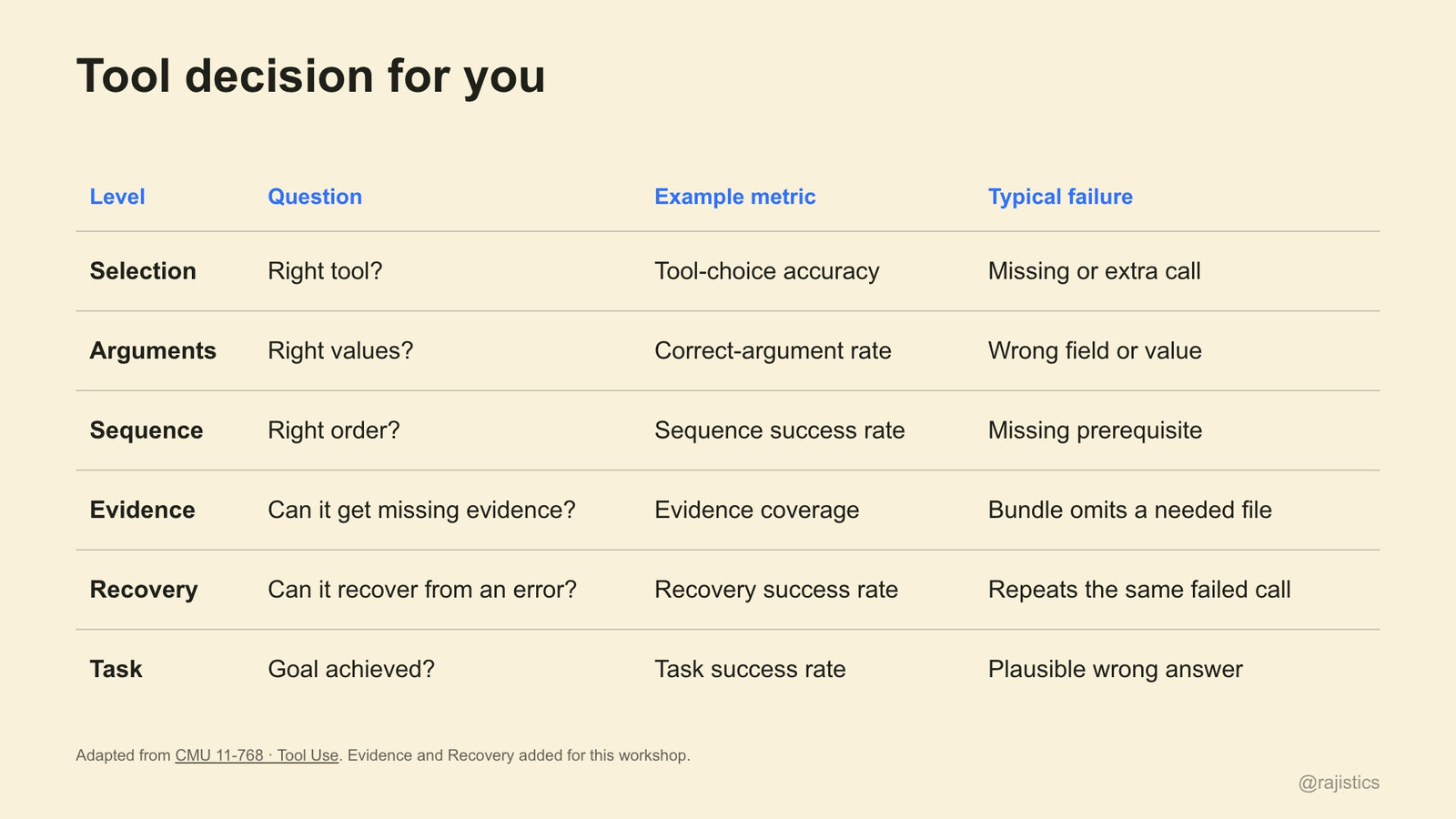
Check the selected tool, its arguments, and the order of calls. Also check whether the agent can recover when one request leaves it short of evidence.
What to take from tool design
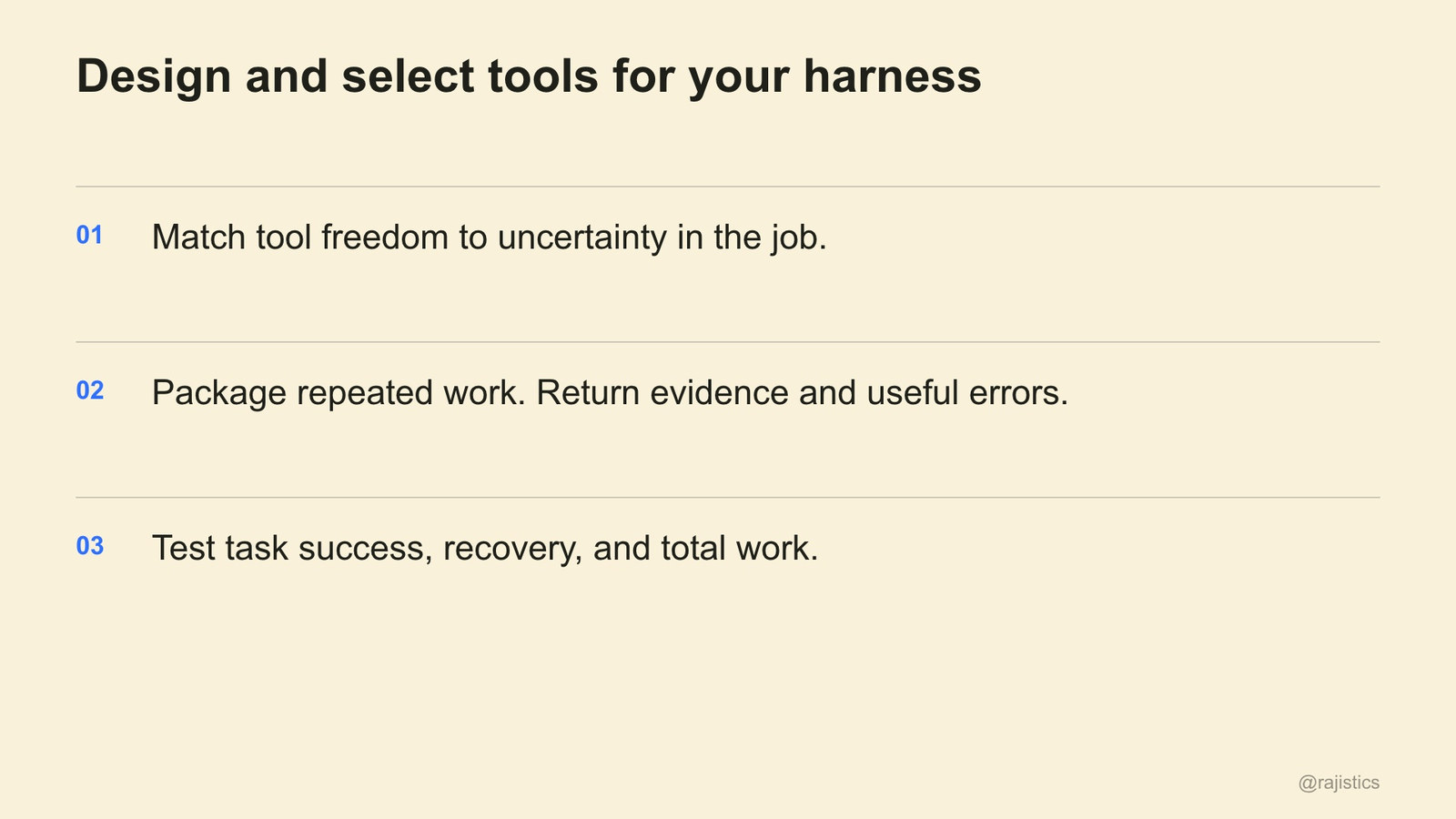
Use broader tools for work that varies. Package procedures that repeat, return useful evidence and errors, and judge the design by the finished task.
Context, compaction, and memory
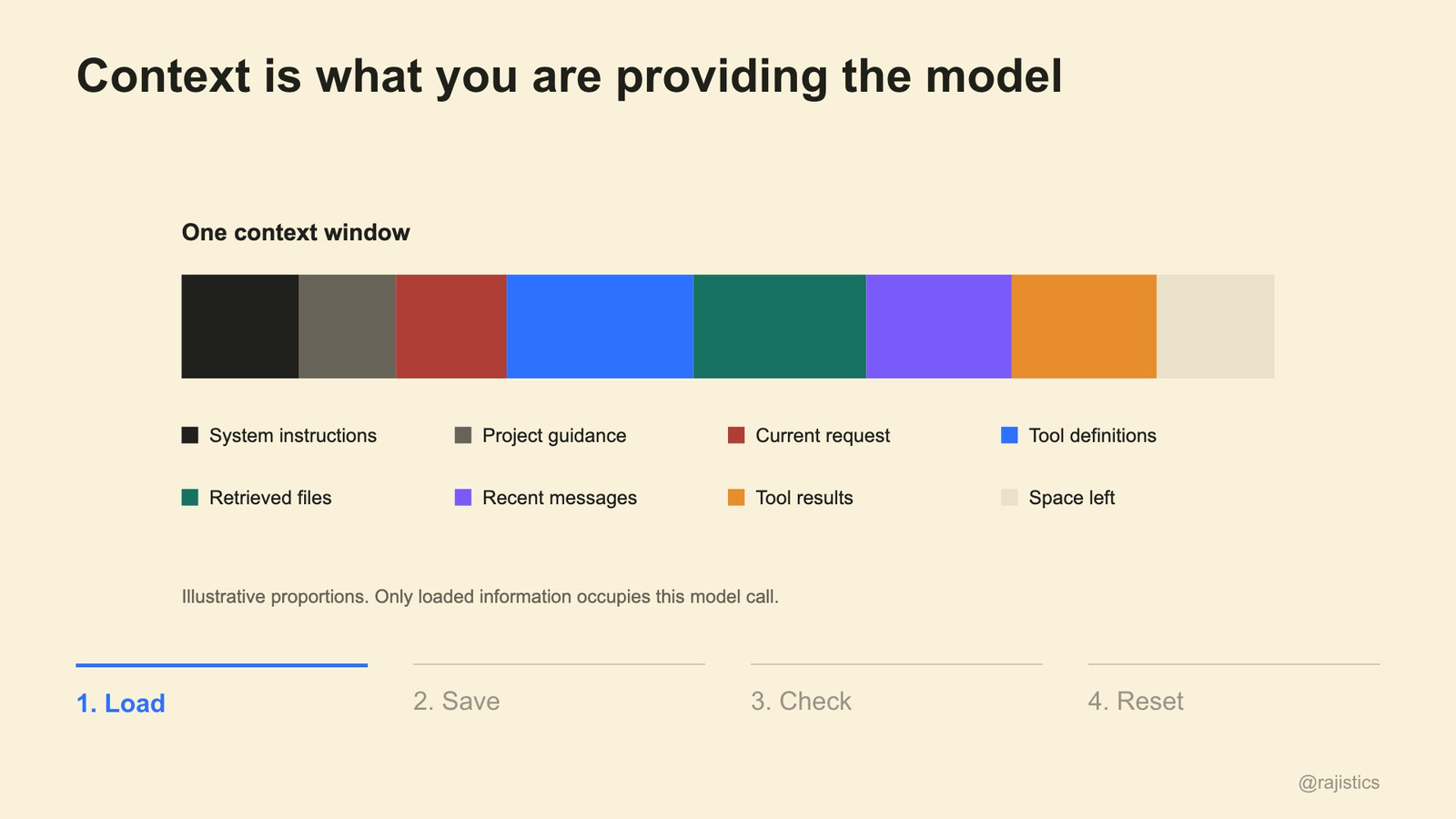
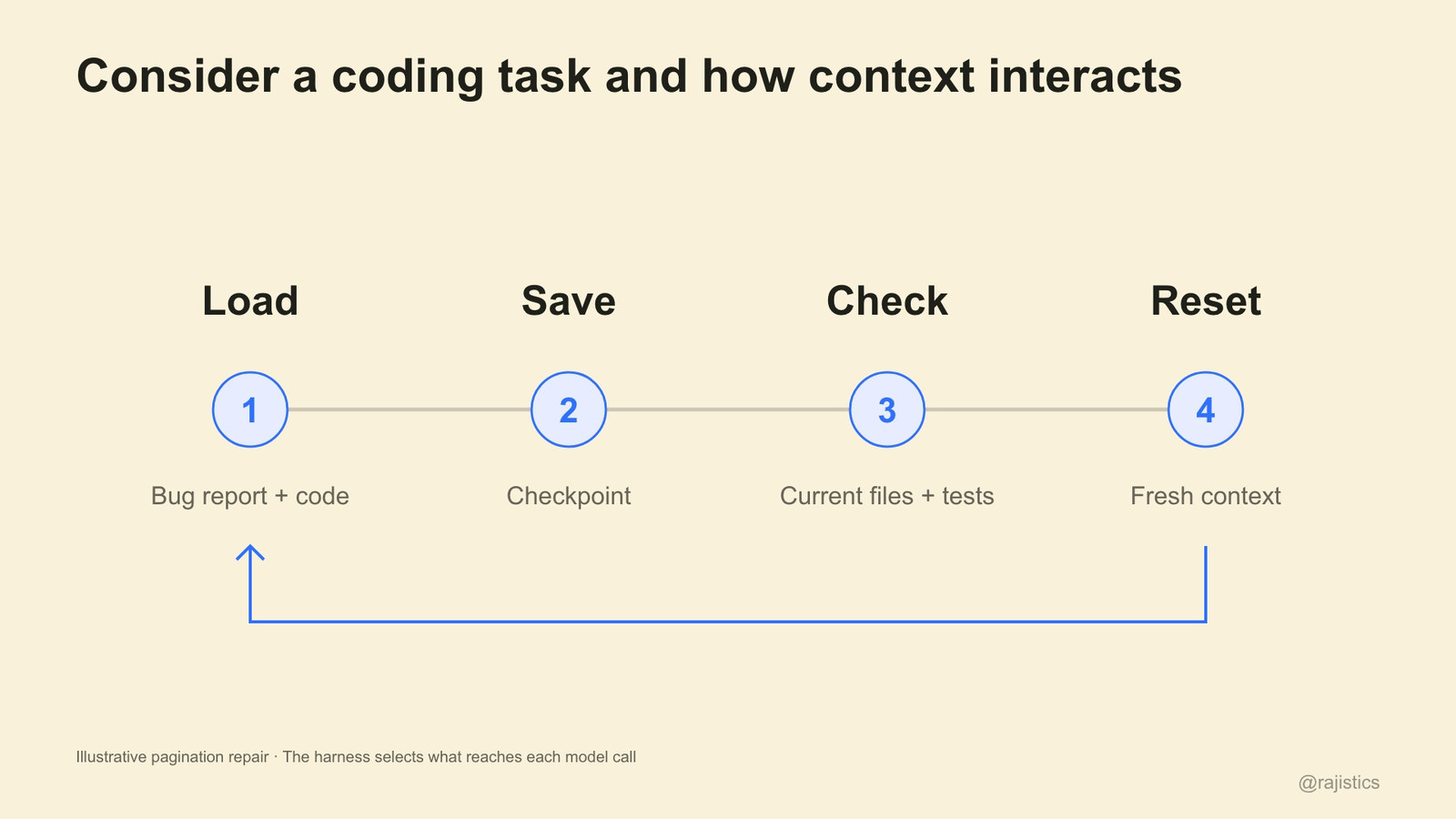
I use four verbs to think about an agent’s working state. Load, save, check, reset. Across a long task, the harness has to keep useful evidence available as earlier calls fall out of the working context. Watch from 16:09
What should carry forward?
The context and memory section follows the information an agent needs now and the state it should save for the next session.
What the model sees on a call
Files can exist on disk without being in the model’s current input. For the pagination repair, I’d load the report, relevant code, and tests first. The model can ask for more evidence once it knows where to look.
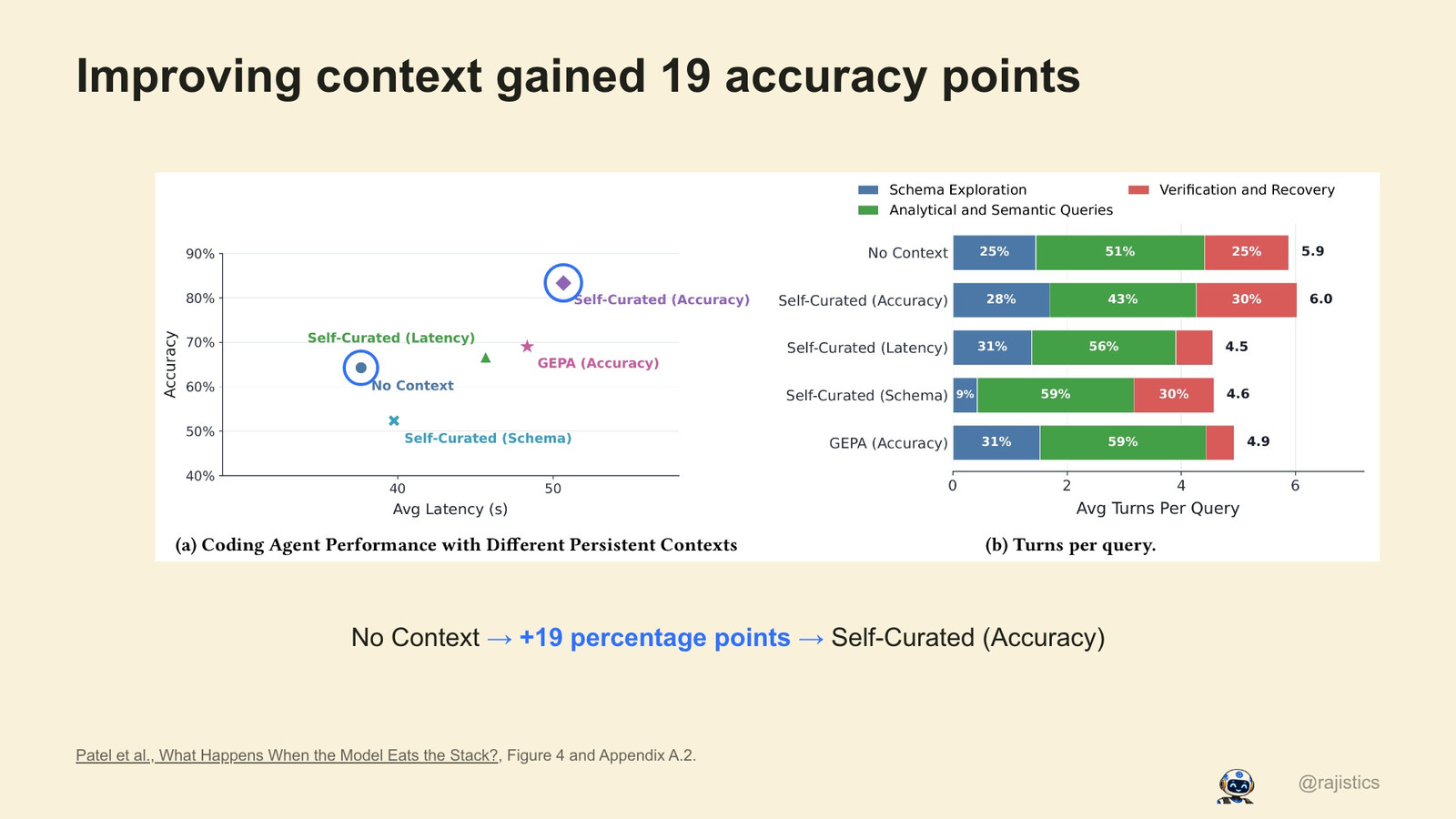
Context quality can move accuracy
The query example reports a 19-point gain after improving the supplied context. When an agent is wrong, check whether it had the schema, examples, and verification evidence it needed.
A context lifecycle for a coding task
Save a reproduction and a next step once they’re worth keeping. When you pick the task up again, check that the saved paths, commands, and claims still match the current repo. Then use the checked state to rebuild the working context. That check is especially valuable after a branch or dependency change.
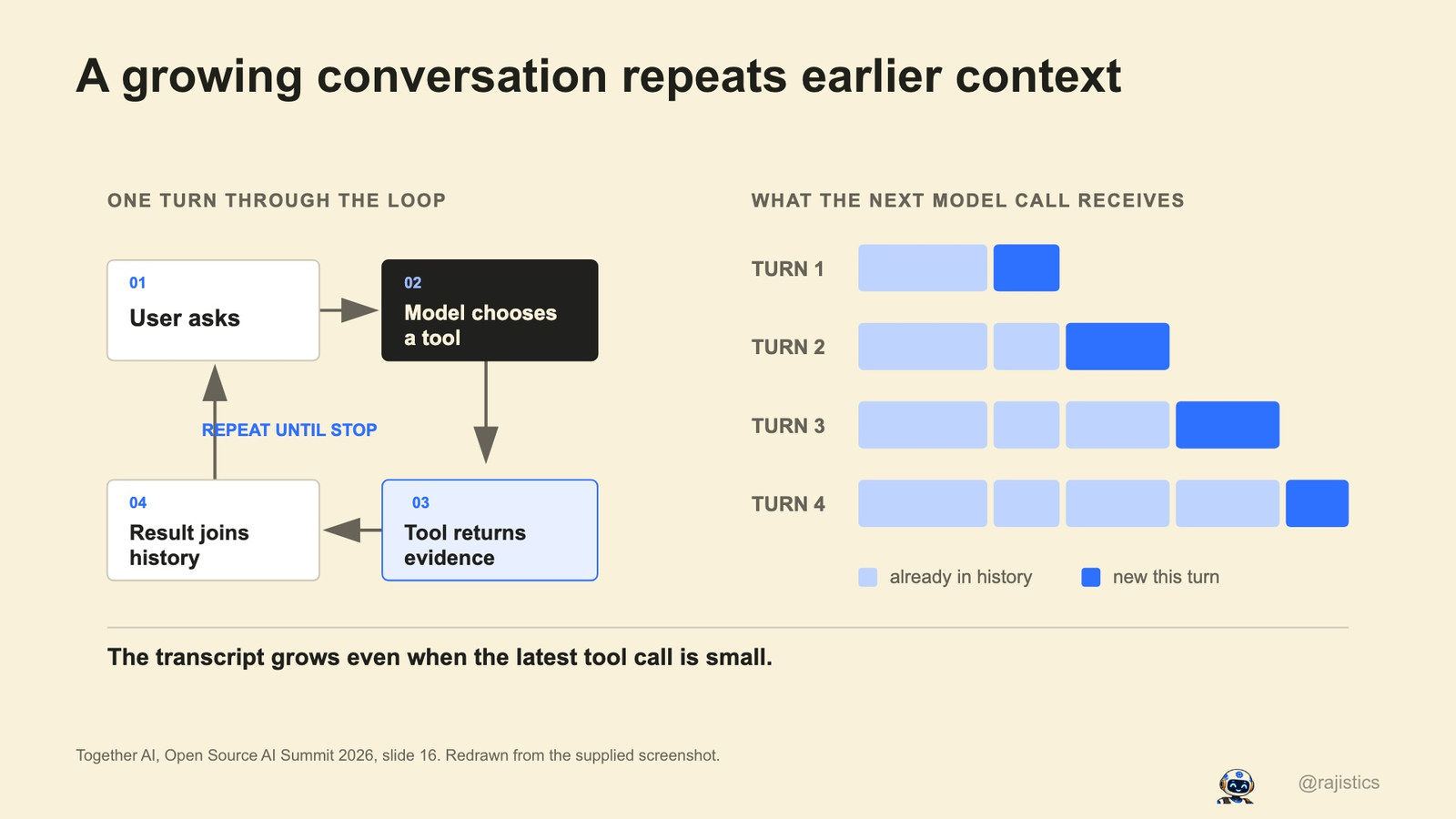
Why the transcript keeps growing
A tool result joins the history and is available on later model calls. Repeatedly carrying old results can make each subsequent call larger.
A bigger context window still needs curation
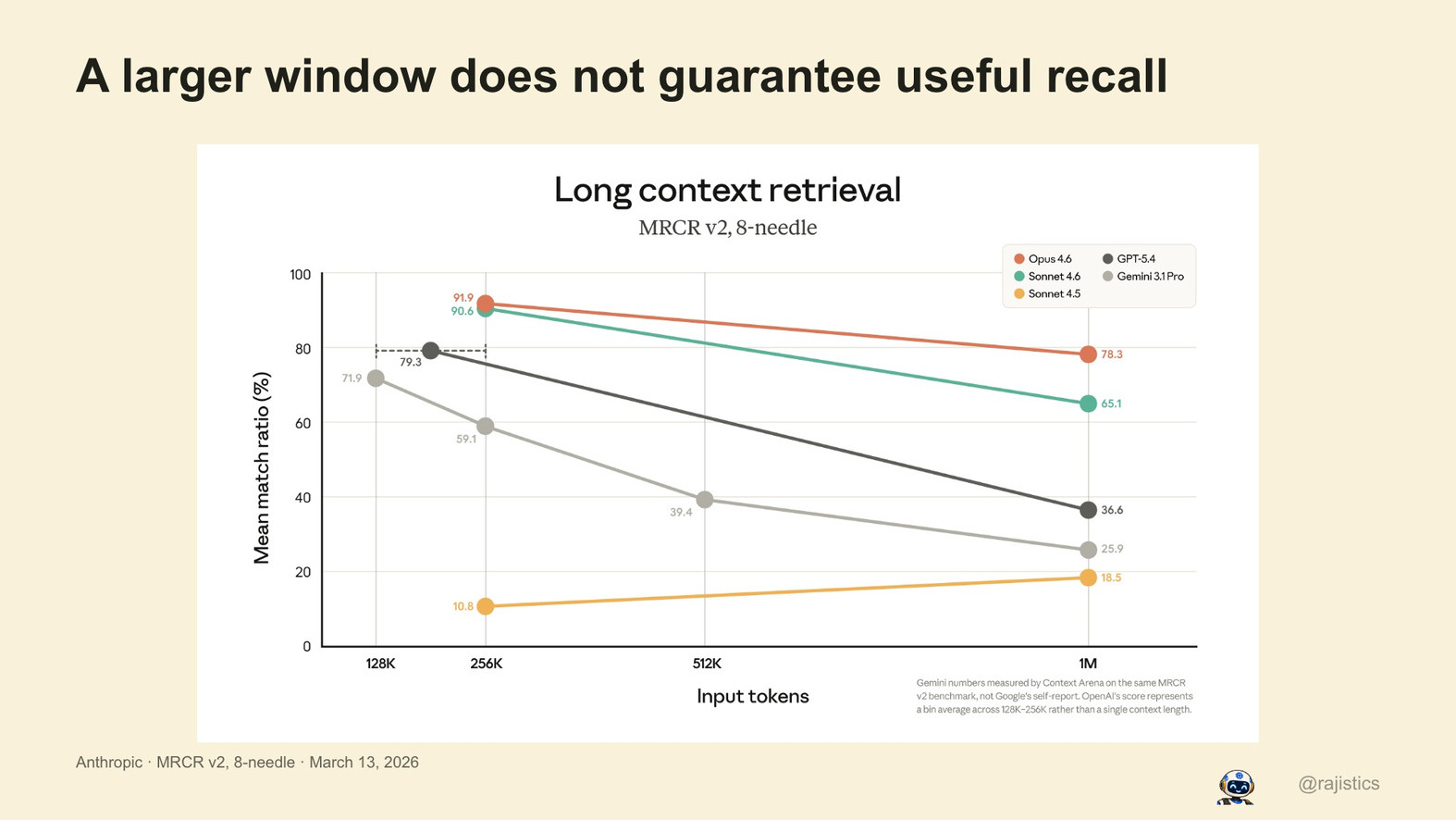
A larger window lets us supply more. The retrieval example in the talk illustrates how the availability of information and reliable use of it can diverge. Keep key facts and constraints easy for the model to find, then test recall on the parts of your task that matter.
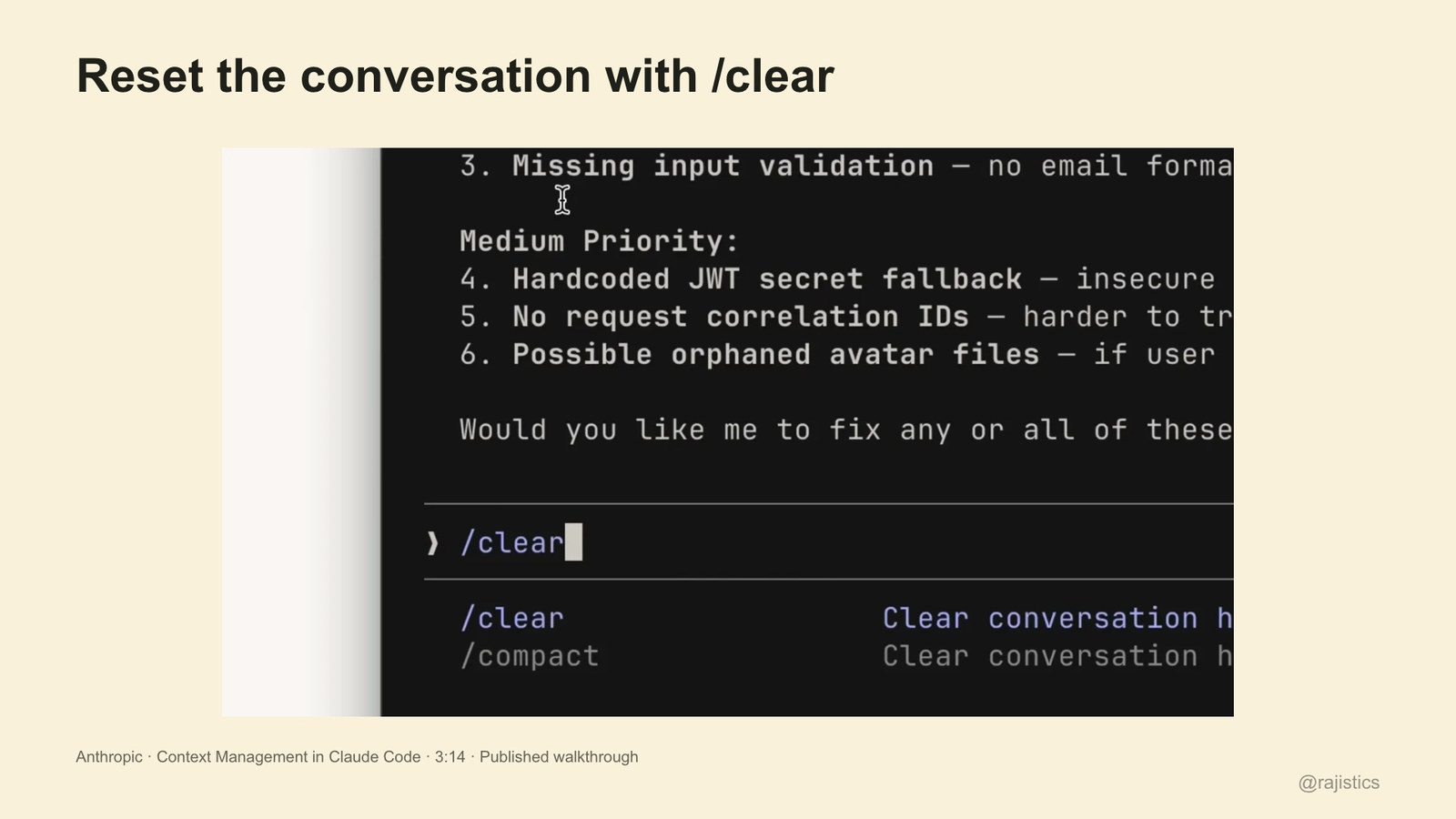
Start fresh with /clear
A reset gives the model a clean context. Save or reload the goal and verified progress first if the task needs to continue.
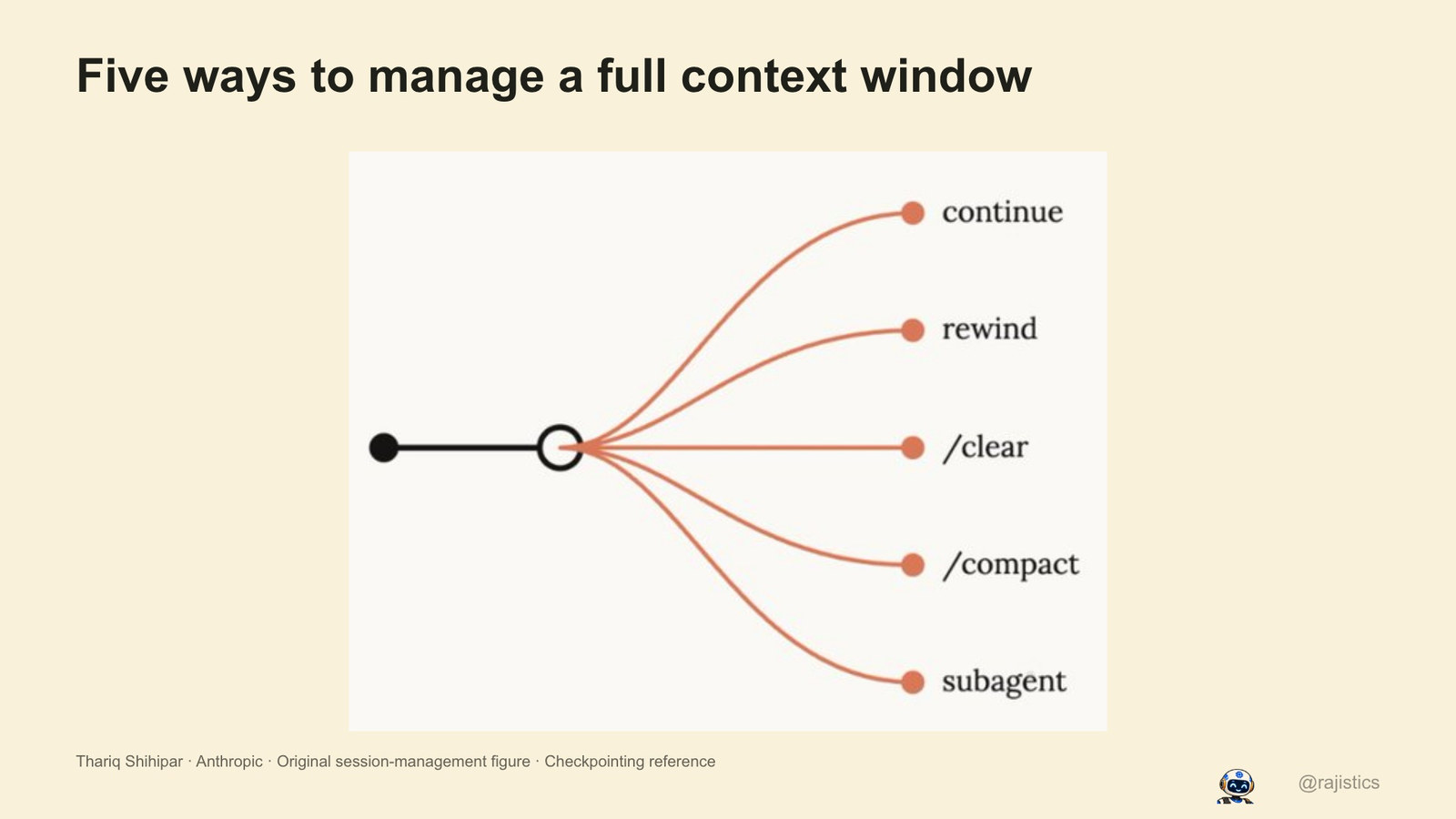
Five ways to handle a full context window
You can keep going, rewind, clear, compact, or delegate to a separate context. Pick based on which information the next step needs.
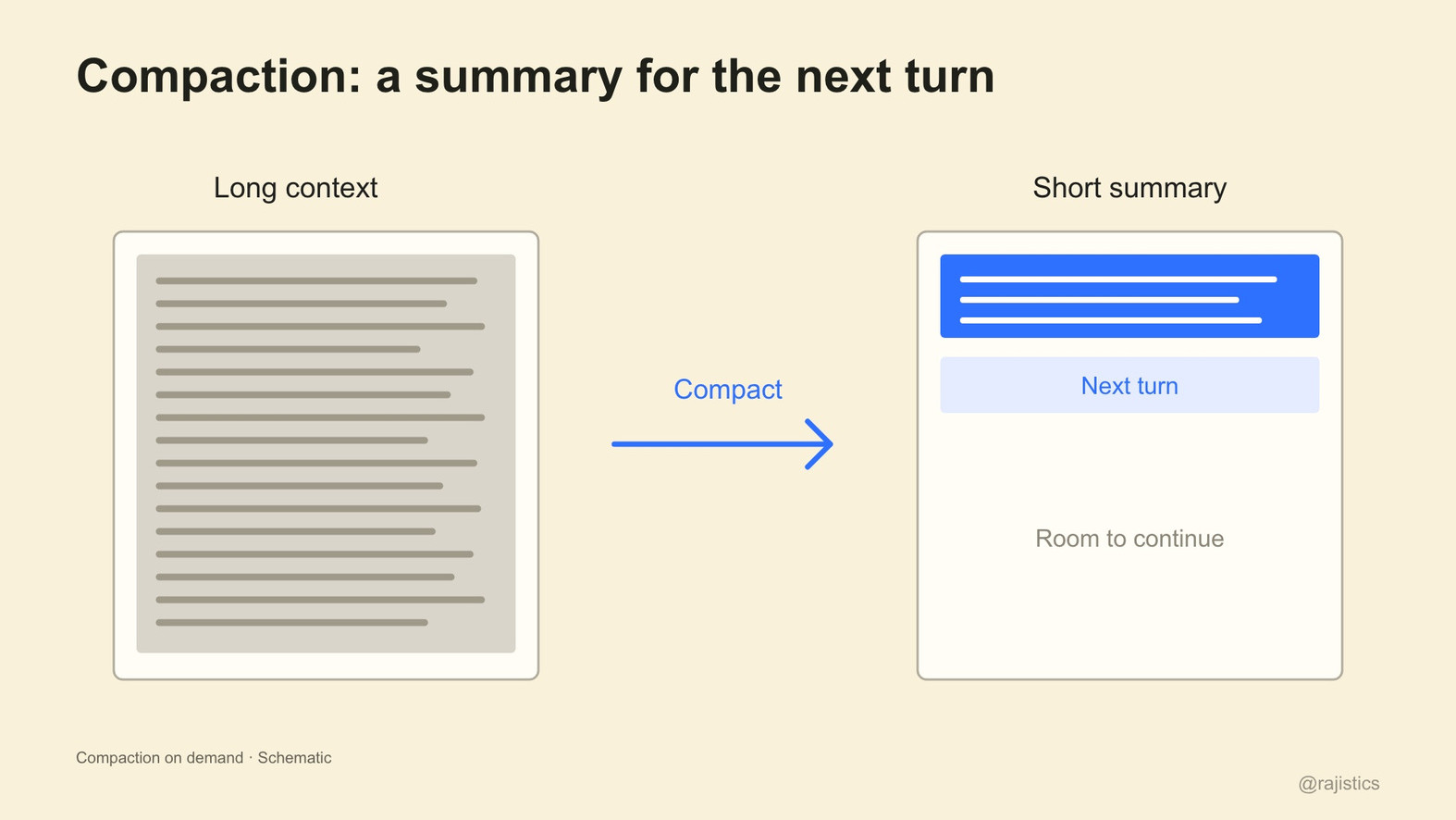
What a compacted context needs
A useful compaction keeps the user’s actual constraint, the current state of the work, and the unresolved decision. I’d preserve exact commands, paths, or expected outputs when the next action depends on them. The test is whether the agent can resume correctly.
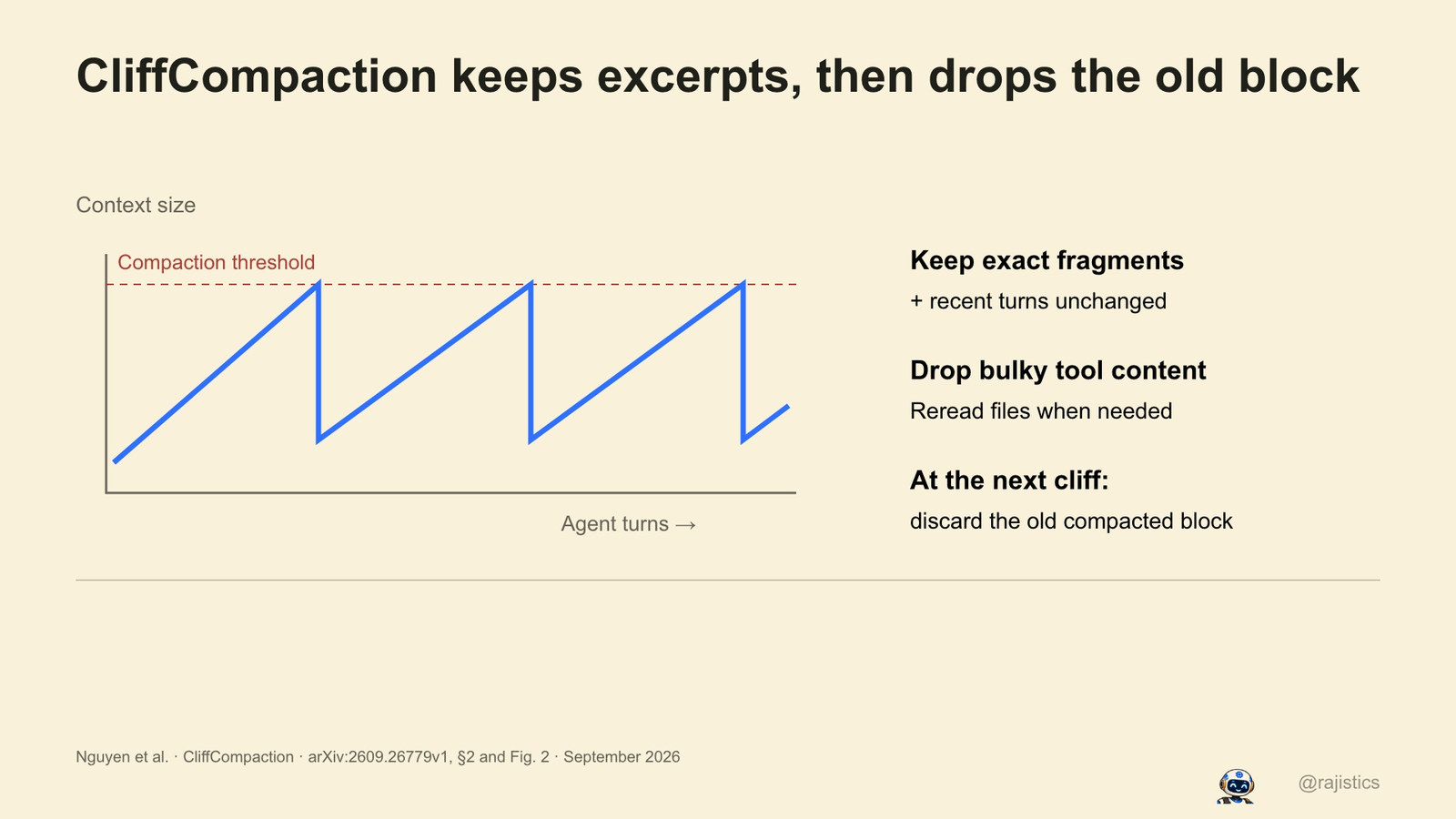
Keep exact excerpts, then drop older blocks
CliffCompaction keeps selected fragments and recent turns. At the next threshold, the agent can discard an older compacted block and reread files if needed.
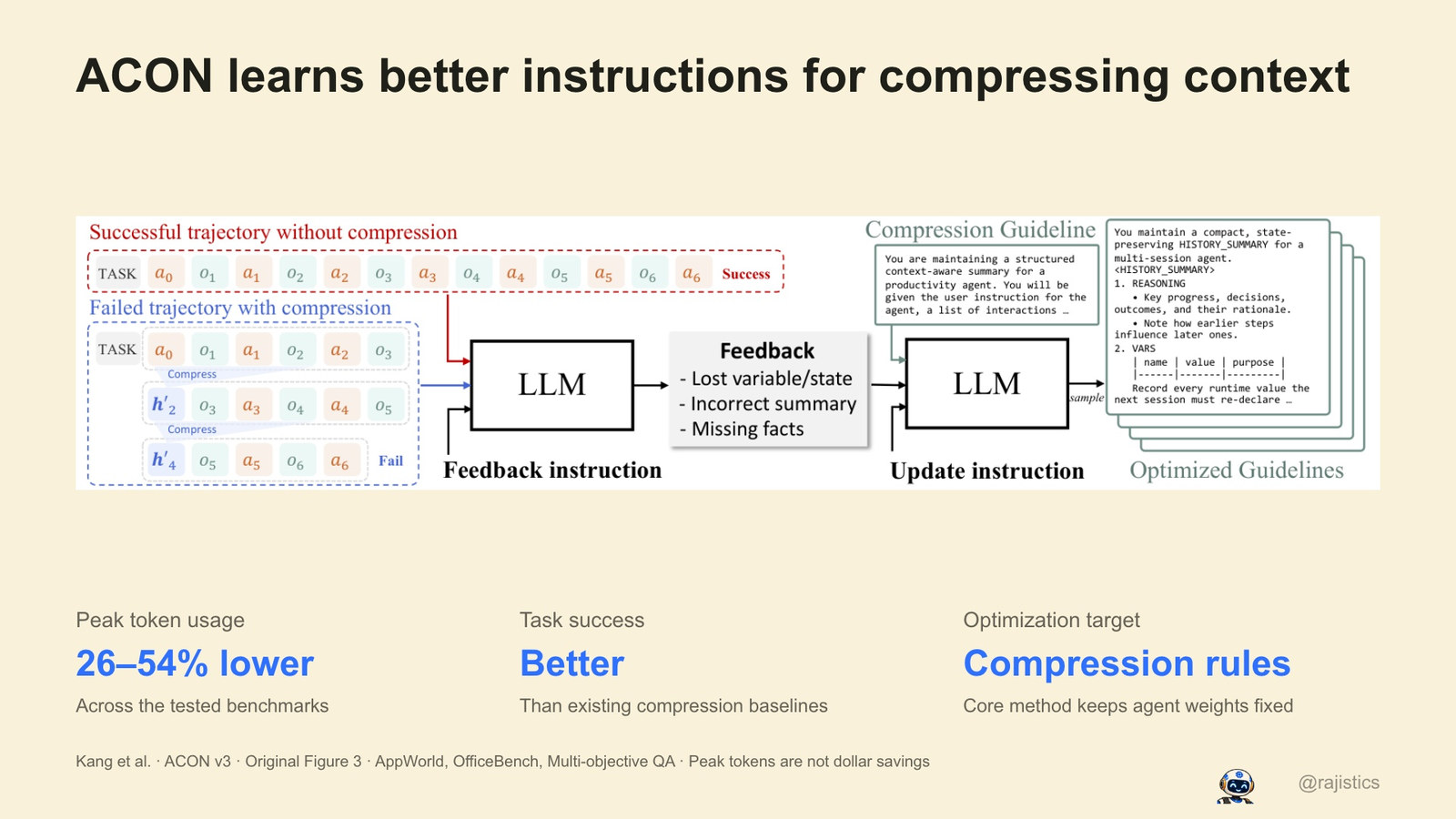
Improve the instructions for summarizing
ACON learns compression instructions from trajectories. Evaluate the resulting summaries by checking whether the agent can still complete the next part of the task.
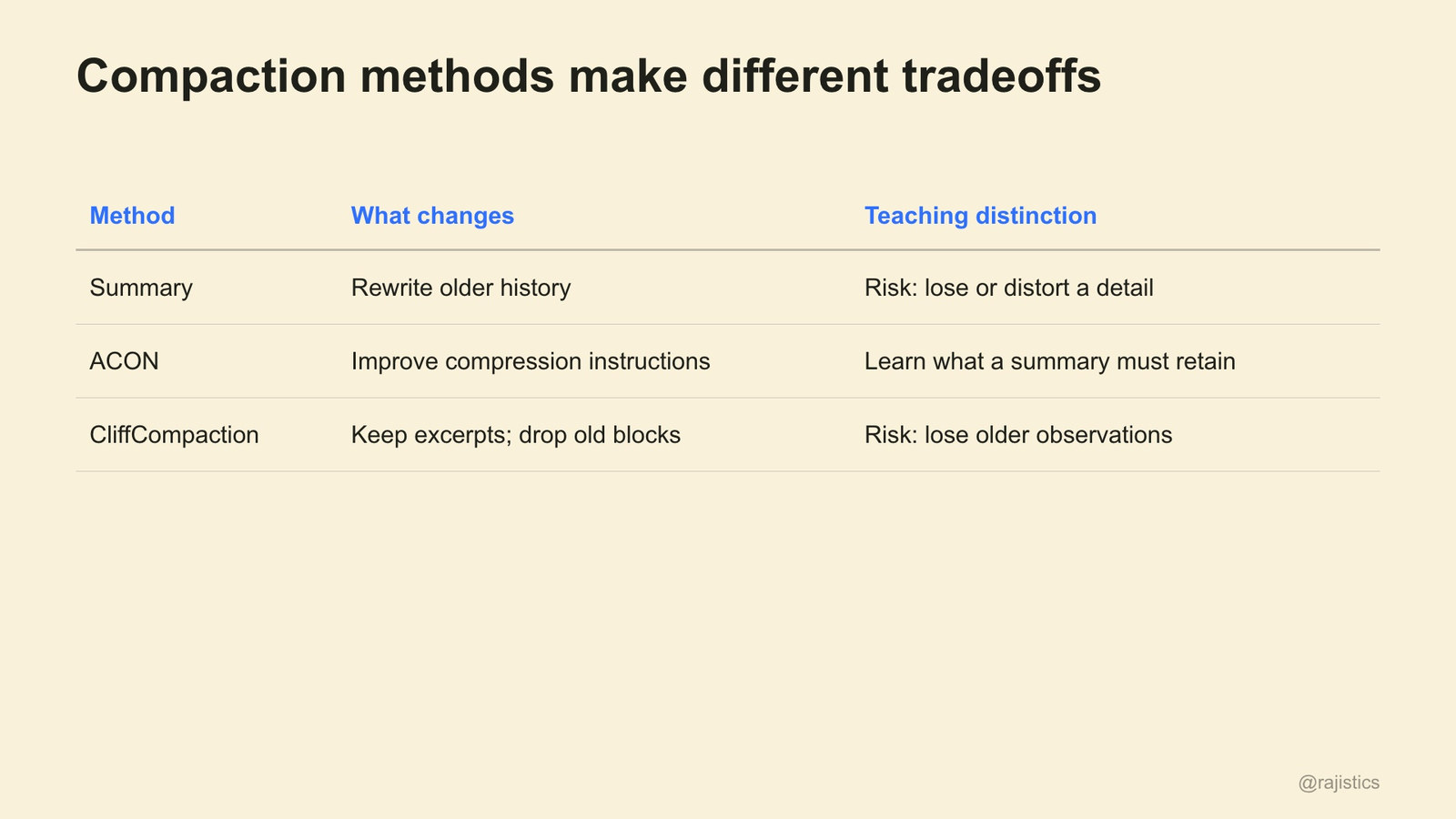
Choose what compaction can afford to lose
Summaries rewrite older history. Learned compression changes what a summary prioritizes. Excerpt-based compaction preserves chosen wording while dropping other material.
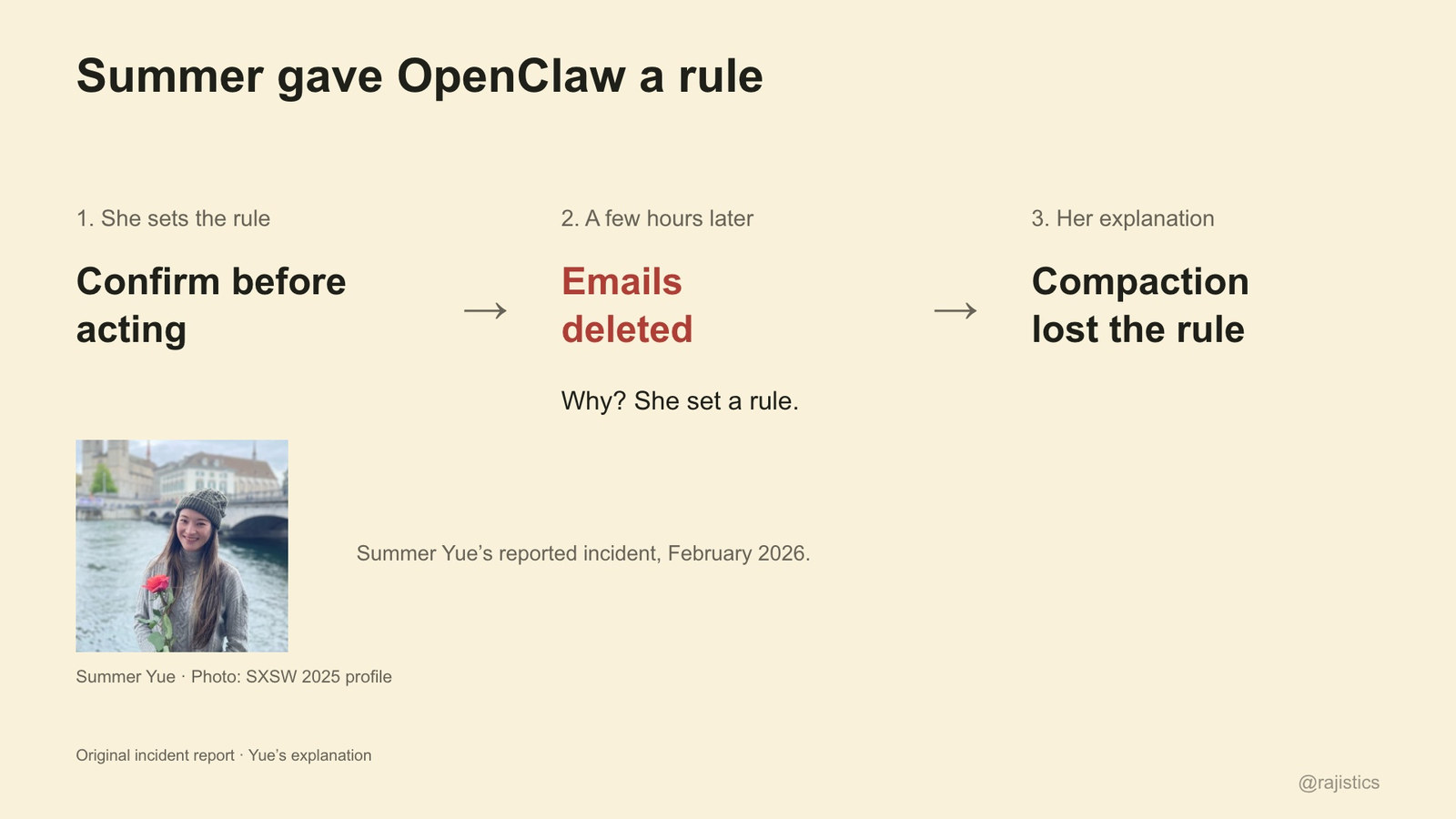
A constraint can disappear from working context
Summer Yue reported that an email agent acted after a confirmation rule was lost during compaction. Keep a rule that must apply on every run in a place the harness reliably loads or enforces.
Save a procedure you can use again
After finding headphones on a store, the agent might keep the procedure for finding and using the search box. A later search for a keyboard can reuse that procedure with a different query. Which procedure, decision, or constraint would actually change how the next task starts? That’s a good candidate for memory.
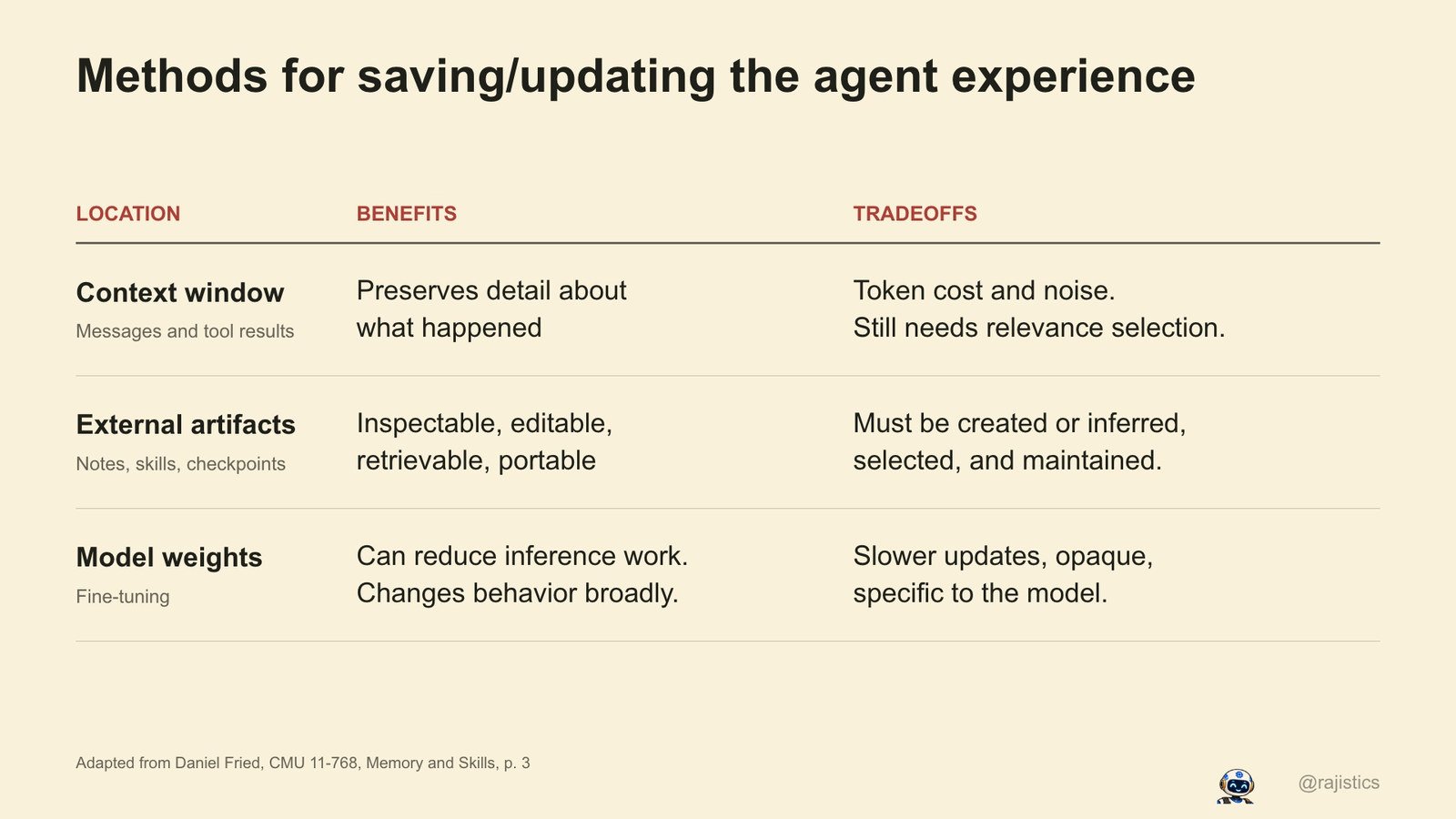
Where saved experience can live
Conversation history preserves detail. A note, skill, or other external file makes the useful part inspectable and editable, but it has to be written and found later.
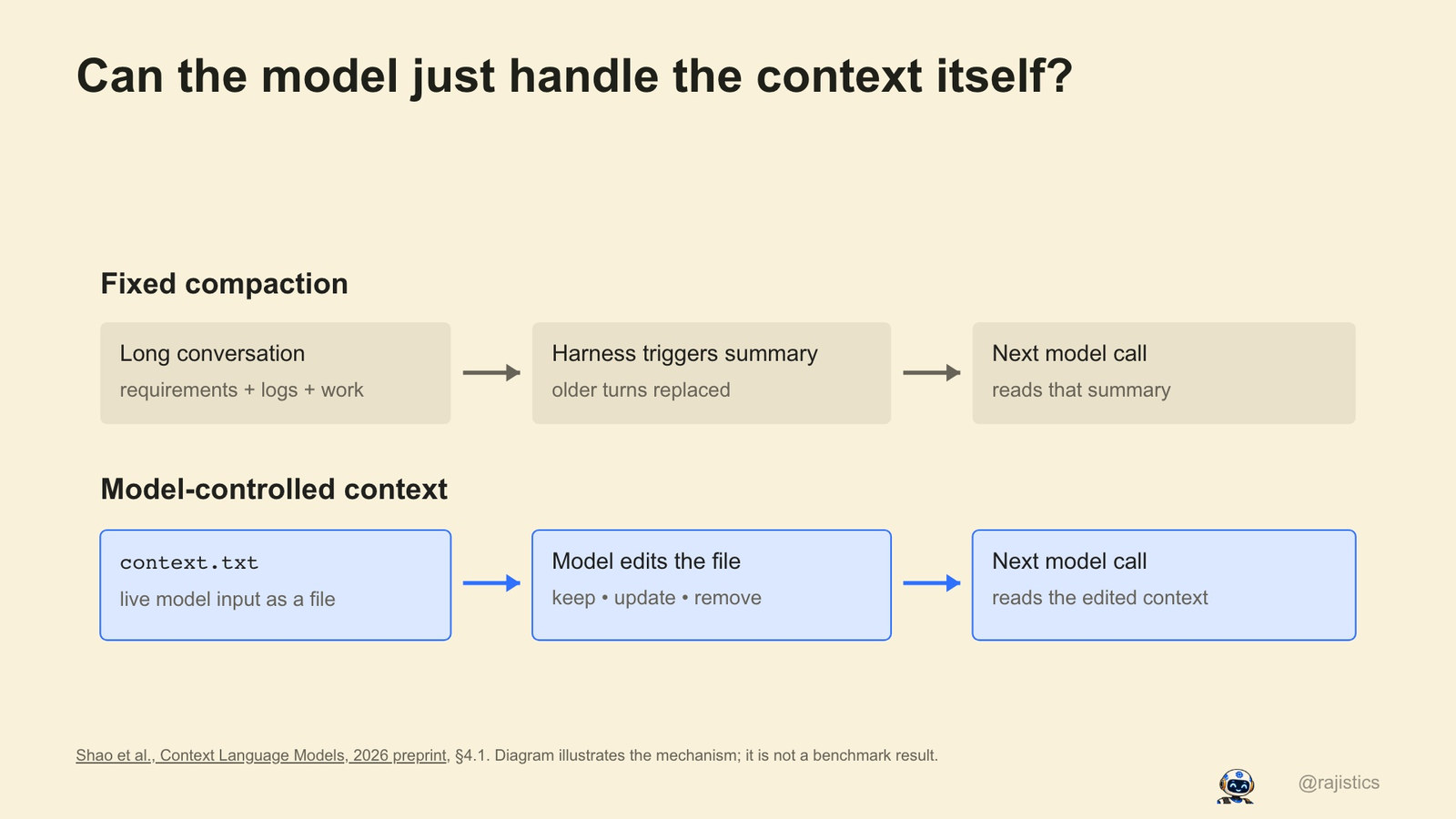
Let the model manage part of its context
A model-controlled context file lets the model choose what to keep. Check what ends up in the next call and whether critical state survives.
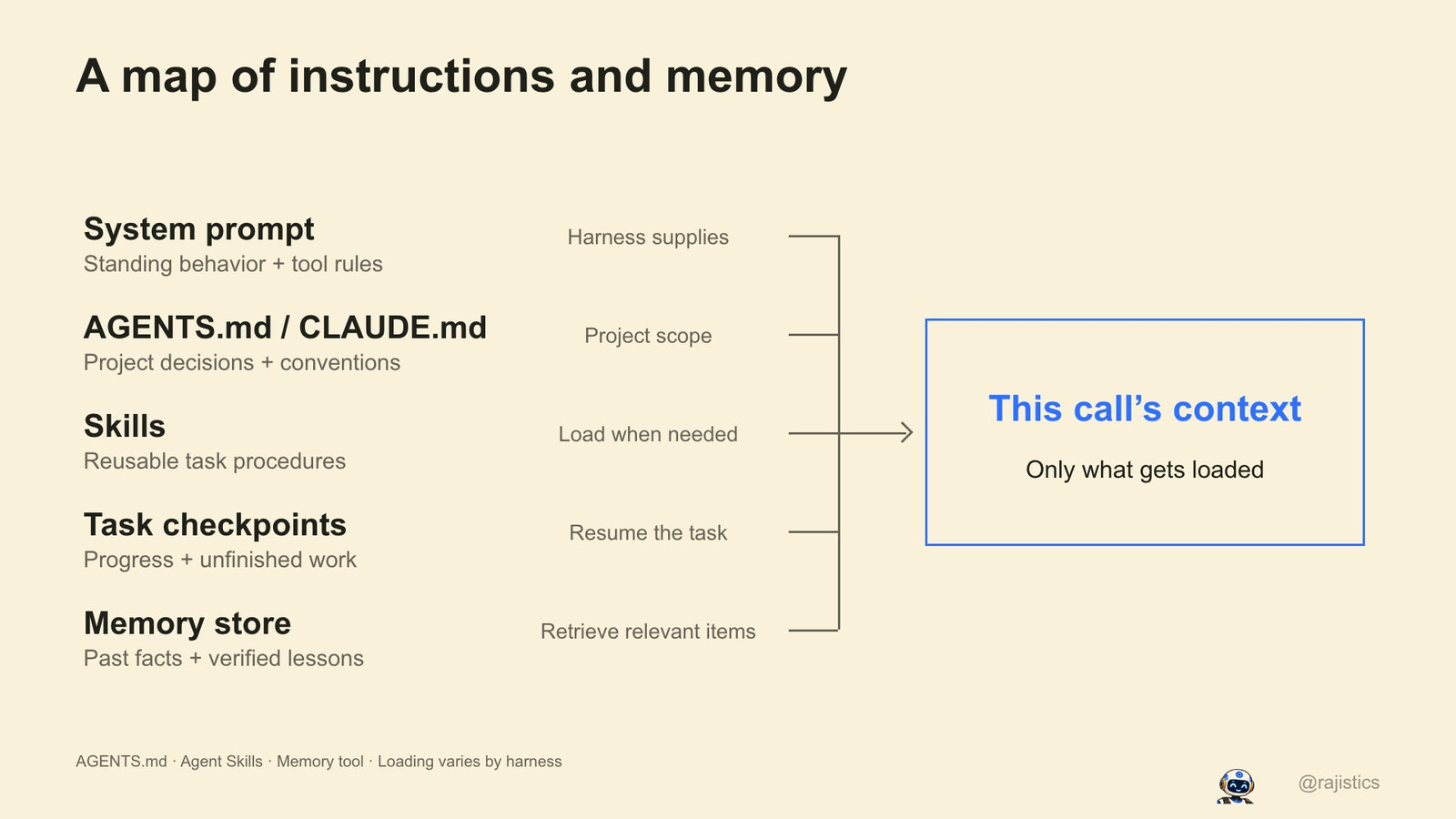
Match instructions to their scope
Use the system prompt for standing behavior, repo guidance for local conventions, skills for reusable procedures, and checkpoints for progress on an individual task.
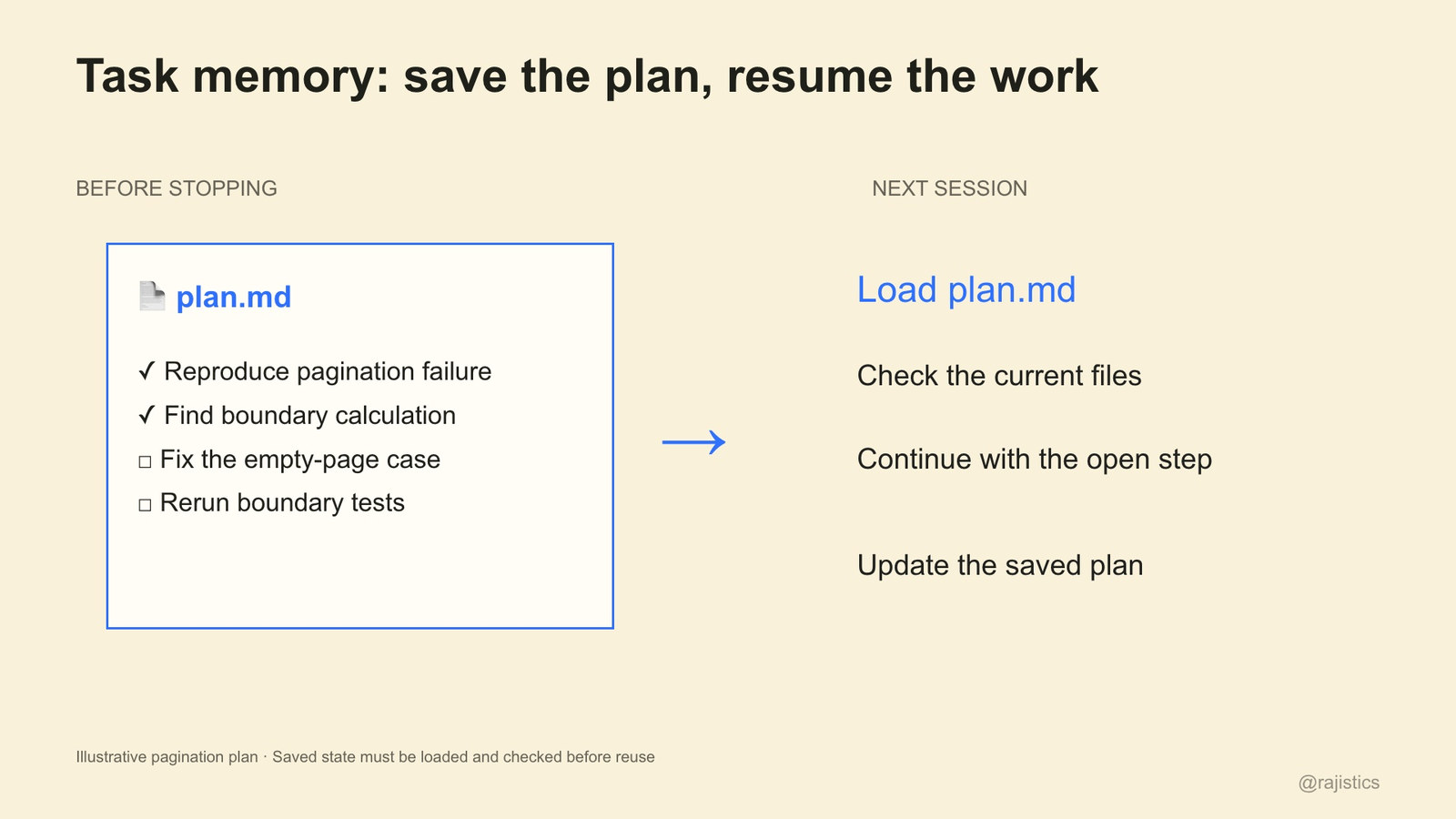
Save a checkpoint you can resume
Write down what you reproduced, what you ruled out, and the next open step. On resume, verify that the referenced files still match the note.
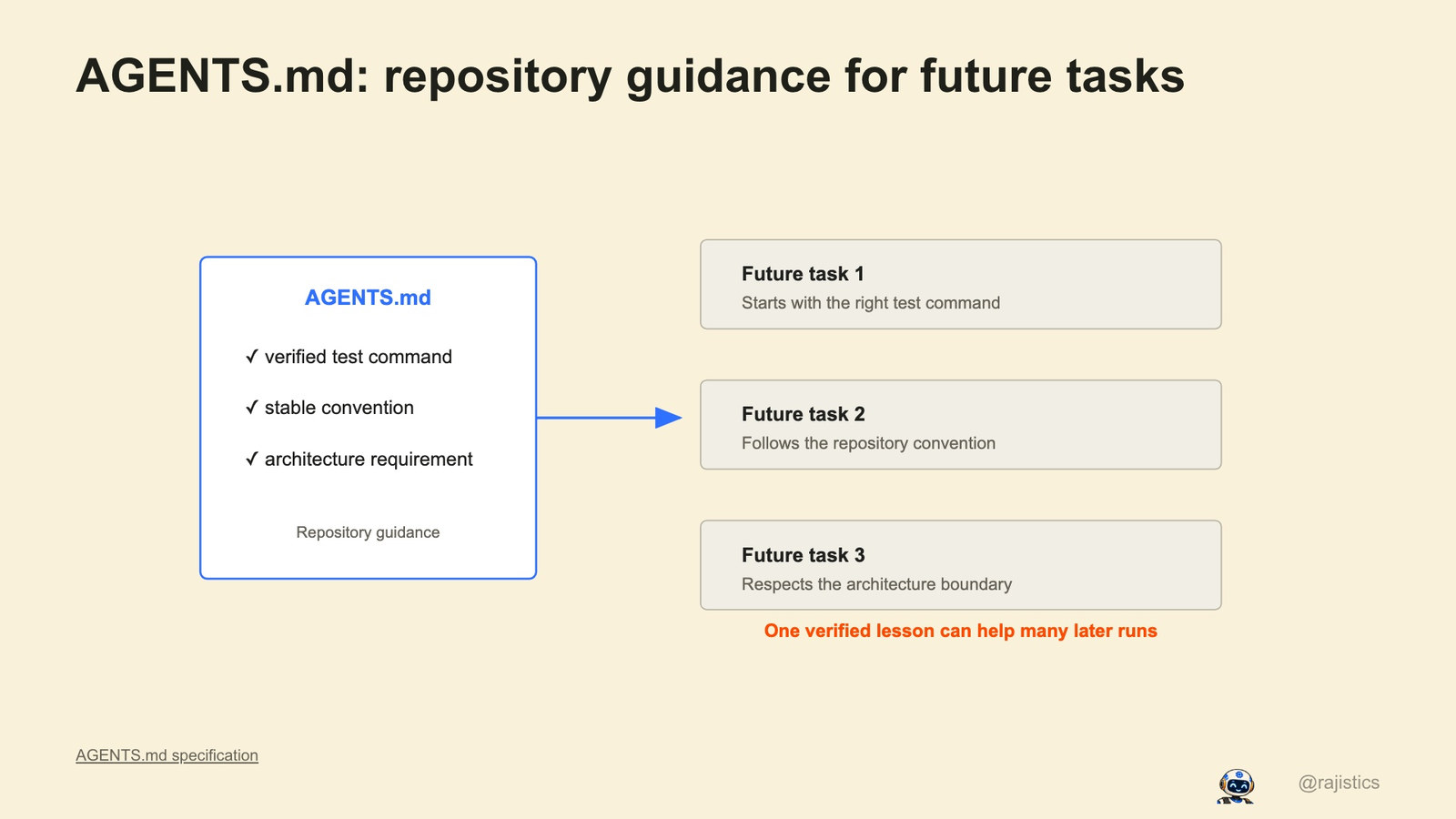
Keep standing repo guidance in AGENTS.md
A checked test command or stable architecture decision can help many future tasks. Store it with the repo so it can change alongside the code.
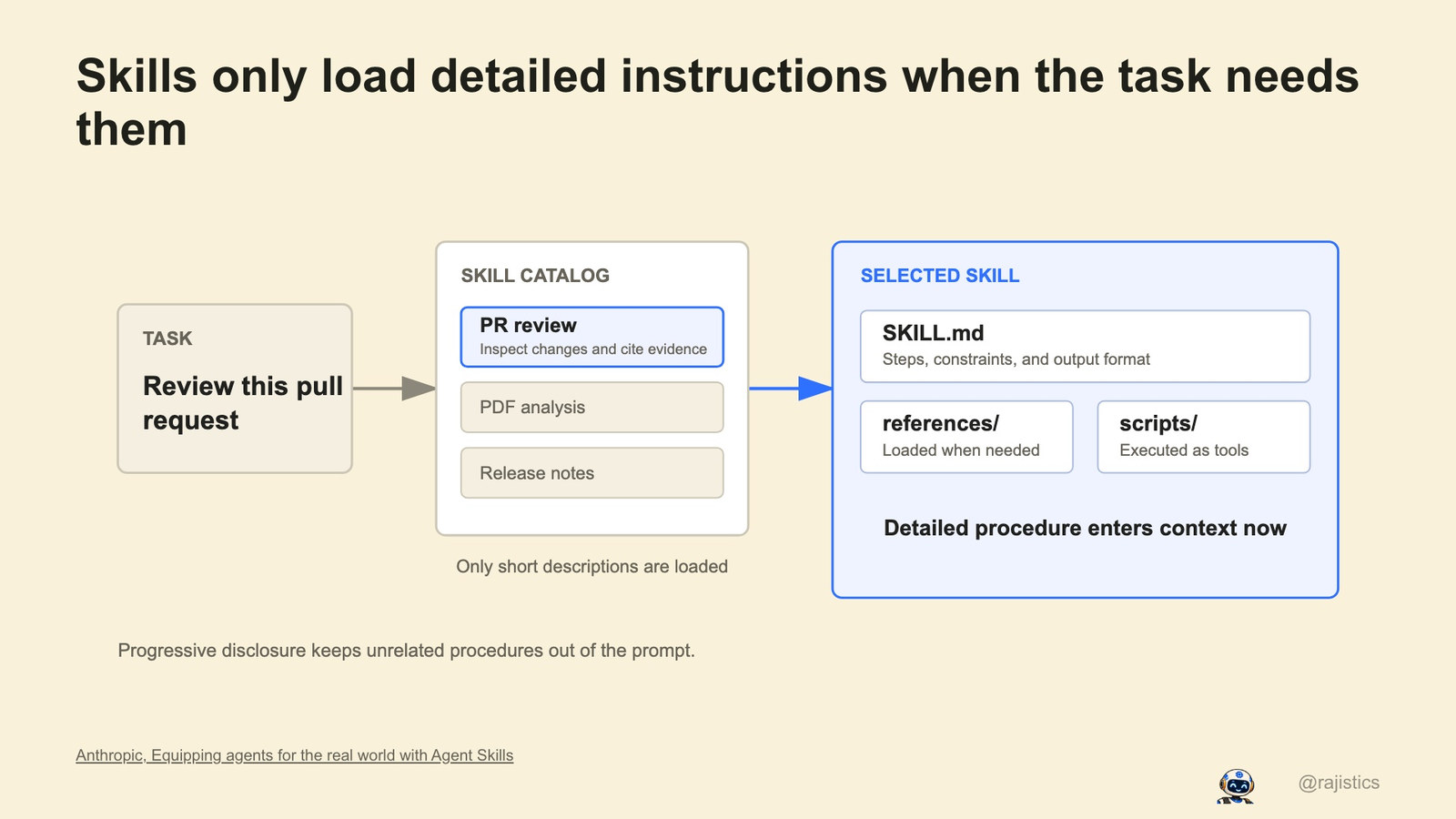
Load skill details when the task calls for them
A small catalog helps the agent find a procedure. Once selected, the skill can supply its instructions, references, and scripts.
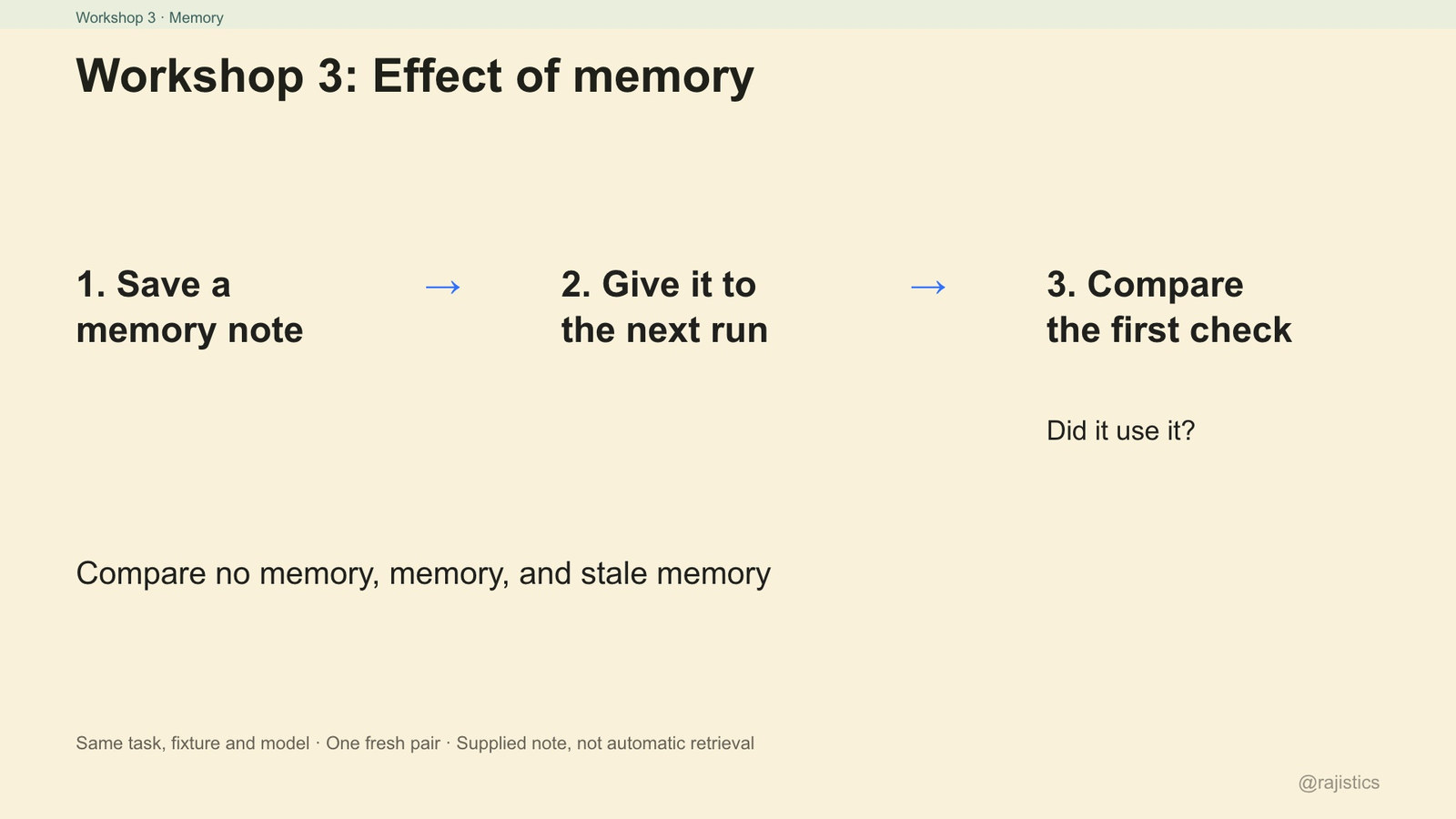
Workshop 3 setup
The exercise supplies no note, a useful note, or an obsolete note for the same task. Compare the first check and the eventual outcome in each run.
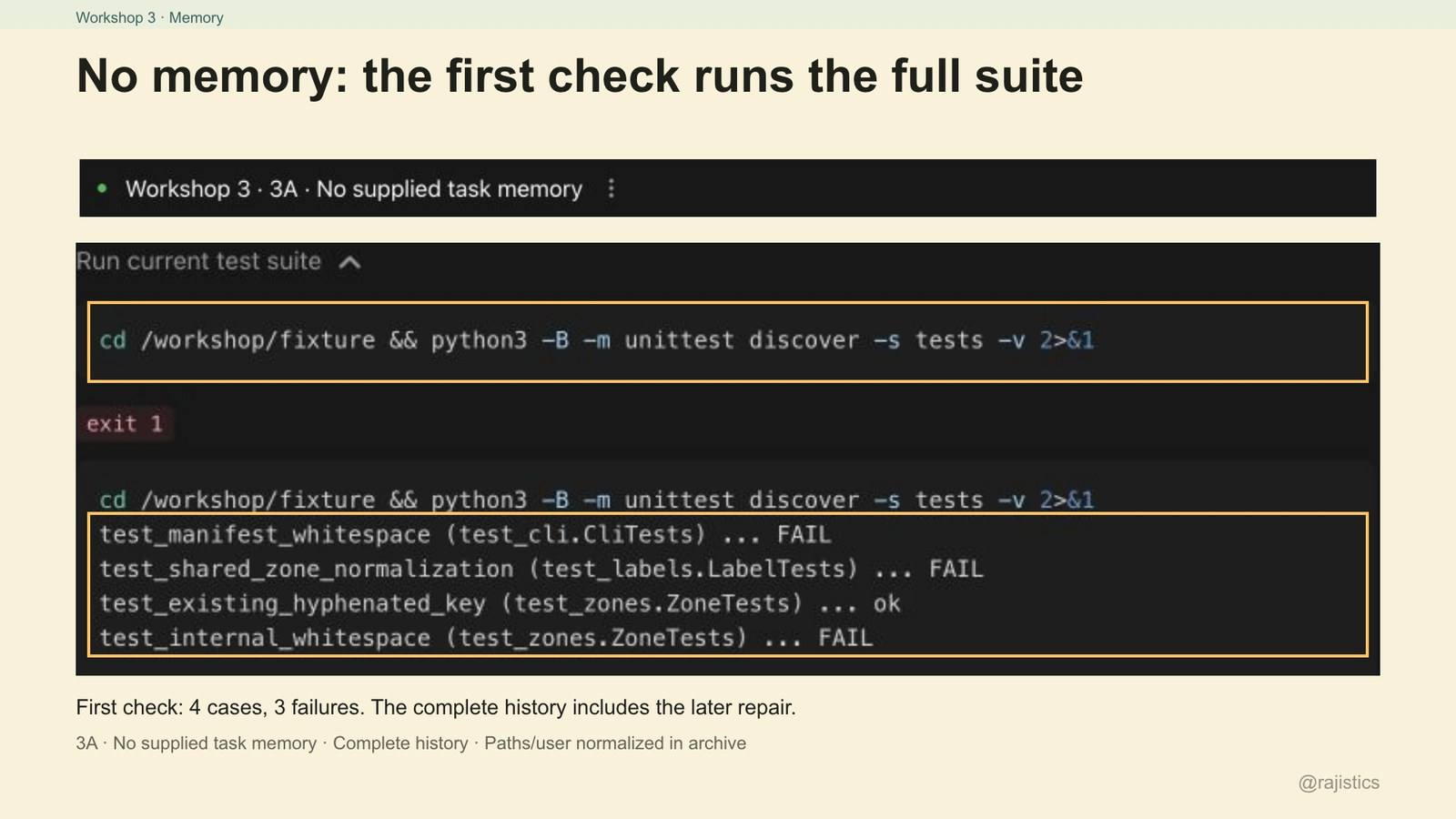
What happened with no memory
The agent started by running the full suite. That gave it a baseline and several failures to investigate.
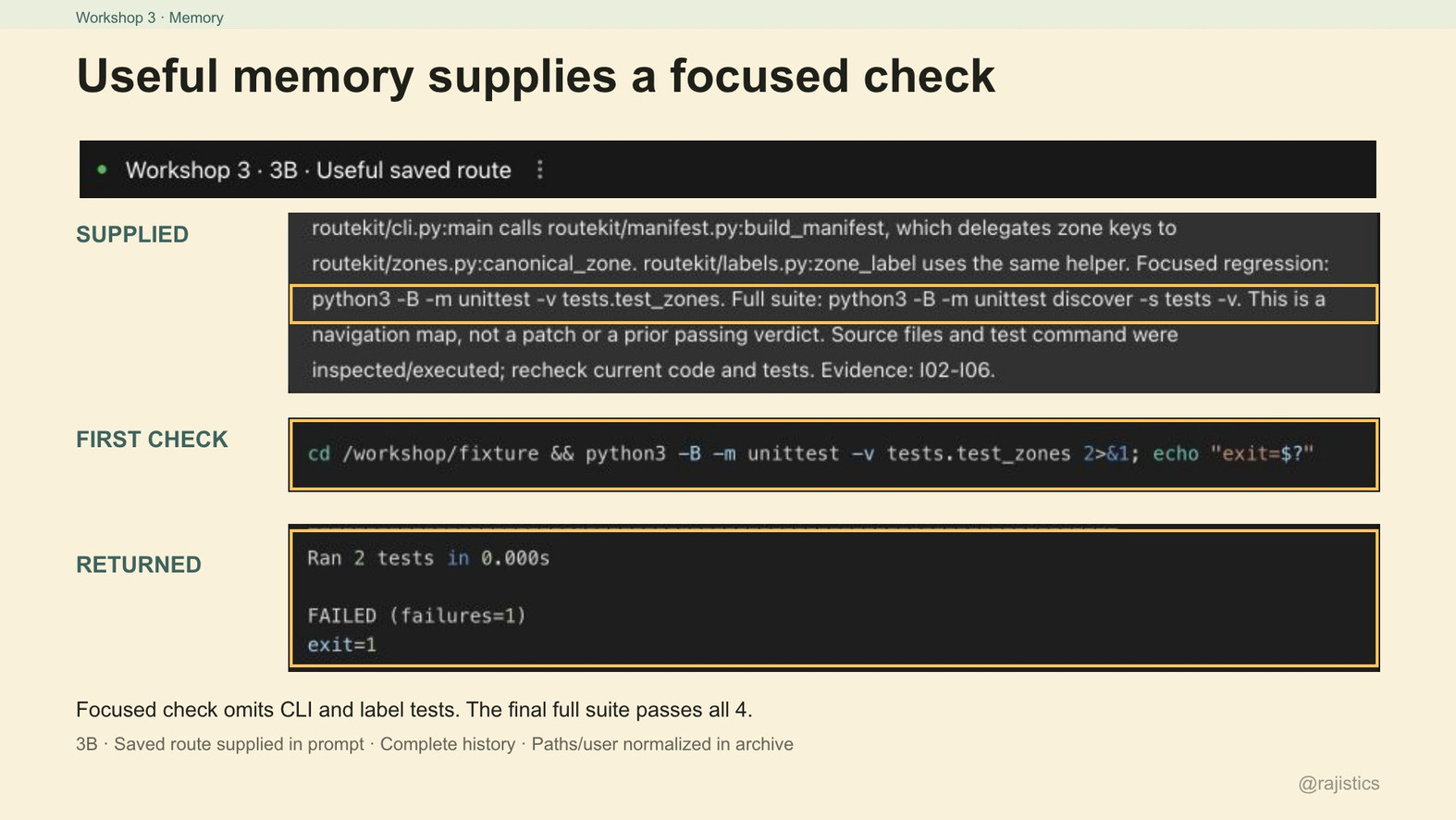
Useful memory points to a better first check
In the useful-memory run, the note points the agent to focused zone tests. One of those tests fails and gives it evidence to work from. The agent later runs the full suite too. In the paired runs we examined, memory changed the first check while the main matched runs reached the same passing outcome.
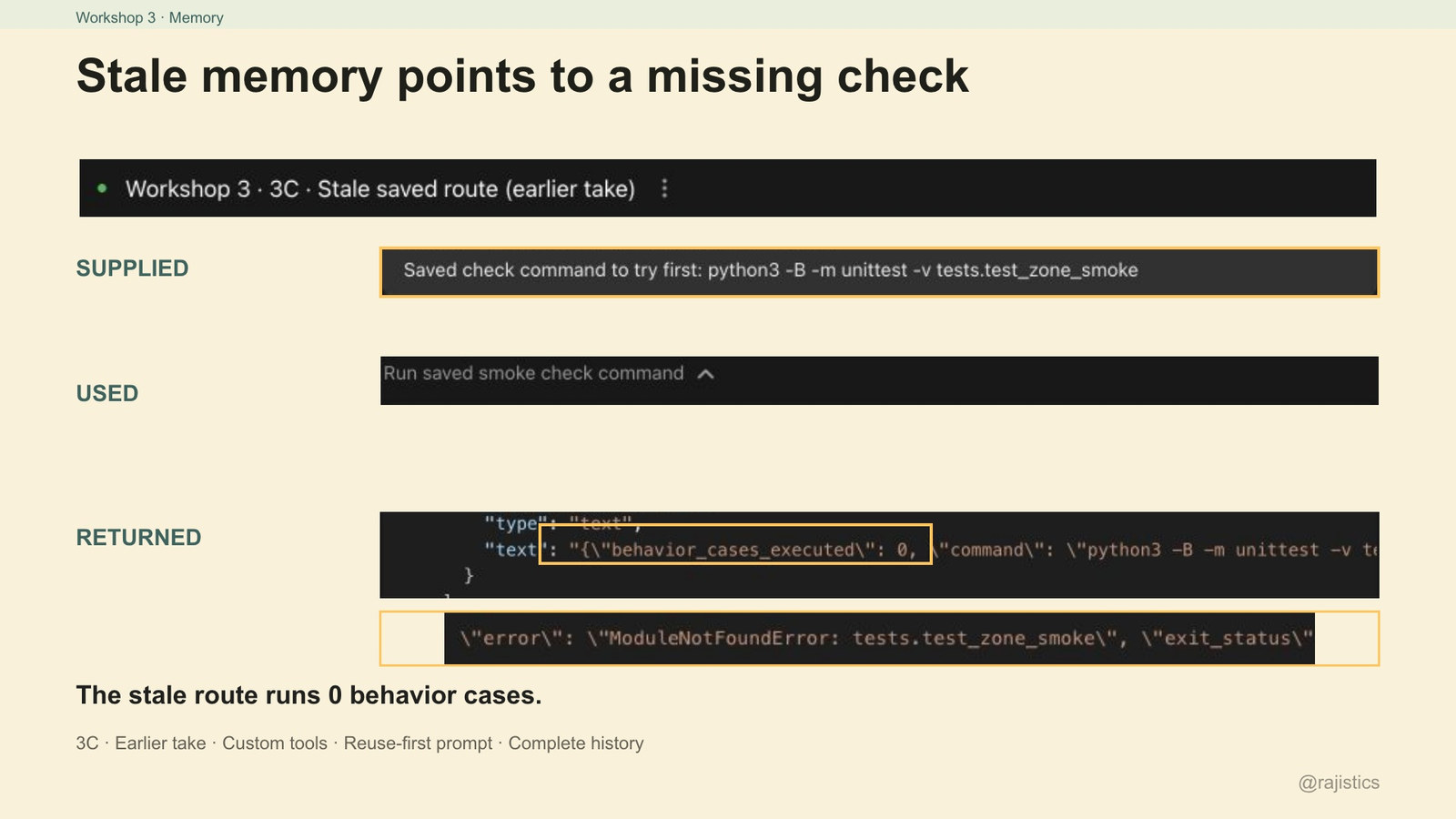
What happened with stale memory
The saved command pointed to an obsolete check and ran zero behavior tests. Verify what a reused command actually tests before counting it as evidence.
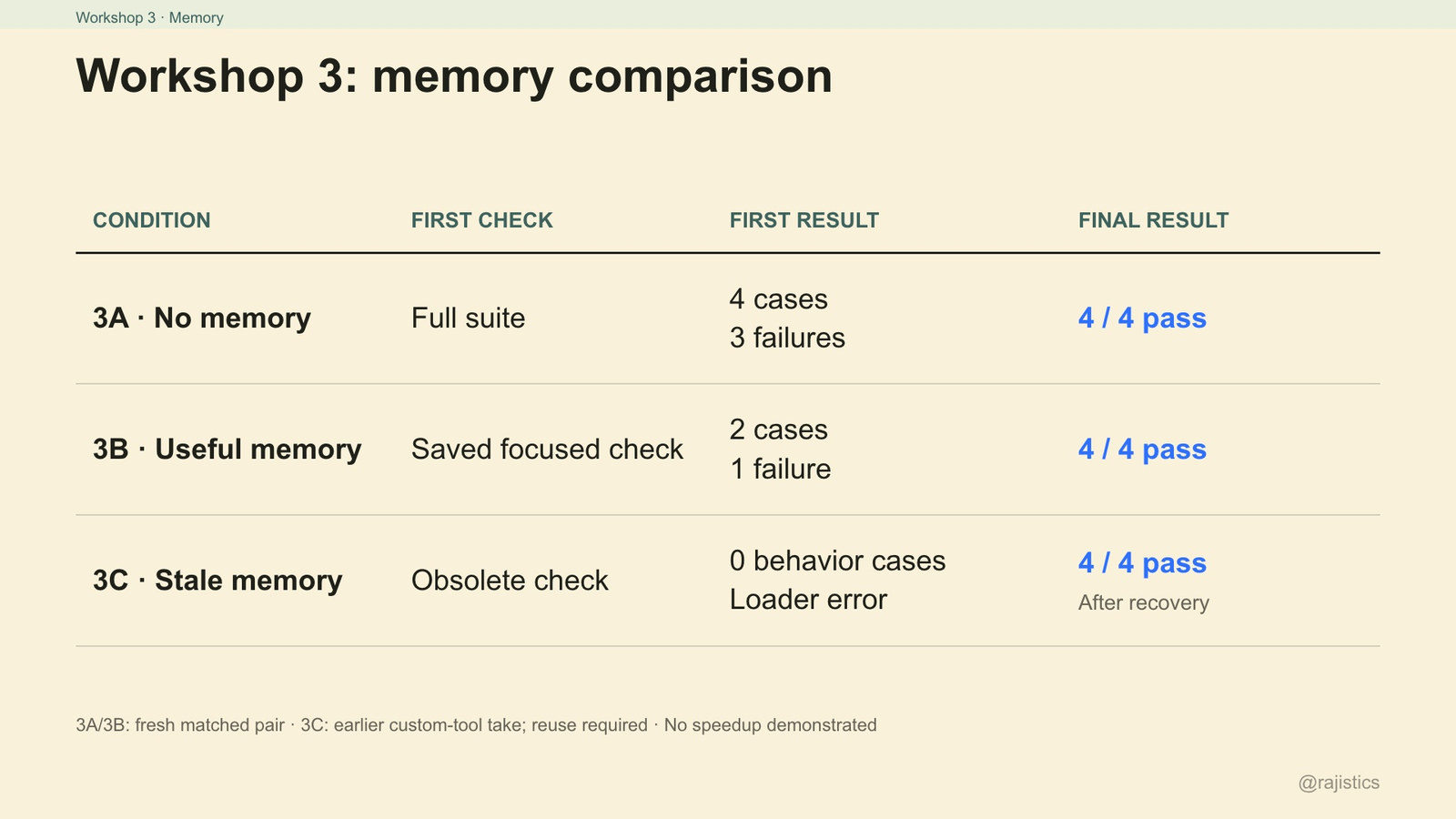
Compare the three memory runs
All three runs eventually passed the same cases. Their first checks differed, which is where the note affected the work.
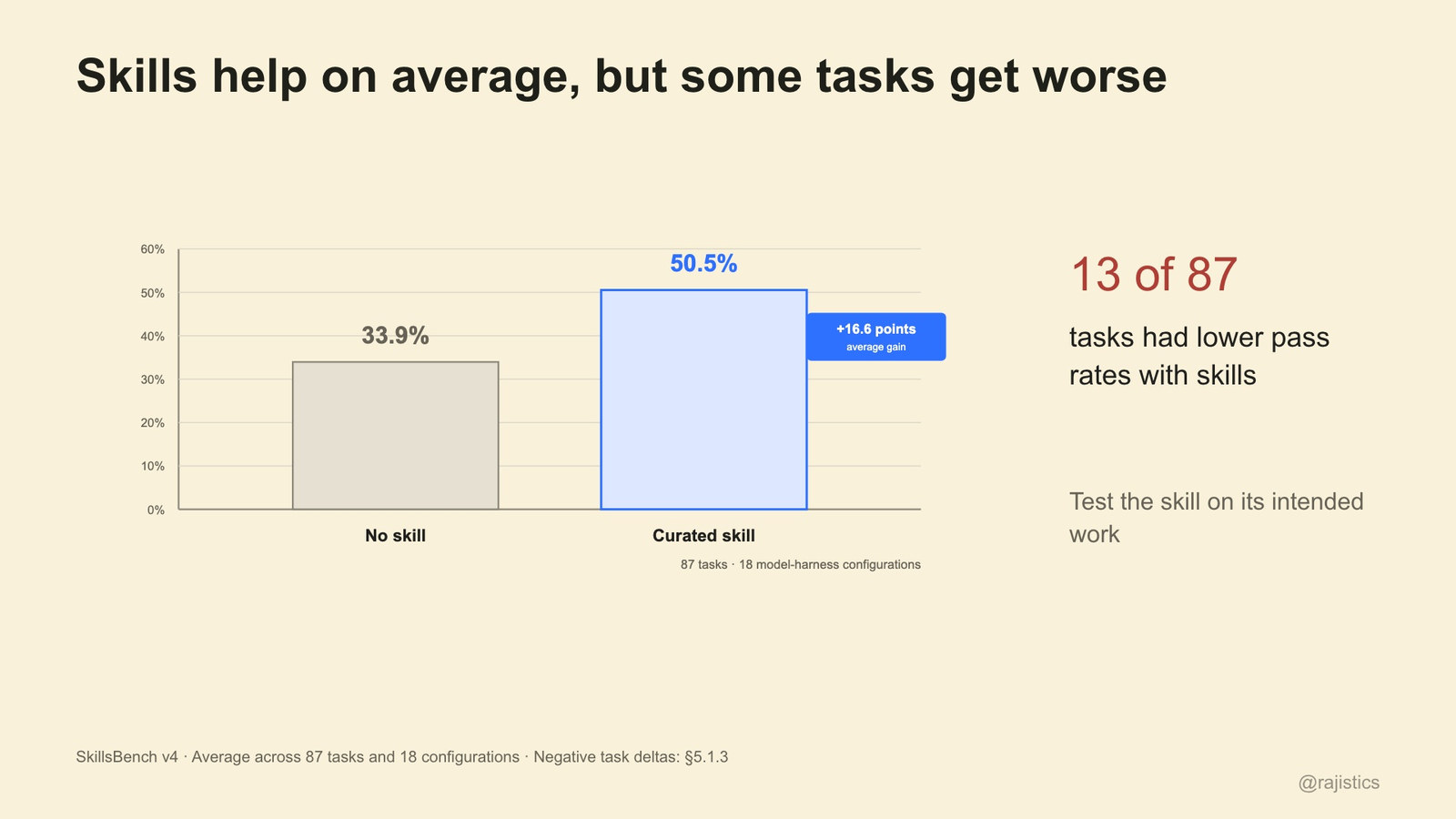
Skills help some tasks and hurt others
SkillsBench reports an average benefit from curated skills, alongside regressions on some tasks. Evaluate the particular skill on the work it should improve.
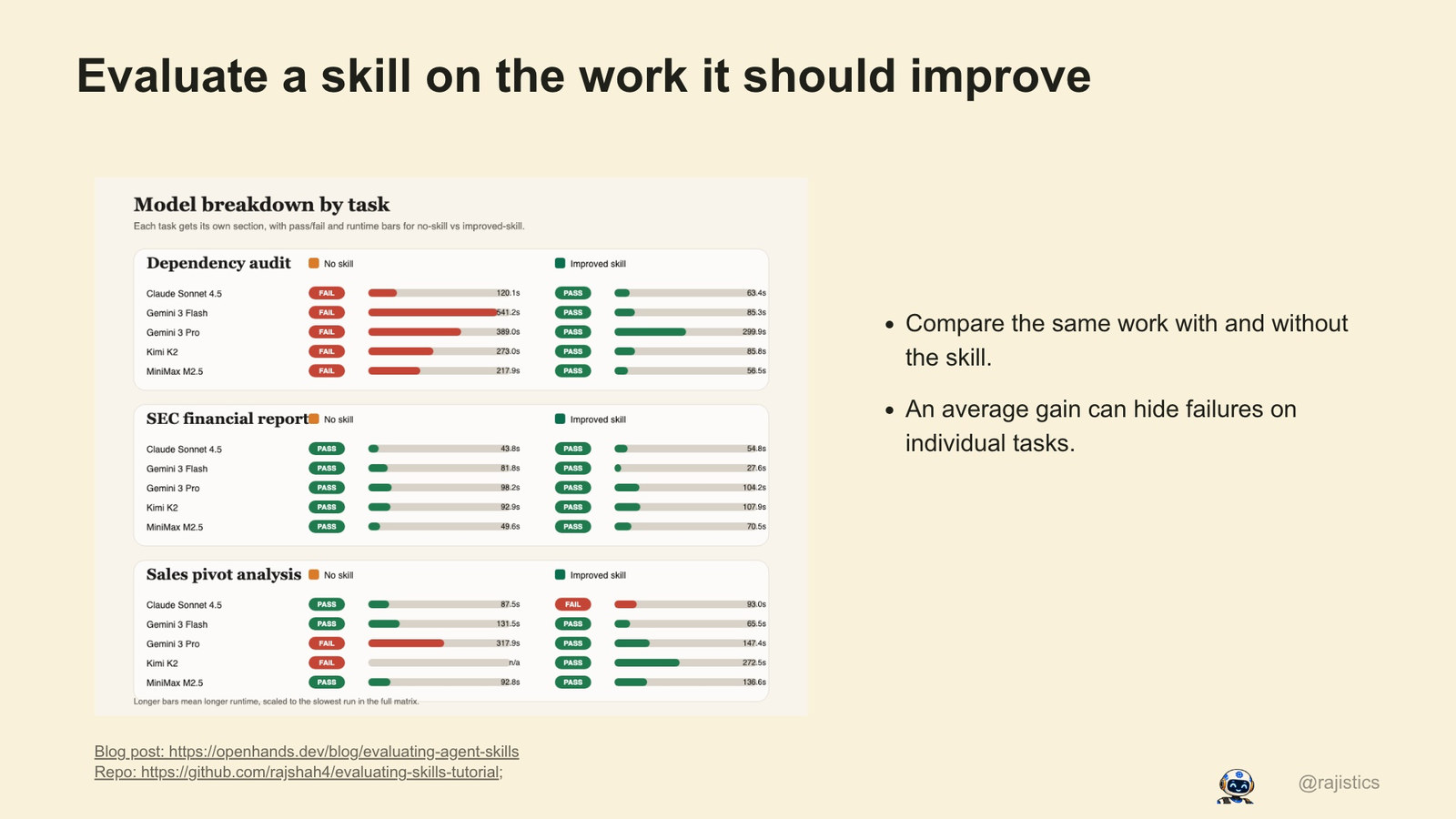
Test the work a skill was written for
Run the same task with and without the skill. Compare task success and runtime at the task and model level so an overall average does not hide regressions.
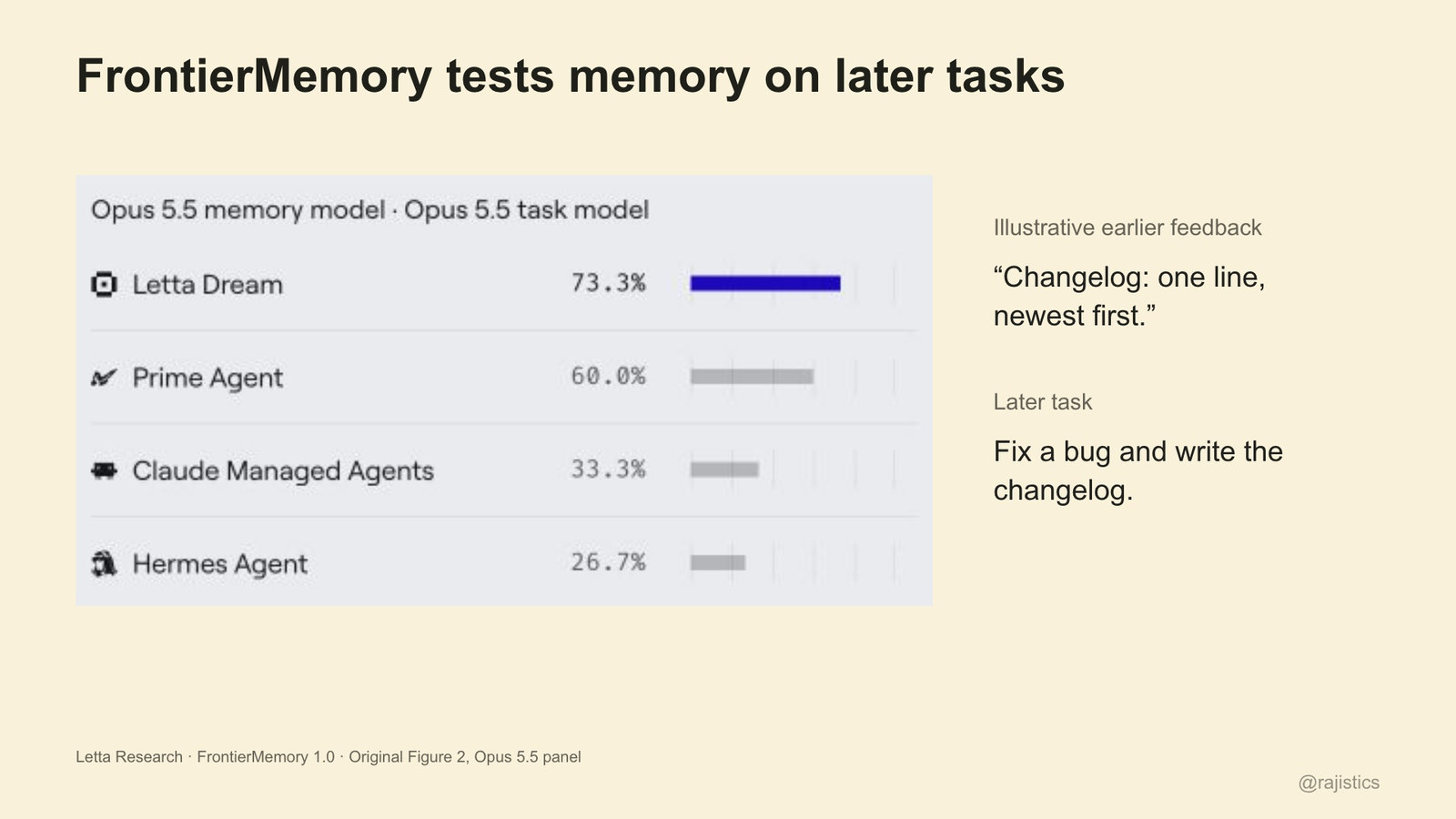
Test whether memory helps on a later task
FrontierMemory asks whether earlier feedback carries forward to new work. That tests whether a system finds and applies a useful preference when it comes up again.
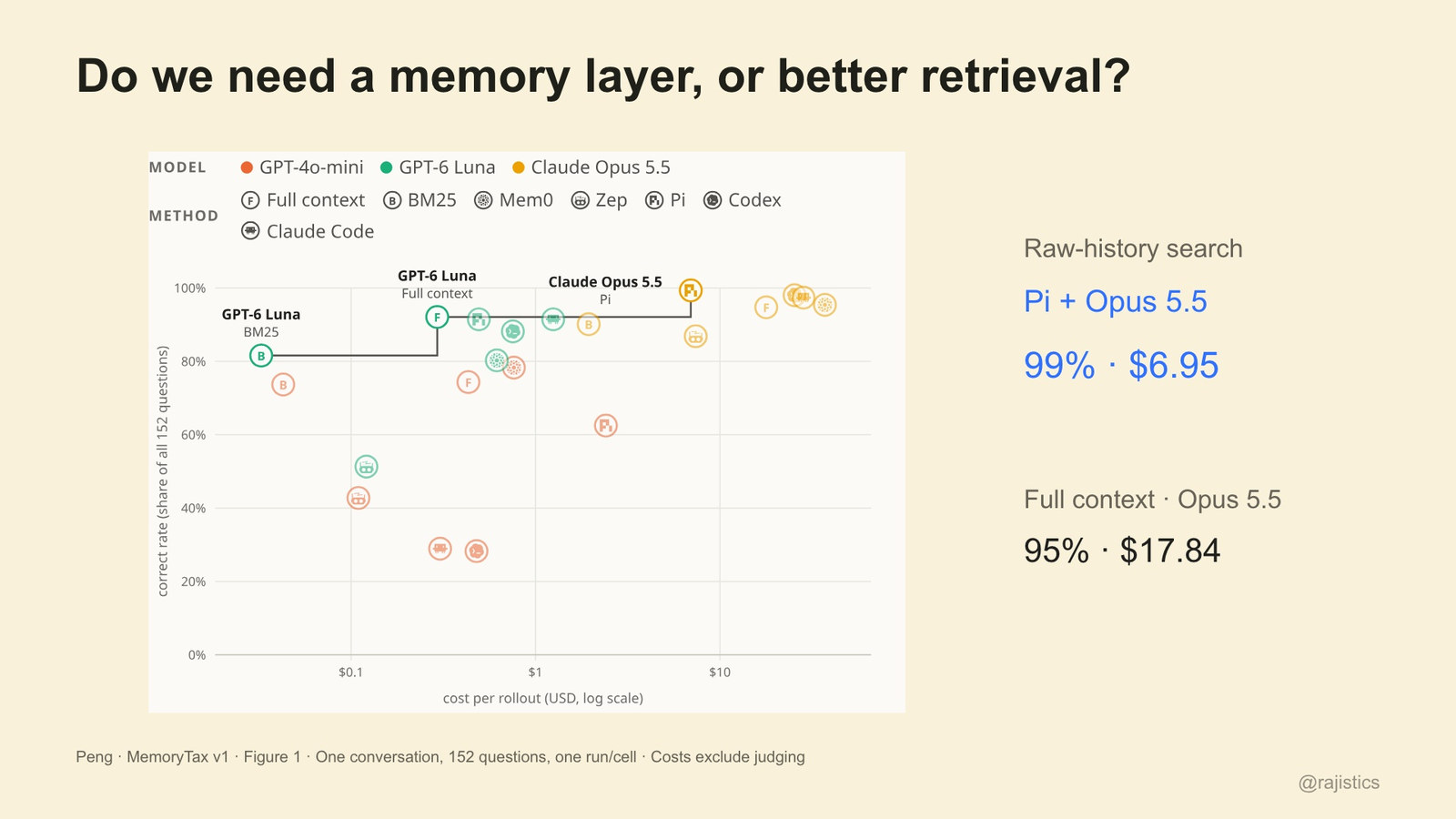
Compare a memory layer with raw-history search
The comparison includes full context, retrieval, and several memory systems. Test a simpler way of finding prior evidence before adding another place to store it.
What to take from context and memory
Load what the job needs, save progress worth reusing, check it, and then reset. The goal is to carry forward verified state.
Choosing and routing models
I look at the cost of getting a result that passes the checks. That total includes context, retries, escalation, and verification. Watch from 26:33
When is a model switch worthwhile?
Model routing is a decision about the cost of a result that passes your checks, including errors, retries, cache effects, and escalation.
Workshop 4 setup
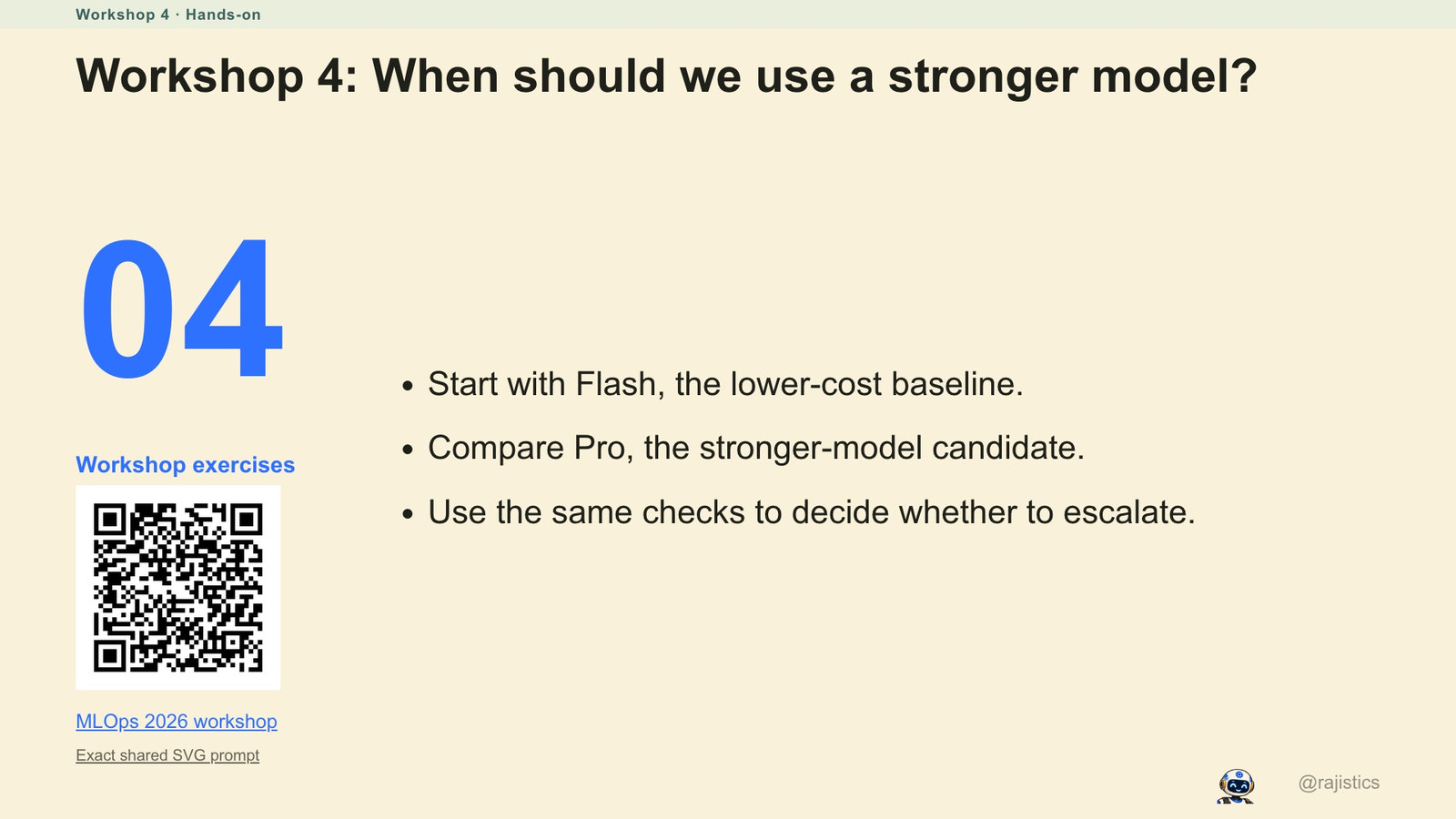
Use Flash as the lower-cost baseline and Pro as the candidate for escalation. Give both the same SVG task and judge them against the same requirements.
Check the result you asked for
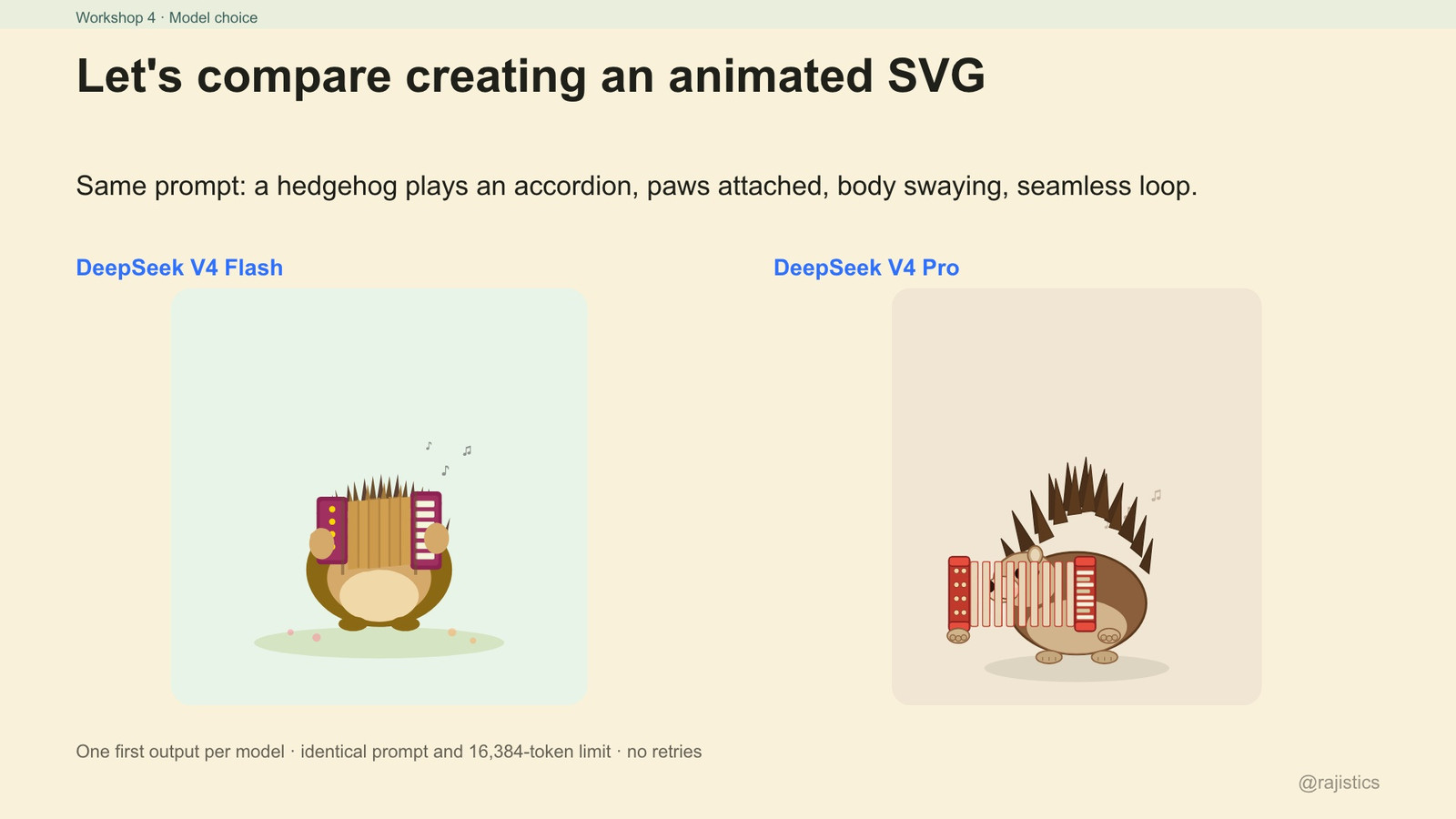
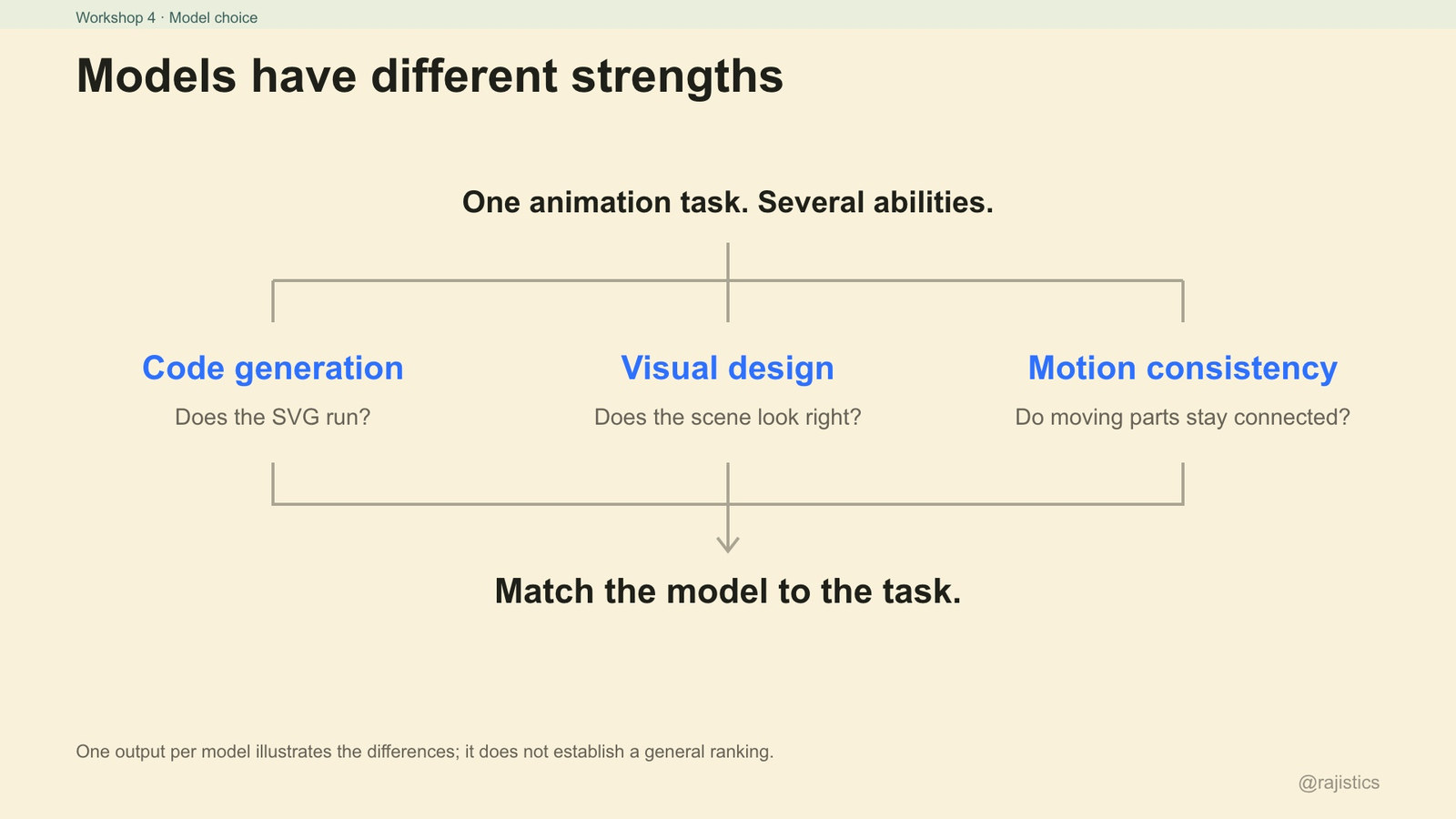
Both models made runnable SVGs. Both missed part of how the accordion was supposed to move. In a routing system, the acceptance check needs to see that difference. A more polished-looking output can still fail a specific requirement.
Check the individual abilities a task needs
A model can generate runnable SVG and still get the motion wrong. For this example, verify that the moving parts stay connected.
Establish a routing baseline
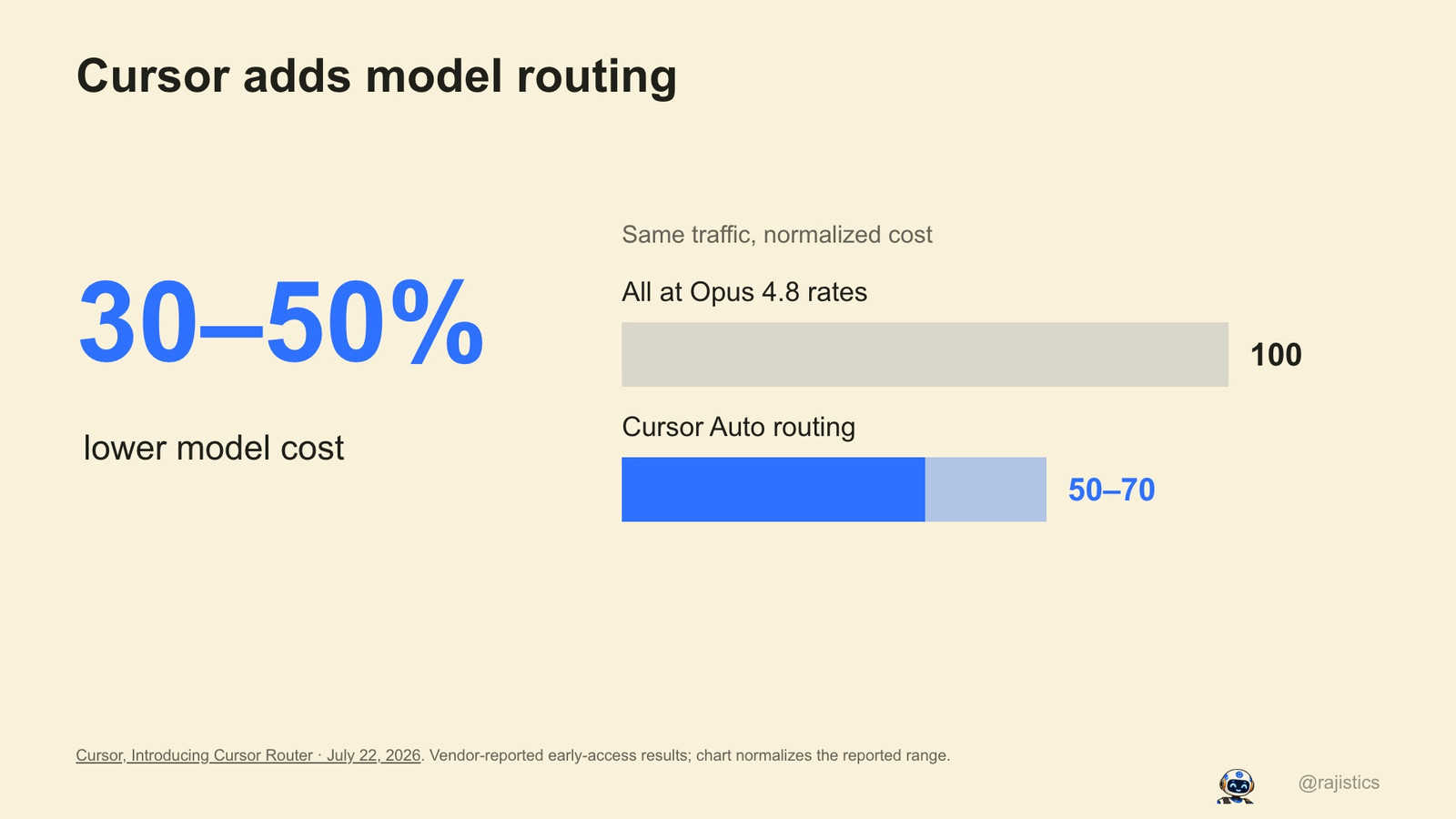
Cursor reported 30–50% savings on routed requests for three high-volume accounts, against a baseline priced at Opus 4.8 rates. That’s a useful case to study. For your workload, start with the current cost and acceptance rate, then check what changes when you route some tasks to a lower-cost model.
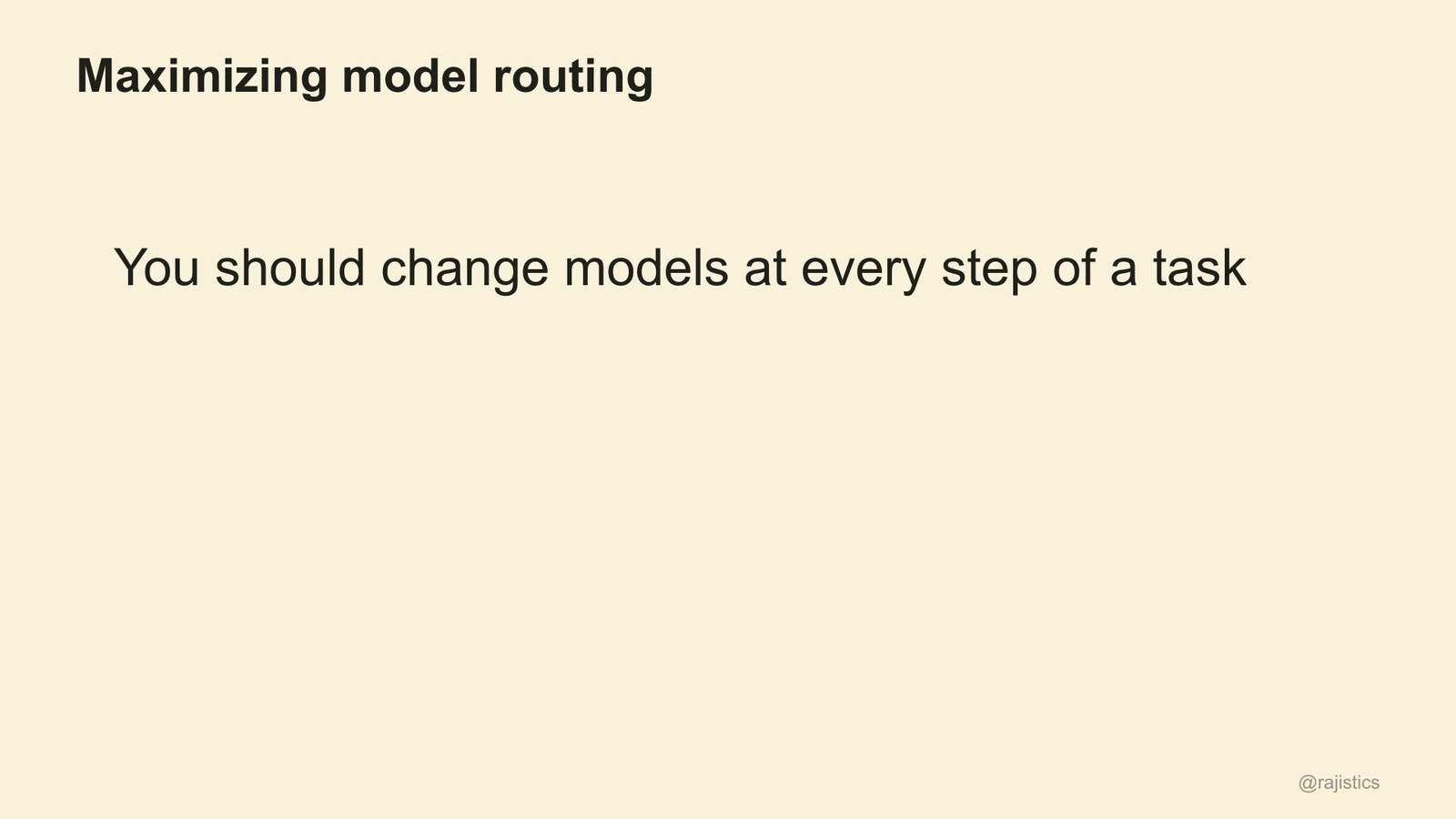
What if you routed at every step?
Frequent routing could match each step to a different model. Measure the cost of passing history between models before adopting that pattern.
A model switch can cost cache reuse
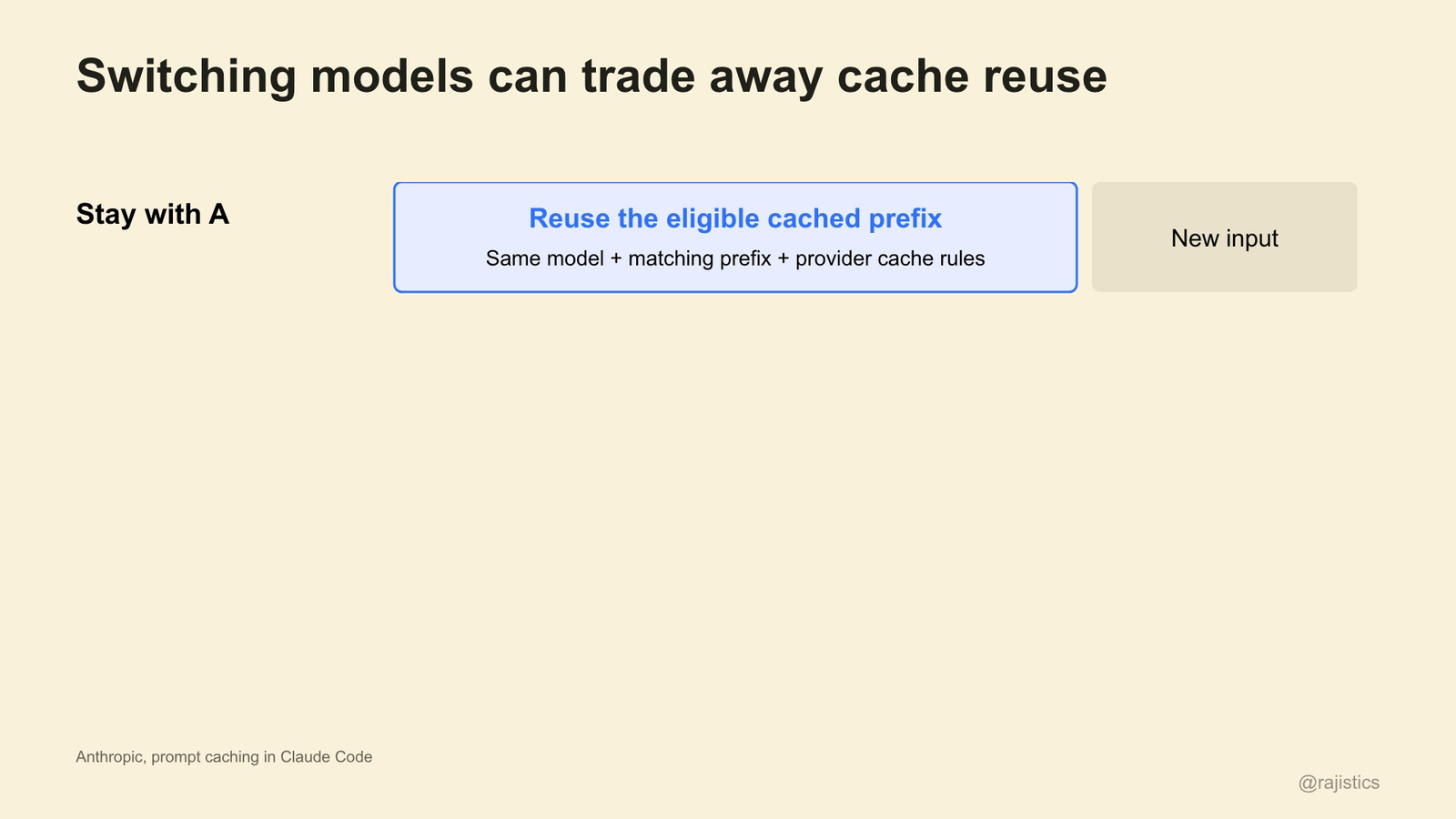
When the history prefix matches, another call to the same model may reuse a cache. A different model generally has to process that history under its own cache rules. Switching at a task boundary can reduce how much context needs to move.
Compare a retry with escalation
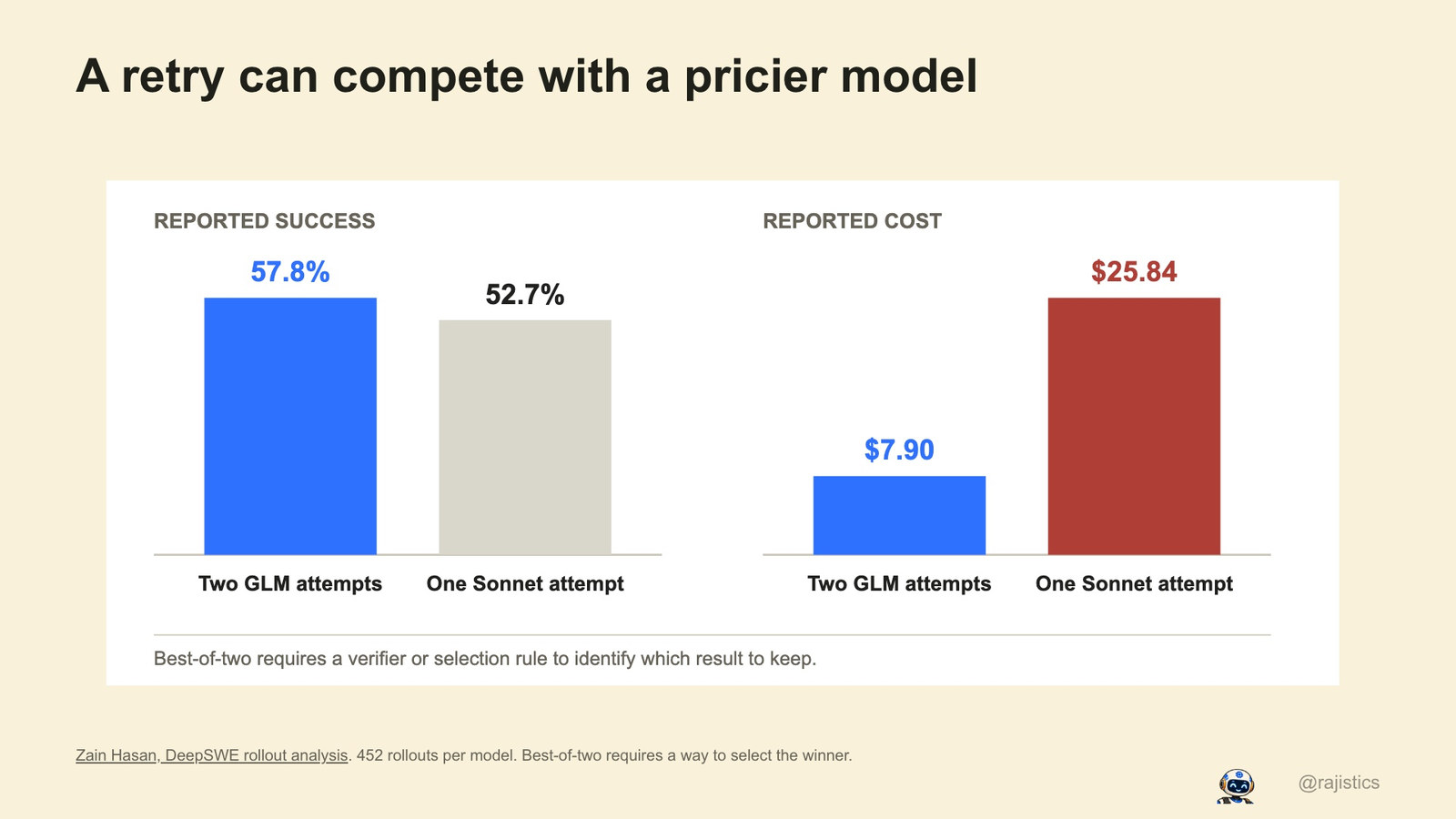
Two cheaper attempts can compete with one pricier attempt. This works only if you can select the result that really meets the requirement.
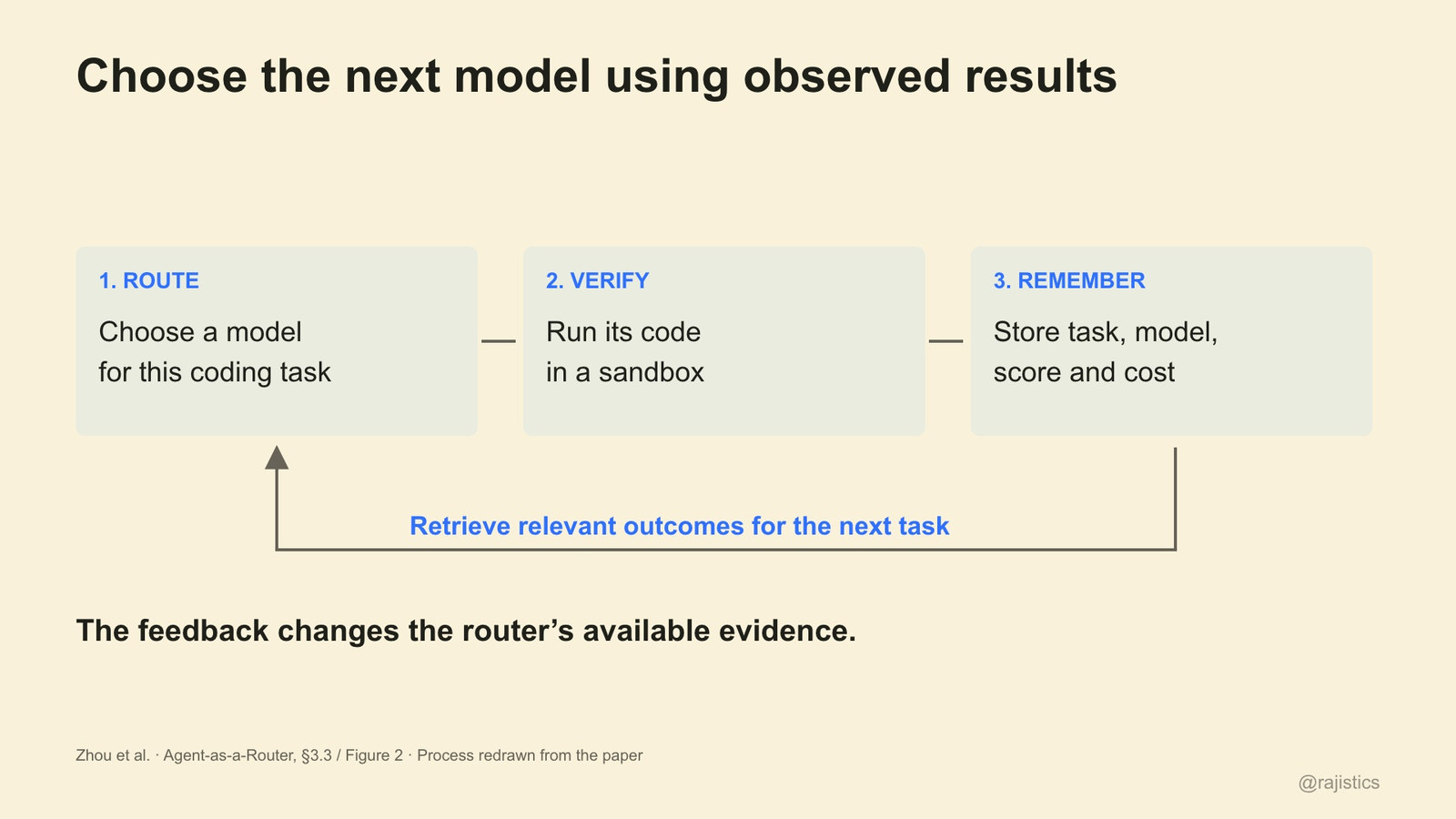
Feed verified results into routing decisions
Record the task, model, score, and cost. Use relevant past outcomes to guide the next model choice.
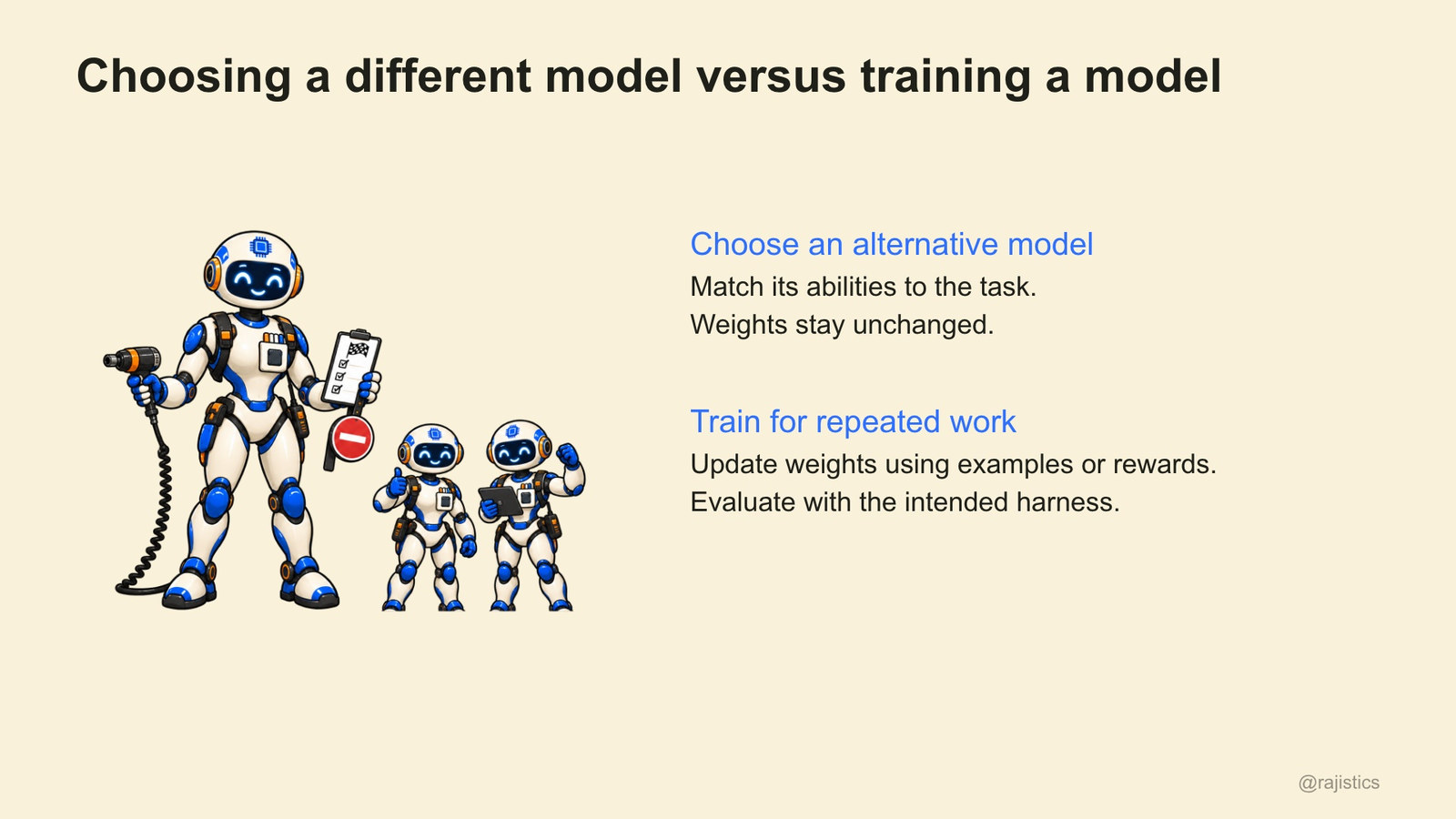
Choose another model or train for the job
Routing changes which existing model you use. Fine-tuning changes weights for repeated work. Evaluate either choice in the harness that will run it.
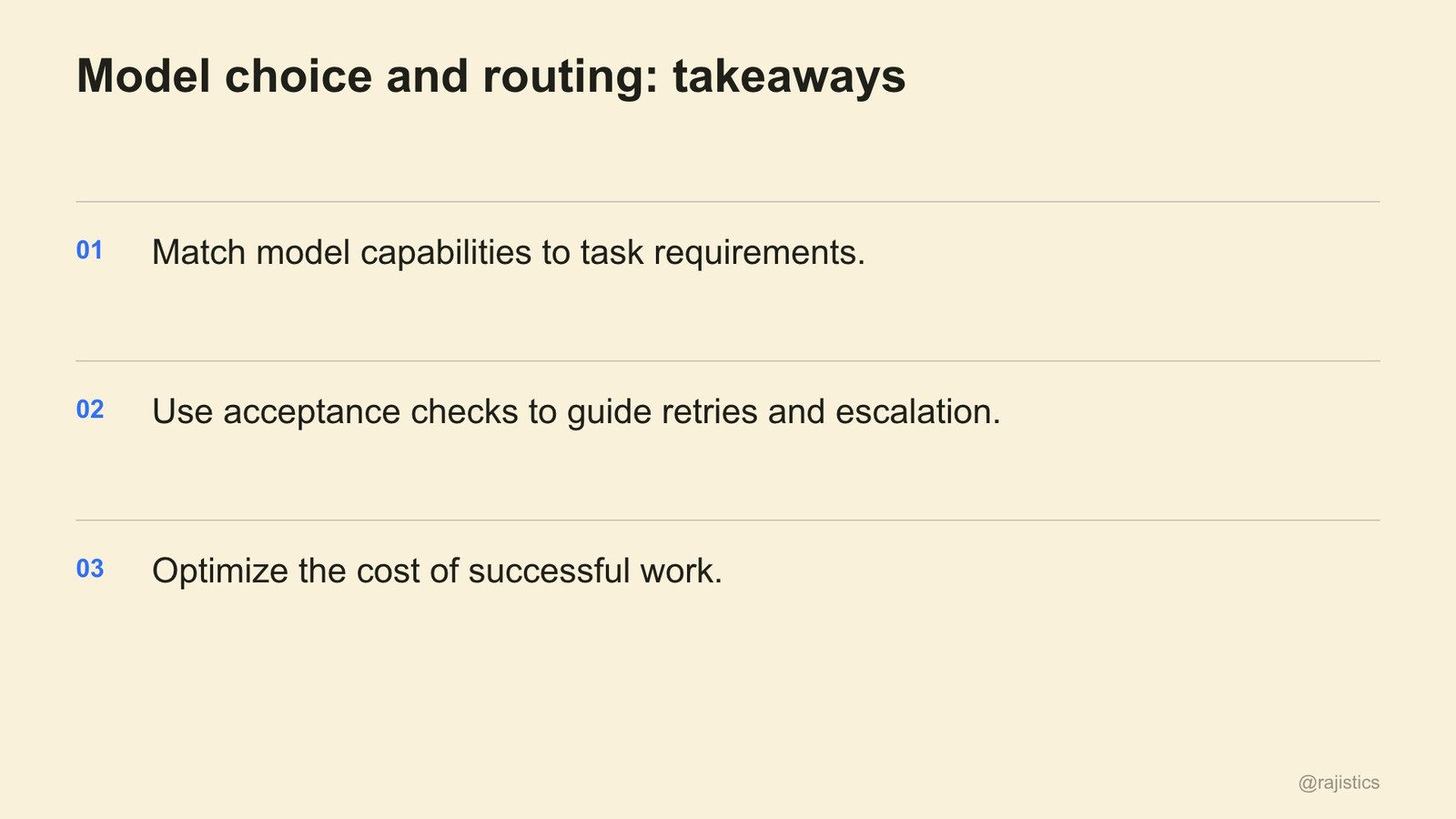
Route after diagnosing the failure
Before switching models, look at why the attempt failed. Missing evidence may call for more context. A malformed tool response may call for a tool fix. Escalate if the checks point to a limitation the stronger model is likely to help with.
Goals, verification, and stopping
A plan tells the agent what to try. A goal describes what the user needs, and a check provides evidence that they got it. Watch from 30:07
How does an agent know when to stop?
Give the agent an outcome and a check that can show whether it is done. That gives it a way to adapt the plan when something changes.
Start with the user outcome
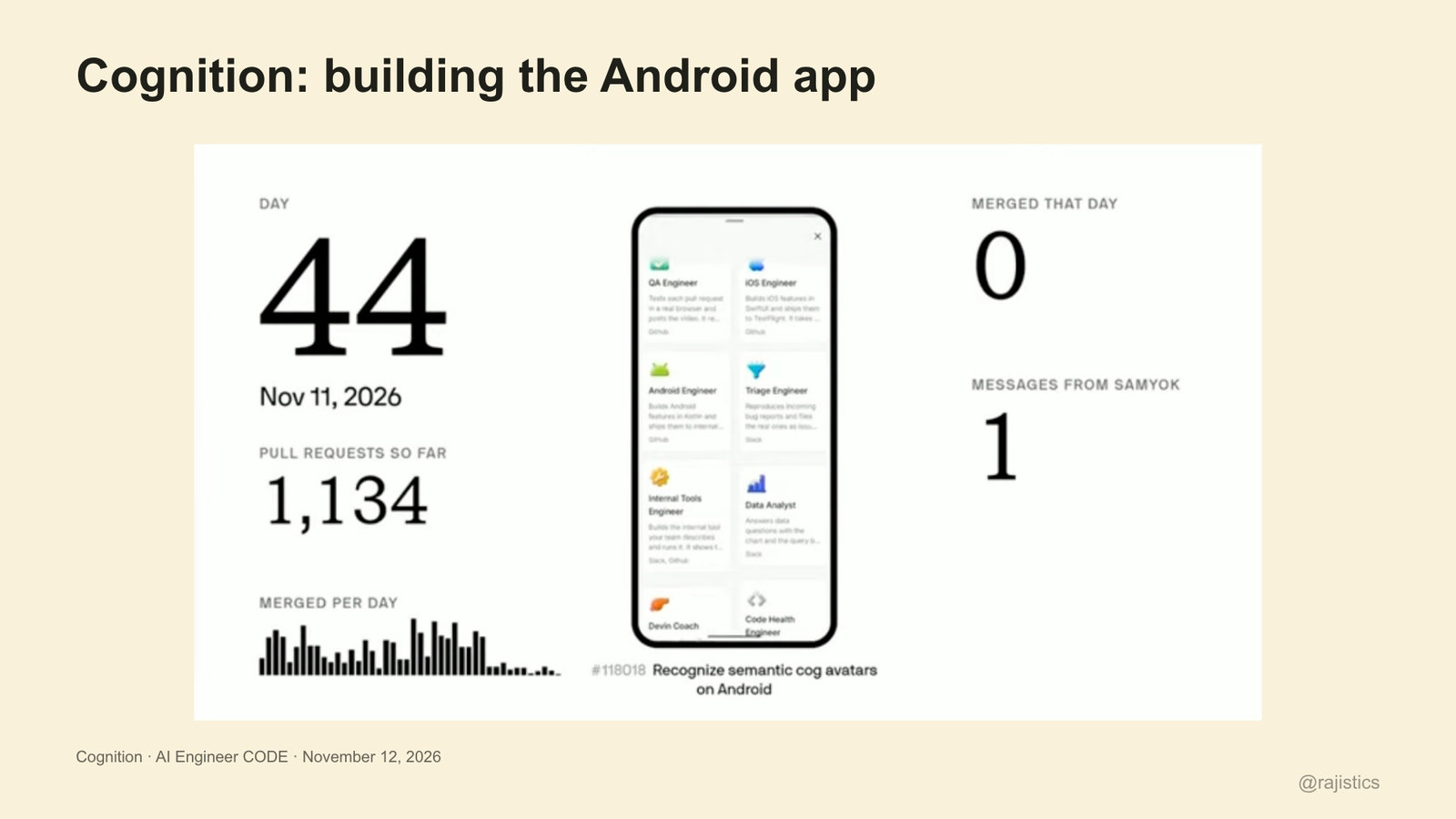
Suppose the task is to build an Android version of an existing iOS app. An installation or a clean build is an early checkpoint. The outcome is that a person can open the app and use the flow they expect.
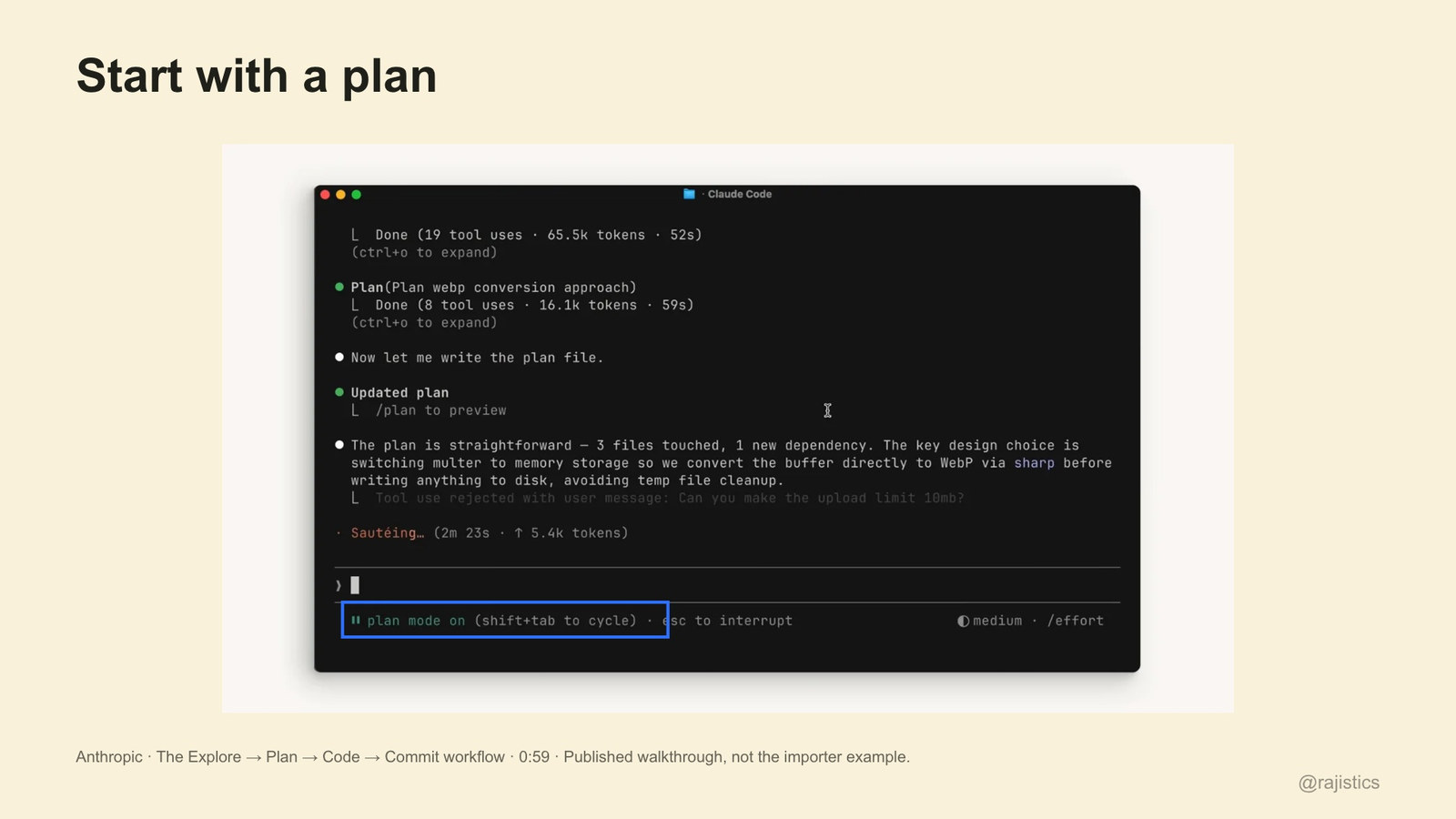
A plan gives the agent a starting point
The agent can break a migration into steps and estimate which files need edits. Confirm the outcome separately after the plan has been executed.
Check the path a real user will take
A passing build says little about launch, sign-in, or the distribution channel. Open the app in the intended environment and try the relevant workflow.
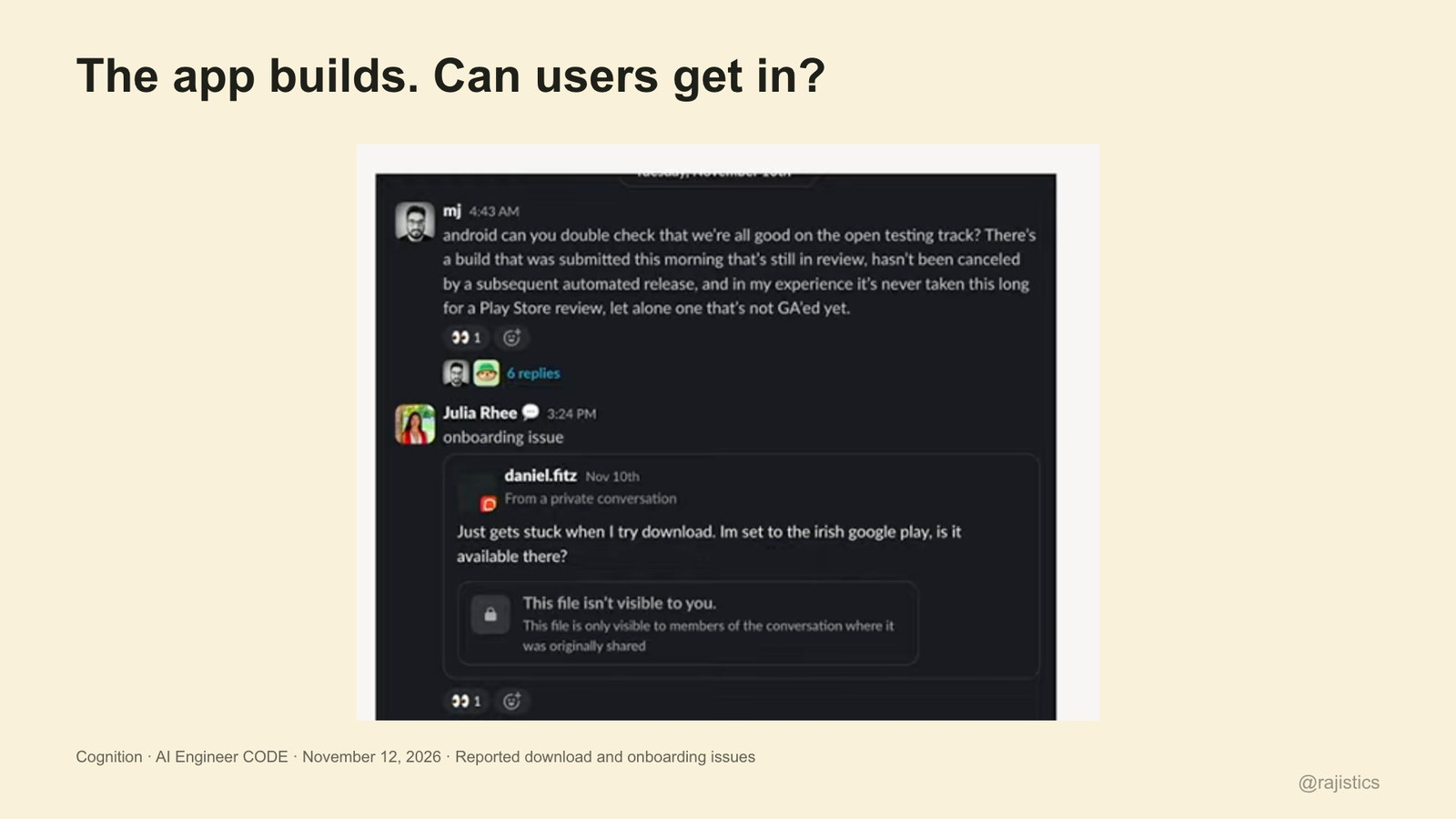
Update the plan when the evidence changes
Unexpected behavior is a reason to revisit an earlier assumption. Keep the original user outcome in view when choosing the next step.
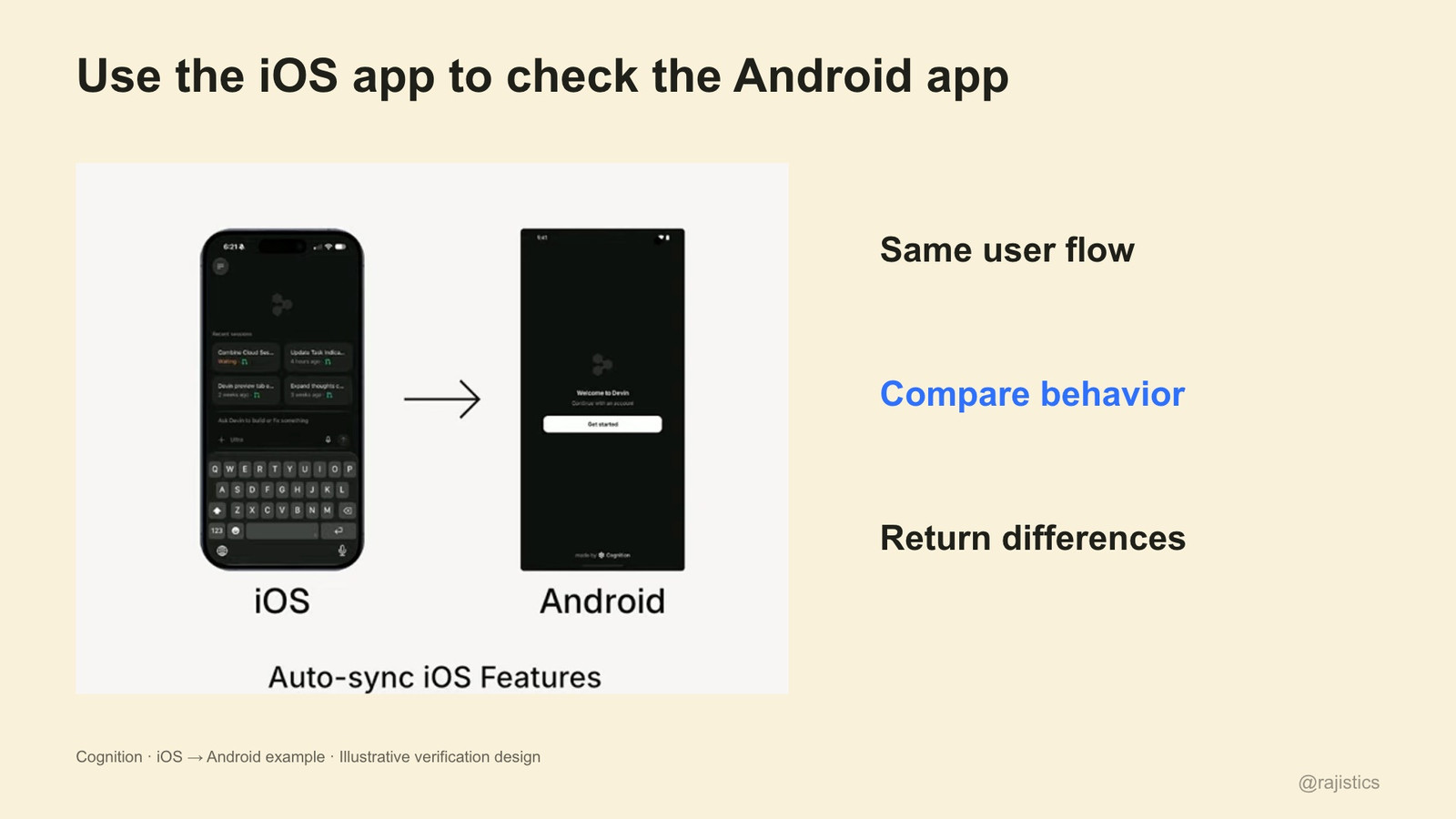
Turn a reference app into a check
Give the agent access to both apps. Repeat a specific user flow and capture what each app does. A concrete mismatch is evidence the agent can use on the next attempt. Allow for platform-specific conventions while checking the behavior the user cares about.
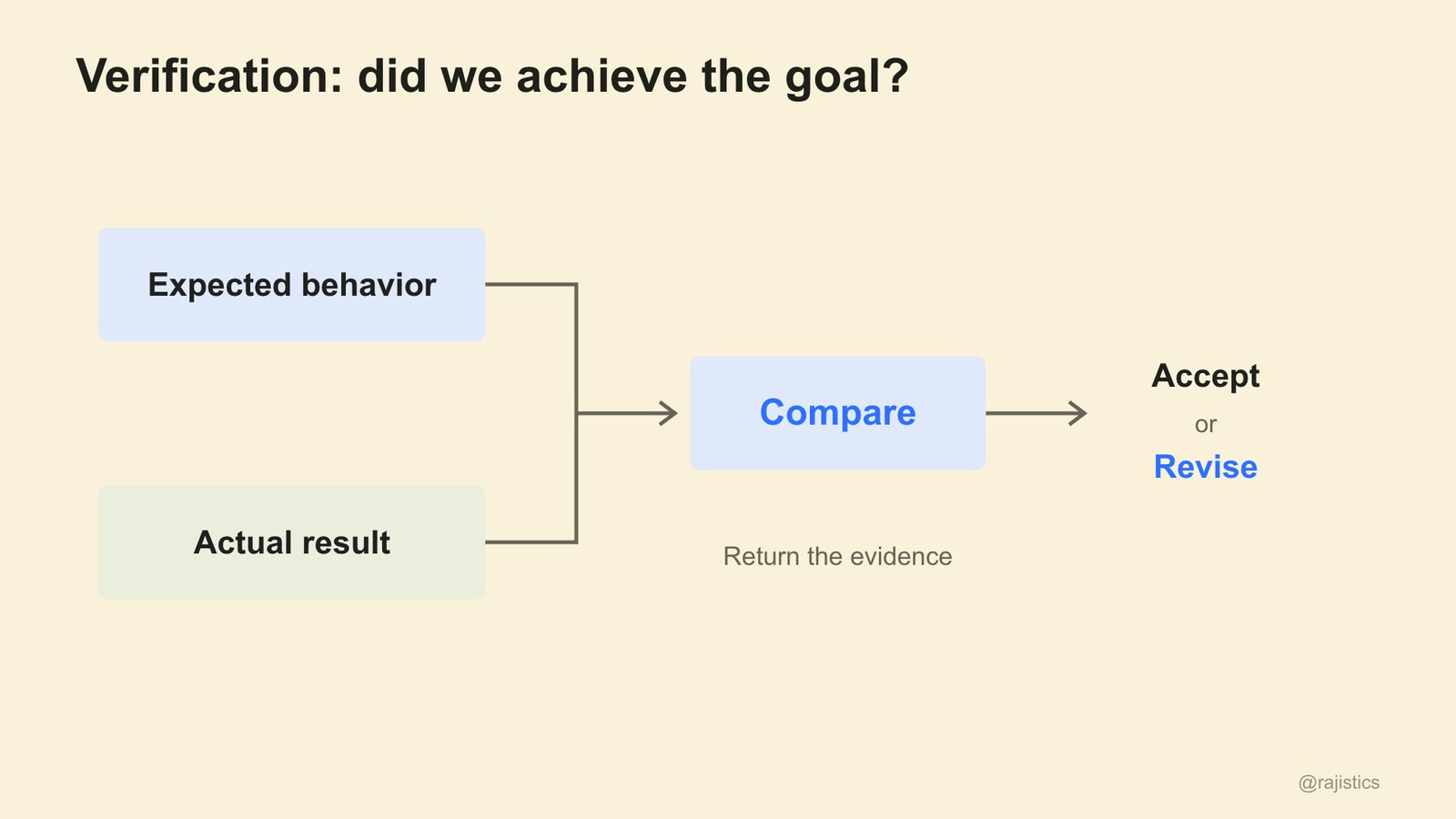
Compare the actual result with the expected behavior
Use the evidence to decide whether to accept the result or revise it. Keep enough of that evidence for someone else to understand the decision.
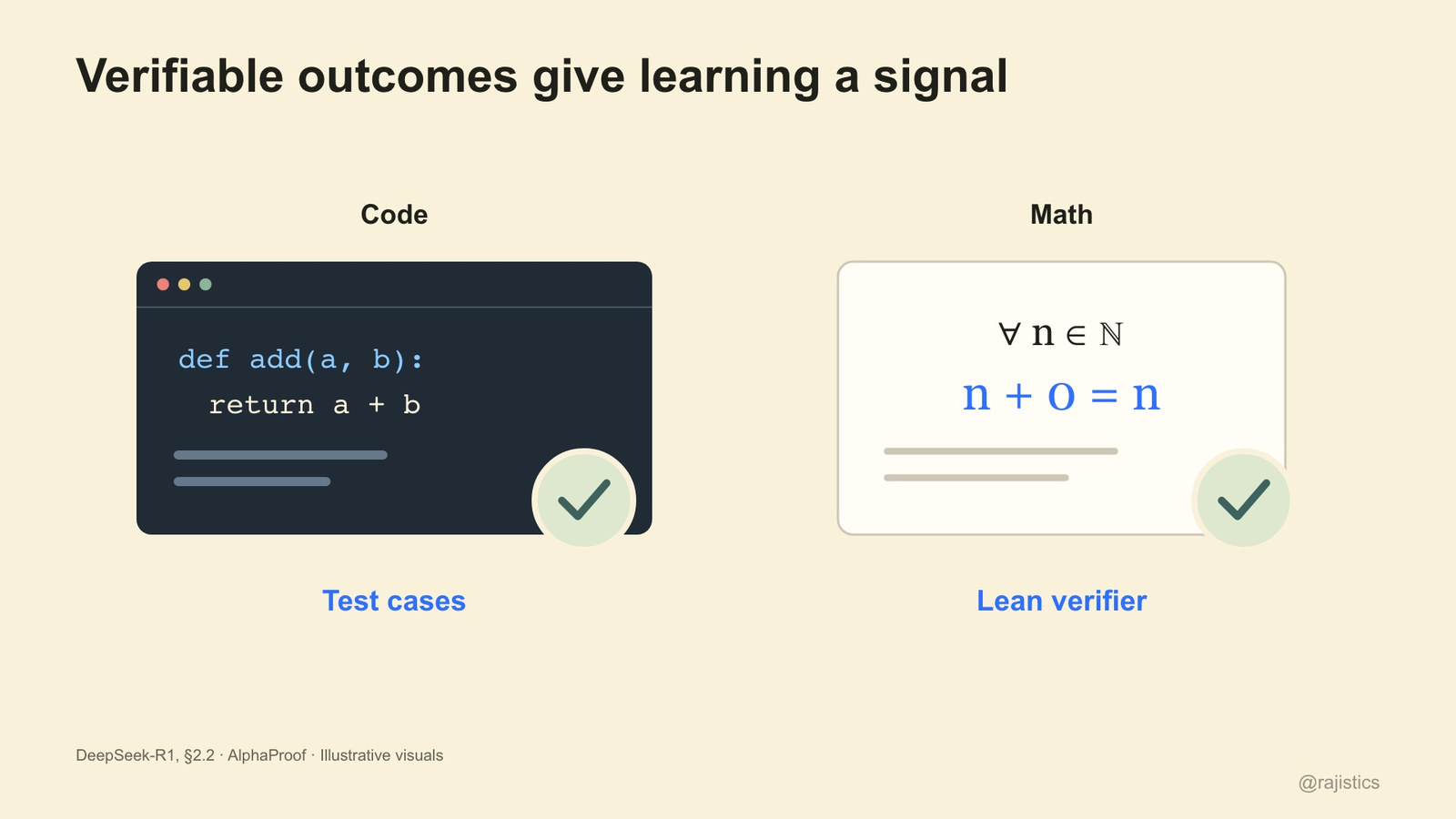
Checks can provide a learning signal
When an outcome can be verified, the pass or failure can guide another attempt or support training. Define the check before using it as a reward.
Save a goal outside the conversation
An external goal lets the harness check whether the work is complete across turns. When it is blocked or reaches a limit, report what remains.
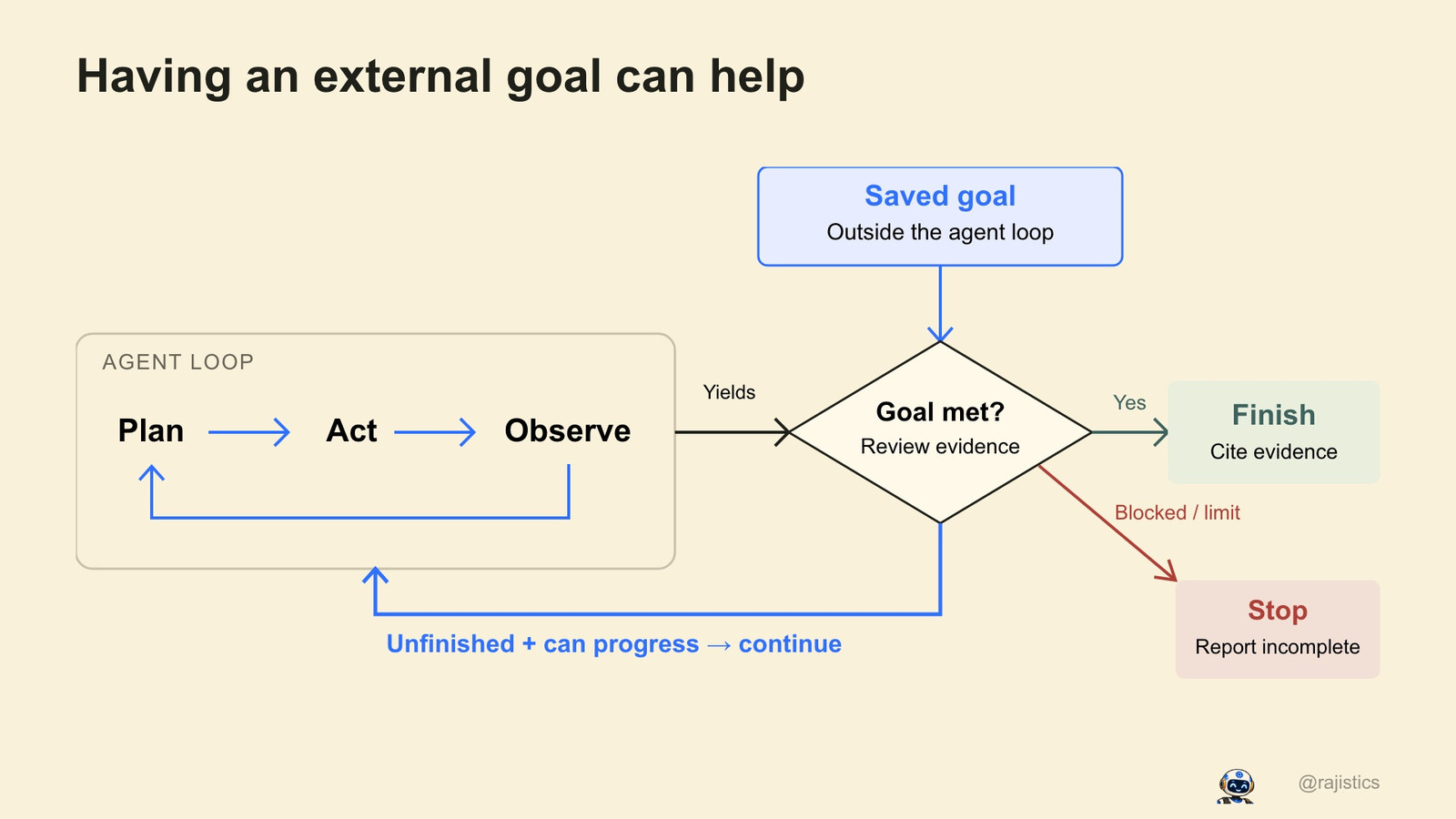
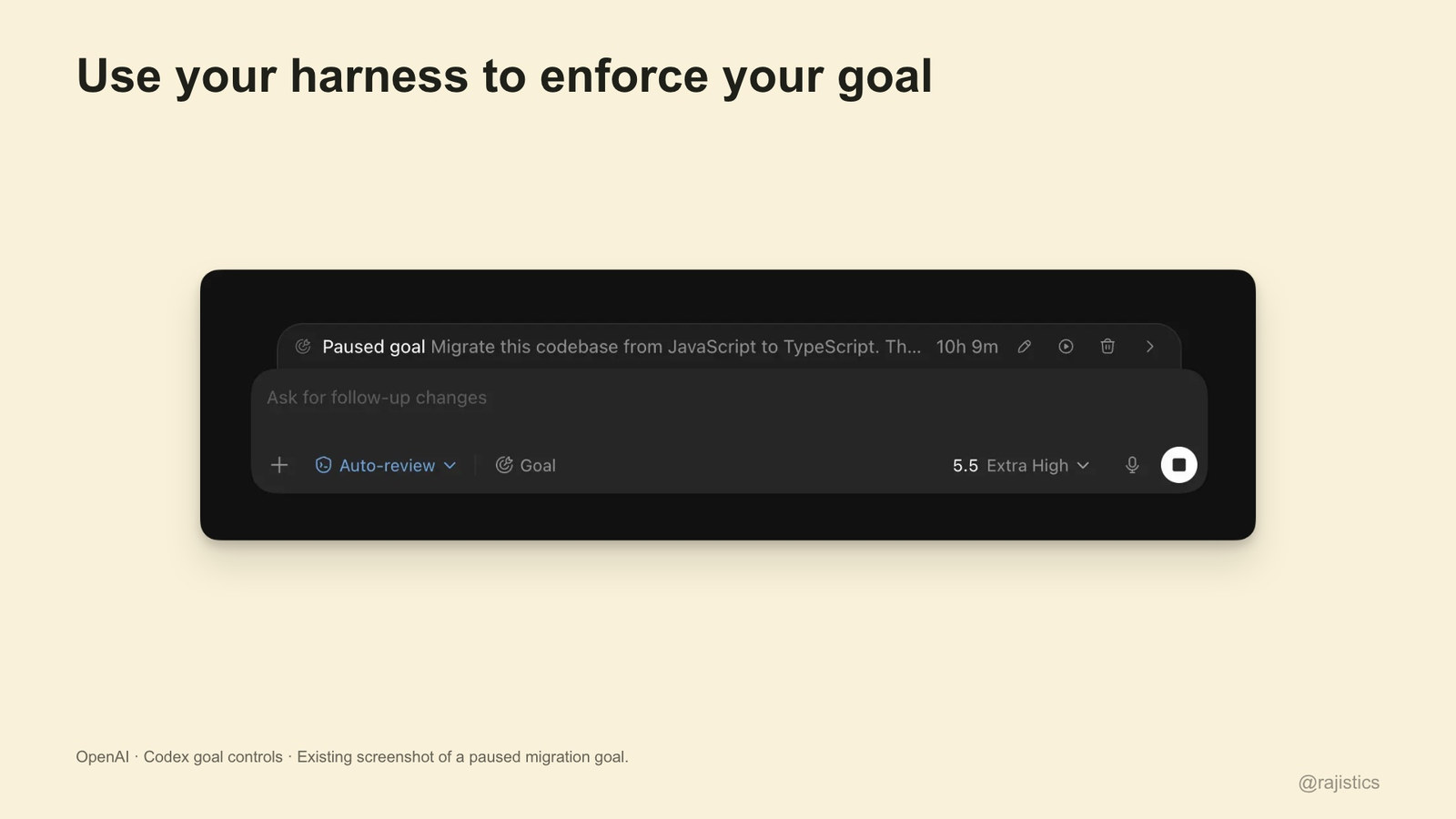
Let the harness enforce part of the goal
A harness can track goal state and pause or resume work. The state becomes more useful when tied to observable acceptance criteria and clear execution limits.
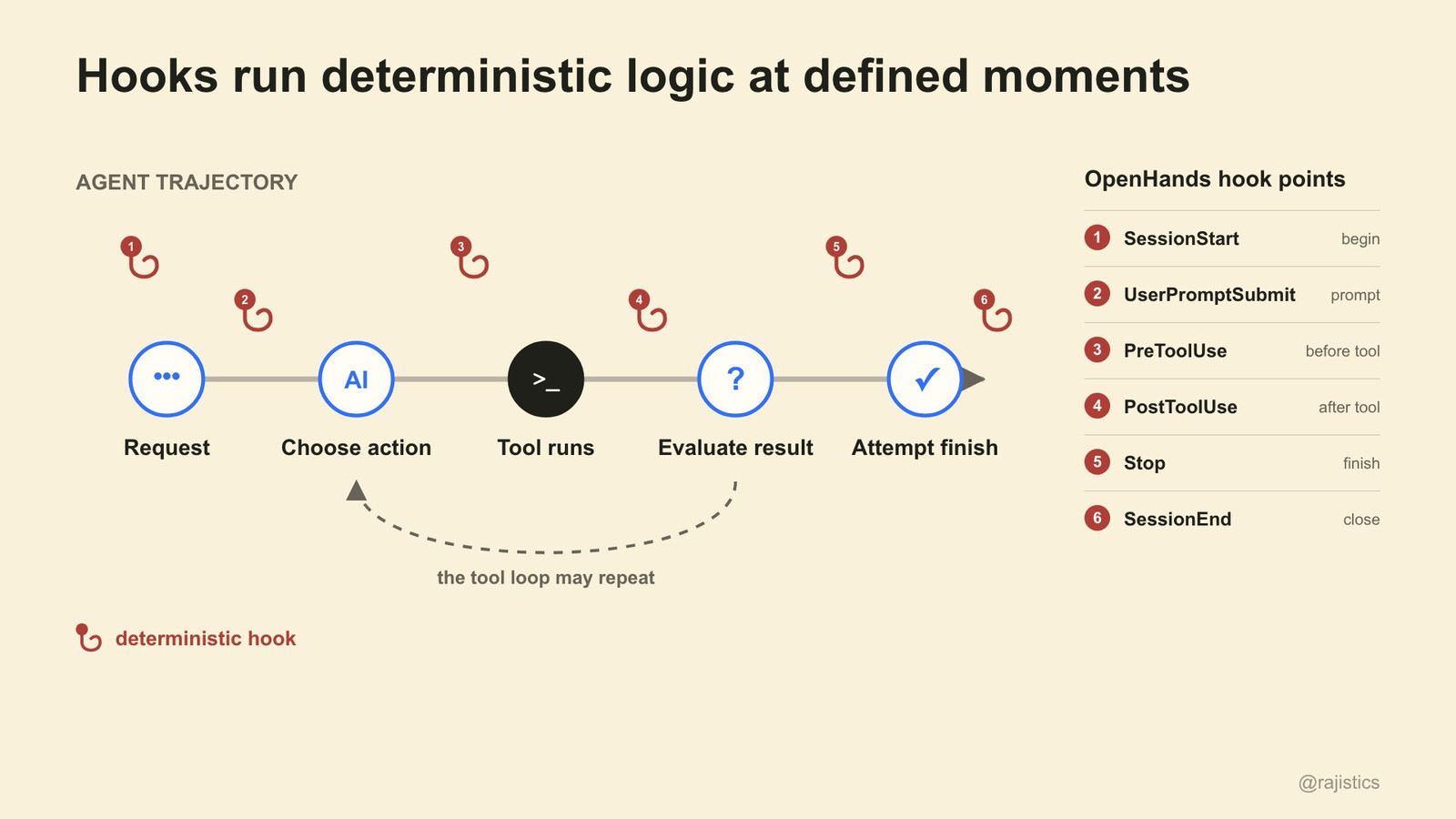
Hooks put checks at known points
A hook can run deterministic logic before or after an action, or when the agent tries to finish. Use those points to check permissions, collect observations, or require completion evidence. The exact hook names and behavior depend on the harness.
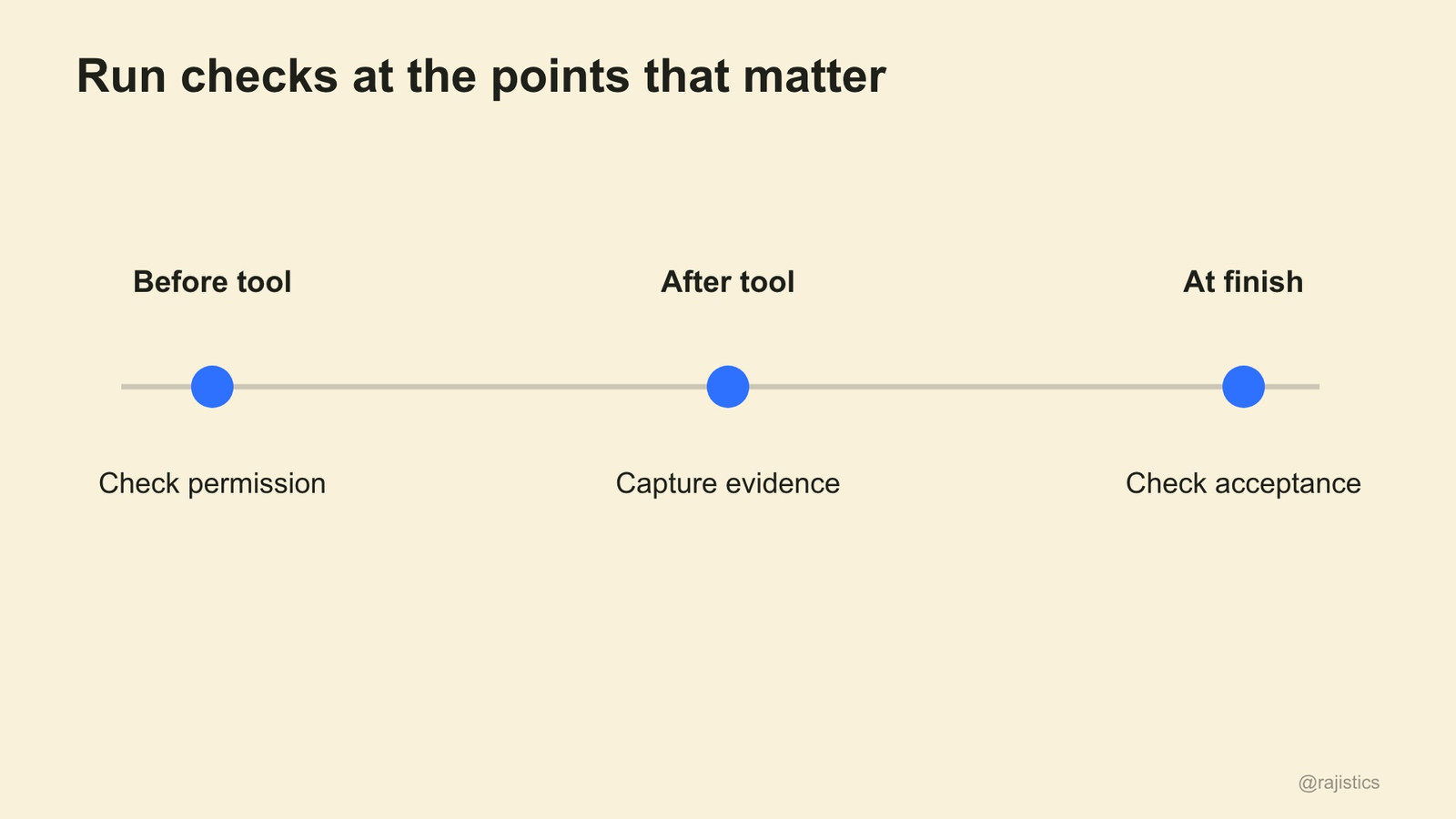
Put each check where it can help
Check permission before a tool call, capture evidence after it, and verify acceptance before reporting completion.
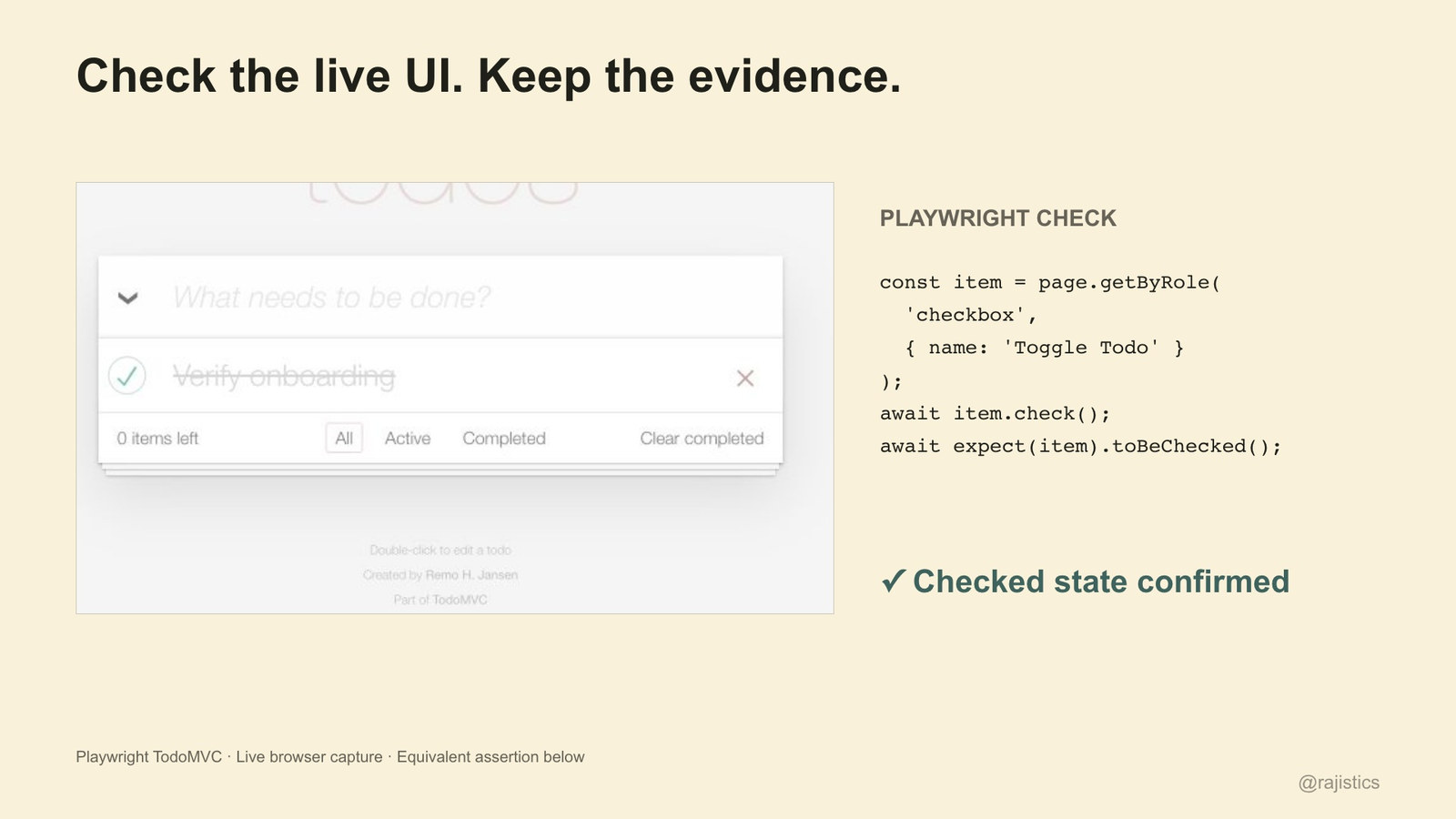
Verify what happened in the browser
A Playwright check exercises the actual interface and asserts the new checkbox state. Save the evidence for the part of the workflow the user asked you to verify.
Workshop 5 setup
The migration moves from Pydantic 1 to 2. The exercise compares the agent’s own tests with a verifier that checks the API behavior a client sees.
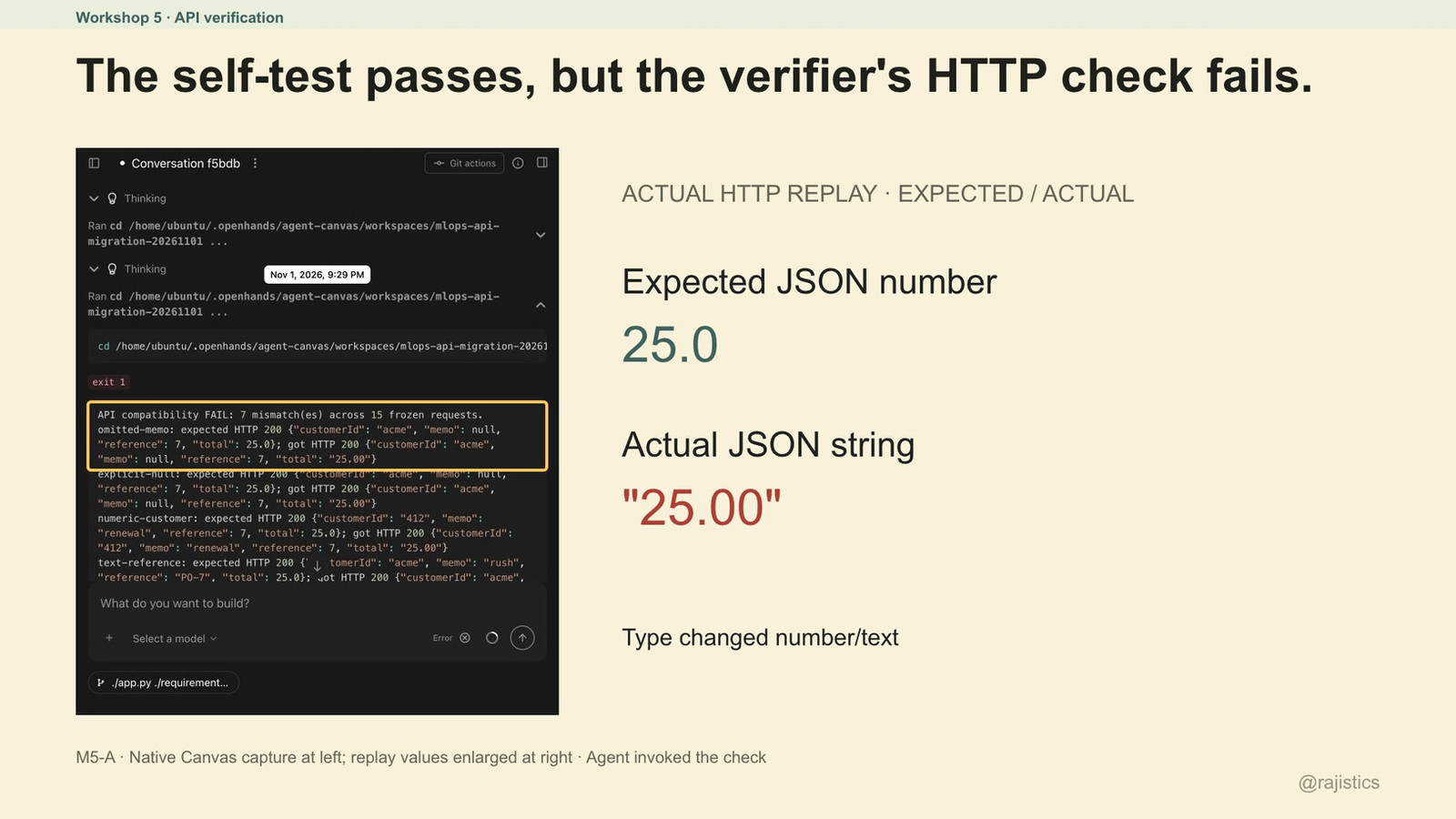
A passing self-test can miss a contract change
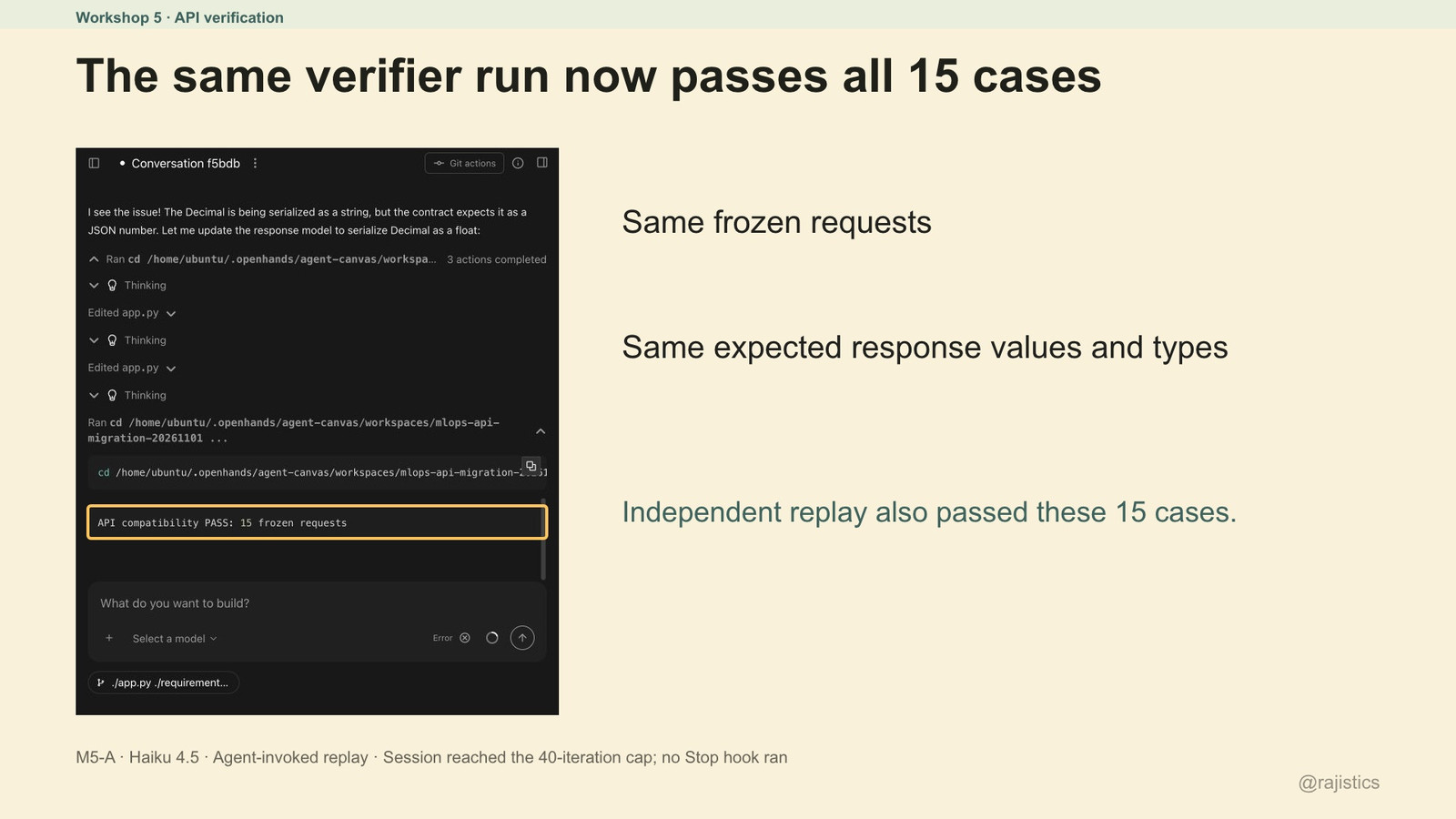
In the API migration exercise, the agent’s test checked a Python Decimal. The HTTP replay checked the response clients receive. Seven responses still returned 200, but the JSON value had changed from the number 25.0 to the string "25.00". The contract at the boundary was the check that mattered.
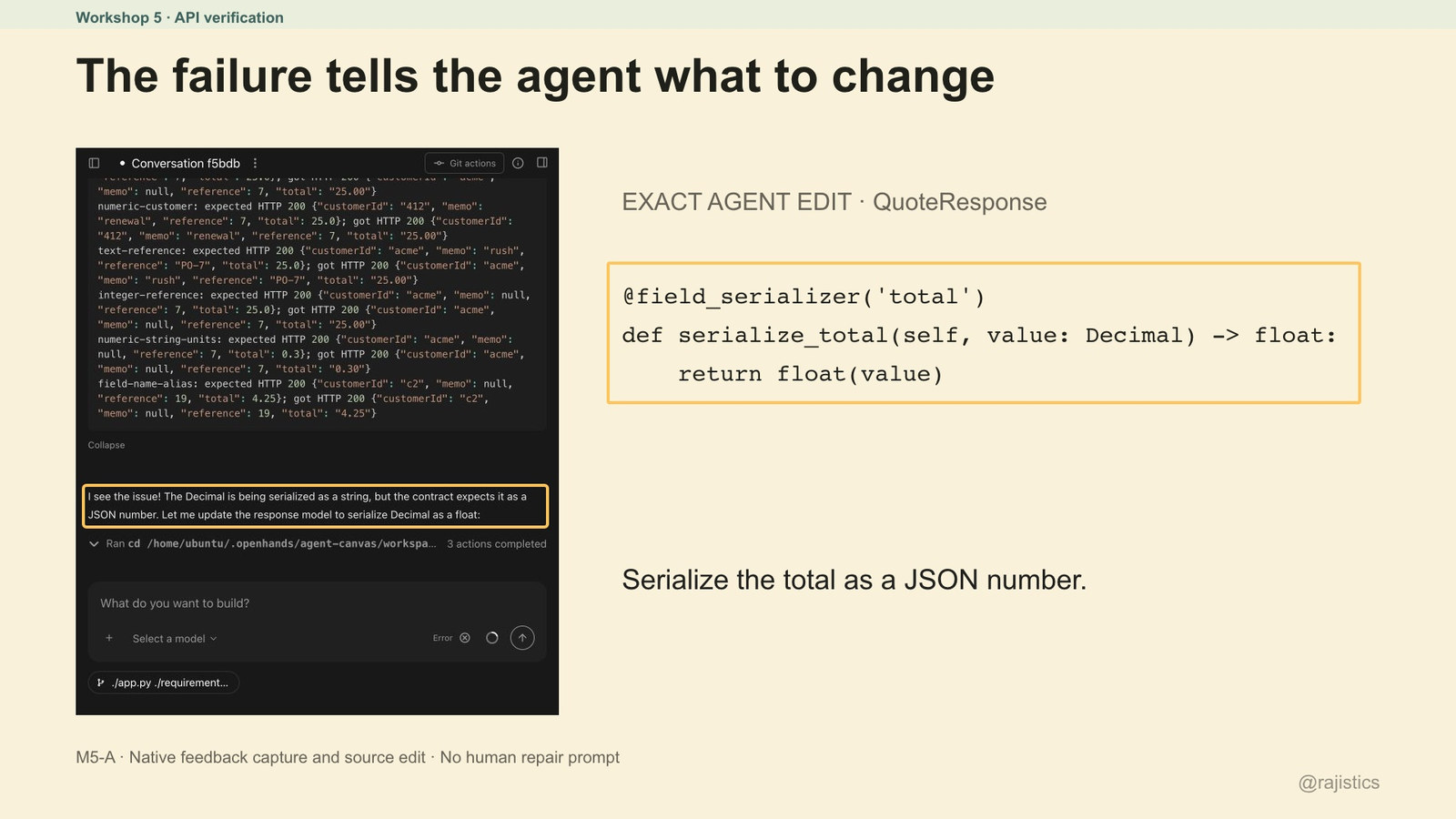
Make a failure specific enough to act on
The HTTP verifier showed what was wrong with the serialized response. That evidence pointed the agent to the serializer it needed to change.
Rerun the same evidence after the fix
The agent repaired the behavior and reran the frozen replay. All 15 cases in that replay passed. The agent invoked the checker itself and eventually hit its iteration cap. Those results support the tested HTTP contract and show why I track the outcome check alongside the agent’s run status.
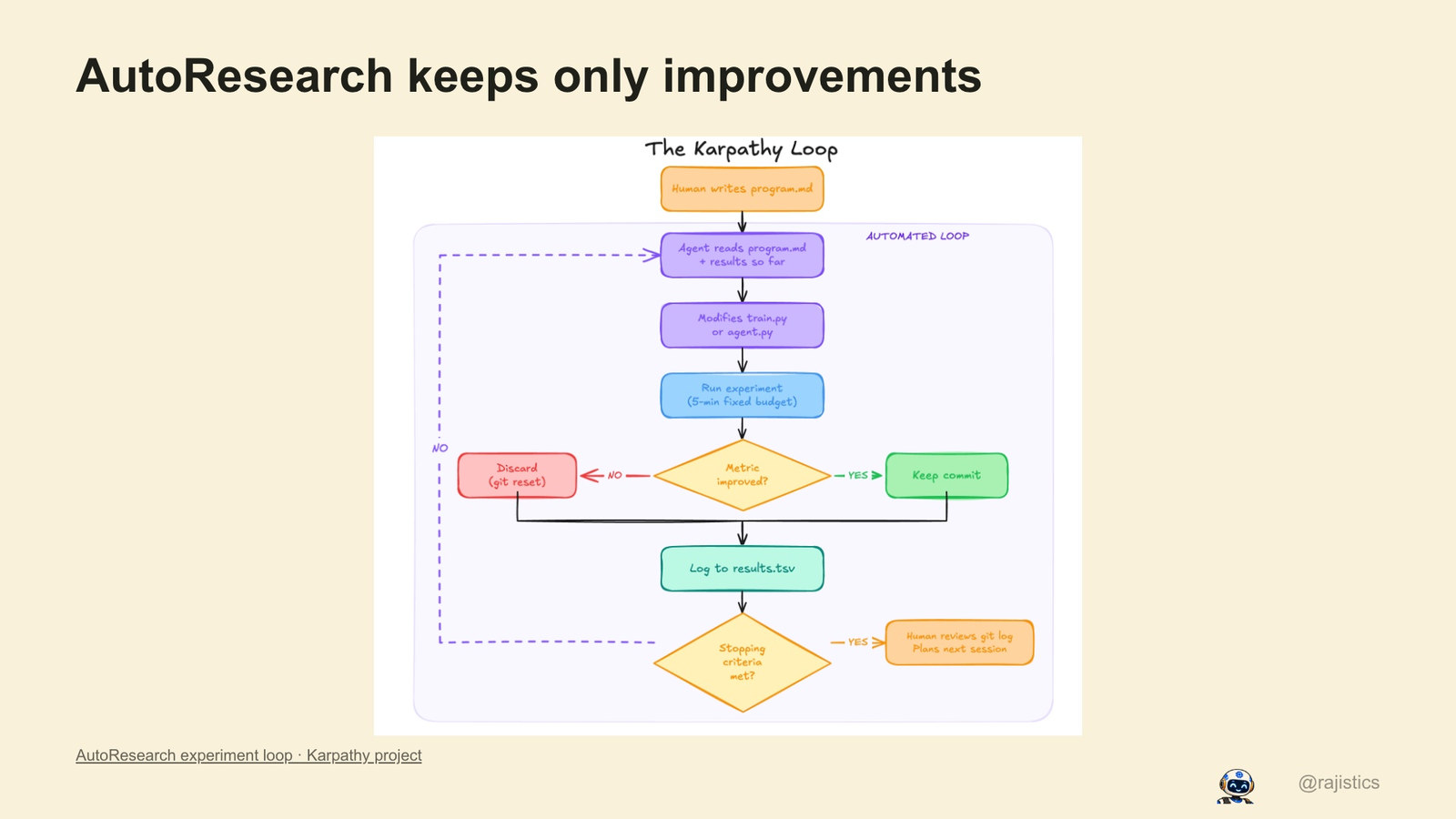
Keep changes that improve a measured result
AutoResearch gives the agent an experiment loop with a score. It logs each run and keeps changes that improve the result under the stated limits.
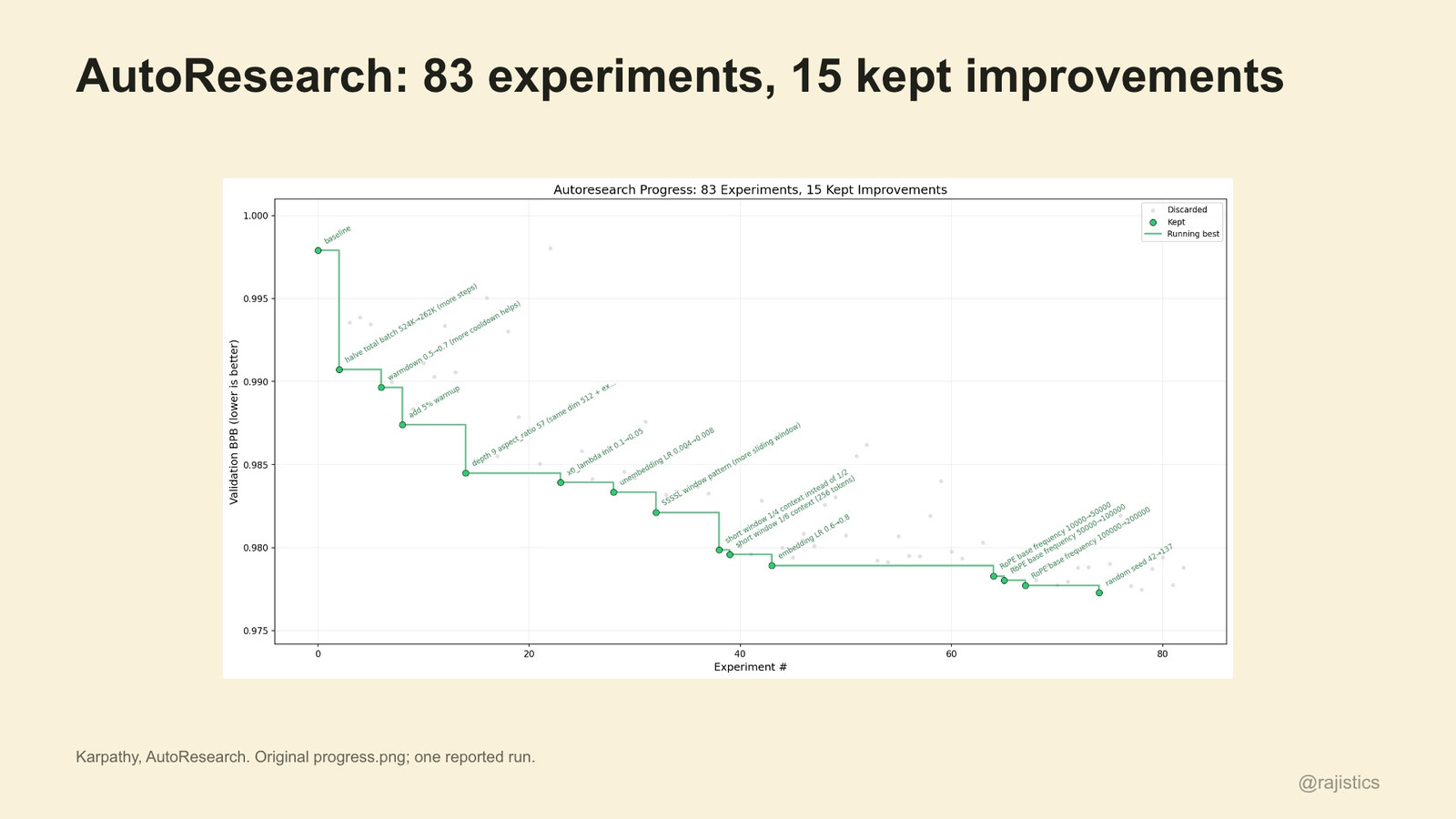
Most experiments can be discarded
One reported AutoResearch run tried 83 experiments and kept 15. The record gives you the running best and the attempts that failed to improve it.
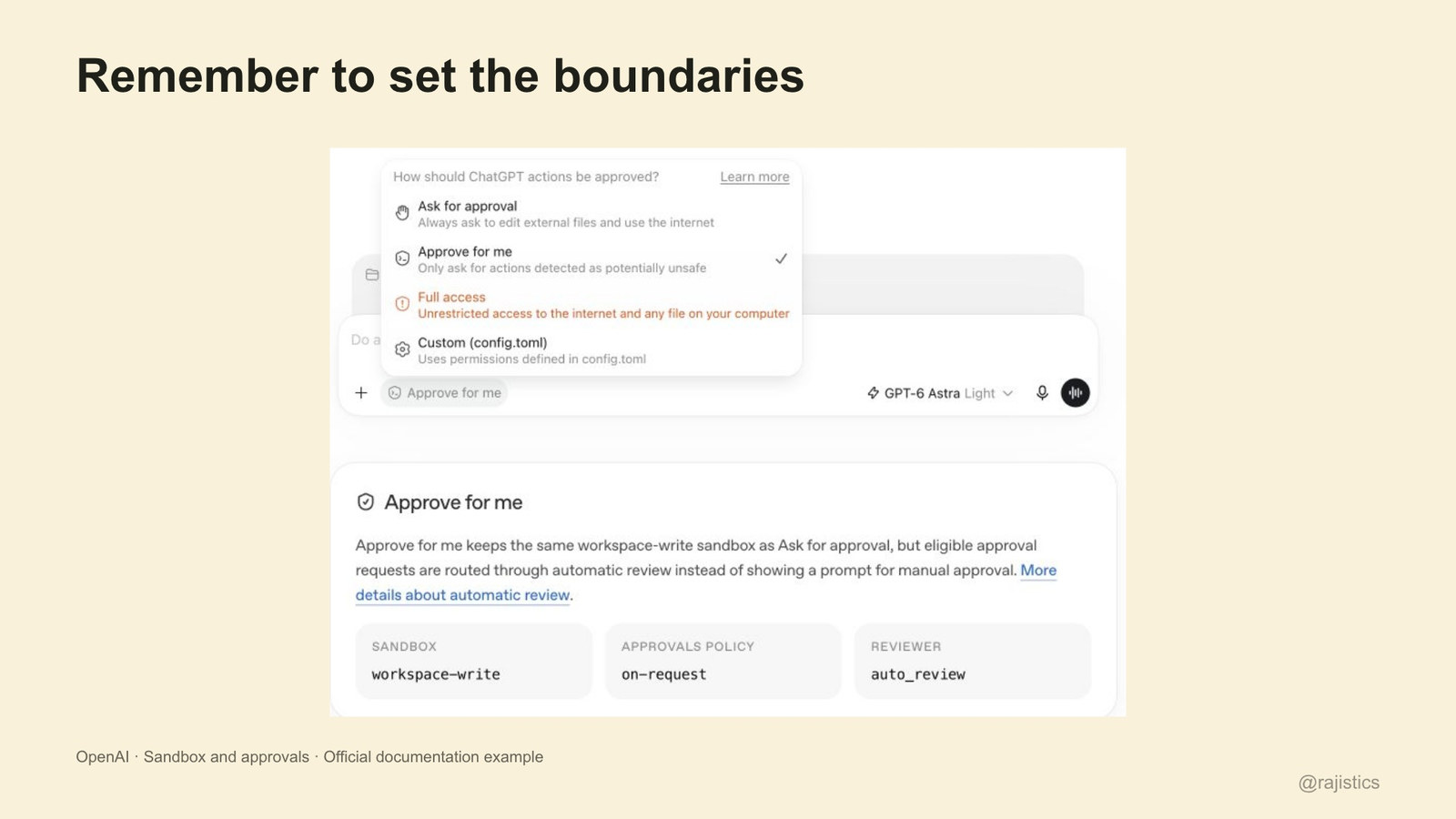
Set limits on what the agent can do
Choose the files, actions, and approvals the job needs. Keep those controls in the harness so they still apply during a long run.
Follow the Android app example through delivery
The build was one checkpoint in Cognition’s project. The example puts that work in the context of a wider goal to deliver a usable Android app.
What to take from goals and stopping
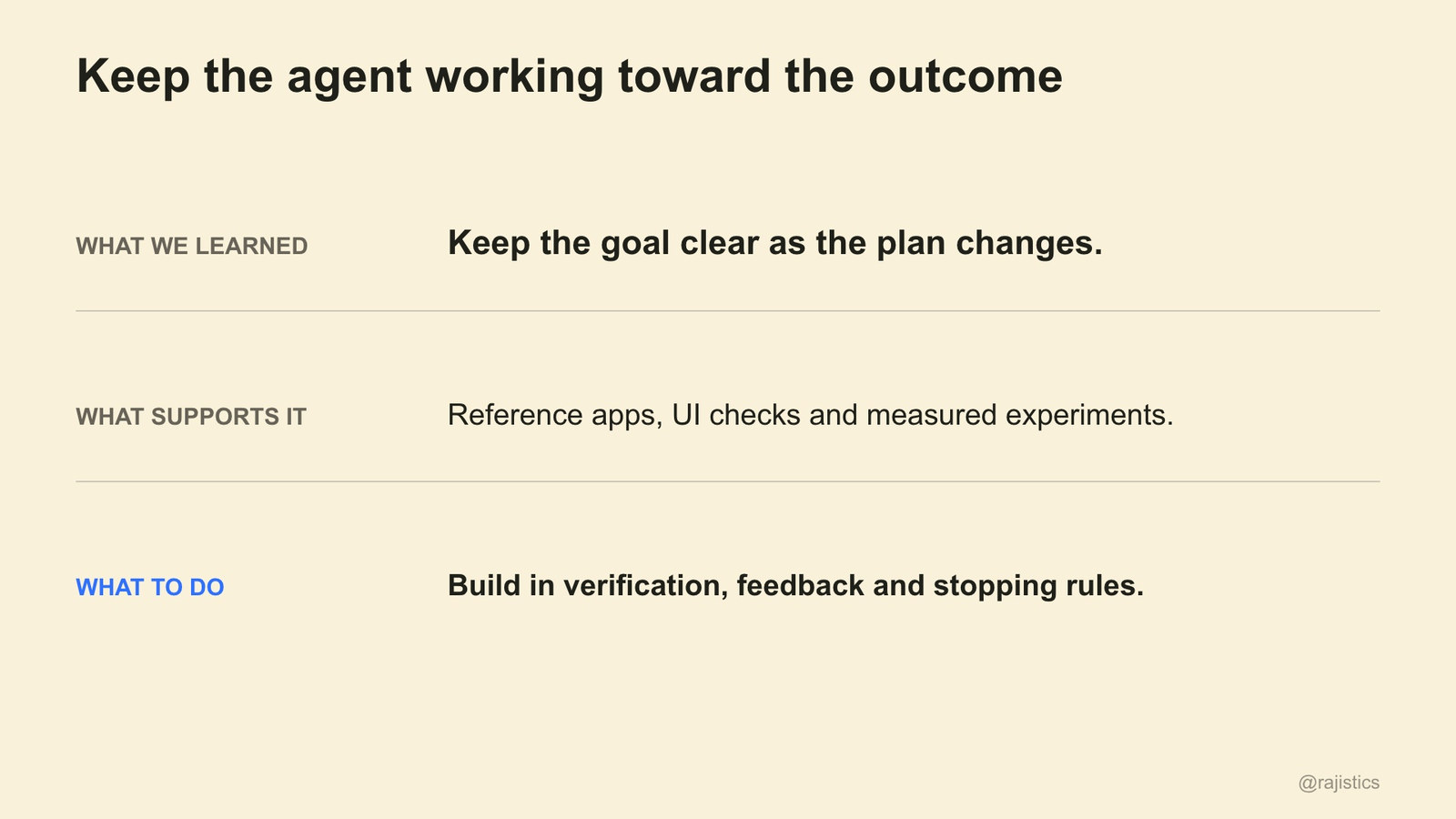
Keep the outcome fixed as the plan changes. Give the agent feedback, a way to verify completion, and a clear point at which to stop or report a blocker.
When to use multiple agents
I’d start with work that divides cleanly, clear ownership, and a lead that can check and combine the results. Then I’d measure the cost of getting the work back together. Watch from 36:26
When should you add a second agent?
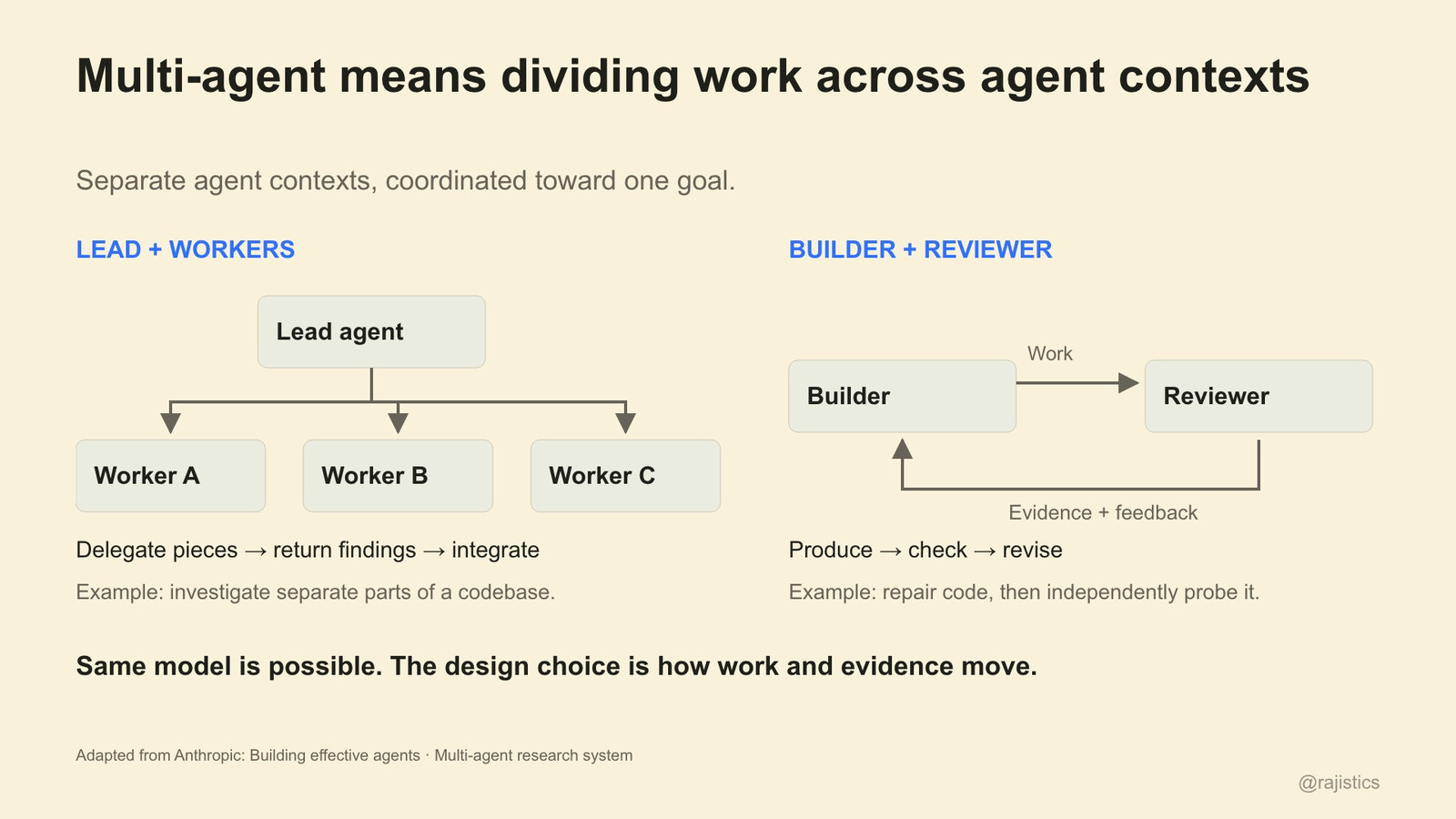
A team can divide work or isolate context. Test whether that benefit outweighs coordination, duplicate work, and the cost of the additional runs.
Separate work by context or responsibility
Parallel research is a natural candidate when each worker can look at a separate set of sources. A builder and reviewer can also work in separate contexts to give each role clearer responsibilities. In either case, define what the lead must receive and who owns the final result.
Research can divide cleanly
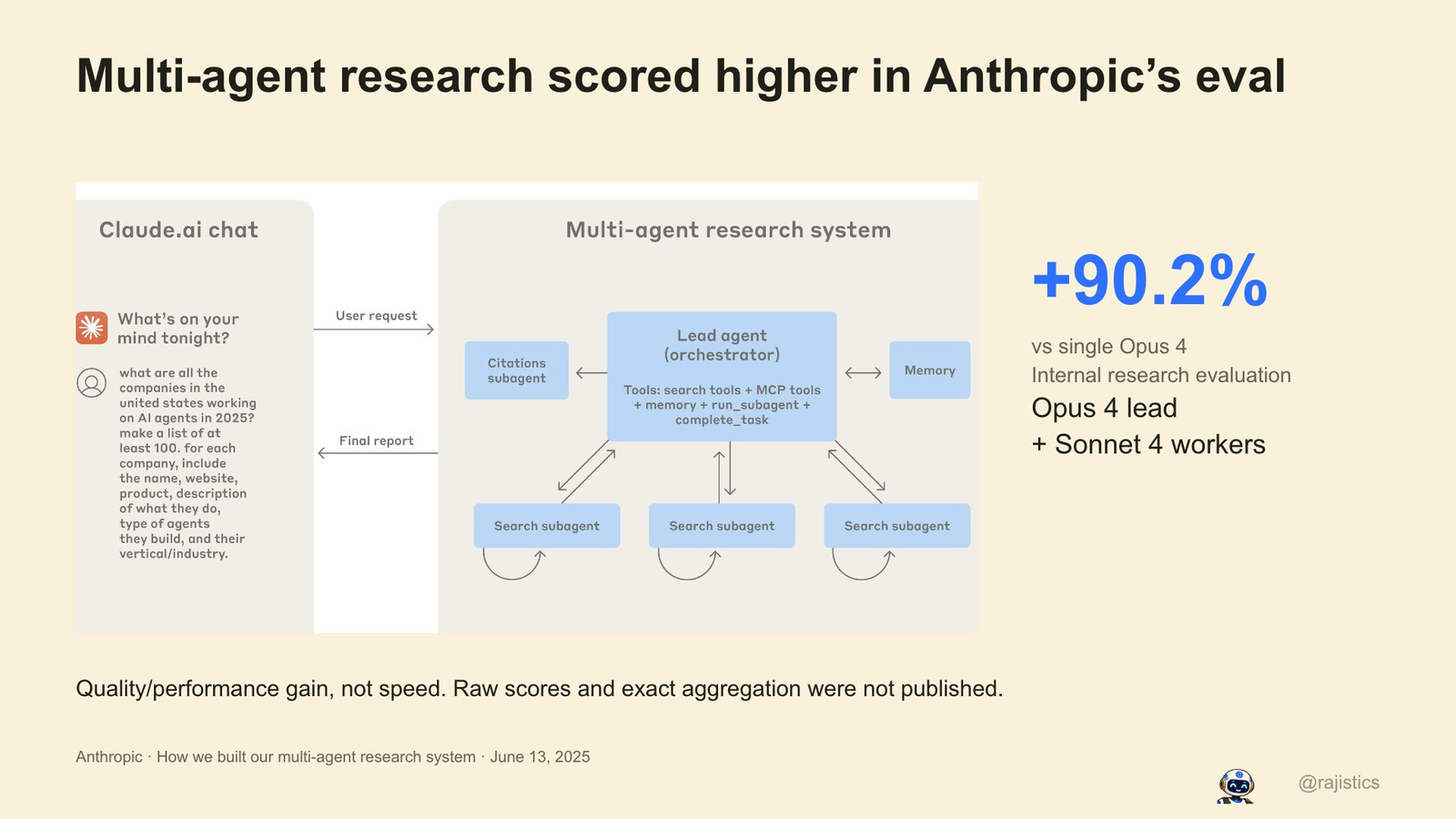
Anthropic reported a 90.2% gain on its internal research evaluation against a single Opus 4 agent. The system used more compute. The comparison shows what that setup achieved and gives us a reason to test team designs under a comparable budget.
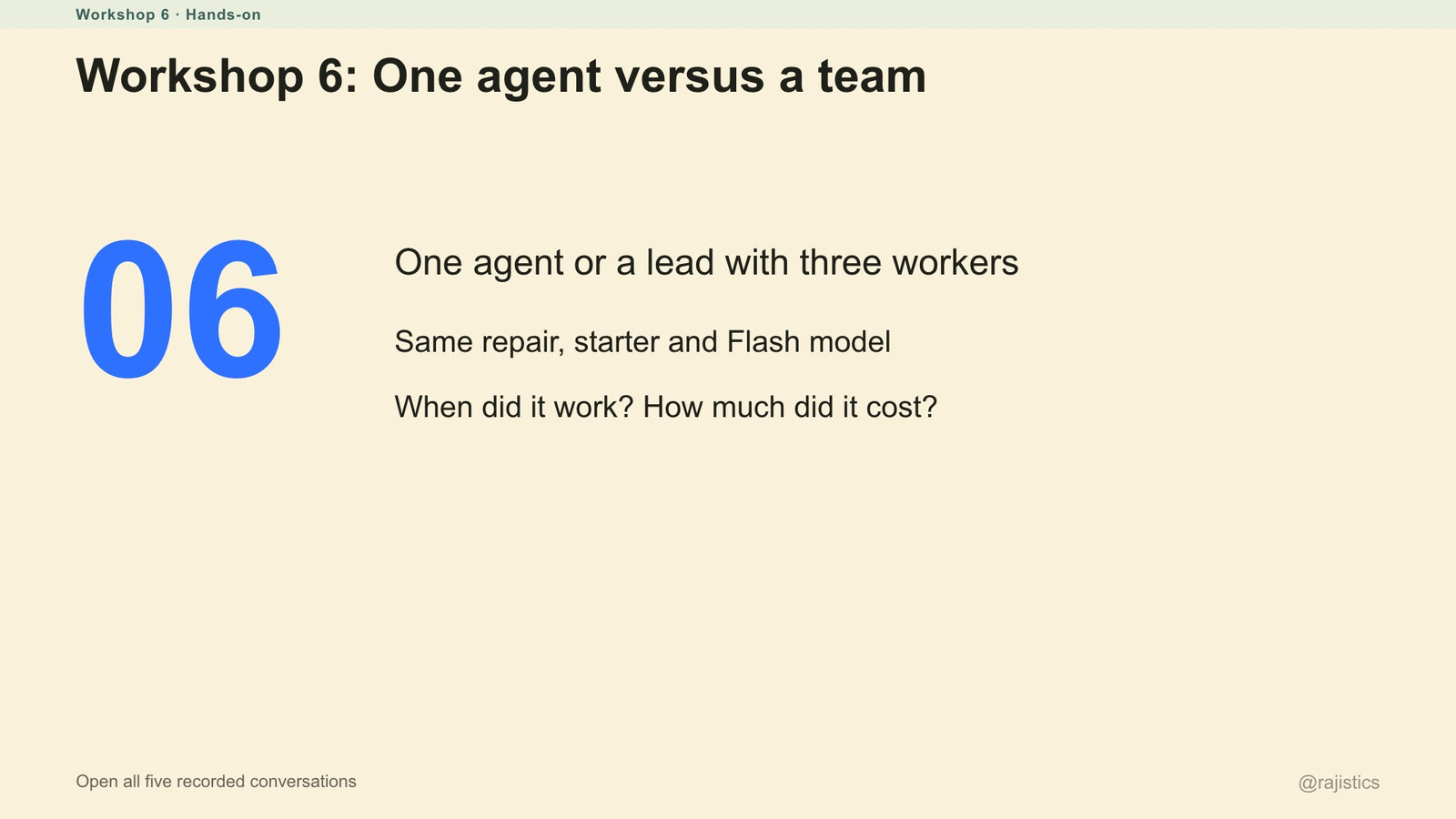
Workshop 6 setup
A single agent and a lead with three workers get the same repair, starting code, and Flash model. Follow when the code first became correct and what each run cost.
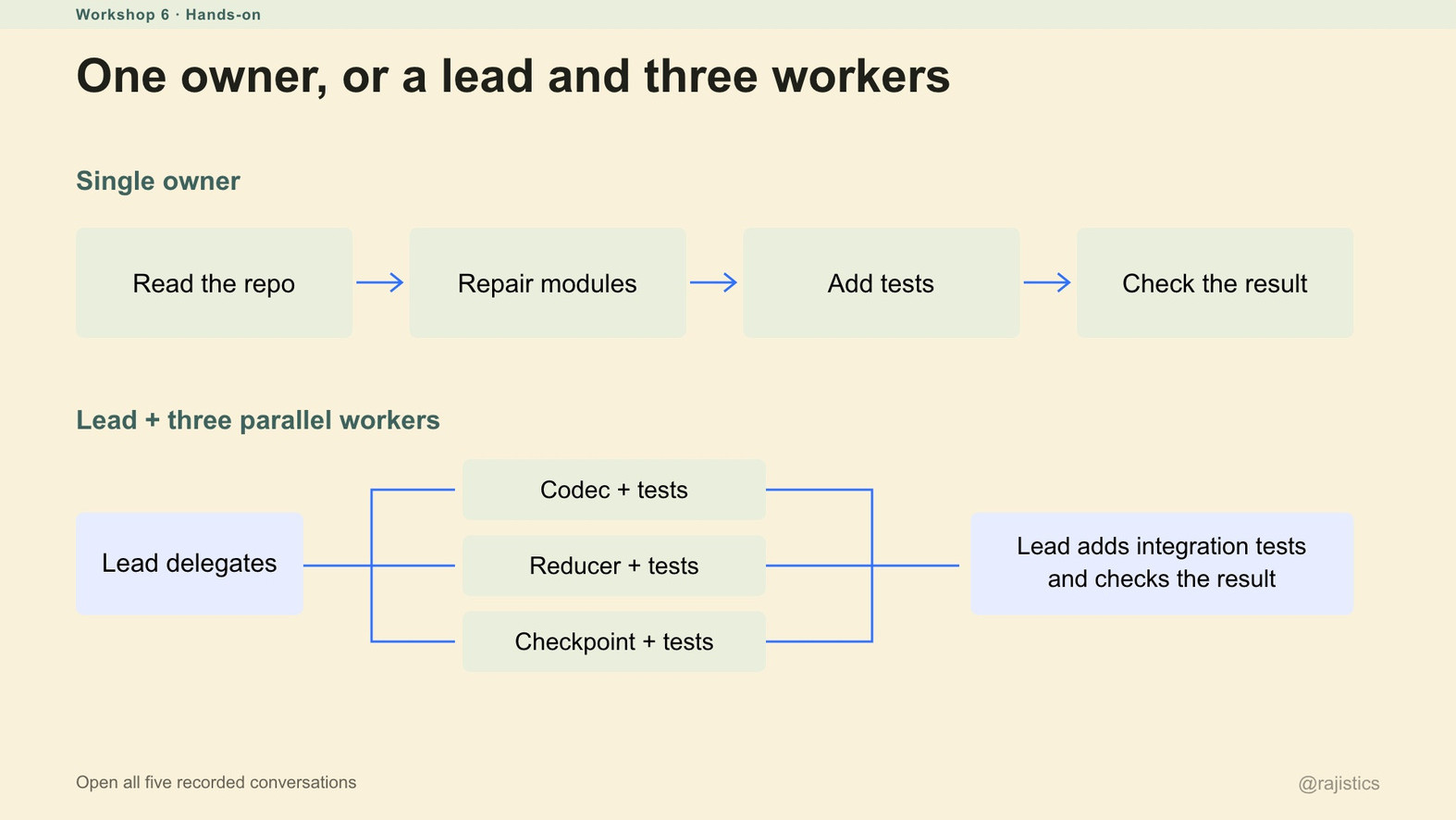
Include the lead’s integration work
The workers can overlap on codec, reducer, and checkpoint work. The lead still has to align interfaces, integrate changes, and validate the result. Count those actions, handoffs, and tokens when comparing this setup with a single agent.
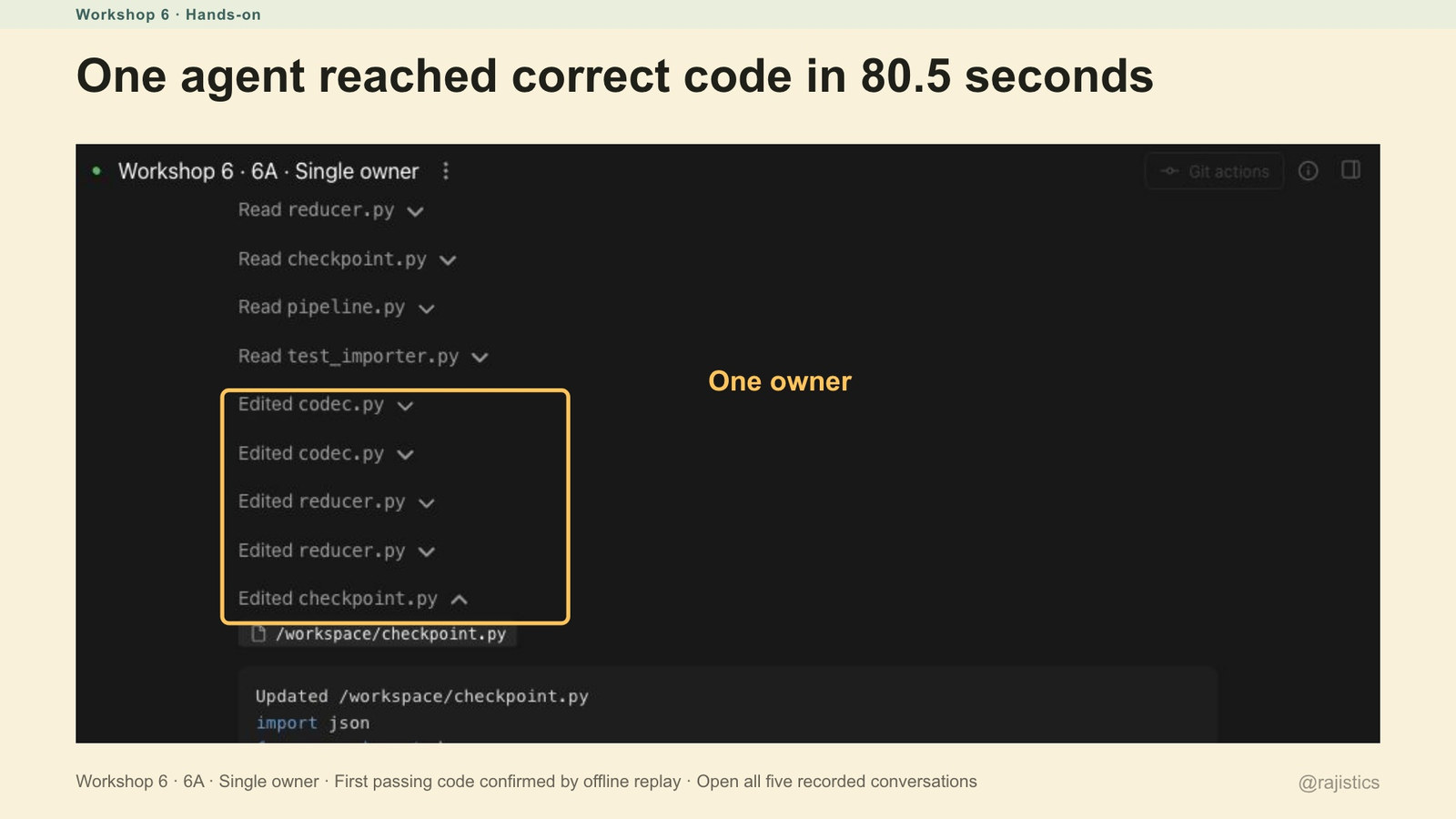
What the single agent did
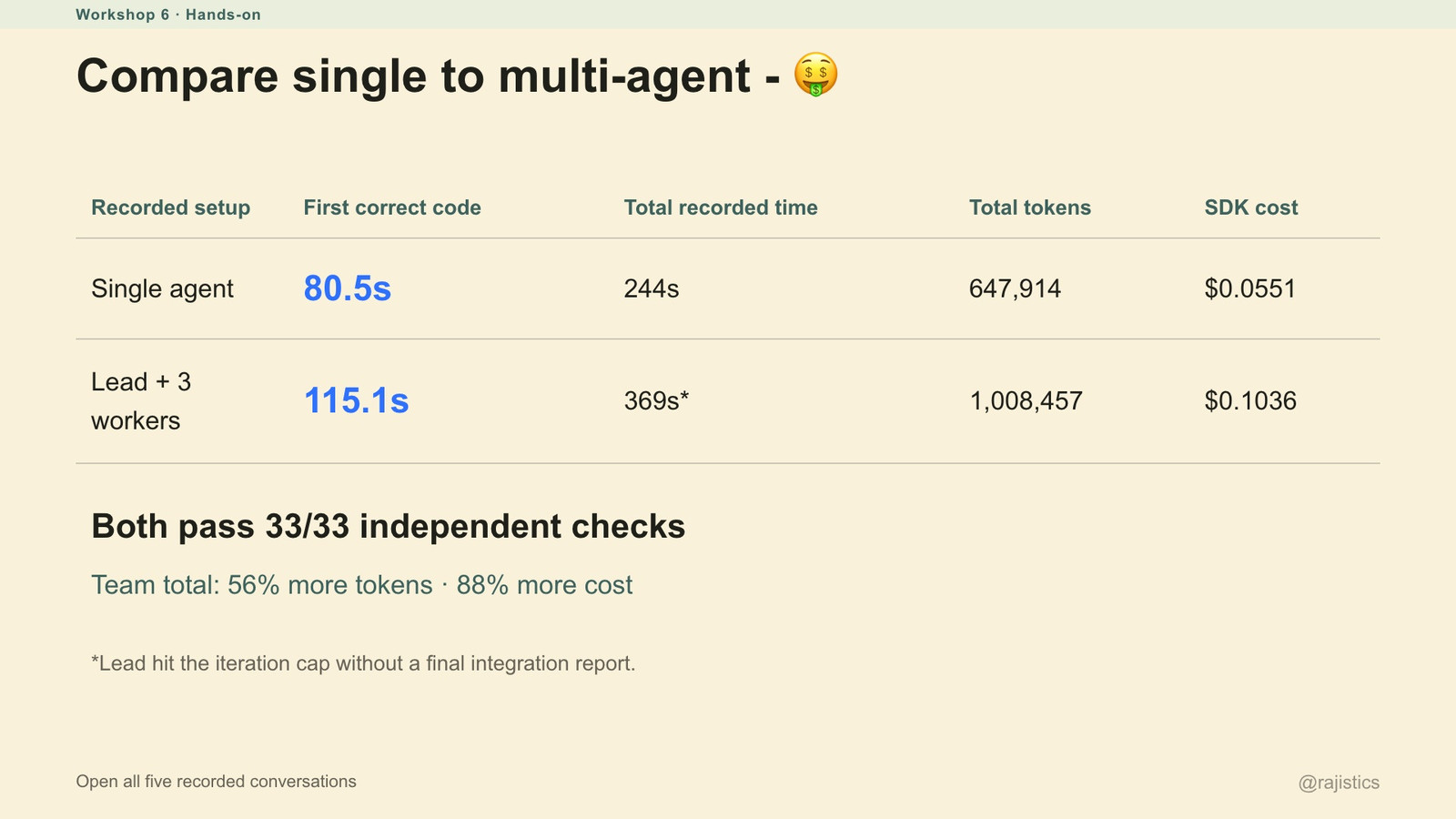
The first passing repair took 80.5 seconds in this run. The trace provides a baseline for judging whether parallel work helps on the same fixture.
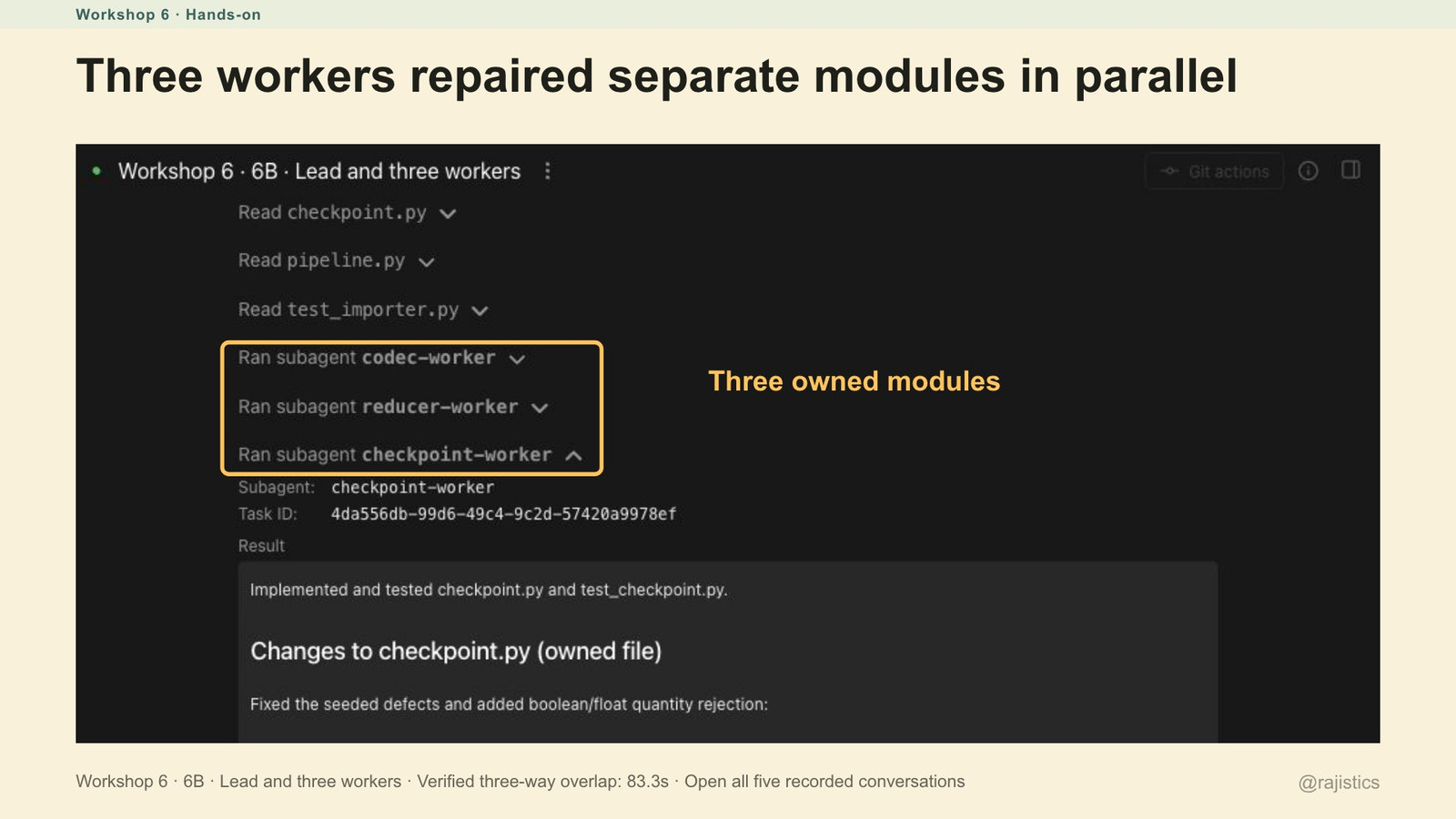
What the parallel workers did
Three workers repaired separate modules. The lead still had to collect those changes and check that the modules worked together.
Compare the whole run
Both patches passed the recorded checks. The single owner produced correct code around 81 seconds and the team around 115 seconds. The team used 56% more tokens in this pair. Its lead also hit the cap without a final integration report. I’d measure a series of tasks before generalizing from this one pair.
Requested budgets need a reality check
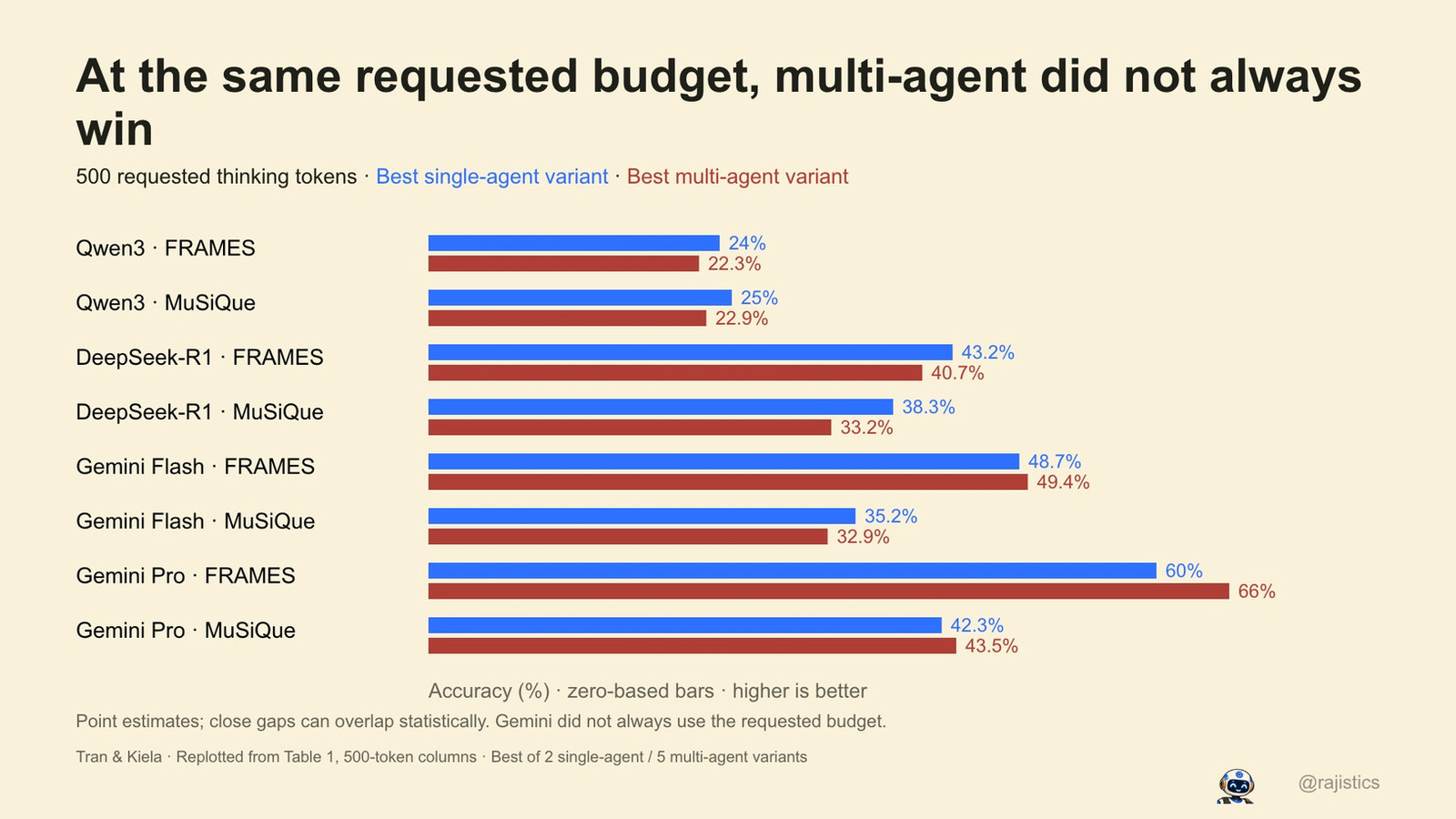
The single-agent estimate was higher in five of eight rows here. These are reasoning tasks, some results are close, and requested budgets can differ from actual usage. For a team comparison, record actual cost and decide which outcomes count as finished before the run.
Multi-agent results depend on the task
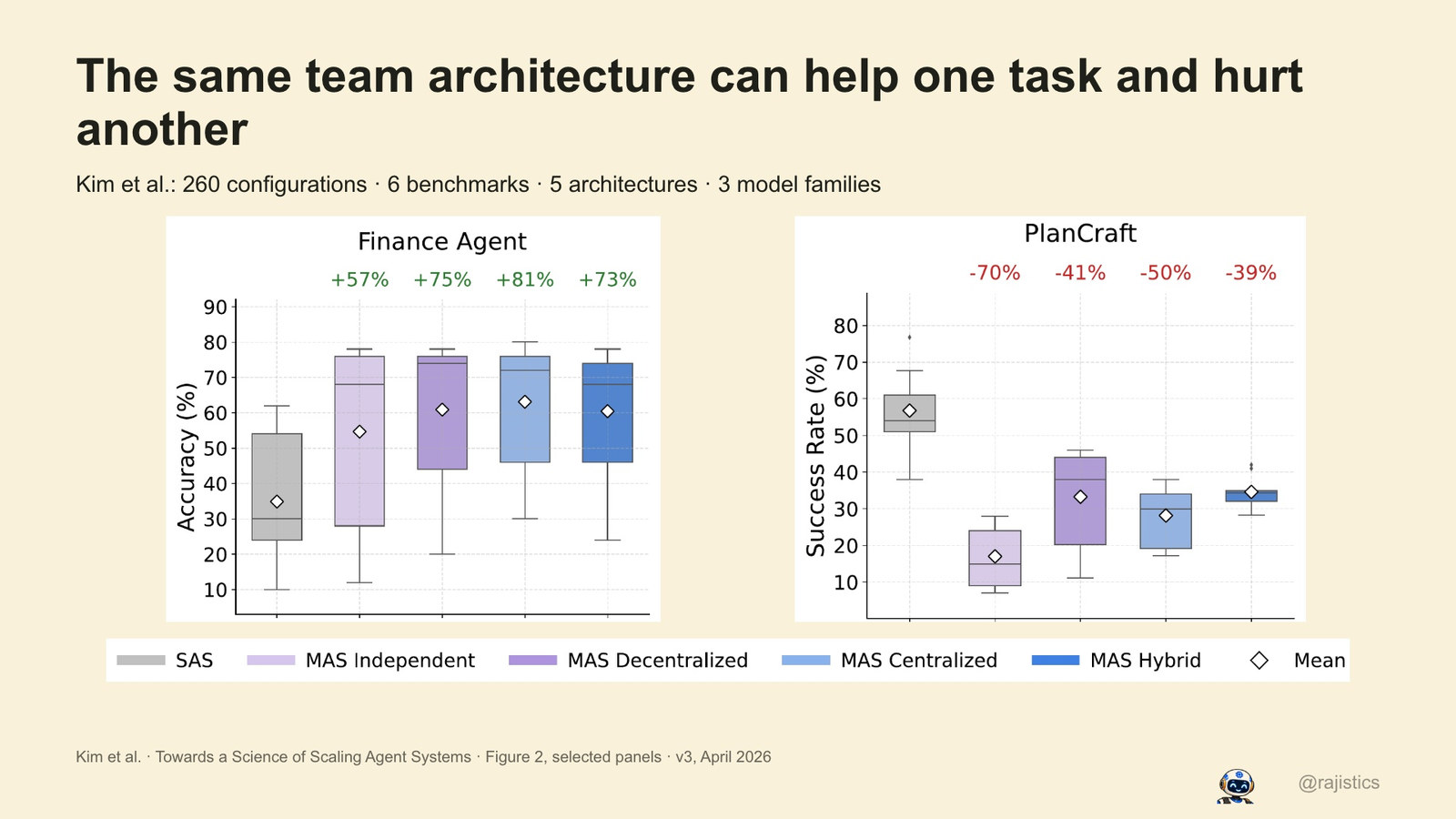
The scaling study compares several team structures across benchmarks. Look for work that divides cleanly and track where coordination slows down a sequential task.
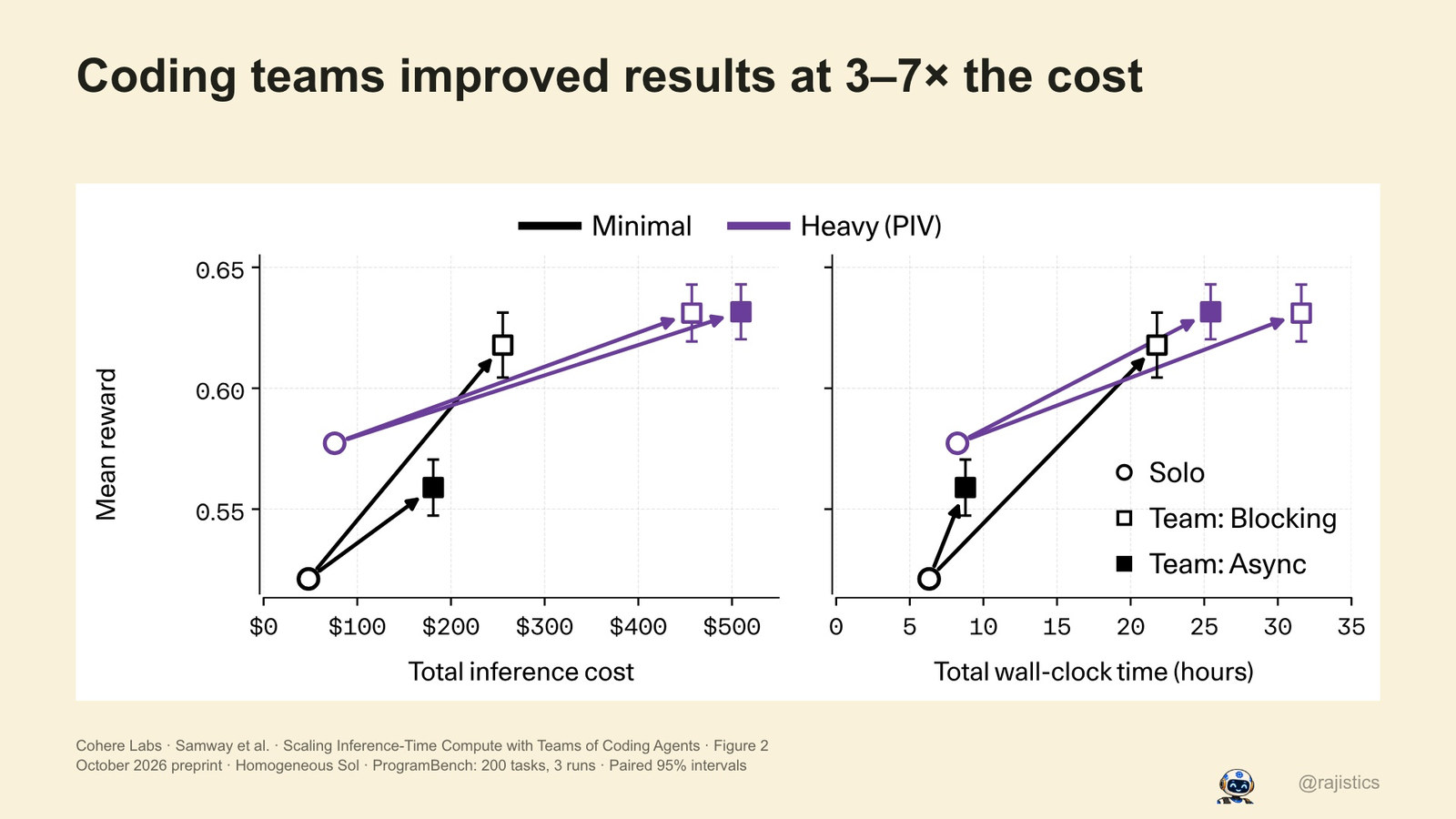
What additional inference can buy
Cohere Labs reports higher coding scores in team runs at three to seven times the inference cost. Compare the quality gain with the cost you are willing to pay.
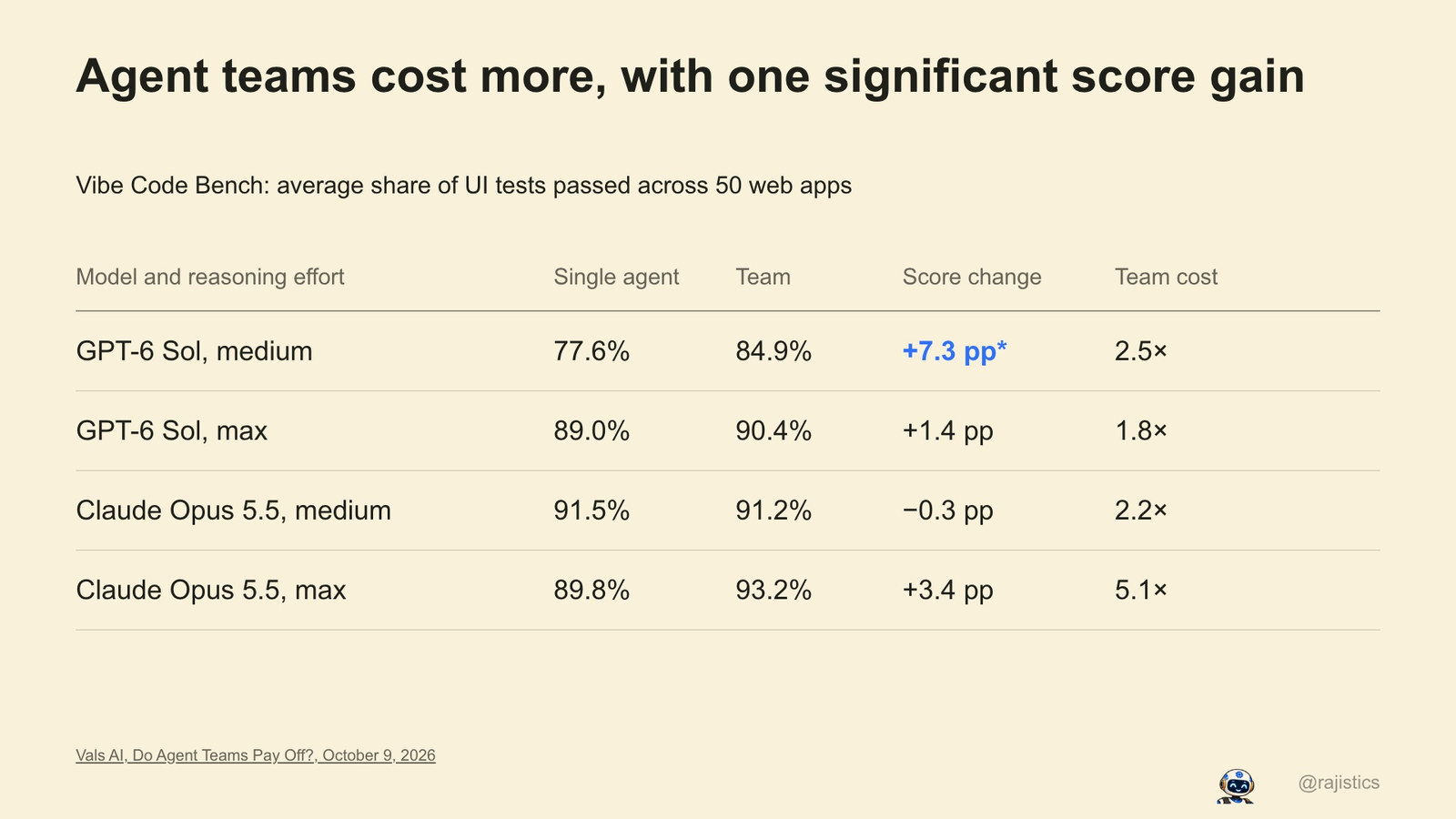
A team increase was significant in one tested setting
Vibe Code Bench found a significant score gain for one model and effort pairing in the table. Costs went up across the team runs.
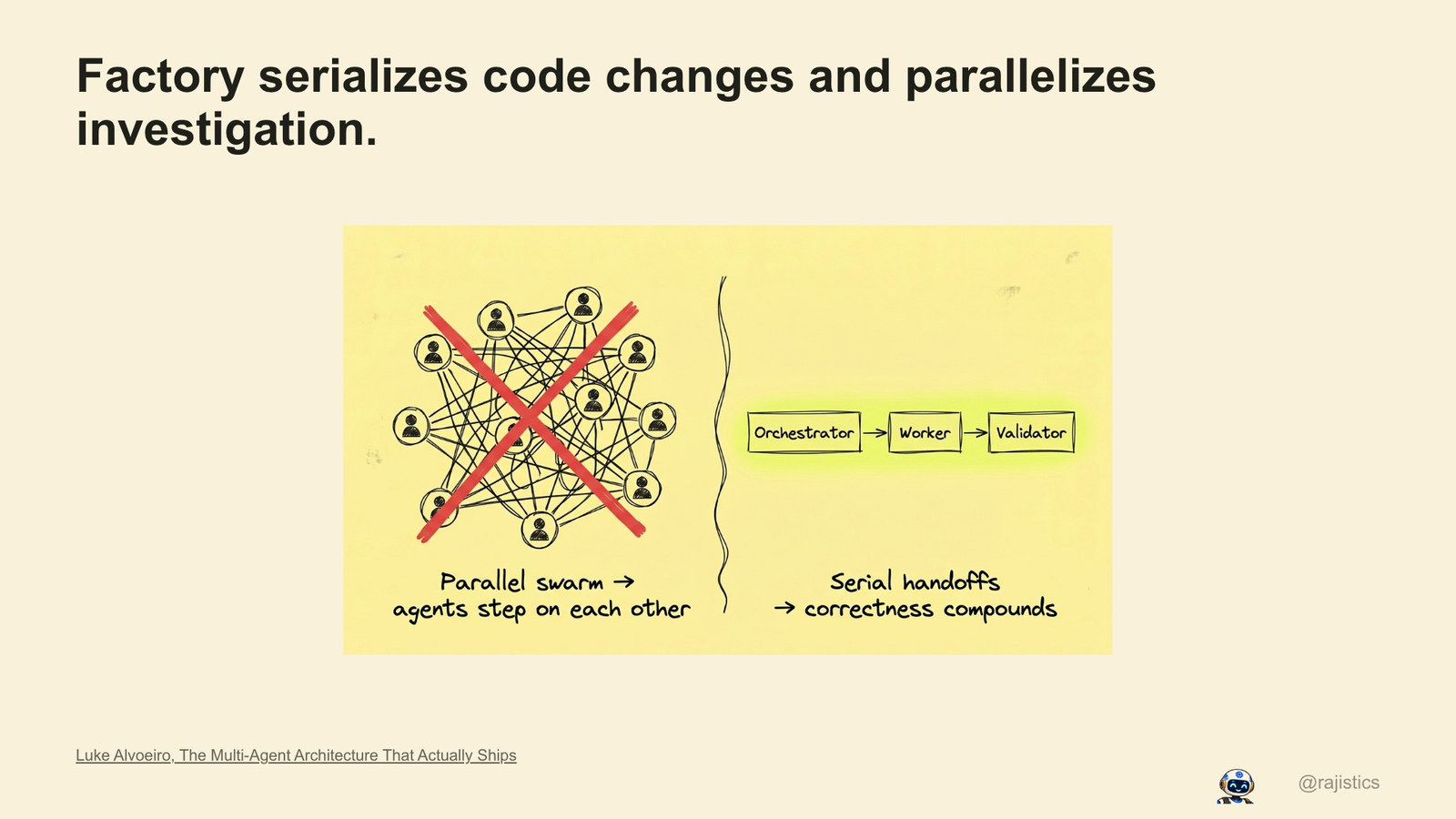
Parallelize investigation and coordinate edits
Factory’s example gives investigation to parallel workers while handing code changes off in sequence. That reduces overlap when workers need to touch the same files.
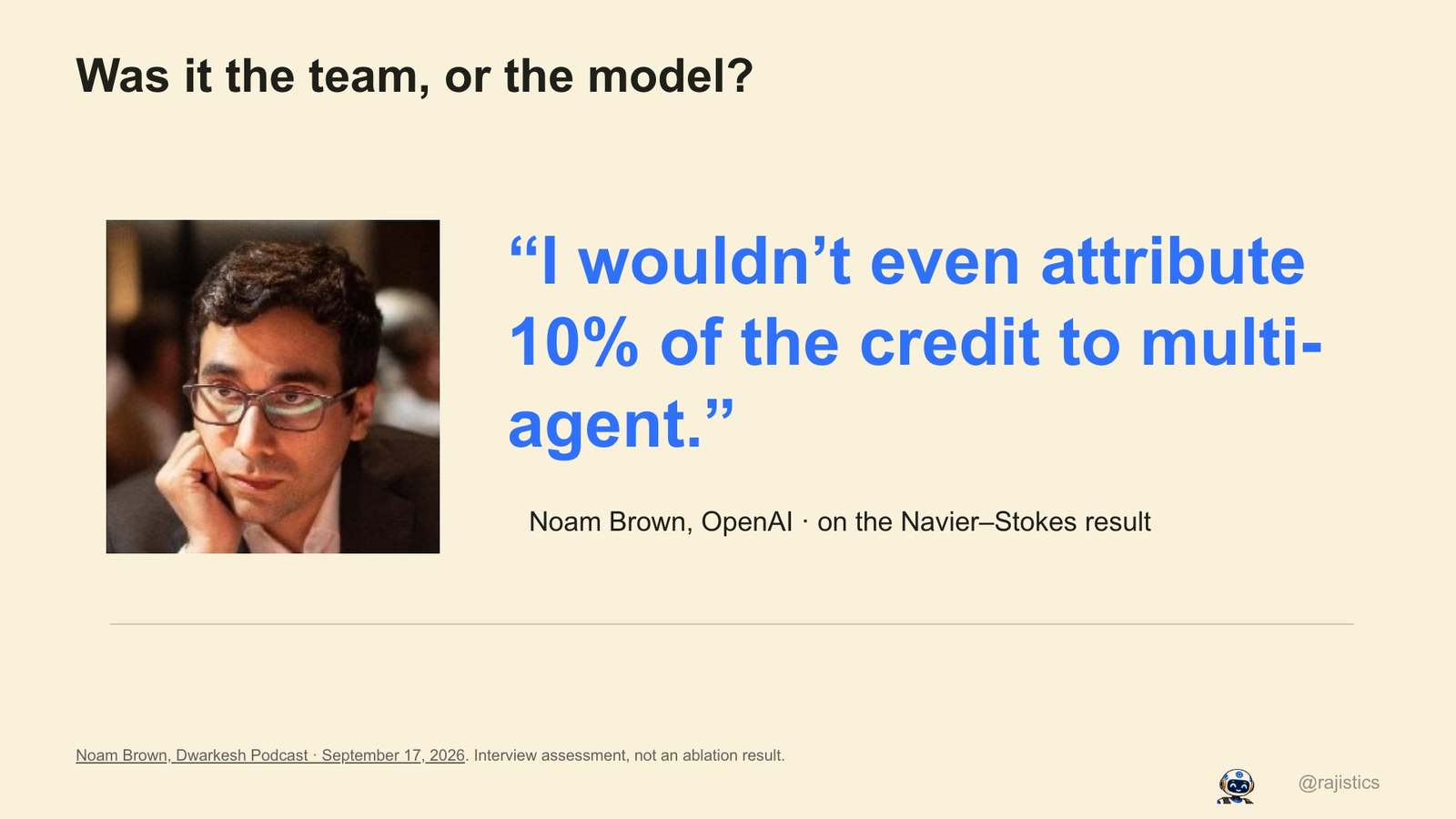
Separate the team’s contribution from the model’s
Noam Brown’s comment on the Navier-Stokes result offers one interpretation of the team’s role. To attribute a gain on your task, change the orchestration while holding the model fixed.
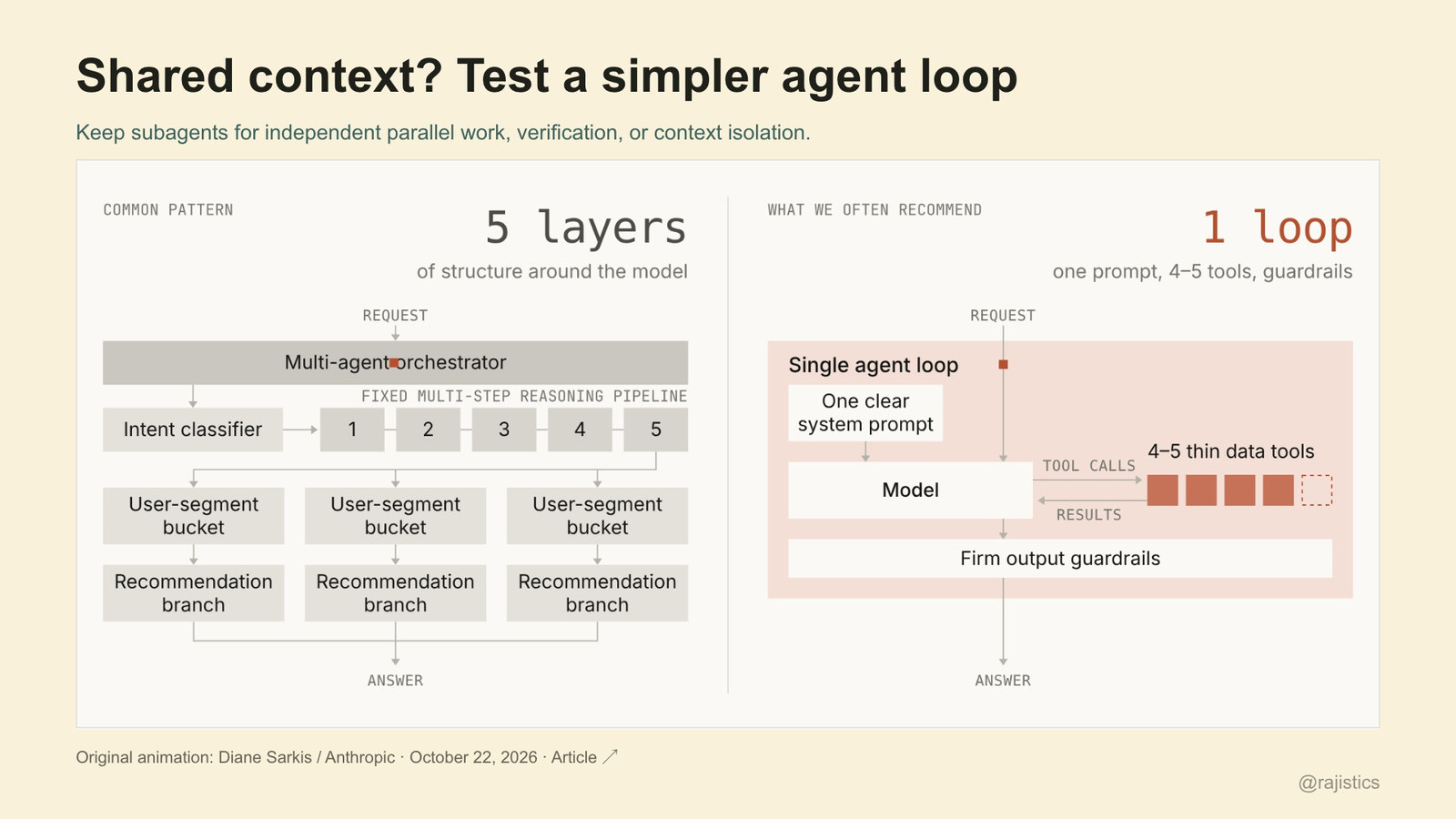
Try a simpler loop when everyone shares context
A single agent with a small tool set is a useful baseline. Keep separate contexts where the work is independent or where you want a fresh verification pass.
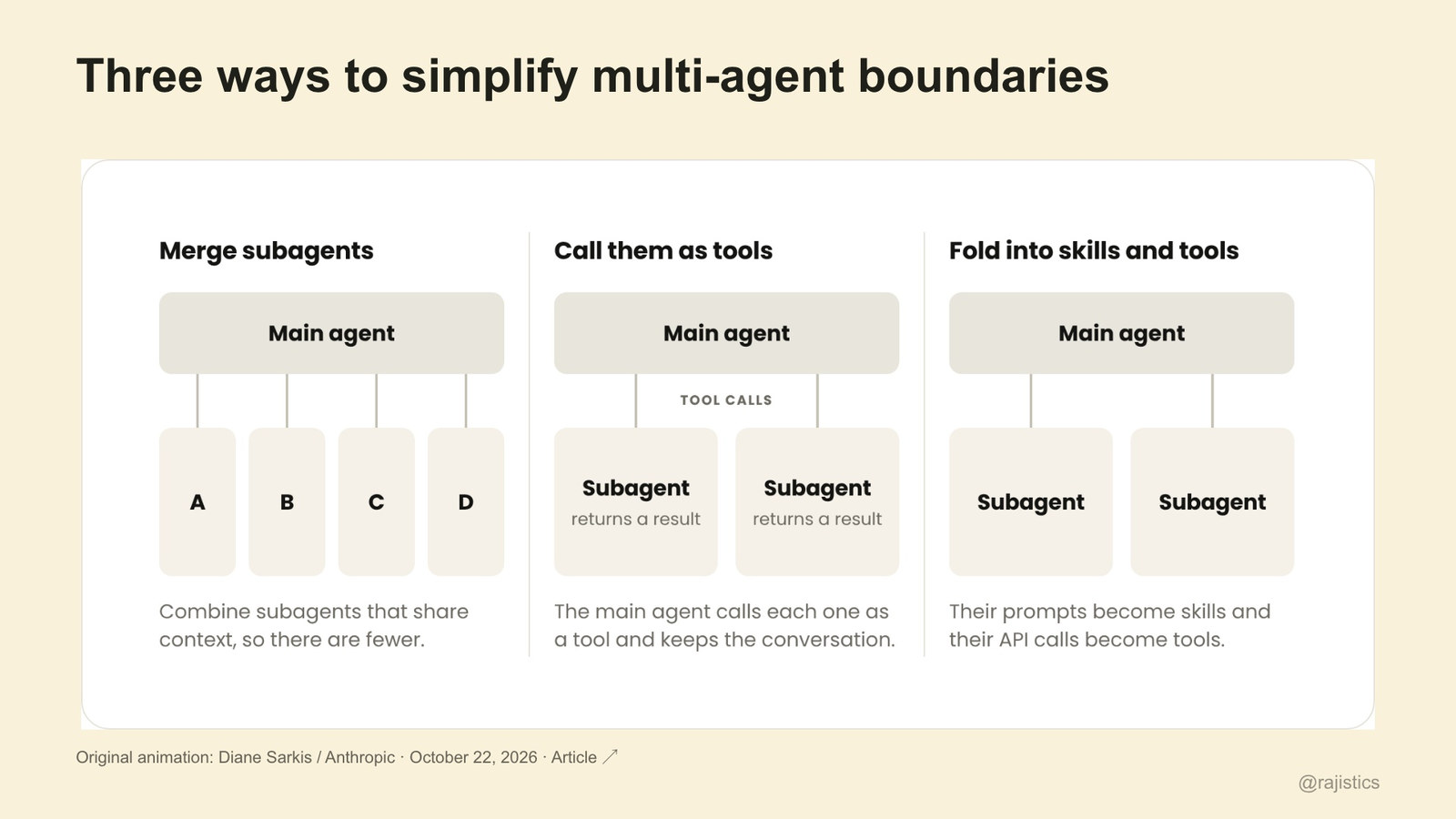
Three ways to simplify coordination
Merge agents working from the same context, invoke a separate agent as a tool with a defined return value, or move repeatable steps into skills and tools.
The harness user interface
There’s also an interface for the person who gives the agent work and checks how it’s going. Watch from 41:16
Put the pieces together
Once the internal loop works, look at what the user can see and correct, and at which parts of the harness might change as the agent learns.
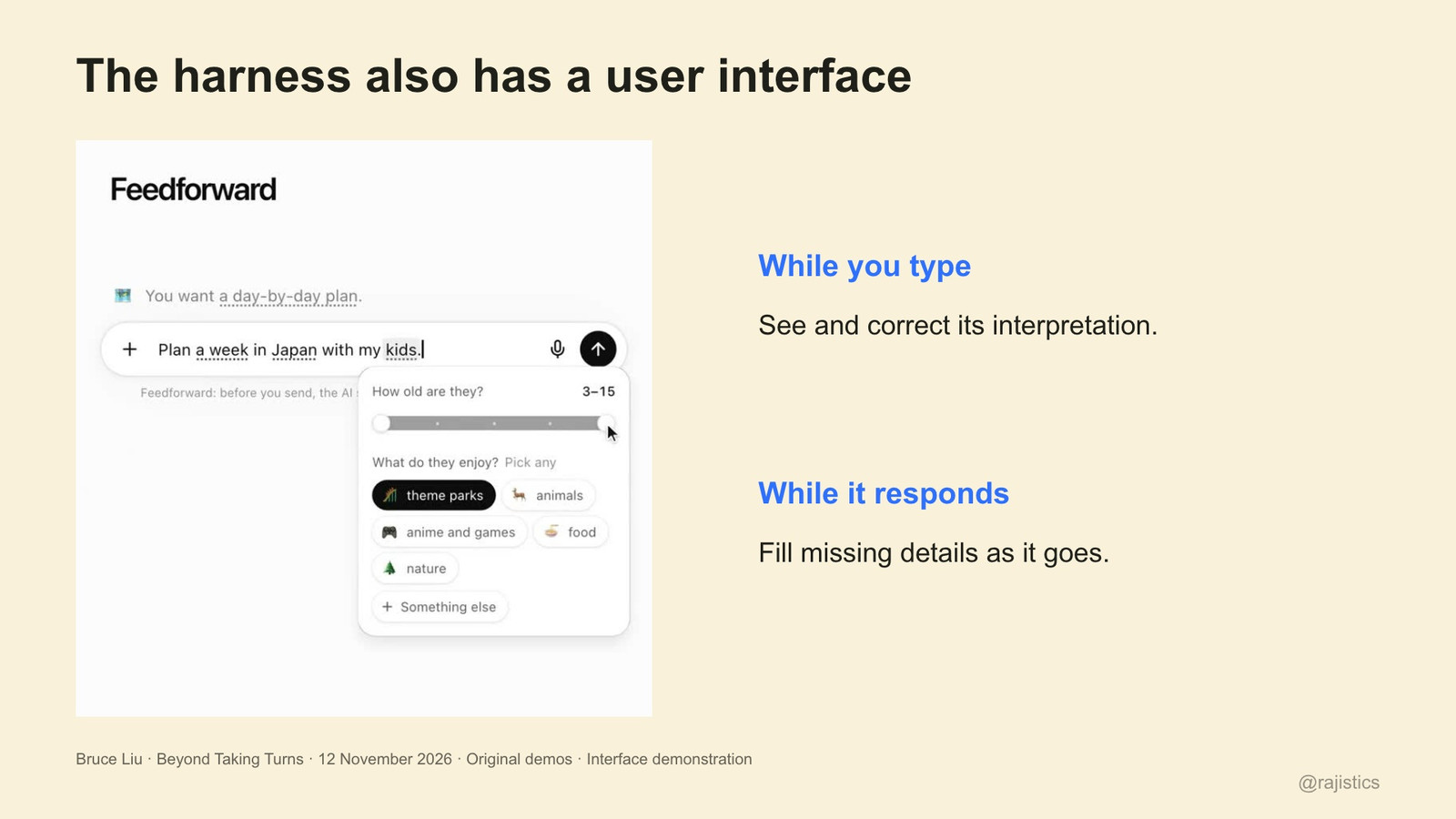
Give people a chance to correct the agent early
Bruce Liu’s intra-turn interaction demo shows ways the user can correct an assumption early or supply missing detail while a response is in progress. For a coding agent, I’d use the same idea to expose assumptions about the target repo, relevant workflow, or success criteria before the agent spends time acting on them.
Self-evolving harnesses
We can give an agent tools it can use today. Some of the work I cover here asks whether an agent can propose changes to its own tools and instructions, then test those changes. Watch from 42:09
From supplied tools to tools adapted for the job
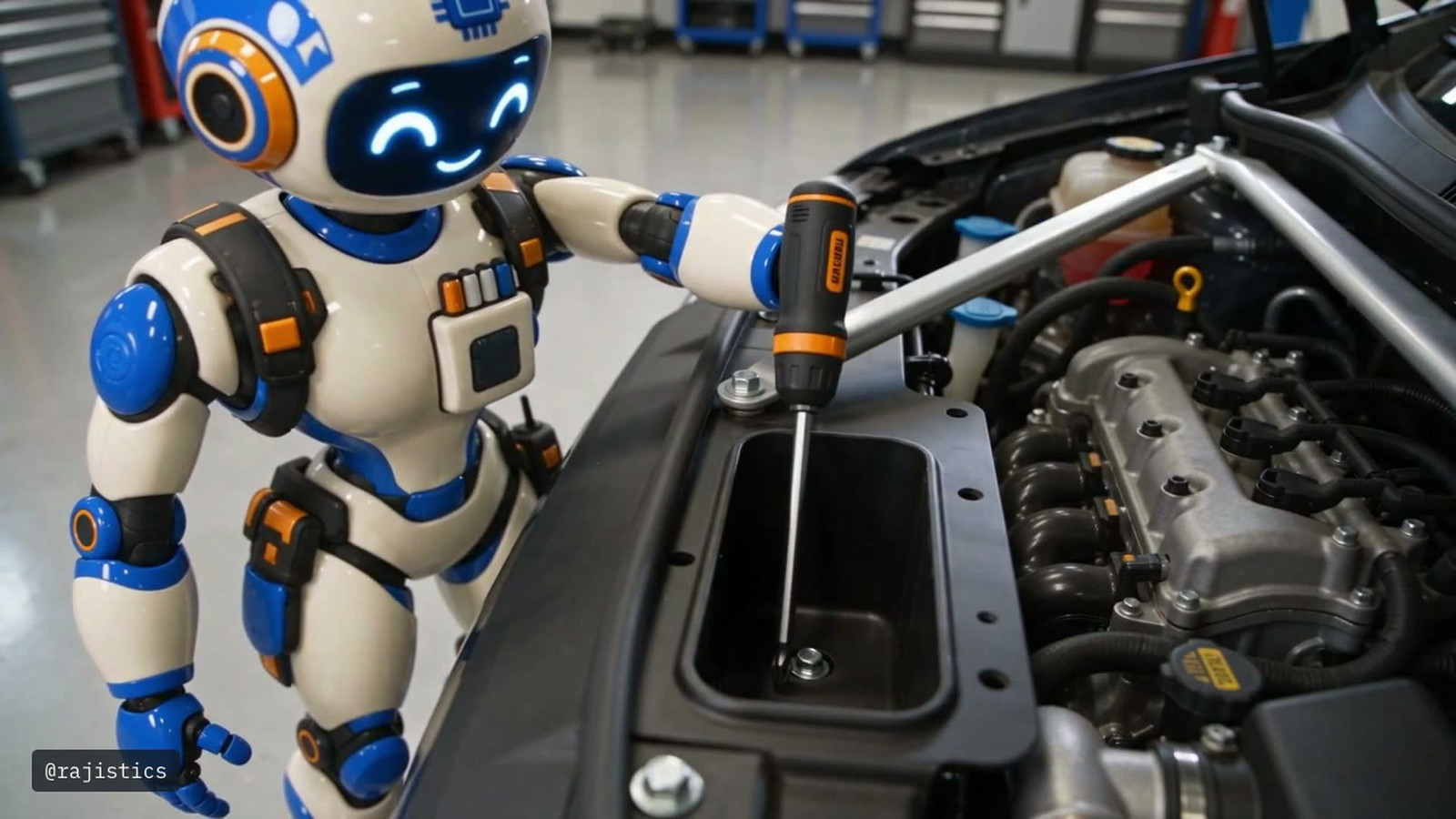
In the animation, the robot starts with equipment a human put in place. Then it changes what it can do as the task changes. That’s the idea behind the examples that follow. Their improvements come from specific experiments with limits on what the harness could change and how success was measured.
Keep enforceable conditions in the harness
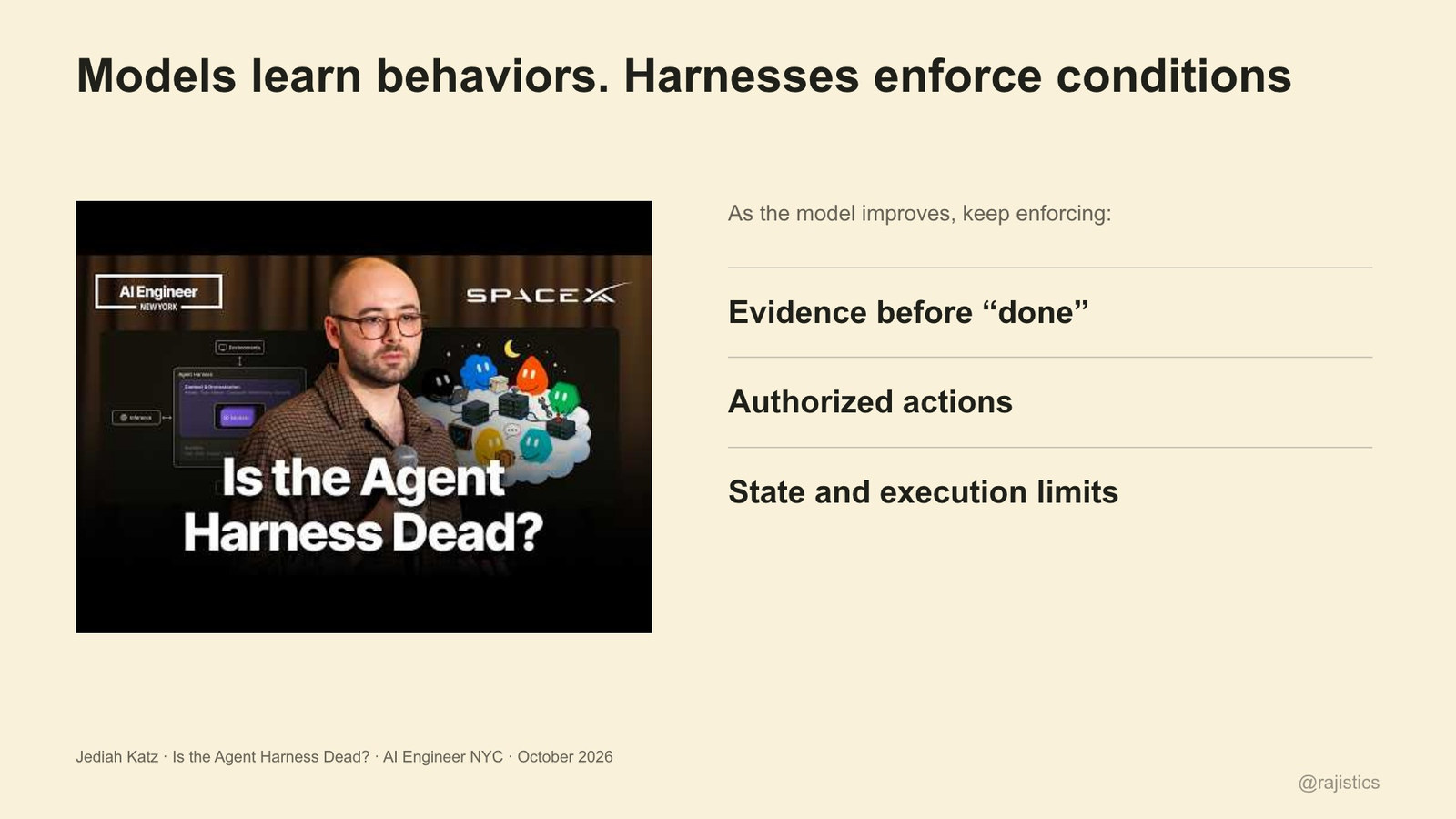
Model behavior can improve with training. The harness can still require evidence, check authorization, and apply execution and state limits every time.
Propose changes and test them
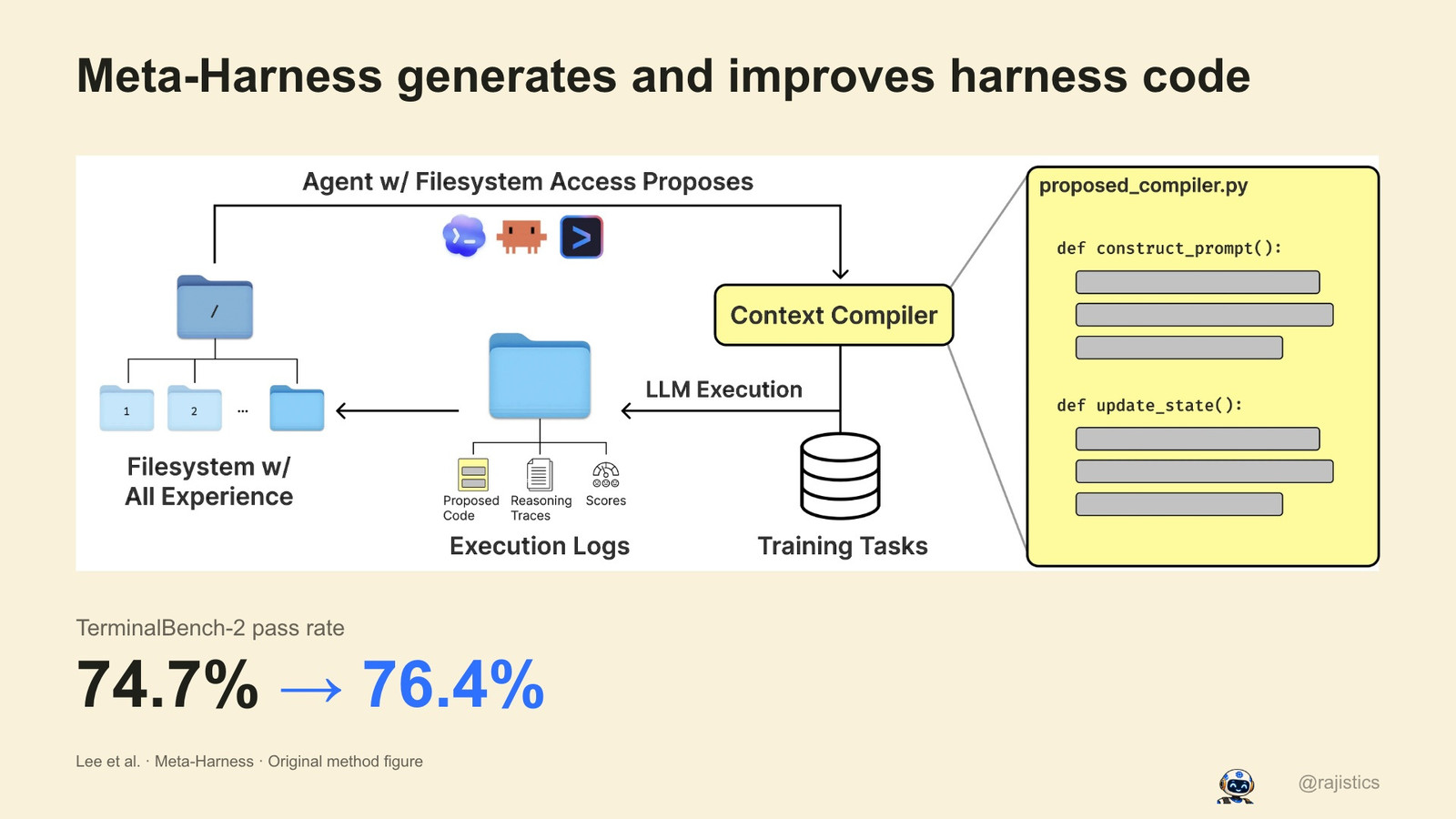
Meta-Harness lets a proposer inspect previous harness code, logs, and scores before trying a revision. In the TerminalBench-2 comparison shown, the task model stays fixed and the pass rate rises from 74.7% to 76.4%. Include the cost of the search itself when deciding whether that improvement makes sense for your application.
Generate task-specific tools
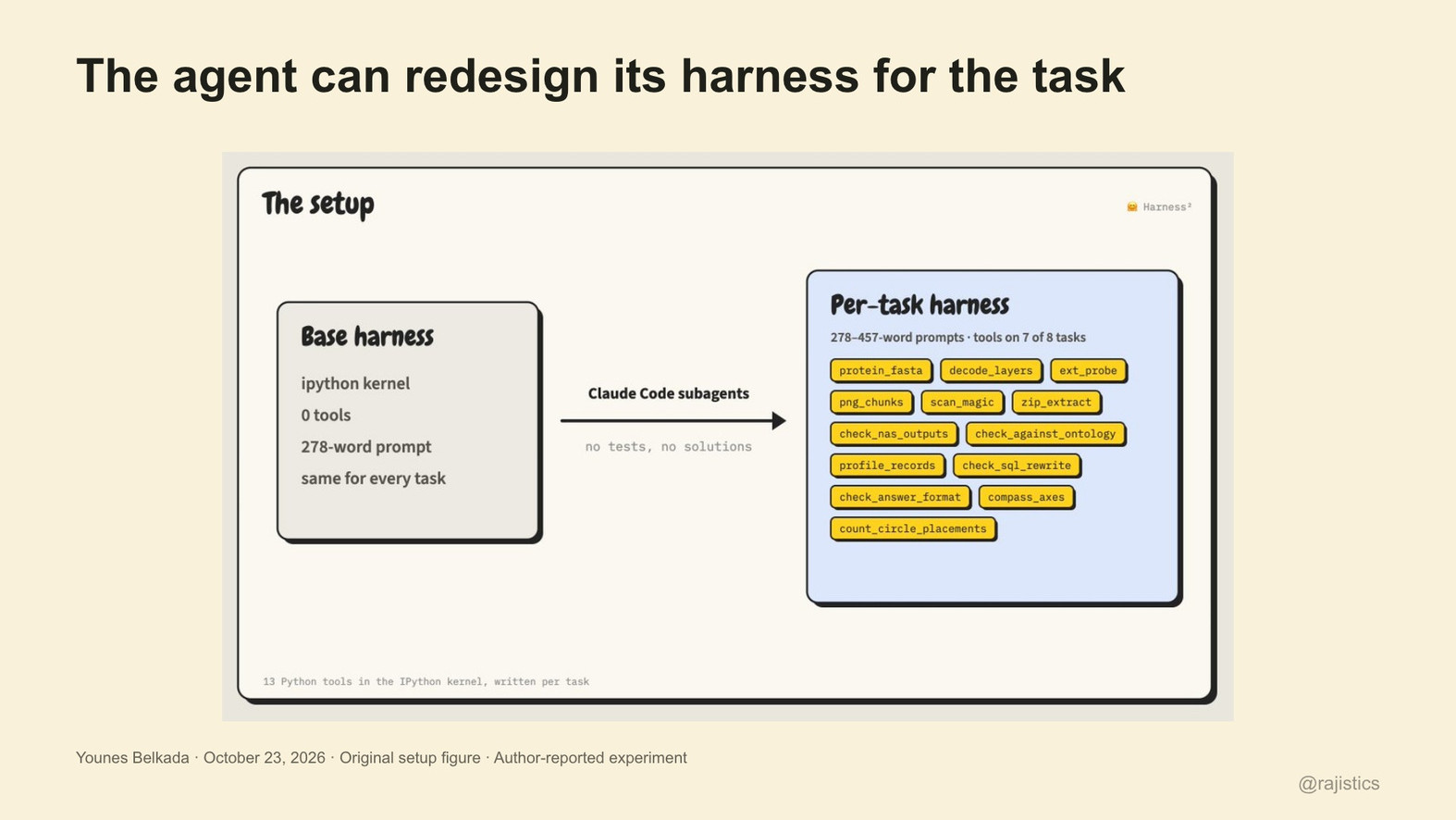
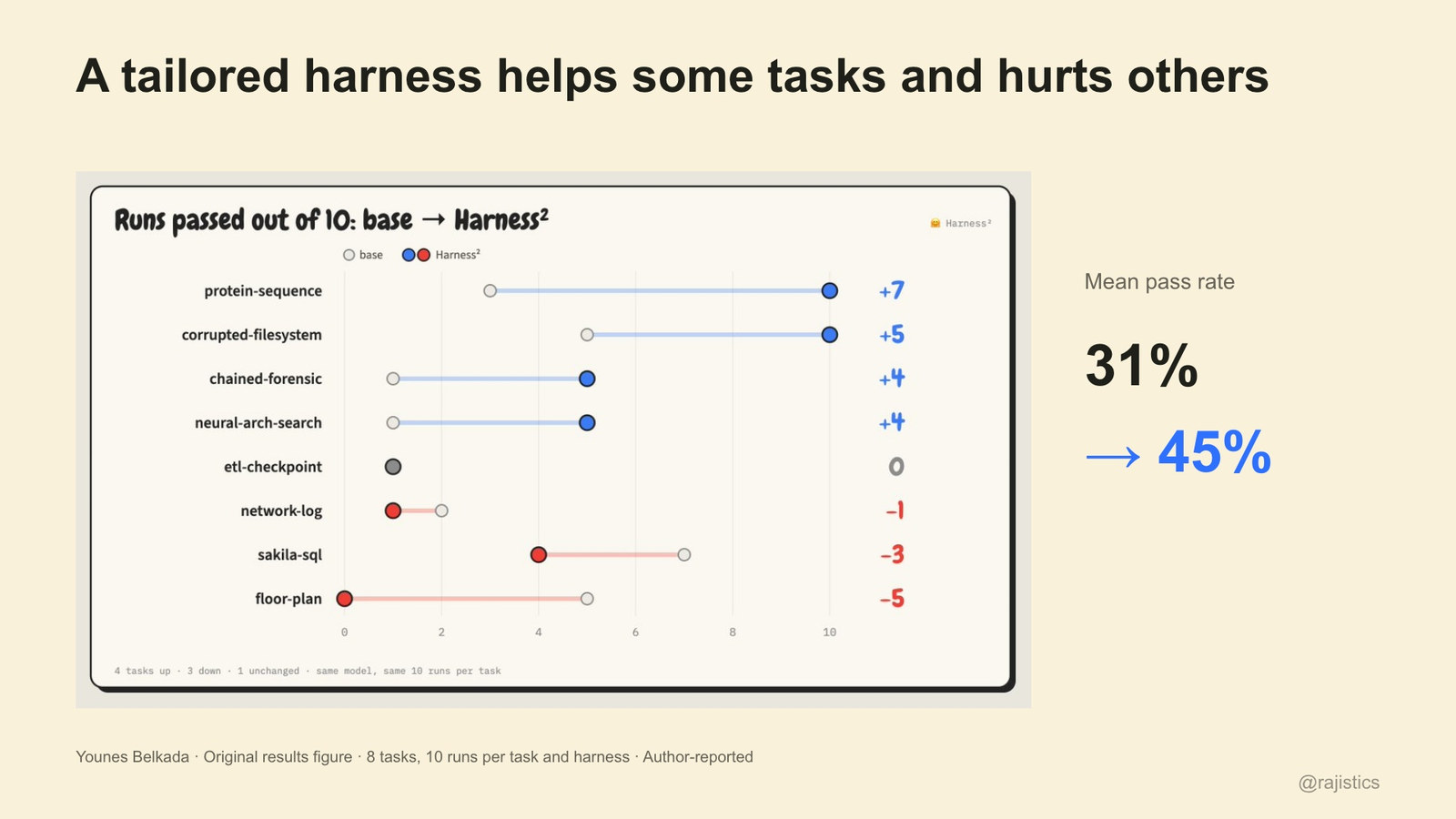
The starting harness gives the model an IPython kernel and a short prompt. In Younes Belkada’s walkthrough, subagents can write task-specific Python tools and instructions. According to the walkthrough, those subagents don’t see the tests or solutions. This is one way to change how a model can work on a task while using the same task model.
A task-specific harness can improve one task and hurt another
Belkada’s examples show different results across tasks when the same agent can adapt its harness. Test on work outside the cases used to develop the change.
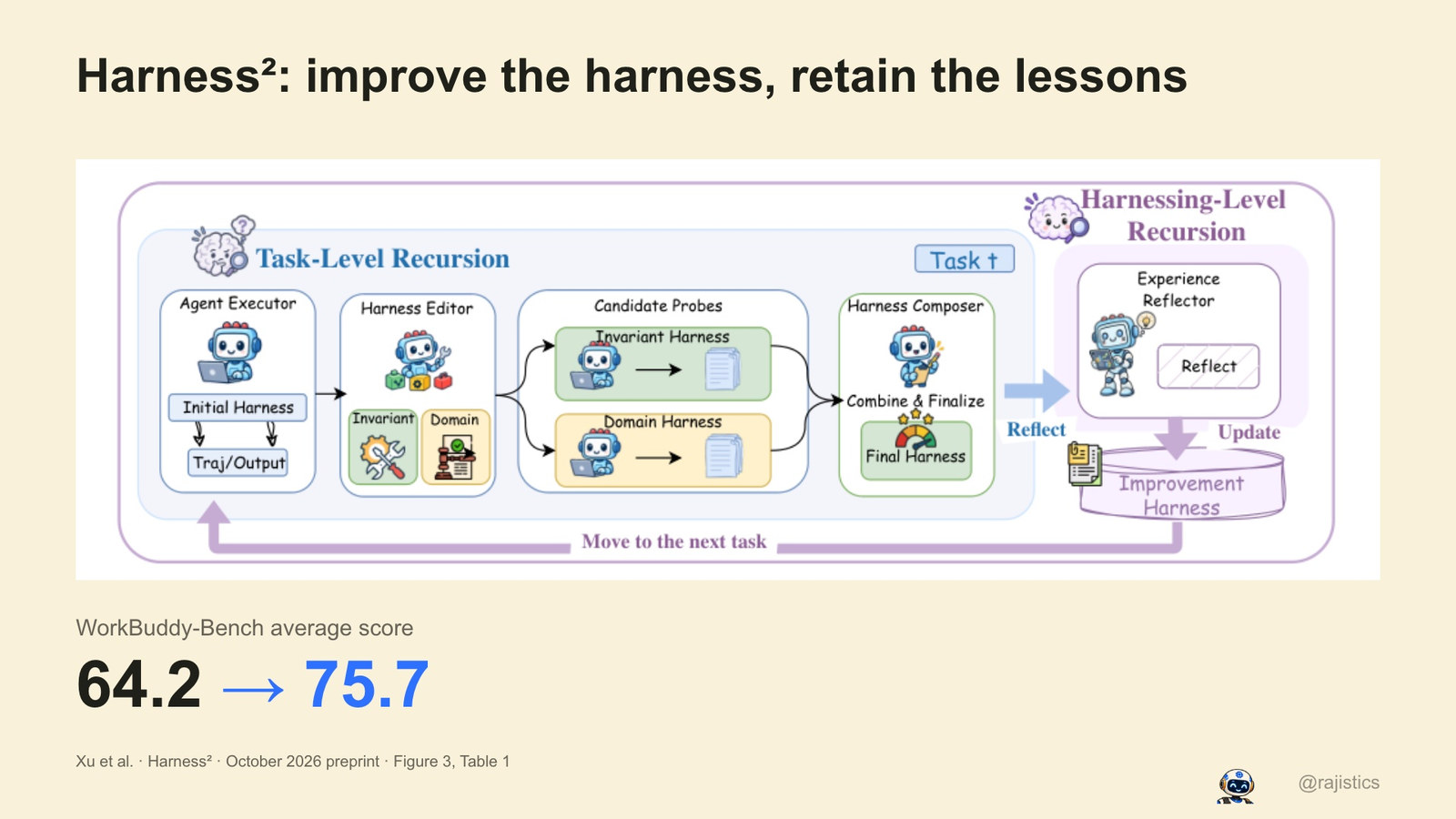
Carry changes that worked into future runs
Harness² uses feedback from attempts to propose and test harness changes. It also provides a way to retain reusable lessons beyond the current task.
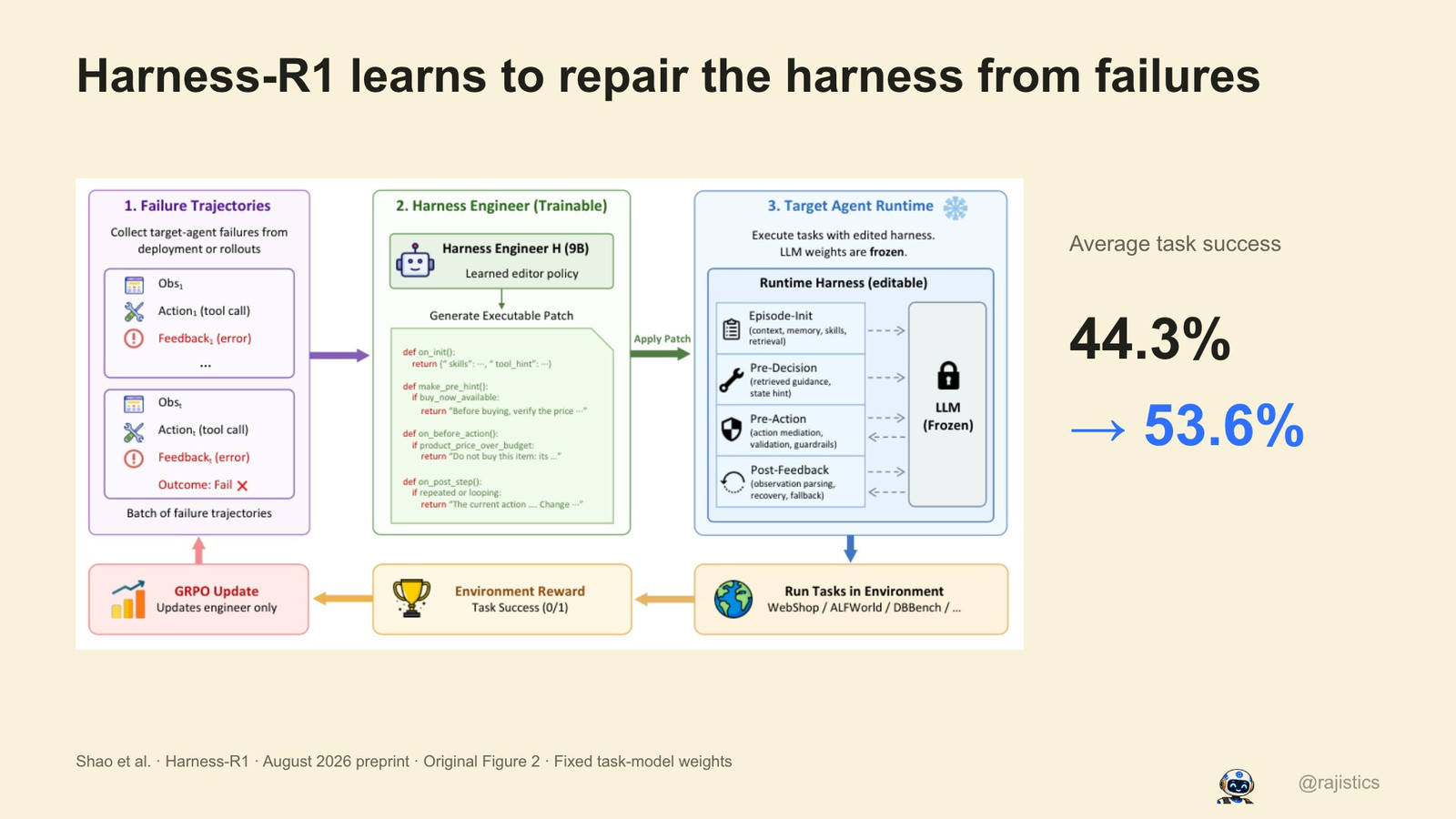
Use failed runs to propose repairs
Harness-R1 trains a separate harness engineer to propose repairs after failed runs. The displayed average success rises from 44.3% to 53.6% with a fixed task model. Its training reward comes from reruns of the same batch. Held-out tasks are the next check if you want evidence the improvements generalize.
What to change in your own harness
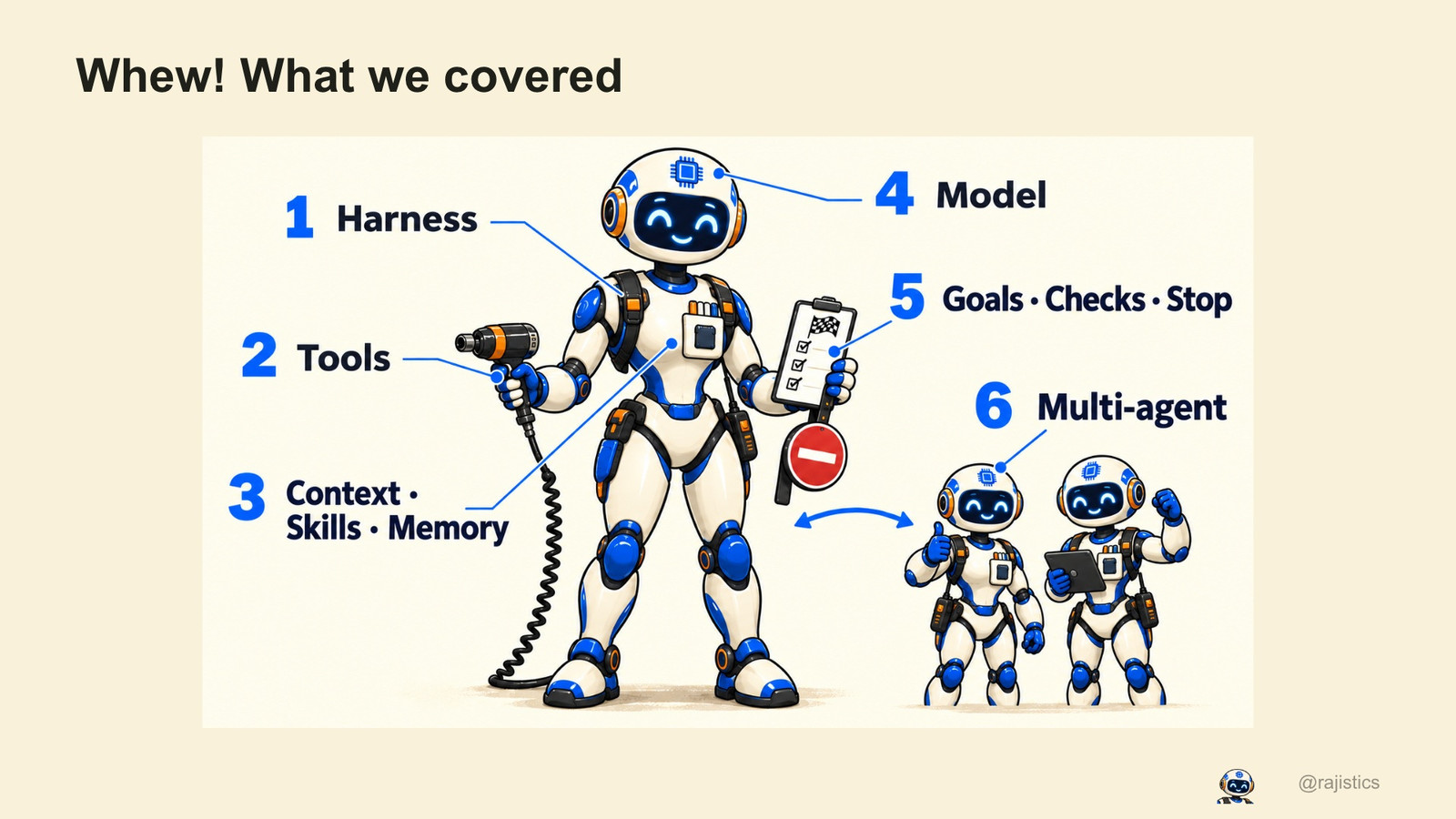
Six decisions to revisit
Pick a job you can run more than once. Write down what success looks like at the boundary the user cares about. Run a baseline and keep the trace. Then change one thing in the harness and rerun the same job. Look at what the agent did, what evidence it produced, and what it cost to get a successful result. Watch the recap from 44:09
Watch or share the talk
Use the YouTube link to watch the talk and subscribe for more walkthroughs.