Coding agents are forcing a shift in how we think about AI systems. A few years ago, many of us were using language models for short, stateless tasks. In this talk, Rajiv walks through why long-running coding tasks create a different engineering problem and why the system around the model now matters as much as the model itself.
This version follows the exported deck page by page, using the PDF itself as the source of truth for slide order. The image comes first, with the matching explanation directly underneath it so the commentary stays aligned to the slide you are looking at.
Video
Watch the full video
Annotated Presentation
Below is the slide-by-slide annotated version of Engineering the Harness: A Practical Workshop.
1. Engineering the Harness: A Practical Workshop
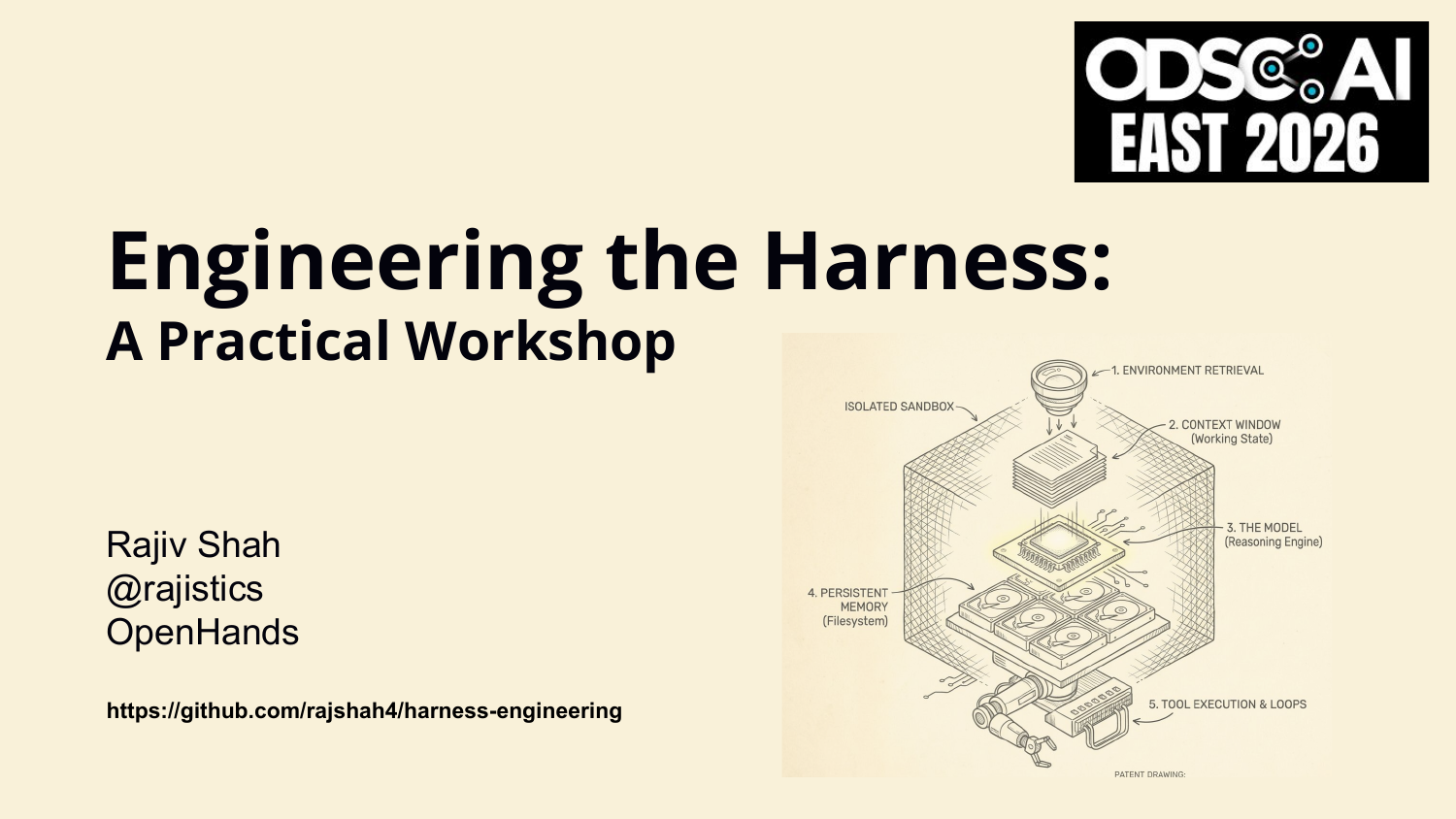
Title slide for the workshop.
2. Engineering the Harness: A Practical Workshop
A second title frame before the talk begins.
3. The tasks changed.
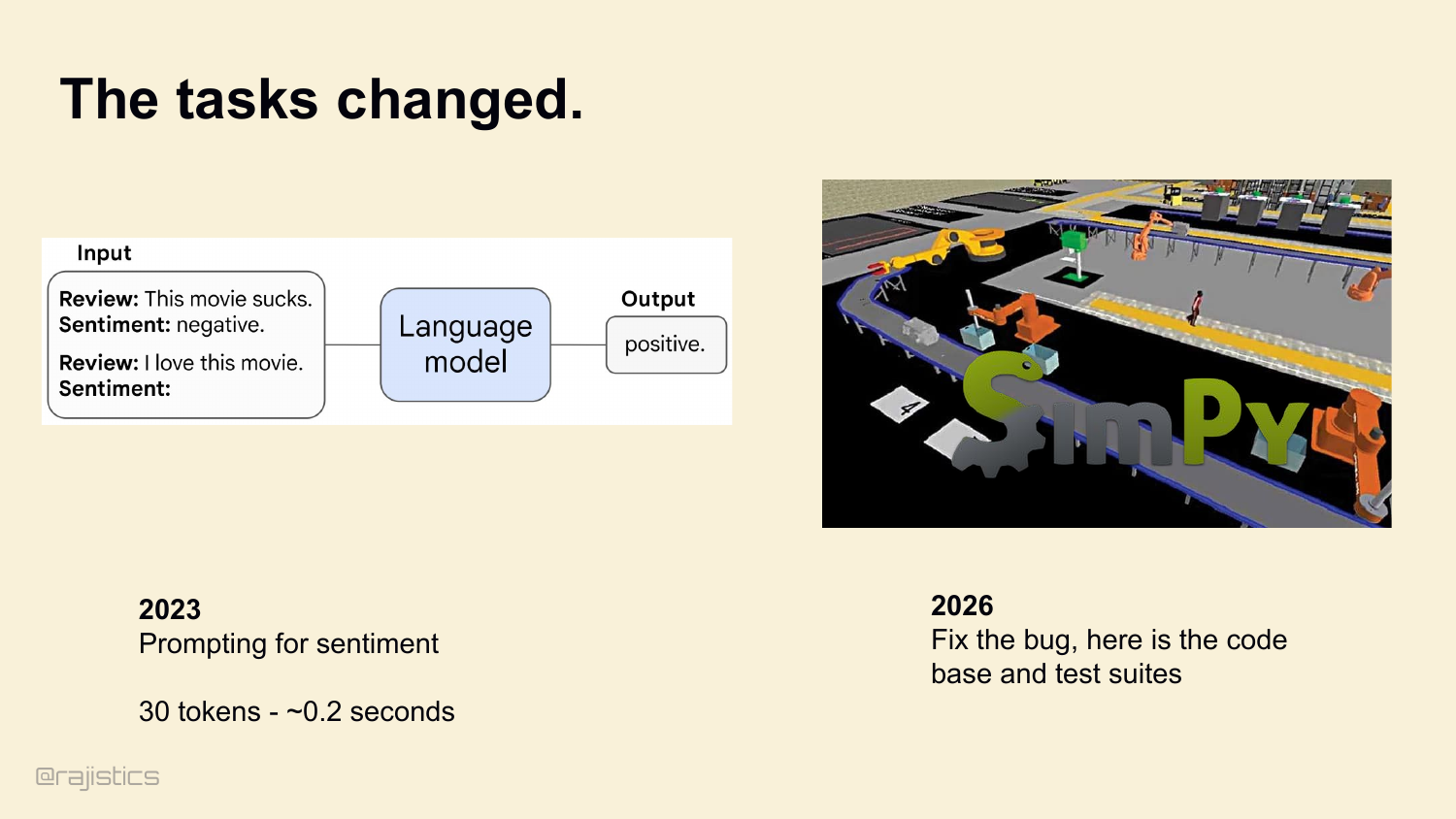
Three years ago, we used language models like this. Hand it a review, ask for sentiment, get an answer back. 30 tokens. 0.2 seconds. Today we’re asking them to do this. Look at a whole codebase, find a bug, write a patch, run the test suite, and verify it worked. 12 million tokens. 20 minutes.
4. The model isn’t solving the problem. The system is.
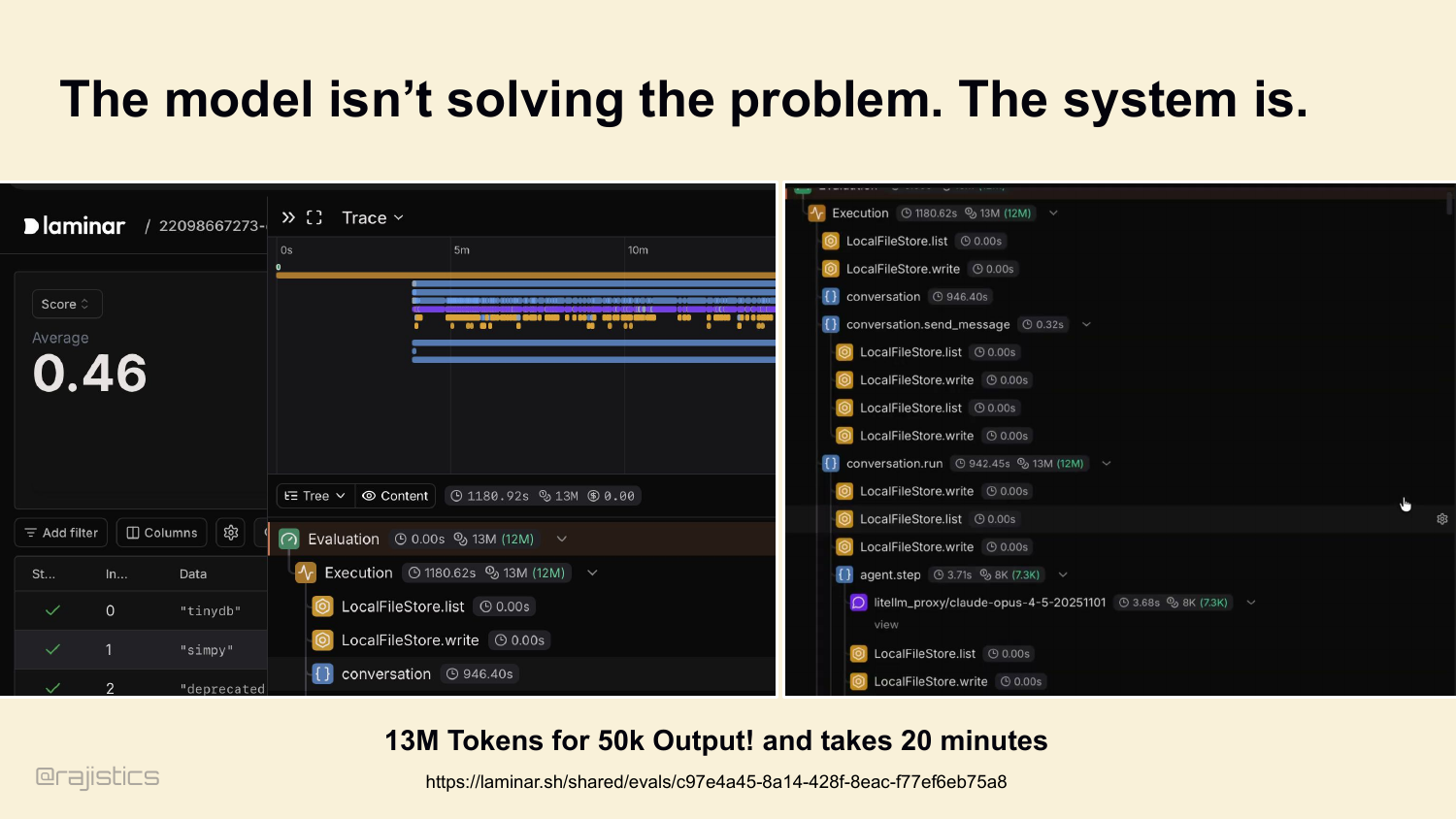
And this is what the telemetry for a modern coding task actually looks like. Hundreds of tool calls. Millions of tokens of output. Which brings me to the thesis of this talk: the model isn’t solving the problem. The system is.
5. Hi, I’m Rajiv, and this is a masterclass on Harnesses.
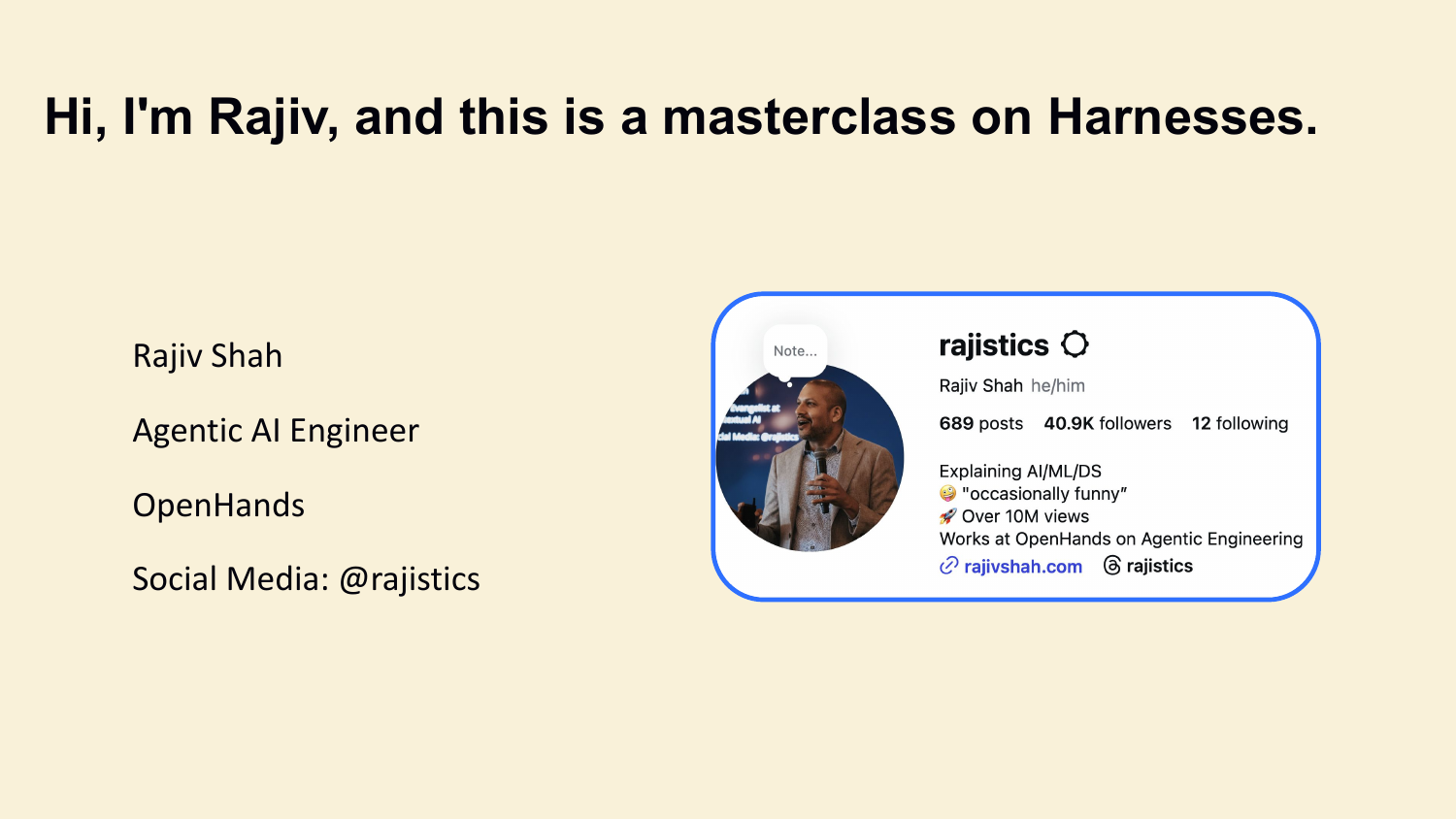
I’m Rajiv Shah, Agentic AI Engineer at OpenHands. We build the open-source harness that wraps models like the one in that trace. The next hour is a practical tour of what’s actually inside a harness, and which decisions matter most. This is a workshop, so interrupt me. If something doesn’t land, ask. We’ll have explicit pauses to discuss along the way.
6. This has been an evolution
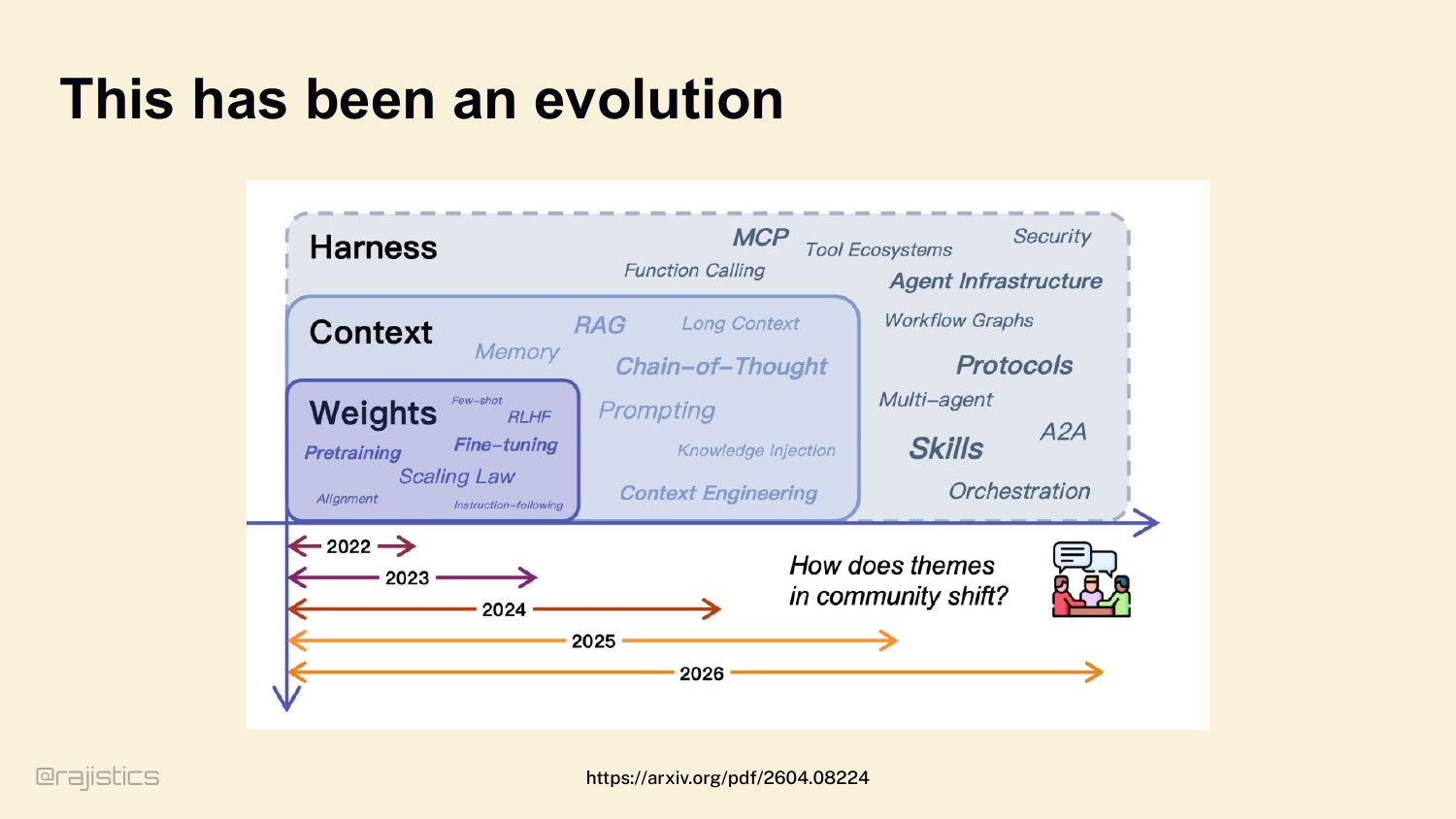
Quick step back before we dive in. Our focus as a community keeps moving up the stack. 2022 — we cared about weights. Fine-tuning, RLHF. 2023 — context. RAG, long context. 2024 — tools, skills, MCP. And now, in 2026, the outermost layer — the harness — is where the action is.
7. What is in a harness?
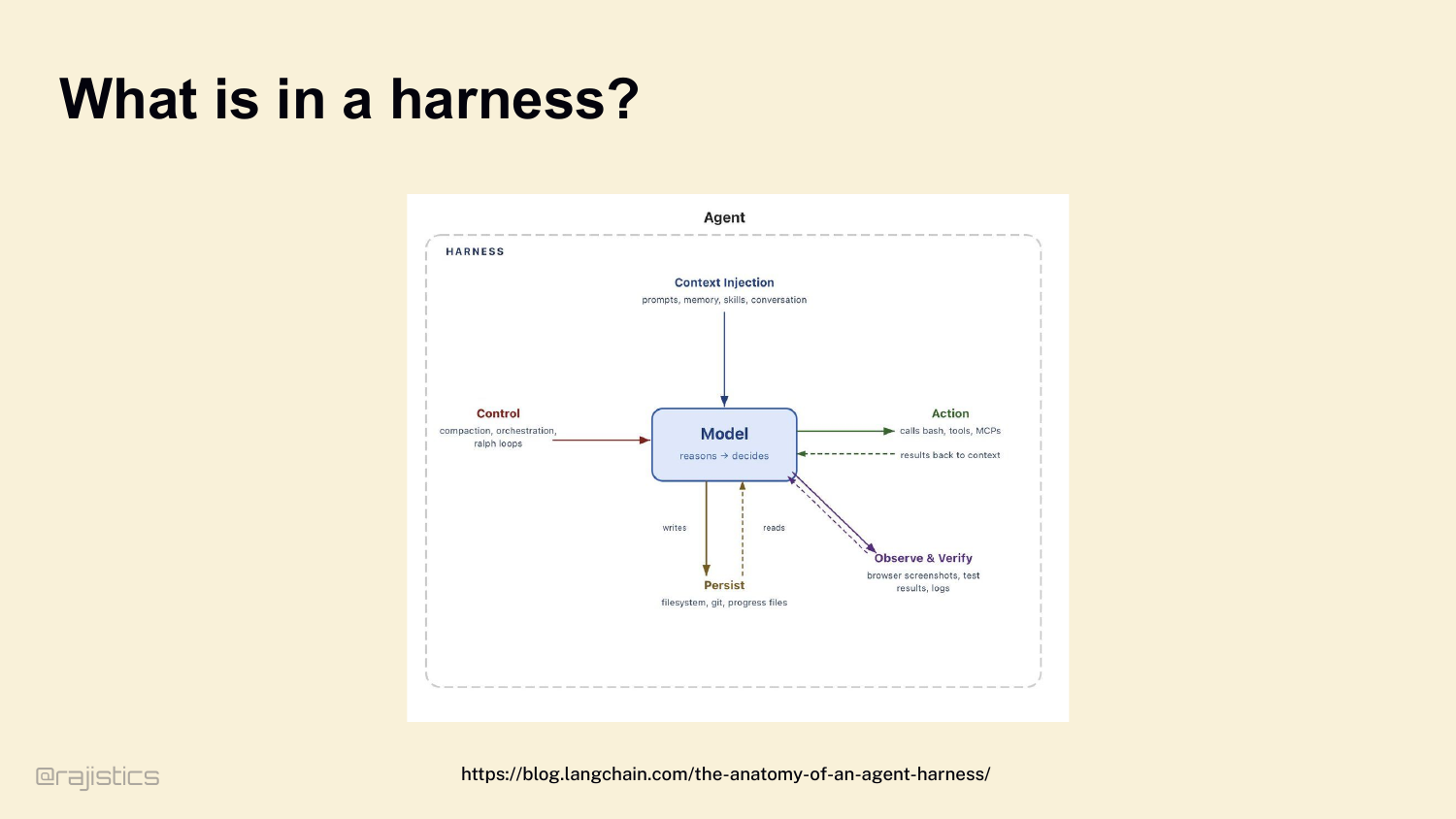
Let’s define it clearly, because this gets confused all the time. Agent, harness, SDK — people use these words interchangeably. Here’s the mental model I want you to carry for the rest of the hour. The model reasons. The harness does everything else. Look at this diagram. The model sits in the middle — it reasons and decides. Everything around it is the harness. Context injection on top: prompts, memory, skills, conversation. Control on the left: compaction, orchestration, loops. Action on the right: bash, tools, MCPs. Persistence at the bottom: filesystem, git, progress files. And observe and verify: browser screenshots, test results, logs. If you take nothing else from this talk: Agent = Model + Harness.
8. A harness is everything outside the model
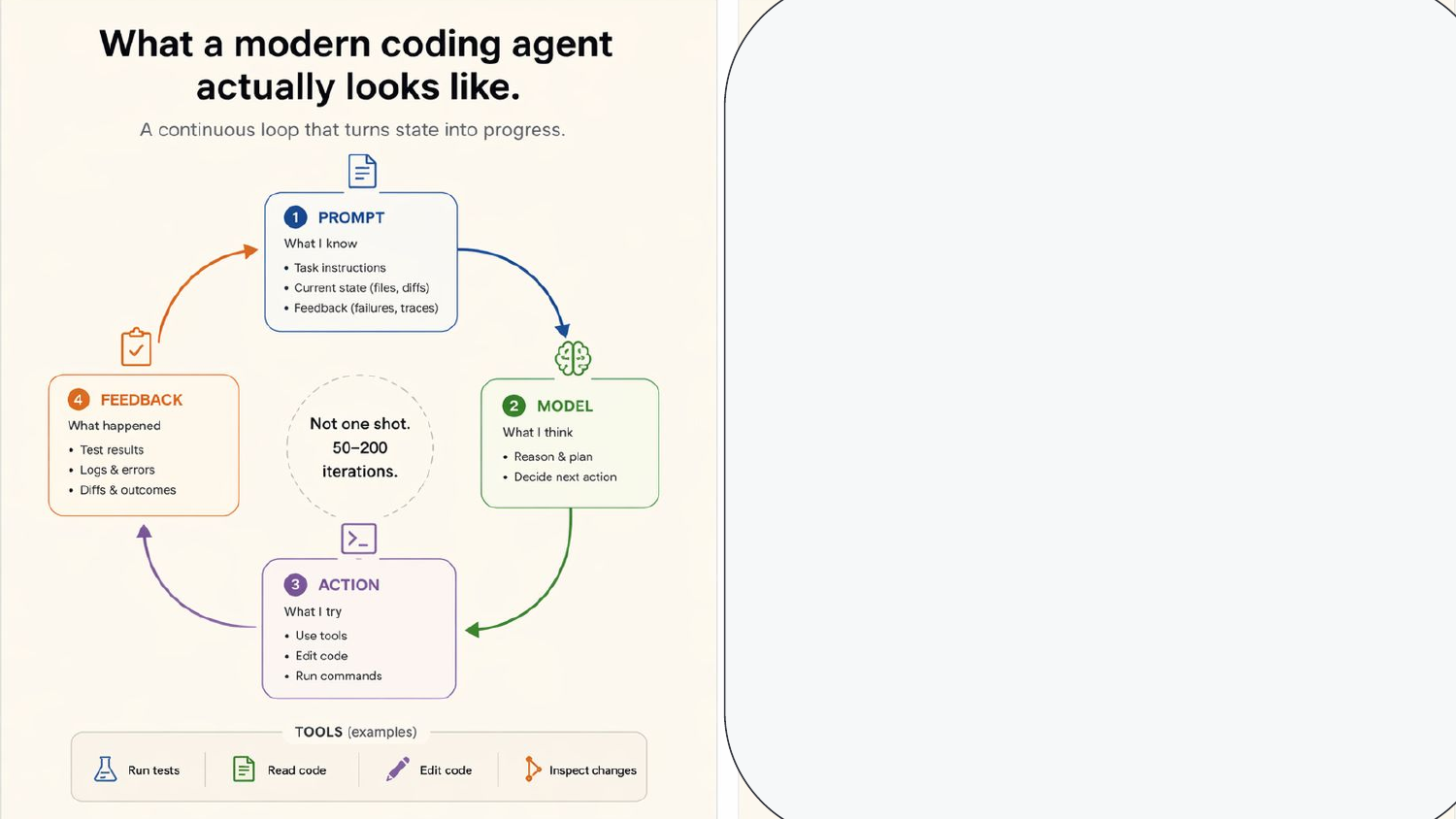
Here’s the loop in concrete terms. Prompt → model → action → feedback. Not one shot. Modern coding agents iterate fifty to two hundred times to finish a task.
9. A harness is everything outside the model
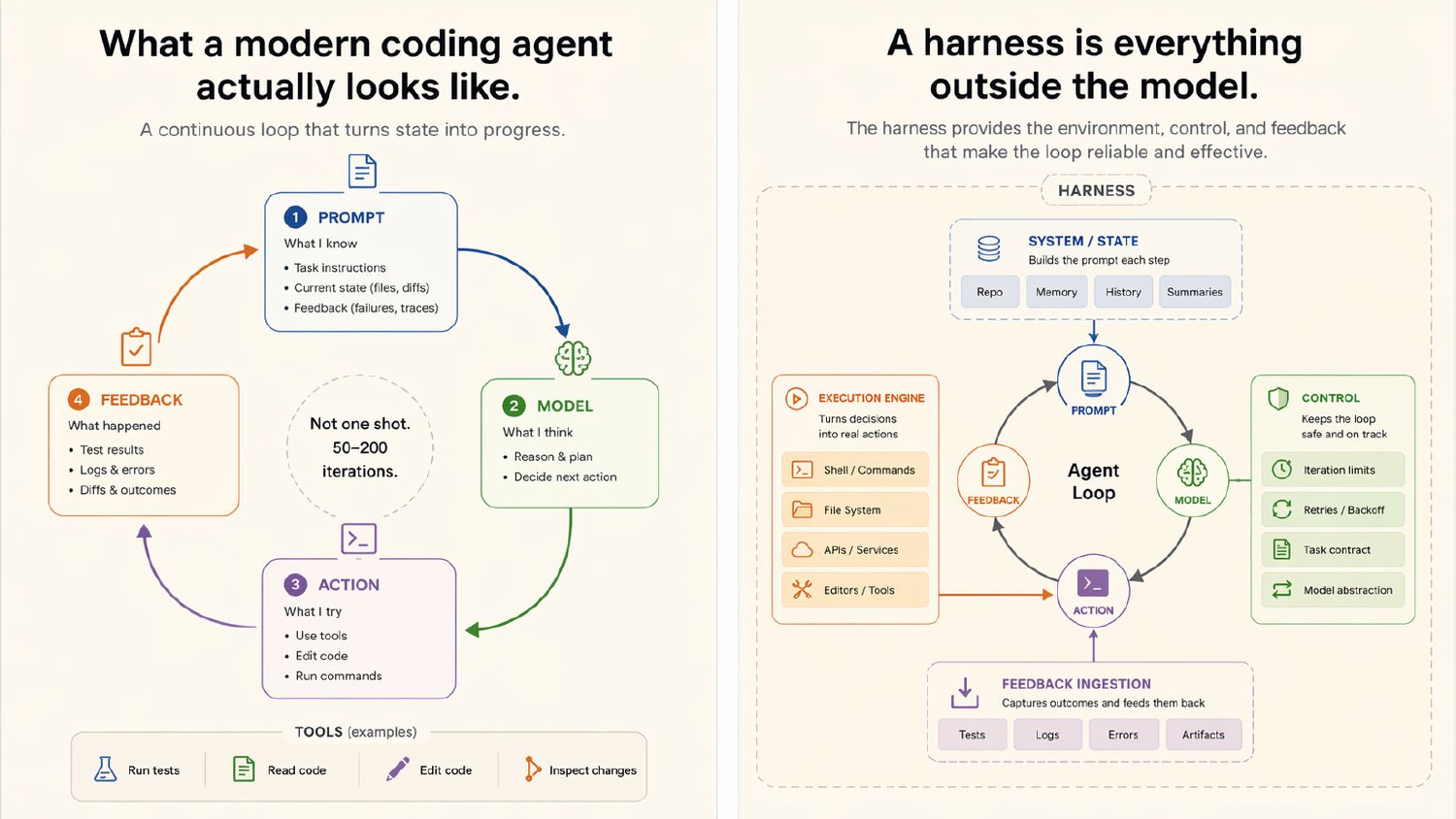
And here’s what makes that loop reliable — the harness wrapping it. State — repo, memory, history, summaries. Control — iteration limits, retries, task contracts. An execution engine that turns decisions into shell commands and file edits. Feedback ingestion that captures test failures and feeds them back. All that scaffolding on the outside is what turns a while loop into an agent that actually finishes work.
10. A good SDK abstracts the harness for agentic actions
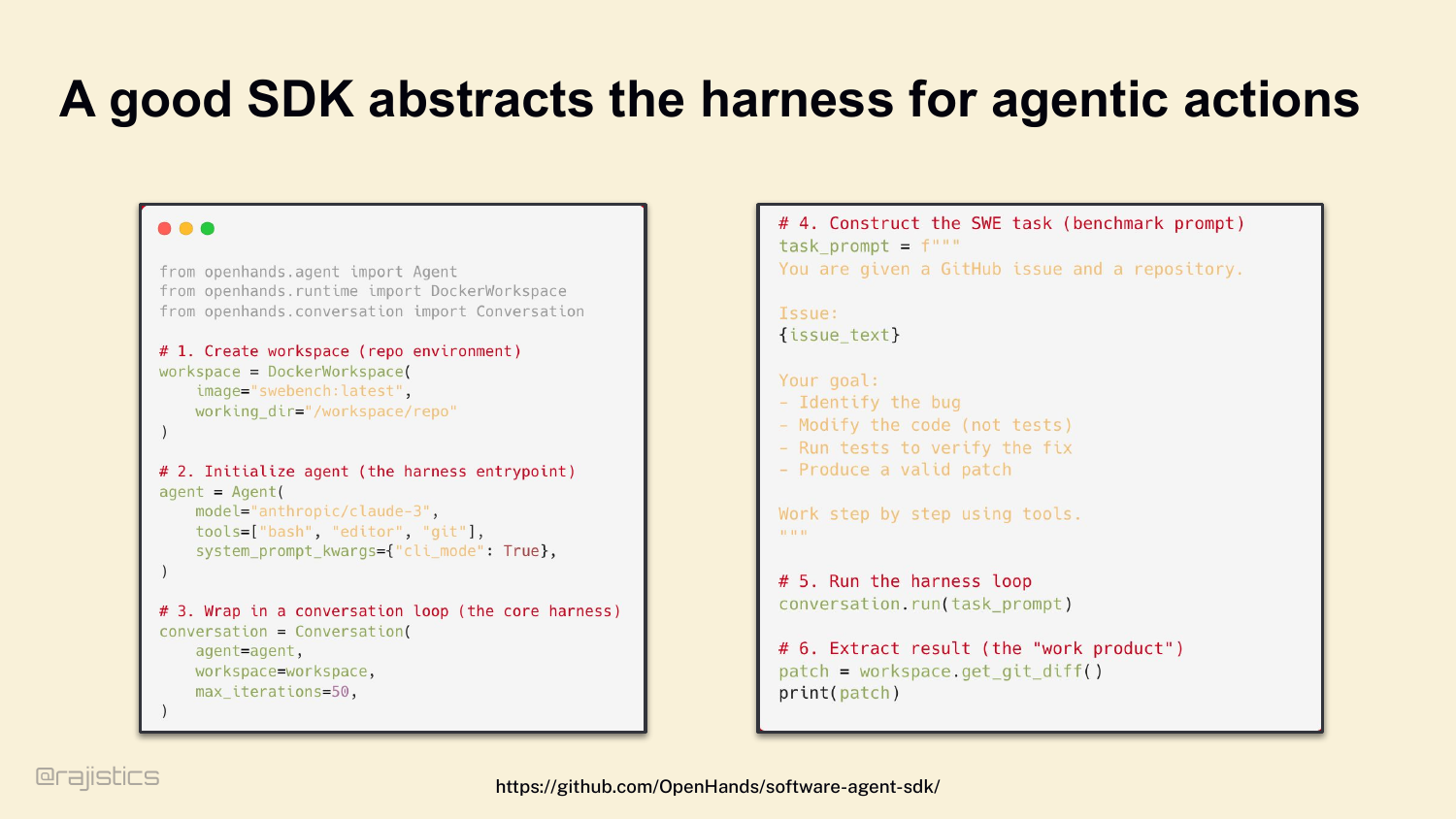
You don’t write this from scratch. We built the OpenHands SDK so you can wire up a workspace, an agent, tools, and a conversation loop in about twenty lines of code. Claude Code, Codex CLI, Factory, OpenHands — every serious harness abstracts this same set of concerns. The SDK hides the plumbing.
11. Same model, 2× performance gap
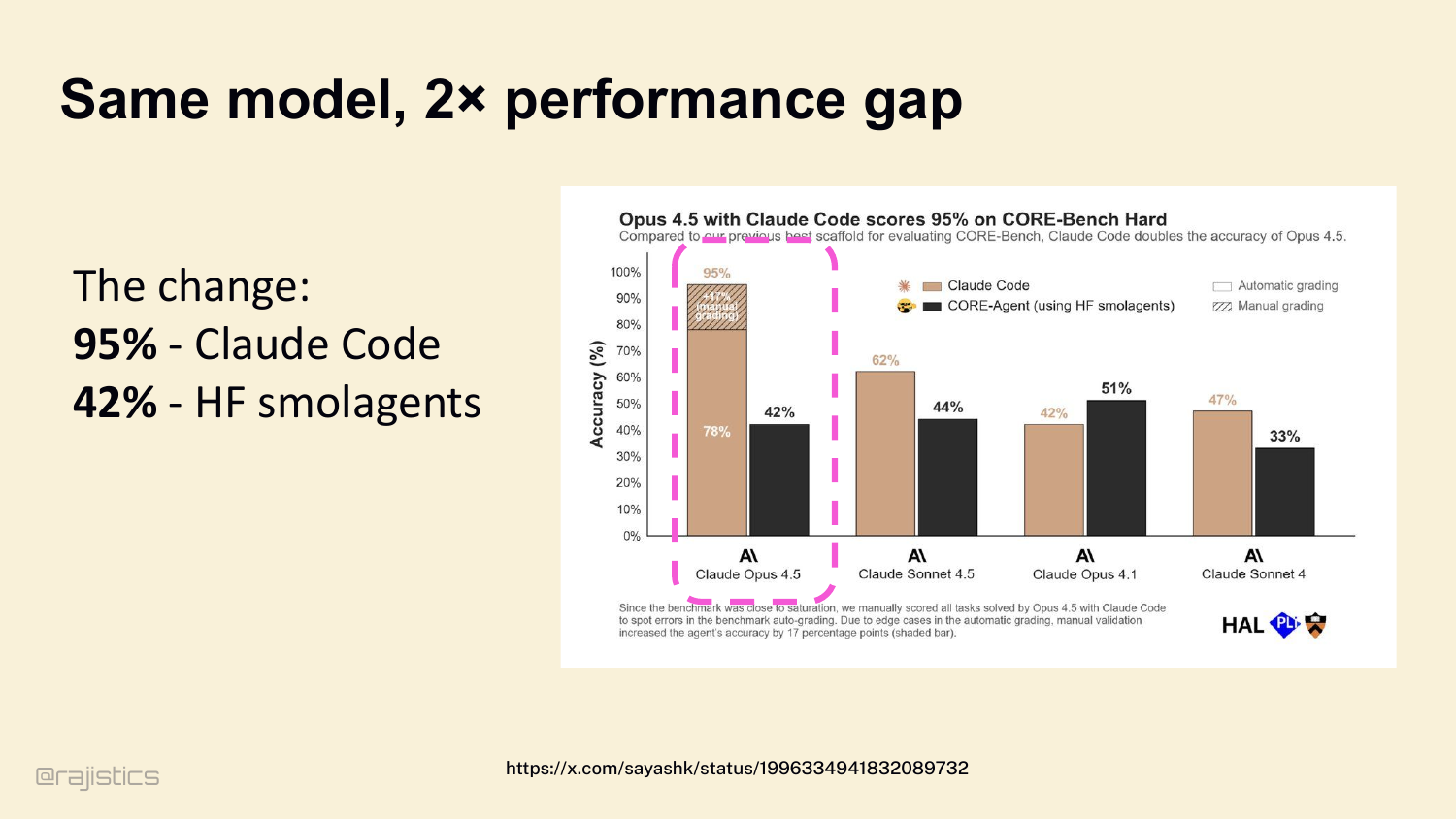
And the harness matters. A lot. Three pieces of evidence. First: same model — Claude Opus 4.5. Put it in Claude Code’s harness, it hits 95% on CORE-Bench Hard. Put it in a naive Hugging Face Smolagents setup, it drops to 42%. Same weights. Same intelligence. The harness alone moves you fifty-three percentage points.
12. Everyone on the leaderboard uses the same model
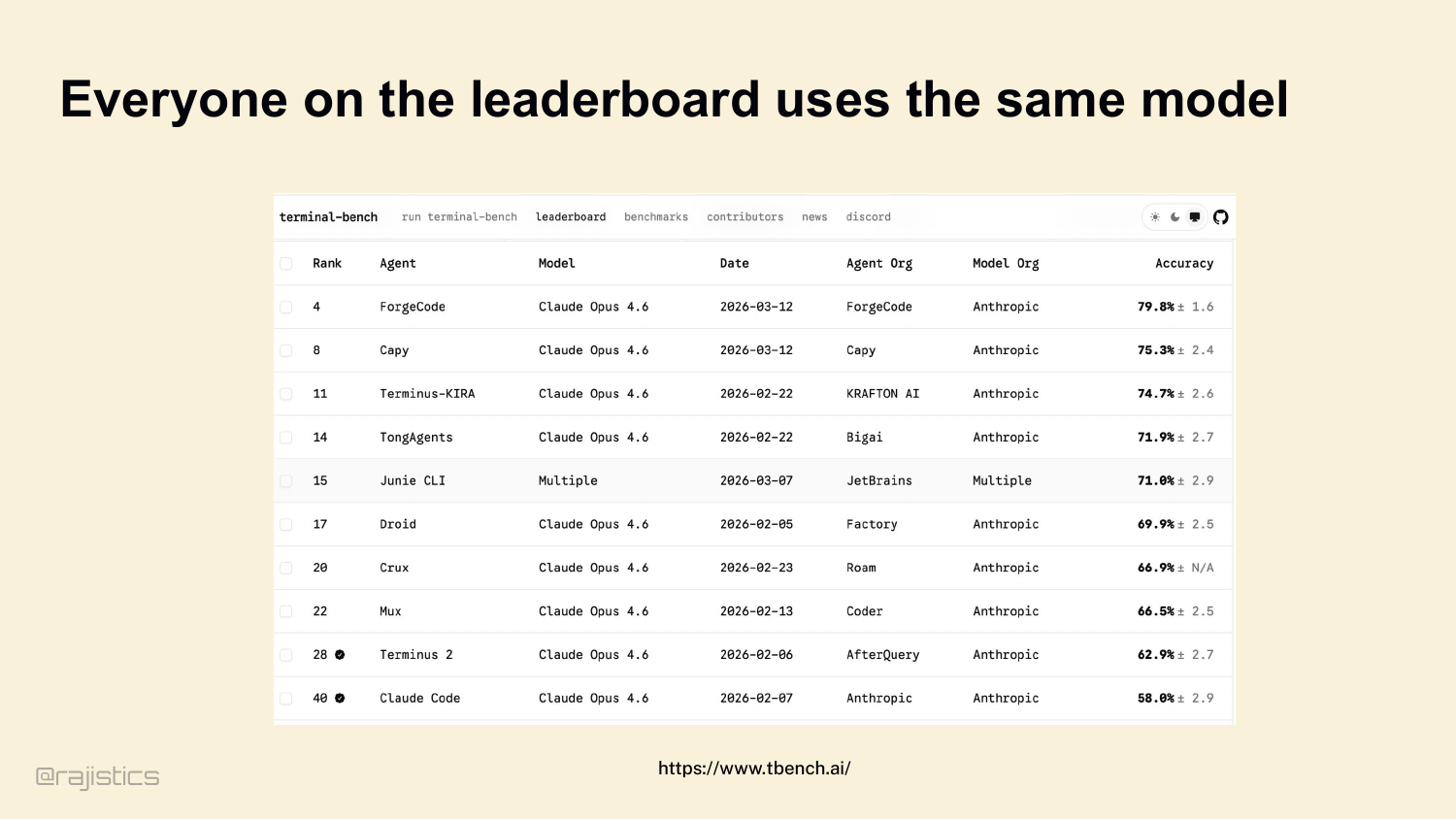
Second: Terminal Bench leaderboard, today. Look at the model column. Claude Opus 4.6, all the way down. Every top entry is running the same model — they’re competing on harness design. That’s the entire contest.
13. Small model + good harness > big model
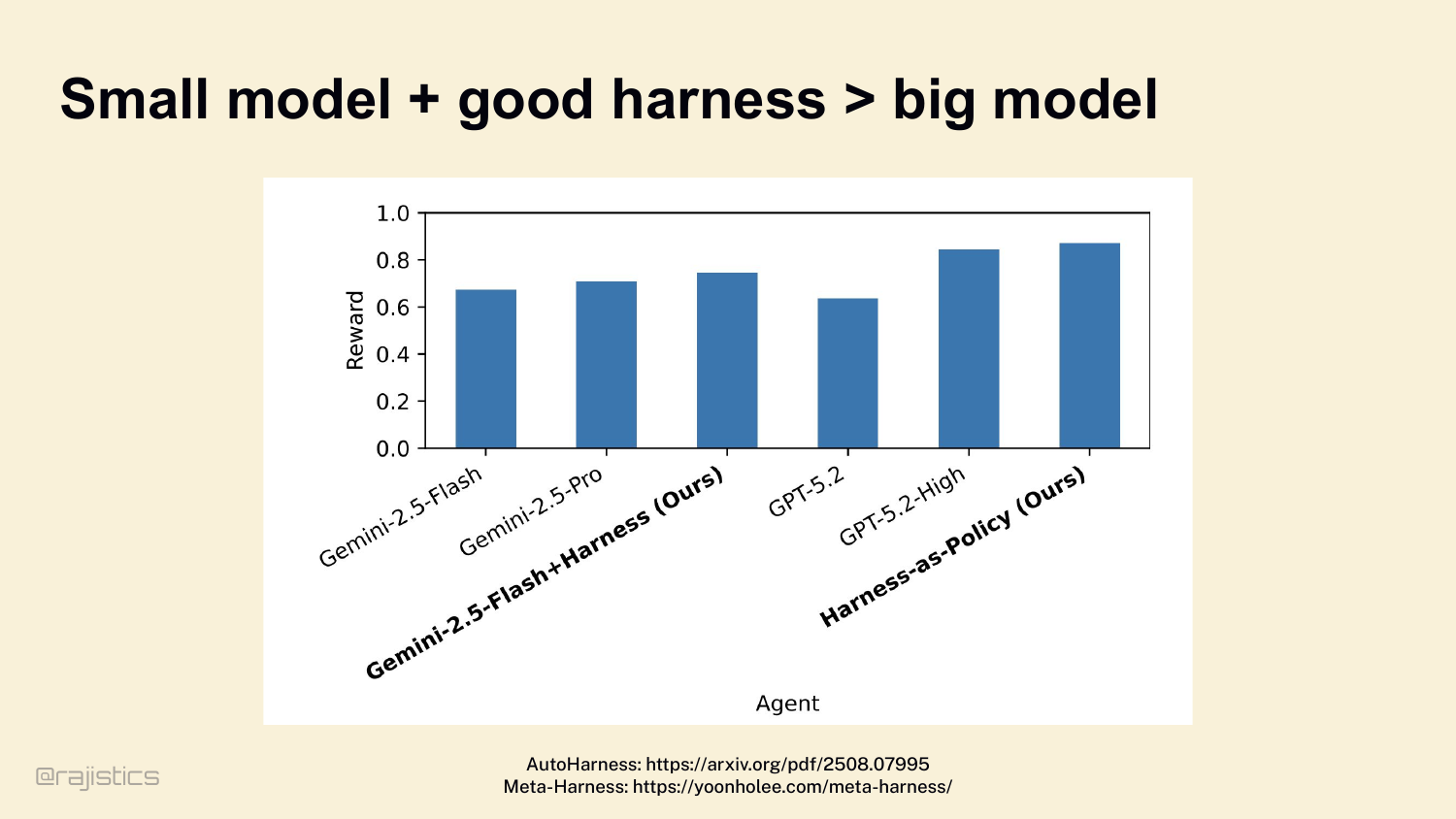
Third: a great harness can flip the math entirely. The AutoHarness paper pairs Gemini 2.5 Flash — a small, cheap model — with a well-designed harness, and it beats GPT-5.2 High. Cheaper model, better result, because the scaffolding was better. Three independent proofs, same conclusion. The harness decides more than the model.
14. What harness do you use?
Quick show of hands before we go deeper. Who here uses Claude Code? Codex CLI? Cursor? OpenHands? Something else? Cool — . Hold onto that. We’re going to come back to what your harness is deciding for you.
15. Harness carries a lot of decisions
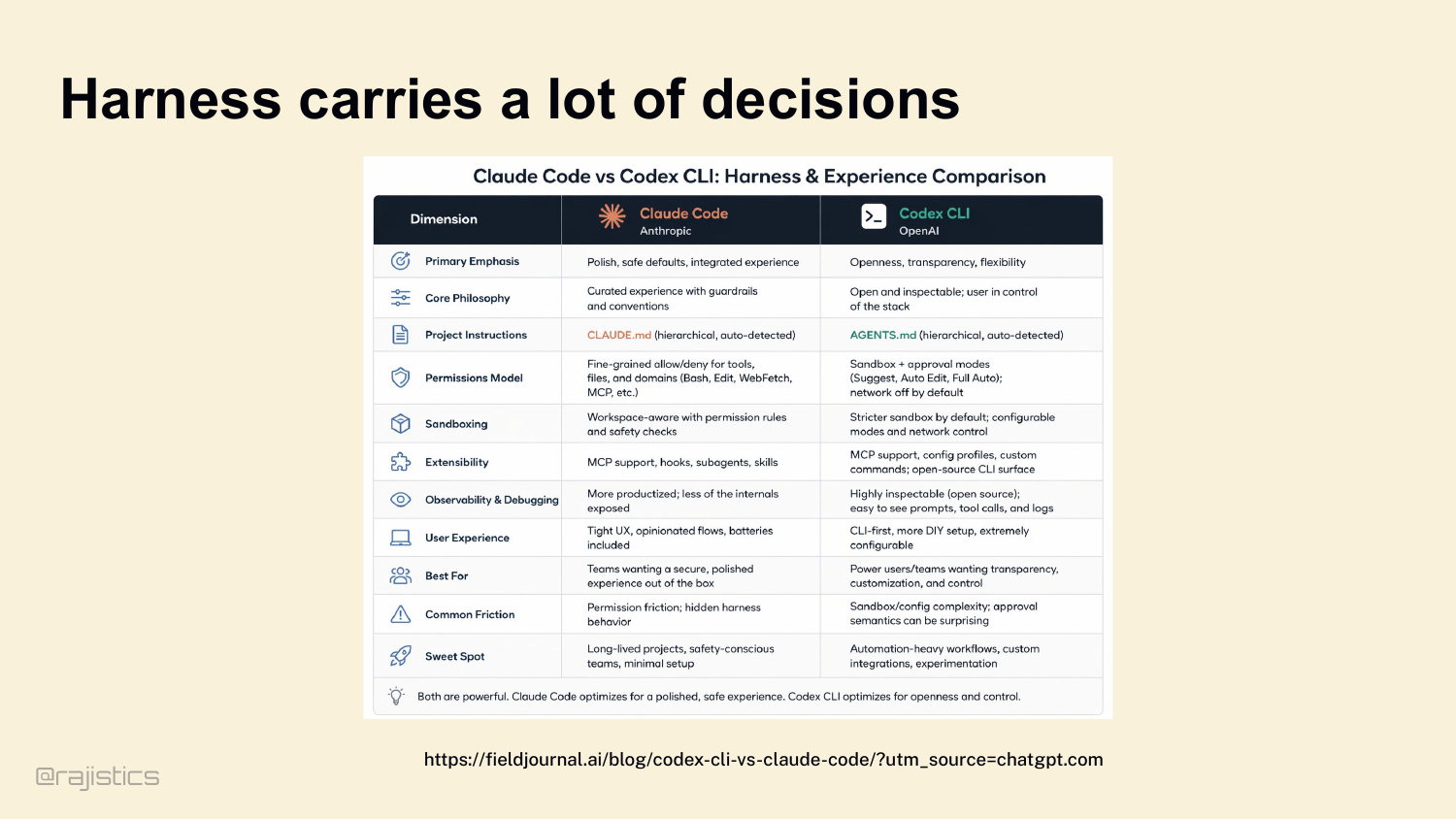
Which means the next question is: whose harness? Take Claude Code versus Codex CLI. Same category of product. Very different harness decisions. How permissions work. How CLAUDE.md vs AGENTS.md gets loaded. How the sandbox behaves. How much of the internals you can see. Every row in this table is a decision somebody already made for you.
16. Harnesses carry technical debt
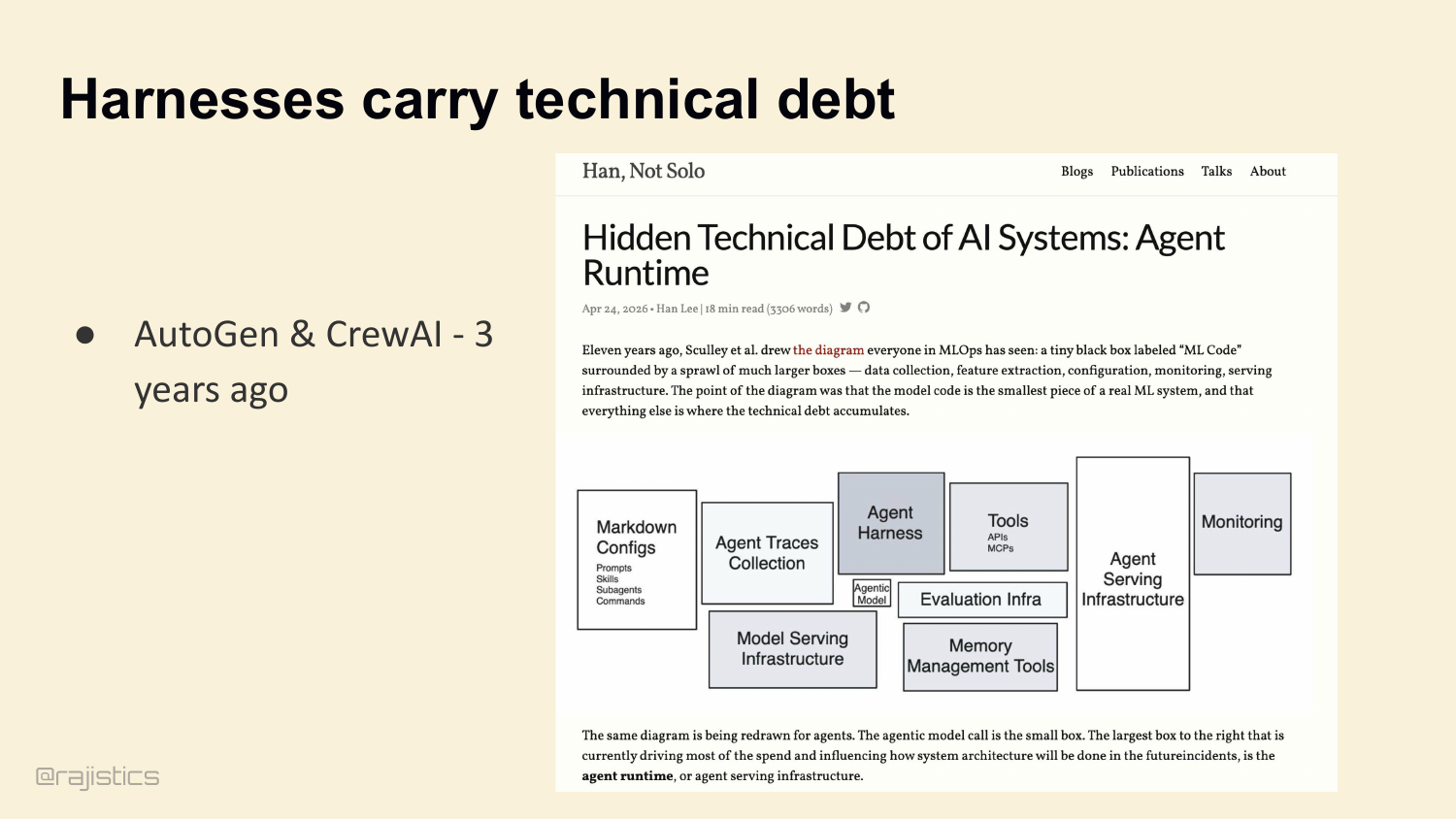
This is the setup slide for the next argument: harnesses accumulate technical debt quickly, so yesterday’s orchestration defaults become today’s hidden liabilities.
17. Harnesses are evolving with the models.
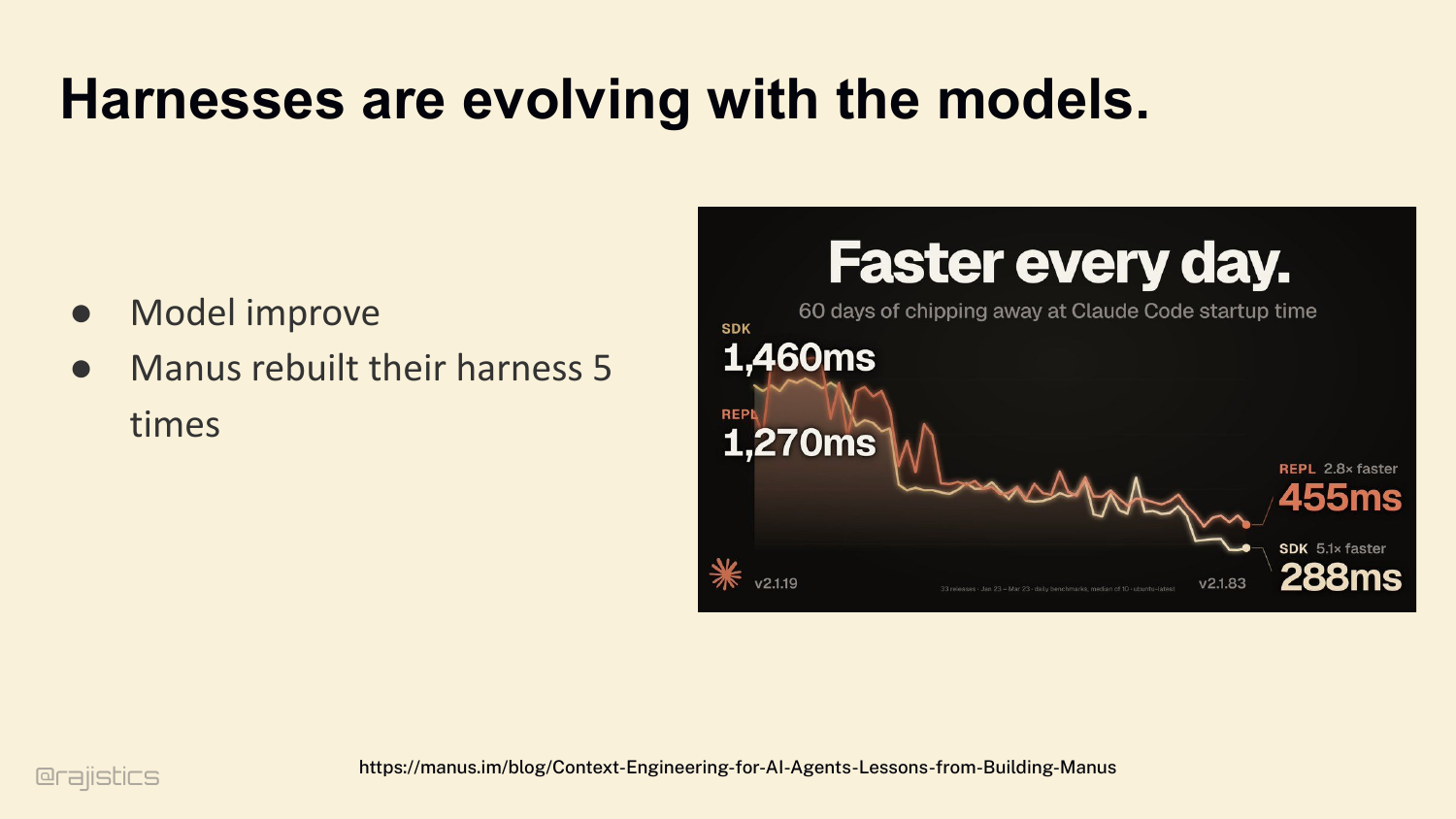
And those decisions don’t stay put. Three years ago we were all using AutoGen and CrewAI — nobody runs those in production anymore. Boris Cherny, who leads Claude Code at Anthropic, frames it this way: as models improve, your harness should get simpler. Stress-test your harness. Is this code load-bearing, or just legacy overhead? Manus is the cleanest example — they rebuilt their harness five times in six months. Each rewrite removed complexity. Complex tool definitions became general shell execution. Management agents became simple structured handoffs. So: are harnesses actually getting simpler? Let’s check.
18. As models improved, who has noticed the trend towards shorter system prompts?
Show of hands — anyone here notice that as models have gotten better, system prompts have gotten shorter? That’s the story Boris and a lot of harness builders tell: better models, less hand-holding. I wanted to check that. Let me show you what I found.
19. System prompts getting longer!
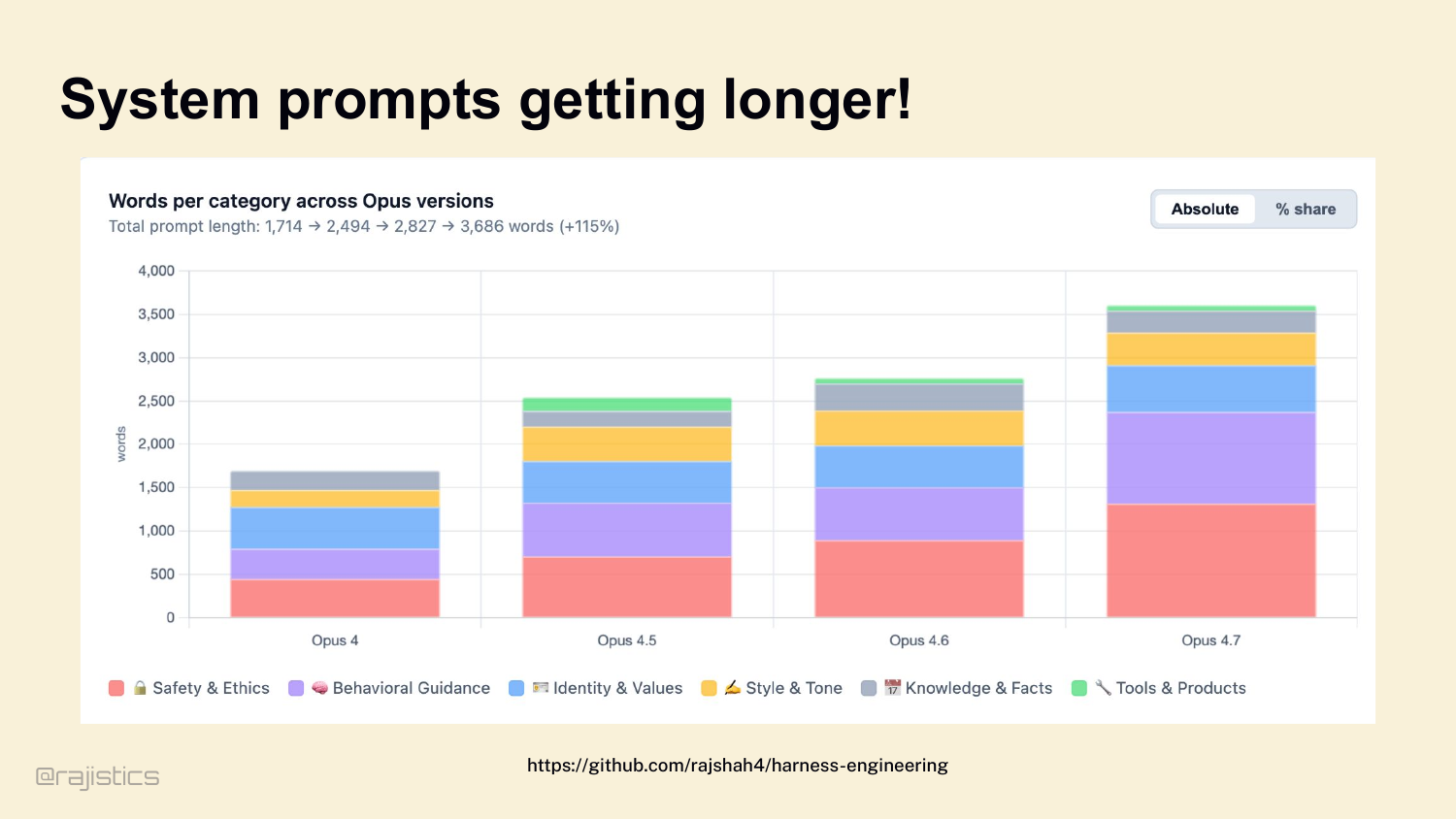
I pulled the last four Claude Opus system prompts — May 2025 through April 2026 — and measured them by category. The prompt more than doubled in eleven months. 1,714 words to 3,686 words. Safety nearly tripled. Behavioral guidance roughly tripled. Identity barely moved. Knowledge stayed flat. So the honest answer is: some things get simpler — the behavioral patches for letter-counting, for puzzle constraints — those got retired into training. But the structural stuff — safety, tools, agentic guidance — keeps growing. Don’t take the vendor story at face value. Measure.
20. Claude Code Harness / Architecture
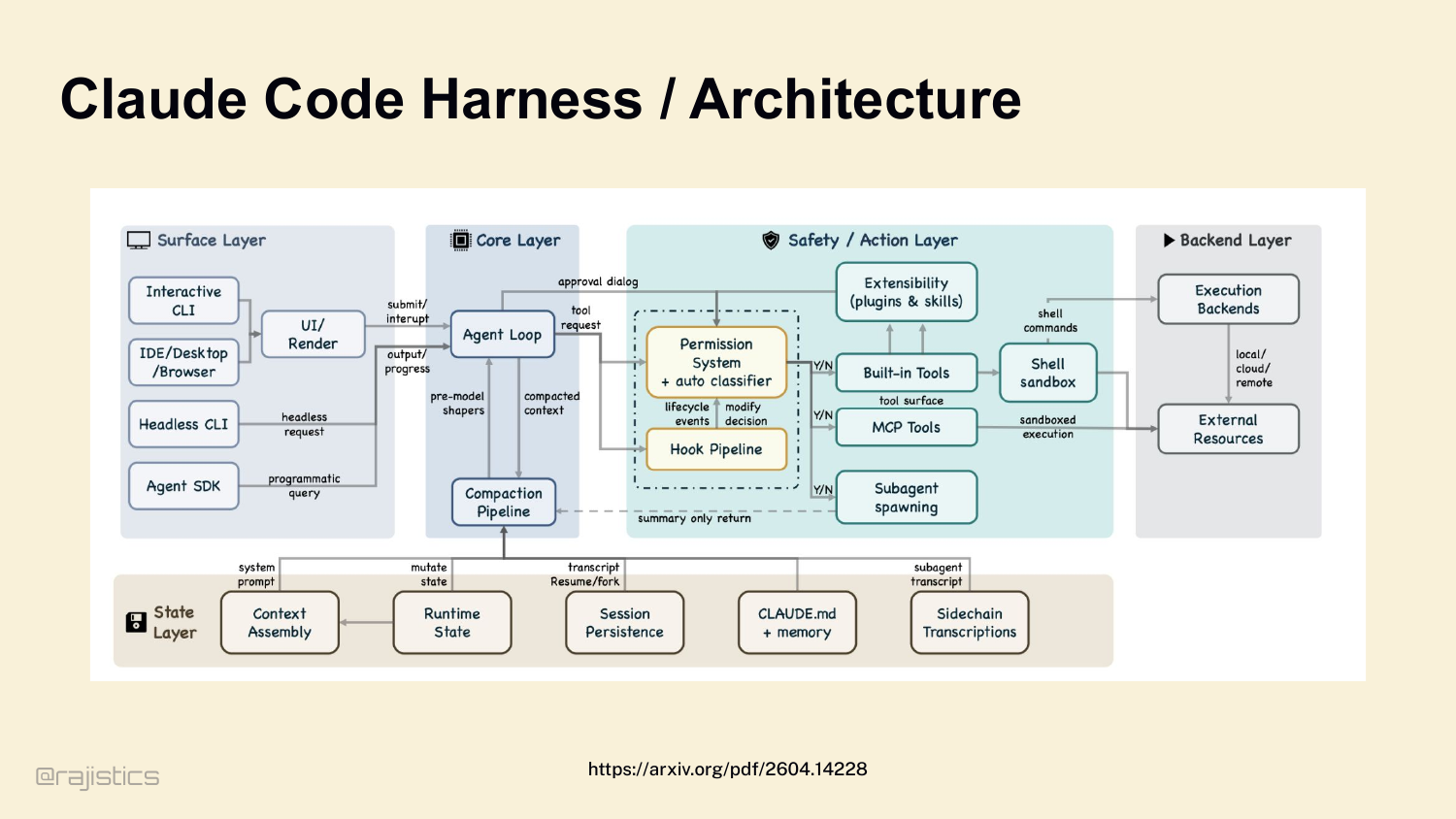
And once you accept that the vendor’s story doesn’t match reality, the next question is: what is actually under the hood? Here’s what Claude Code’s harness looks like — this came out of a leak. Agent loop. Compaction pipeline. Permission system. Hook pipeline. MCP tools. Subagent spawning. Shell sandbox. It’s a lot. And every one of those boxes is a decision made for you.
21. Harnesses have bugs
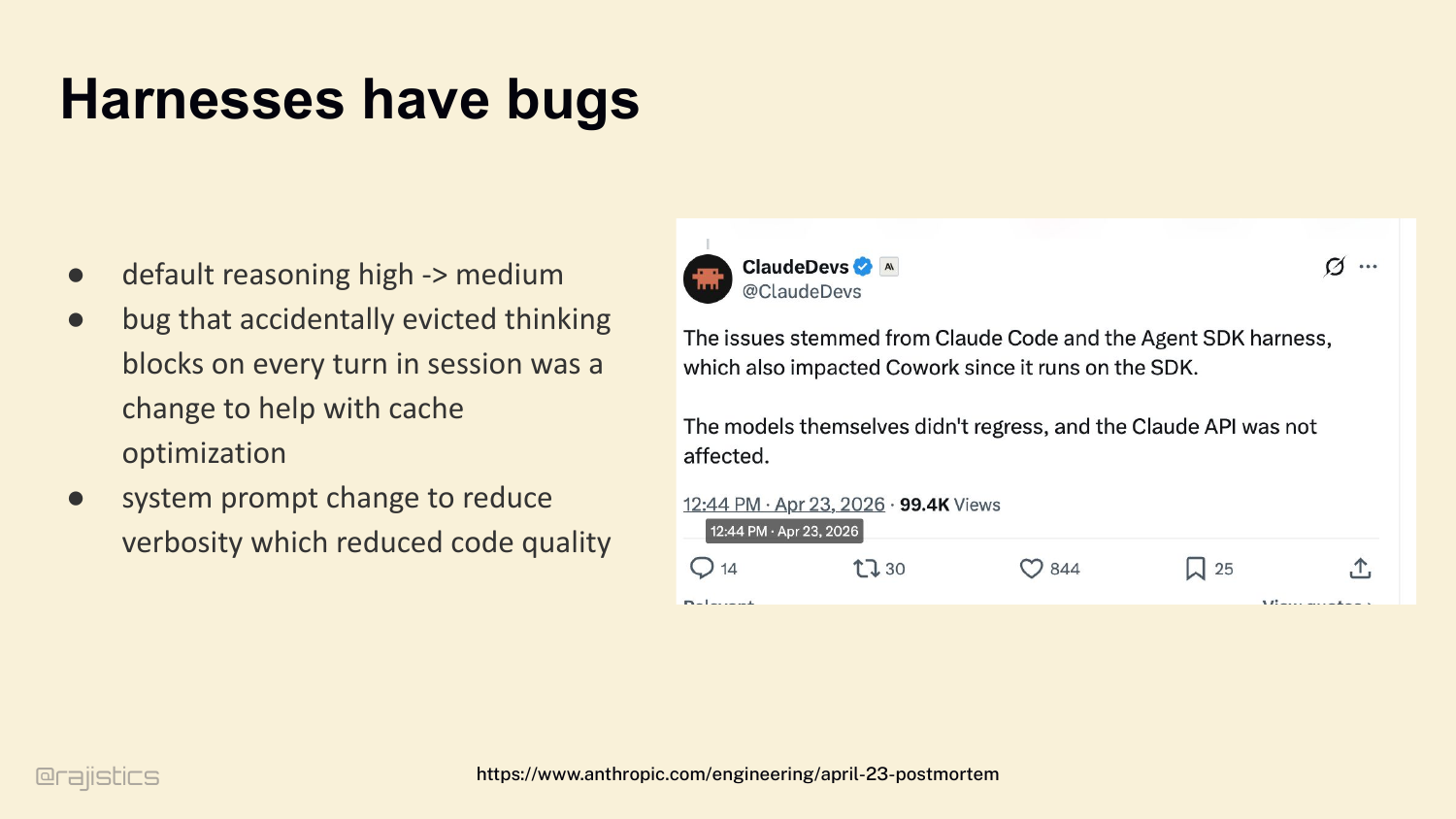
And that complexity has real consequences. A few days ago — Anthropic posted a postmortem. Claude Code had a regression. The model didn’t change. The harness changed. Default reasoning dropped from high to medium. A bug evicted thinking blocks to save cache. A system prompt tweak reduced verbosity — which reduced code quality. Three harness bugs. Users felt them immediately.
22. The 5 Levers of Harness Engineering
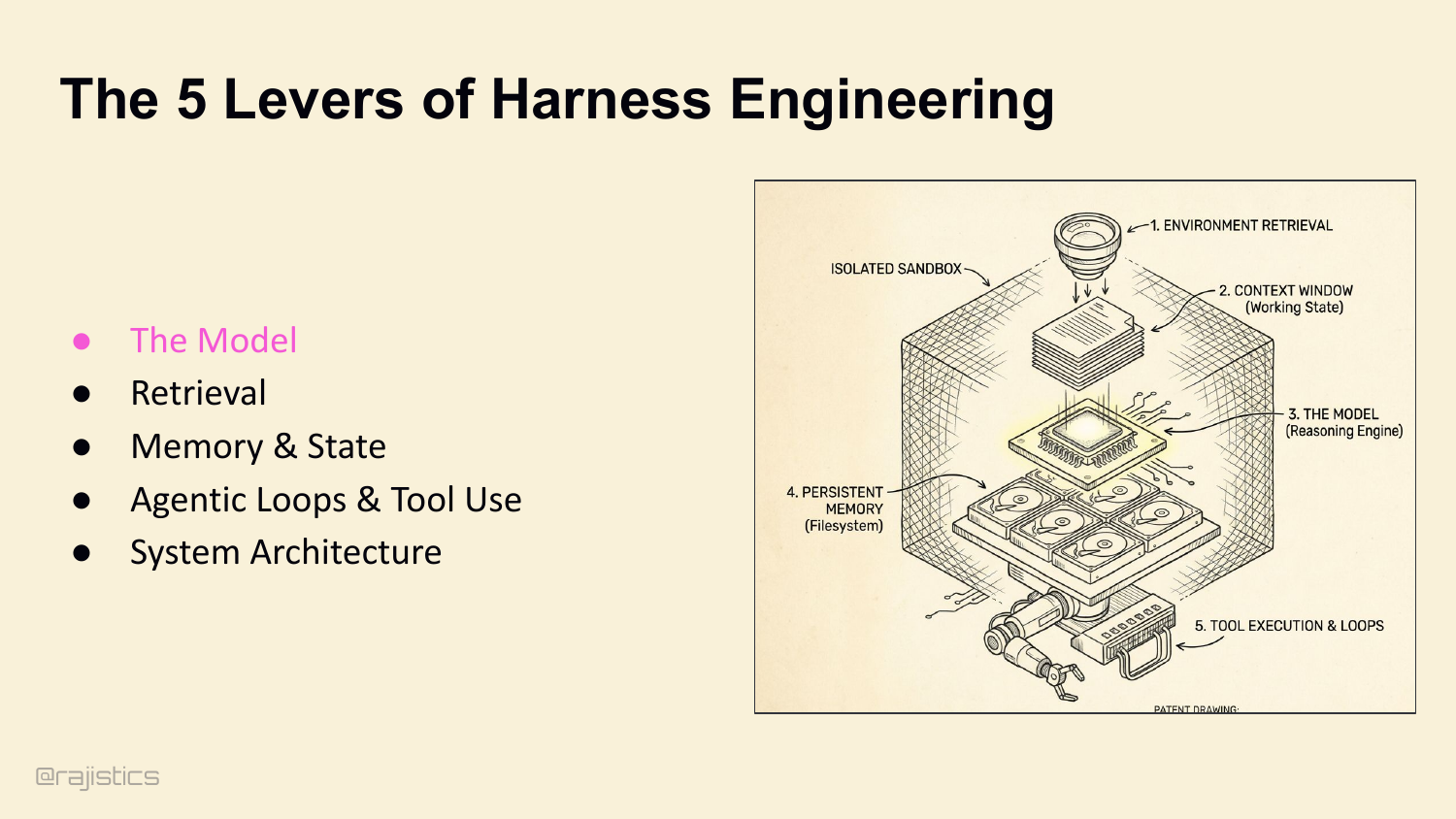
Which brings us to the roadmap. If you want to own your harness — and I’m hoping by now you want to — there are five levers you control. The model is one, but we all know how to swap models. The next four are where the variance actually lives: retrieval, memory, loops, and architecture. That’s the rest of this hour. Starting with retrieval.
23. Let’s start with how agents find what they need.
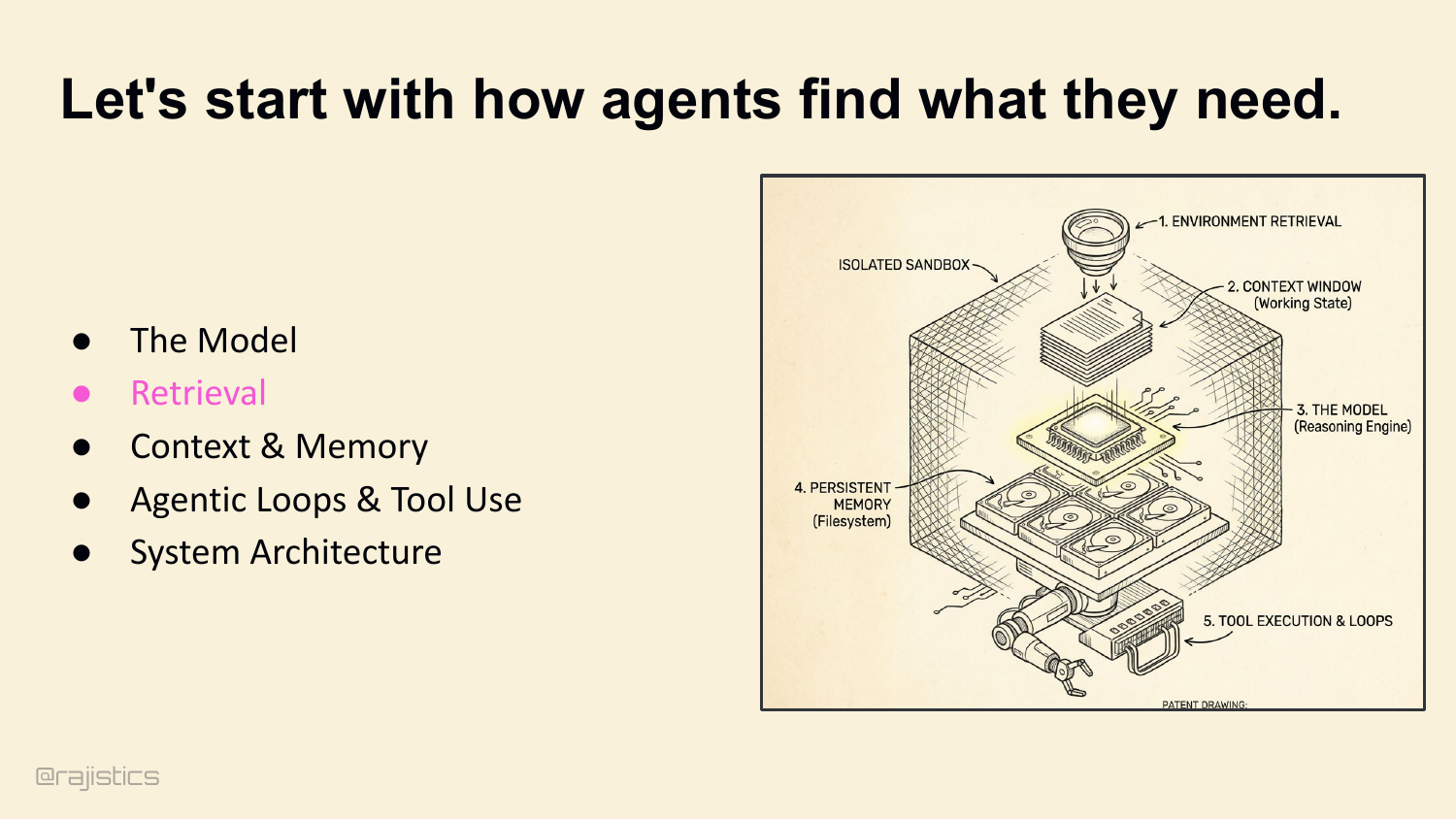
First lever: how the agent finds what it needs. Retrieval.
24. The three modes of Agentic Retrieval.
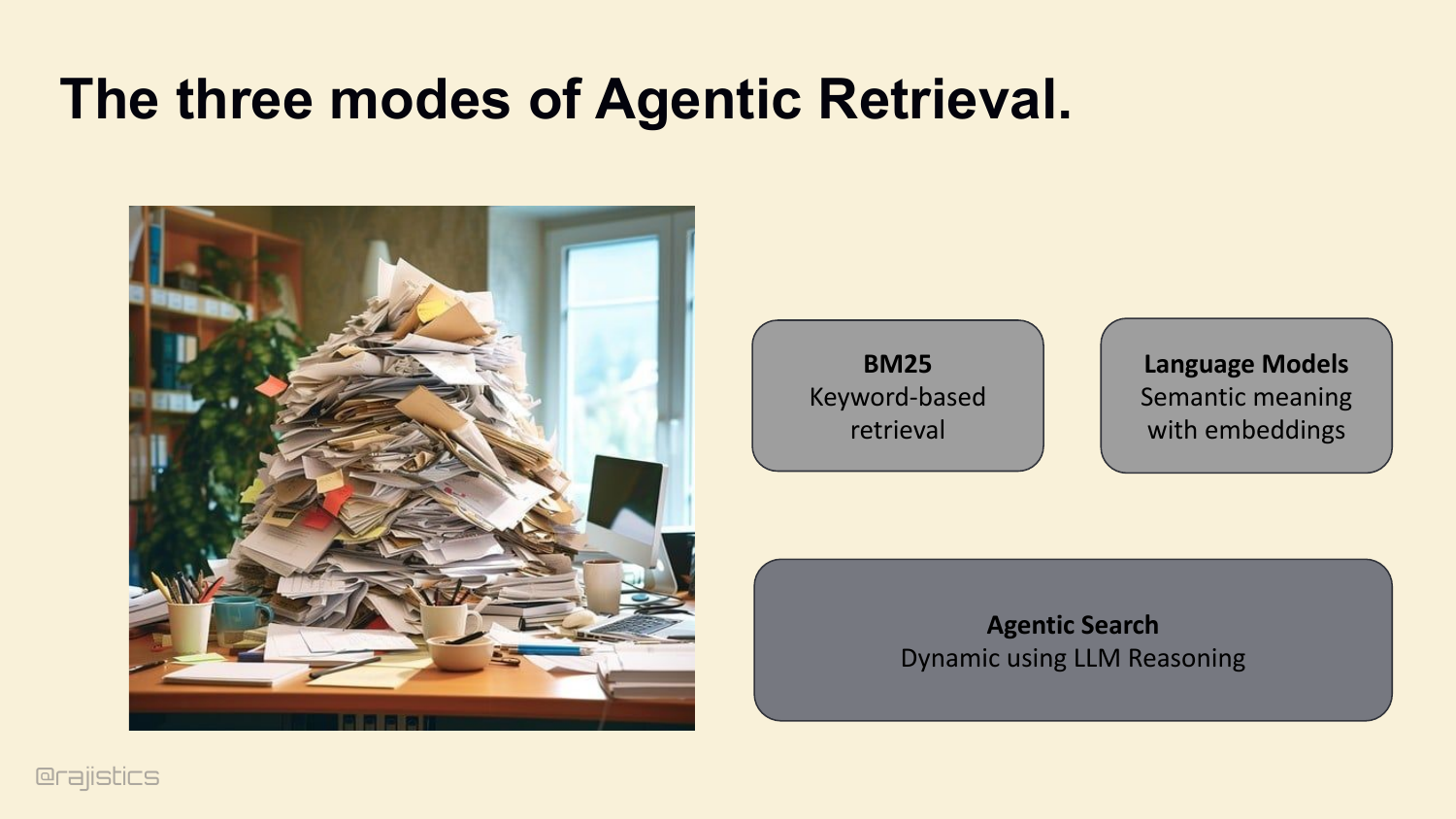
Three buckets. Lexical search — keyword-based. Language models — semantic meaning with embeddings. And agentic search — dynamic queries driven by the model’s own reasoning. The industry default is to reach for semantic. For coding agents, you need to reconsider that.
25. The Baseline: grep.
The baseline isn’t a vector database. It’s grep. Keyword precision. Sub-second latency. Battle-tested. If you can solve your problem with grep, you’ve already won.
26. State-of-the-Art Coding Agents rely on grep
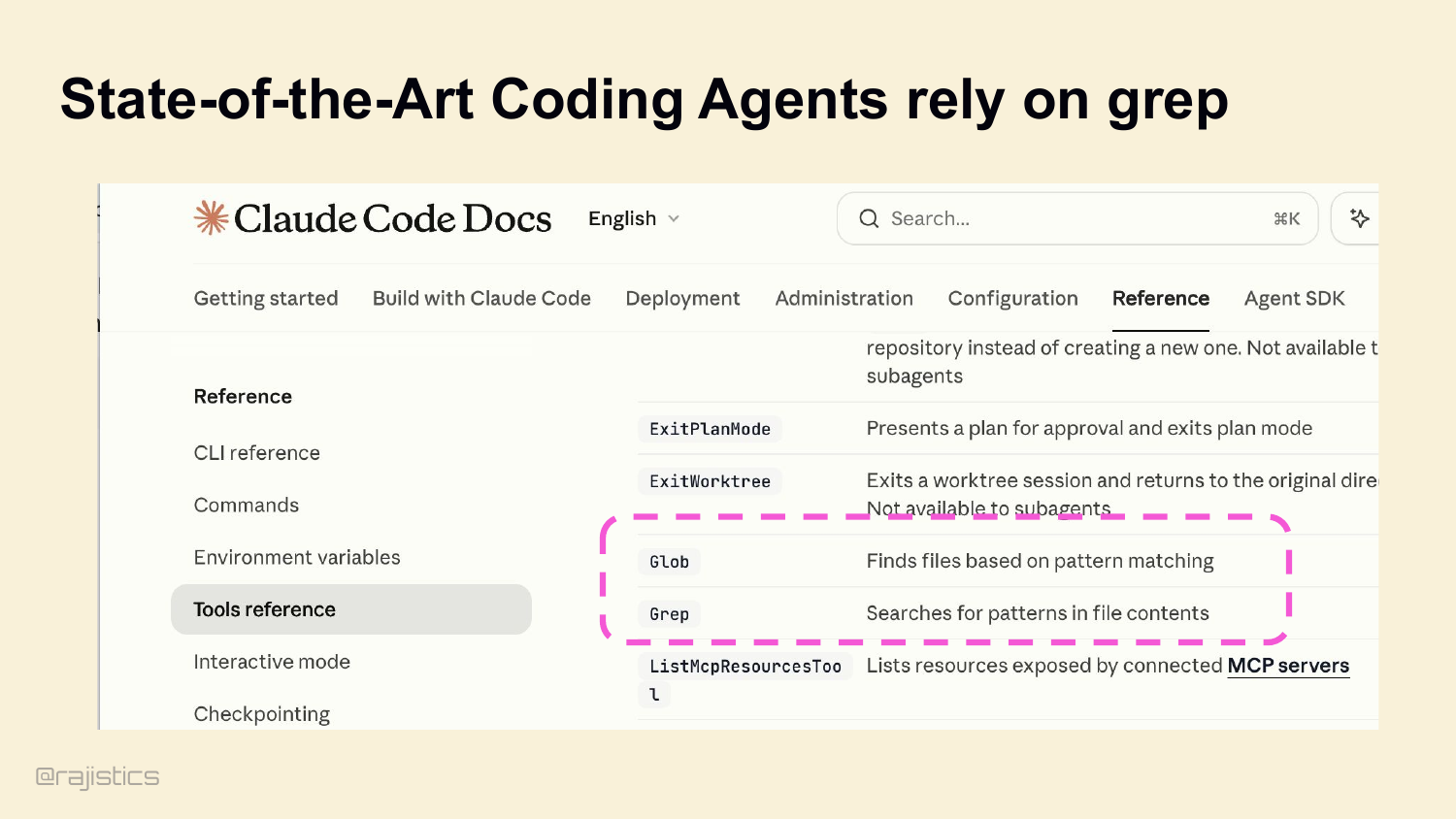
And this isn’t a contrarian take. Look at Claude Code’s own docs — Glob and Grep right there in the tool reference. Pure lexical search. Boris Cherny and Catherine Wu, the architects, went on record: they tested lexical versus vector and lexical was much better for code. Cursor is reportedly ripping out their entire vector search infrastructure.
27. Inverted Indices (BM25) make grep instant.
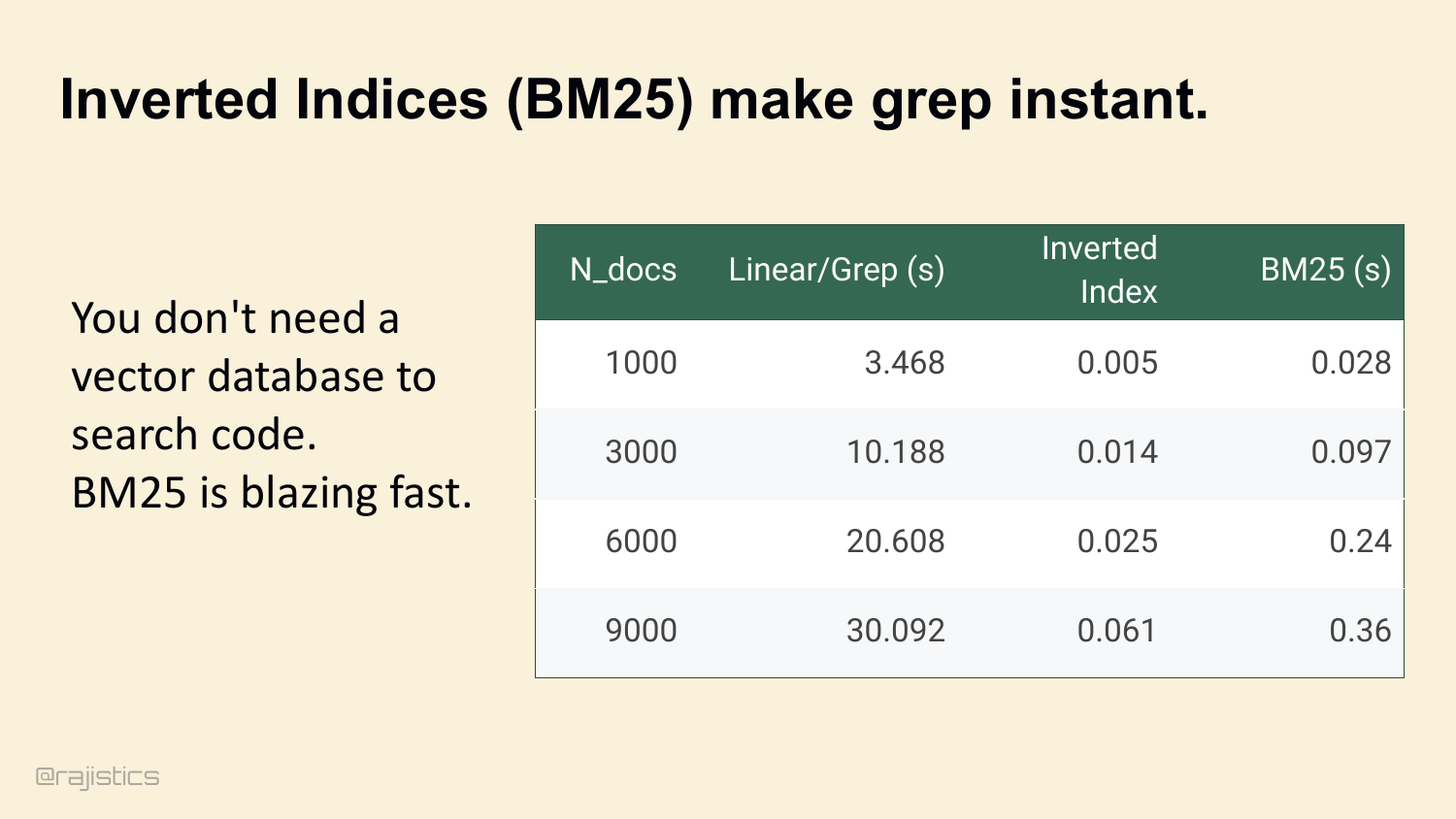
And if you need to scale grep across a big repo, BM25 makes it instant. Inverted index — same idea Lucene’s used for twenty years. Look at this table: linear grep across 9,000 docs takes thirty seconds. BM25 does it in 360 milliseconds. You don’t need a vector DB to search code.
28. Context Harness Uses BM25
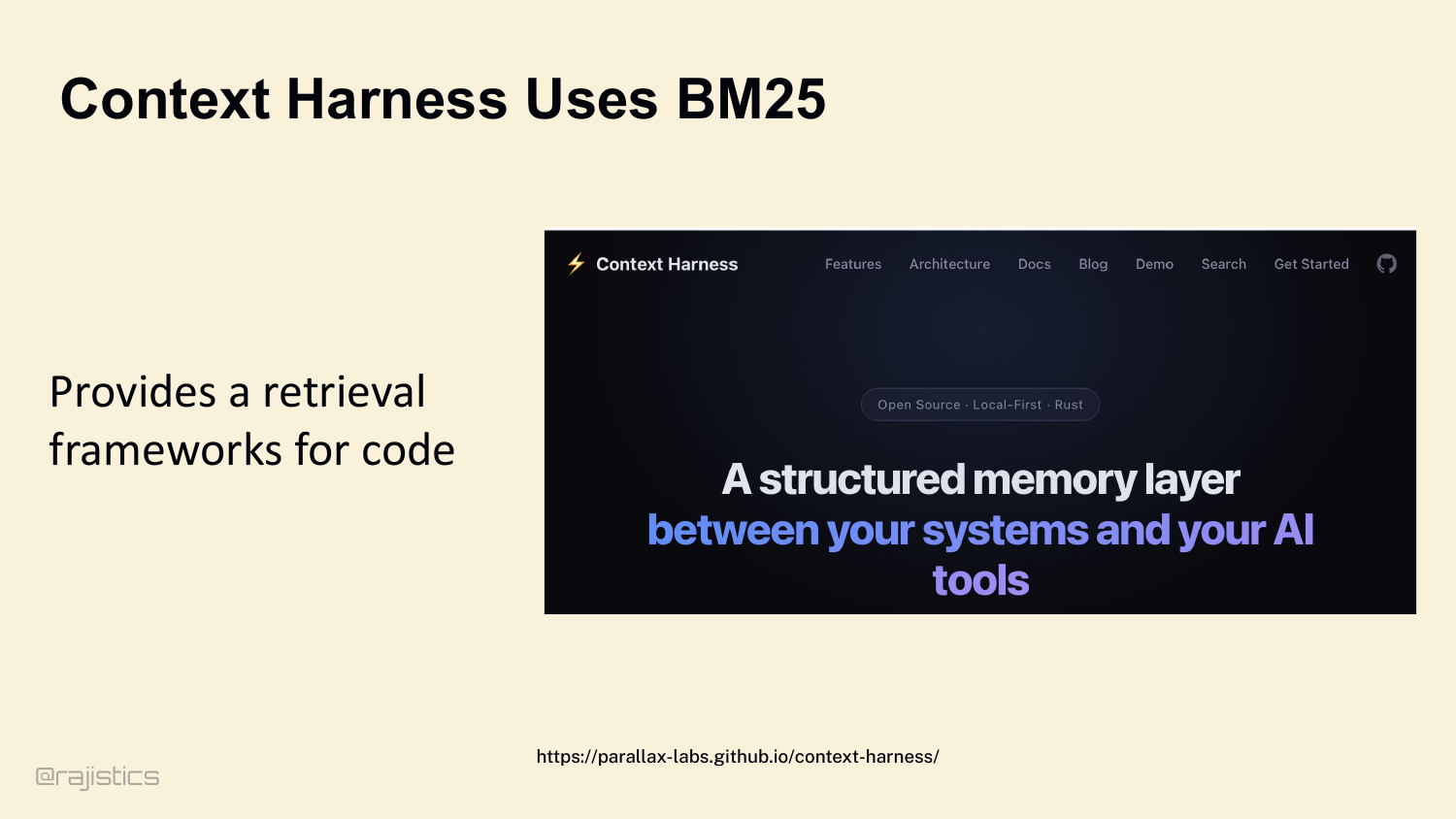
This slide translates the BM25 point into harness design: once the environment is indexed, lexical retrieval stays fast enough to be the default inside many coding agents.
29. Where Lexical breaks down: The Synonym Gap.
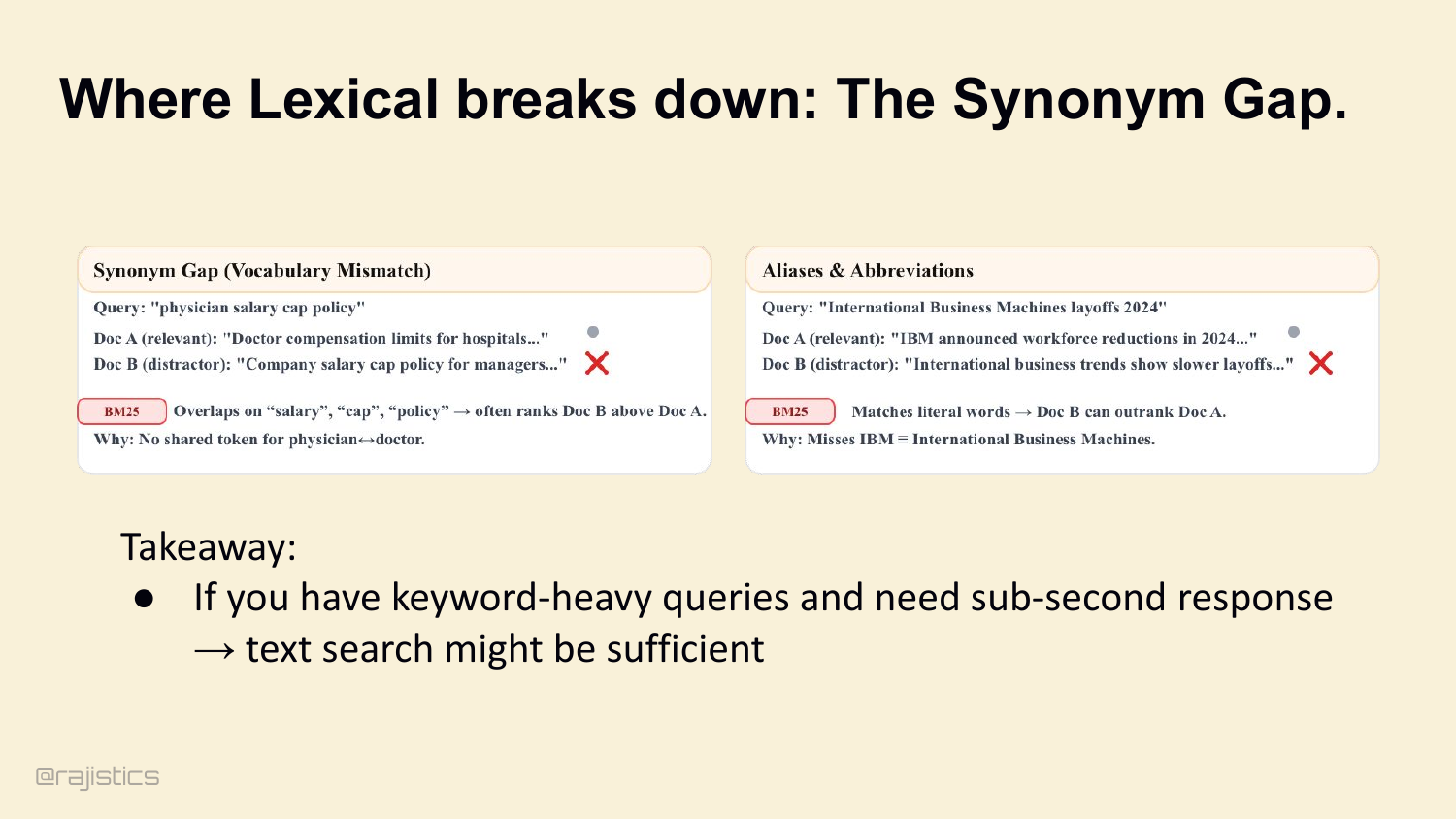
Where lexical does break: the synonym gap. You search for ‘physician,’ the doc says ‘doctor.’ BM25 misses it. You search for ‘IBM,’ the doc says ‘International Business Machines.’ BM25 misses that too. If your queries don’t share tokens with the source, lexical can’t help you.
30. Embeddings solve for meaning.
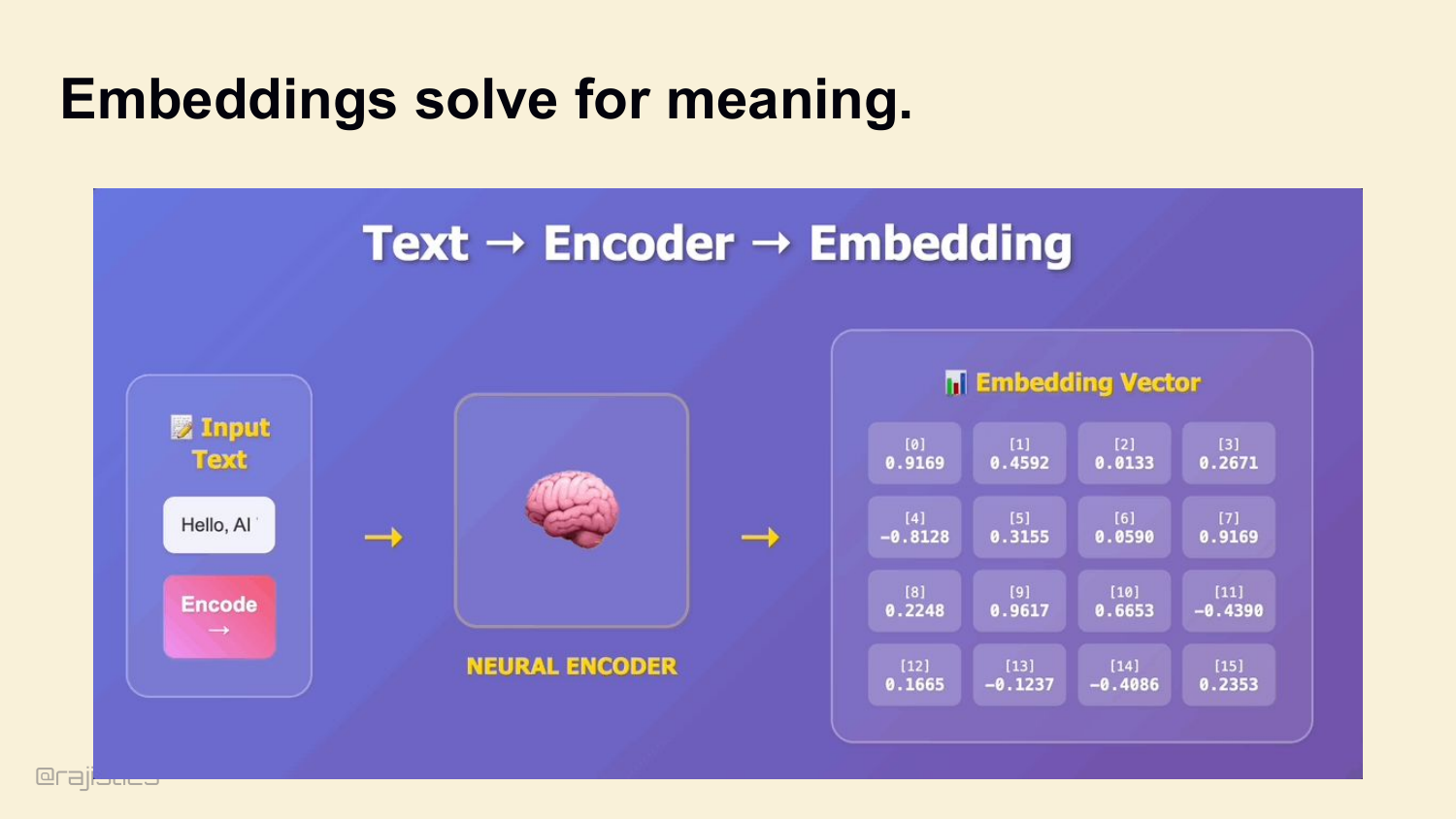
That’s where embeddings come in. Encode meaning, not tokens. Cosine similarity finds documents that mean the same thing even if they don’t share words.
31. Semantic search is useful for massive codebases.
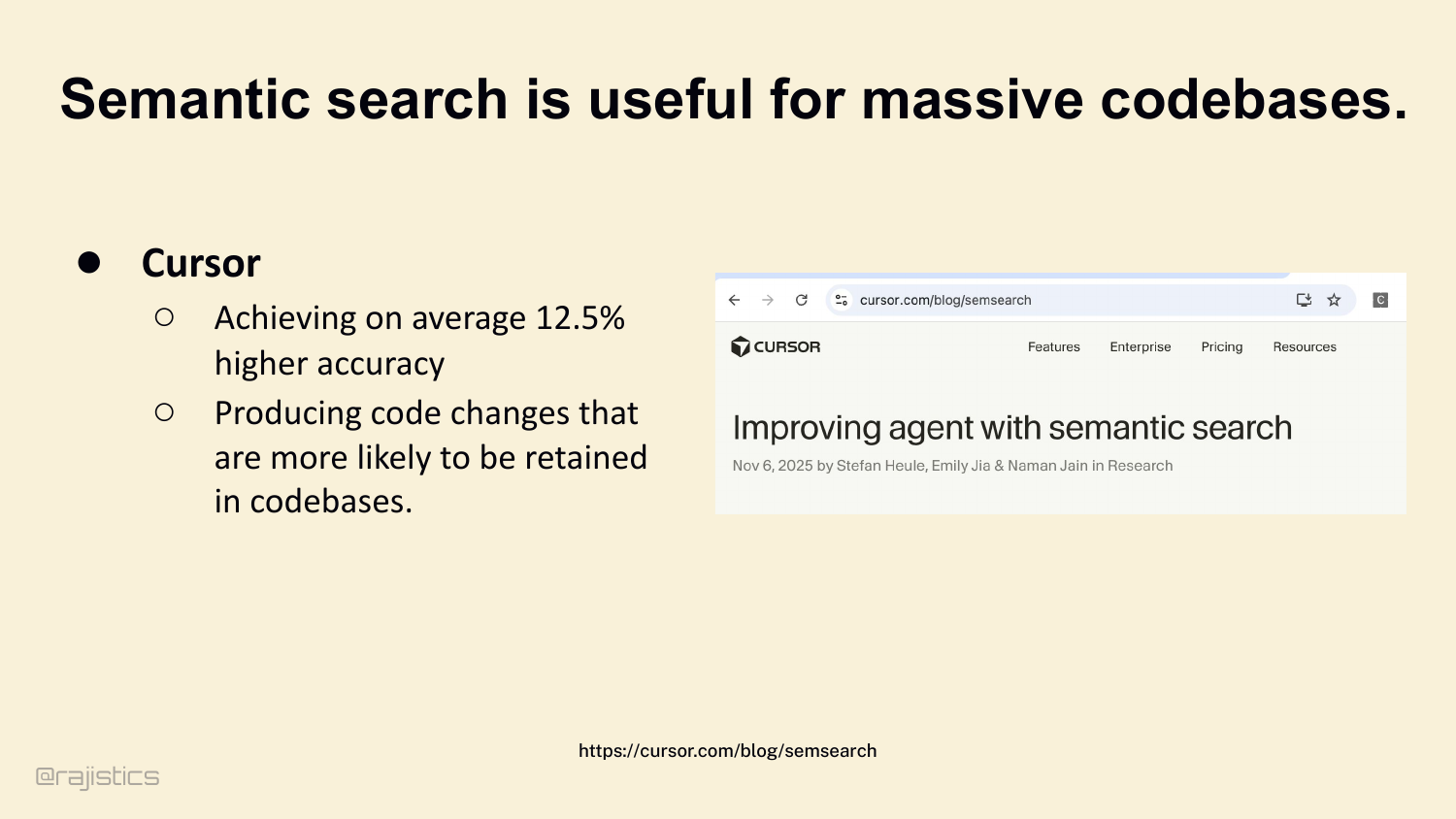
And for massive codebases, semantic earns its keep. Cursor’s telemetry shows about a 12.5% accuracy bump on large repos. The changes are also more likely to stick — to actually get retained in production.
32. Who’s using Agentic Search?
Agentic search is already showing up in real tools. The practical question is when the extra latency is worth paying for the added reasoning power.
33. Agentic RAG
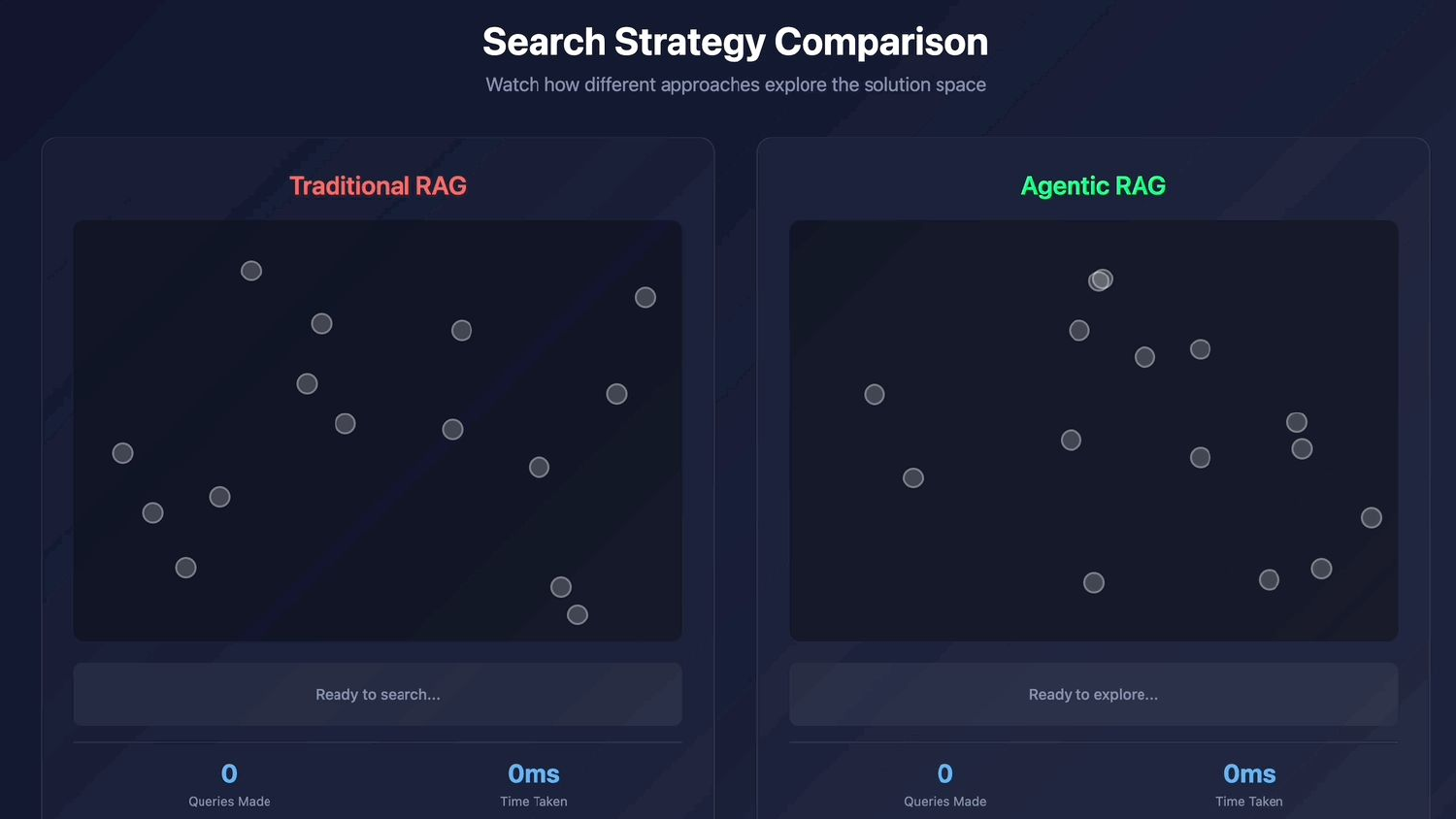
Which brings us to agentic search. Different paradigm entirely. Watch traditional RAG explore once and stop, versus an agent that keeps querying.
34. Agentic Search trades latency for massive accuracy.
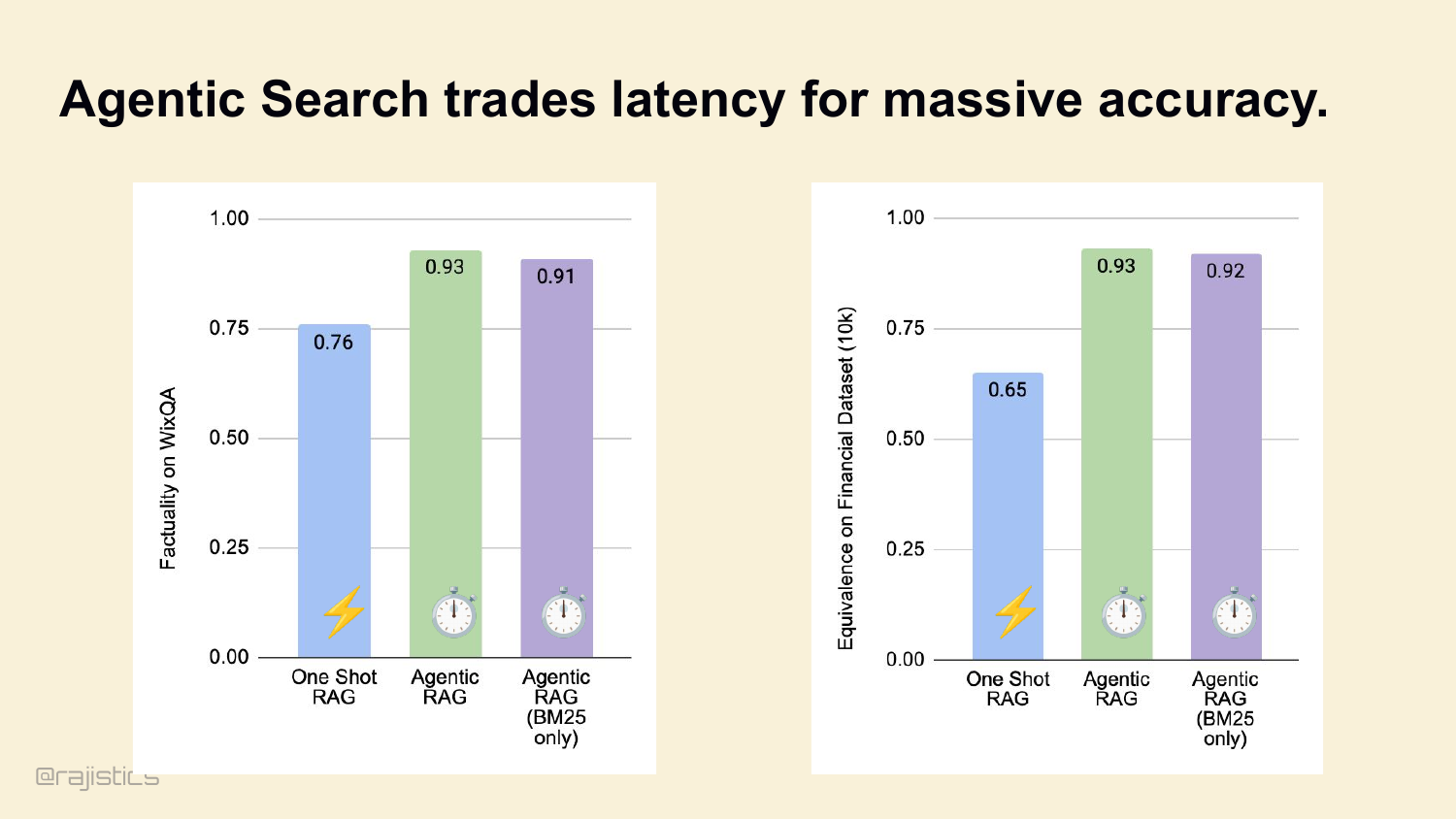
Traditional RAG makes one query, returns ten chunks, you’re done. Agentic search hands the LLM the search tool. The model looks at what it got, realizes it didn’t find the answer, rewrites the query, and tries again. Five seconds becomes twenty-five. But accuracy goes from 76% to 93% on WixQA. That’s the trade.
35. Coding agents are really good at long Context
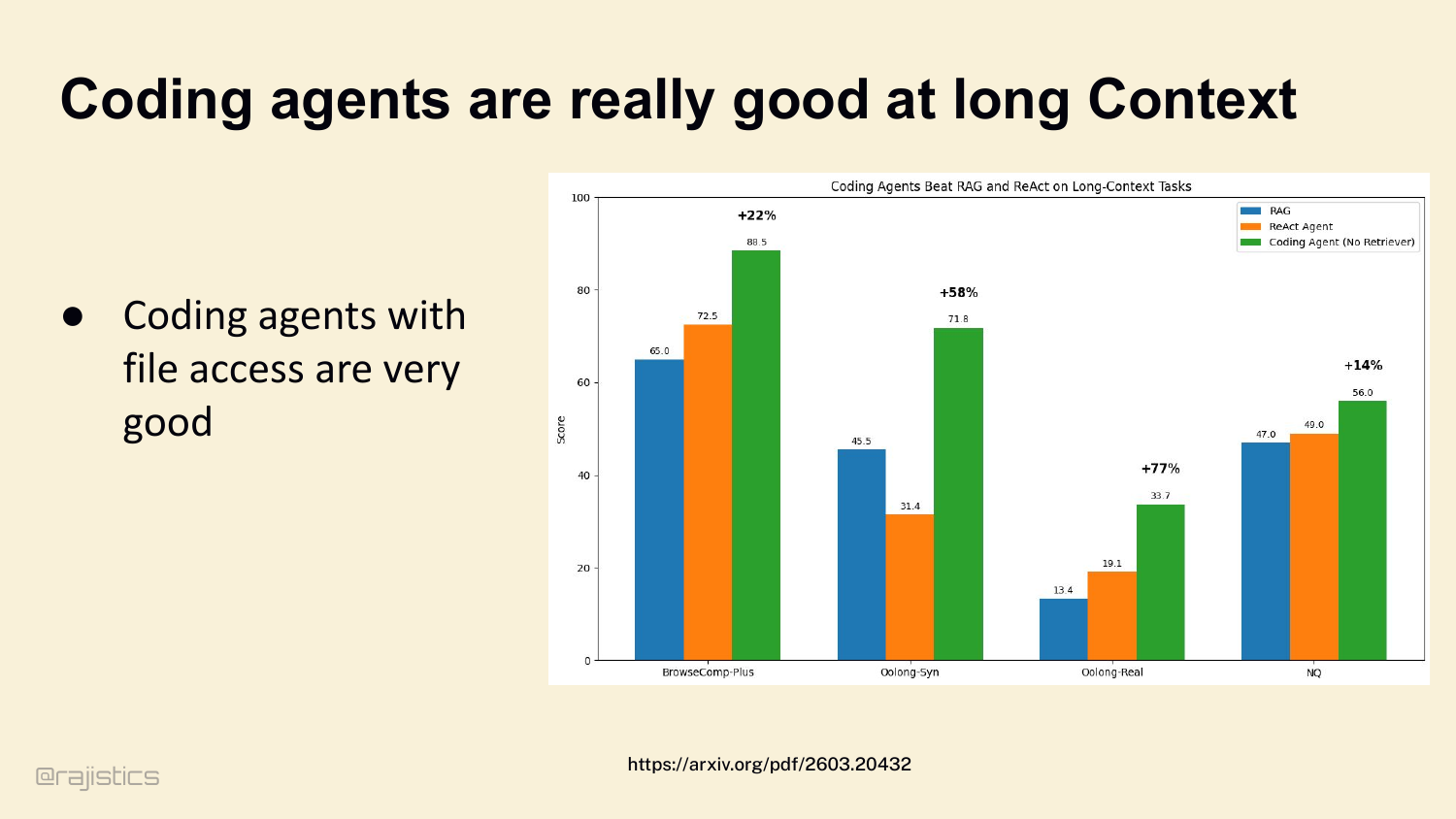
For coding specifically, agents with file access dominate. A coding agent with just bash and grep beats traditional RAG and ReAct by 22% to 77% across long-context benchmarks. The model gets to see the code, not just chunks of it.
36. Use files instead of chunking RAG approach.
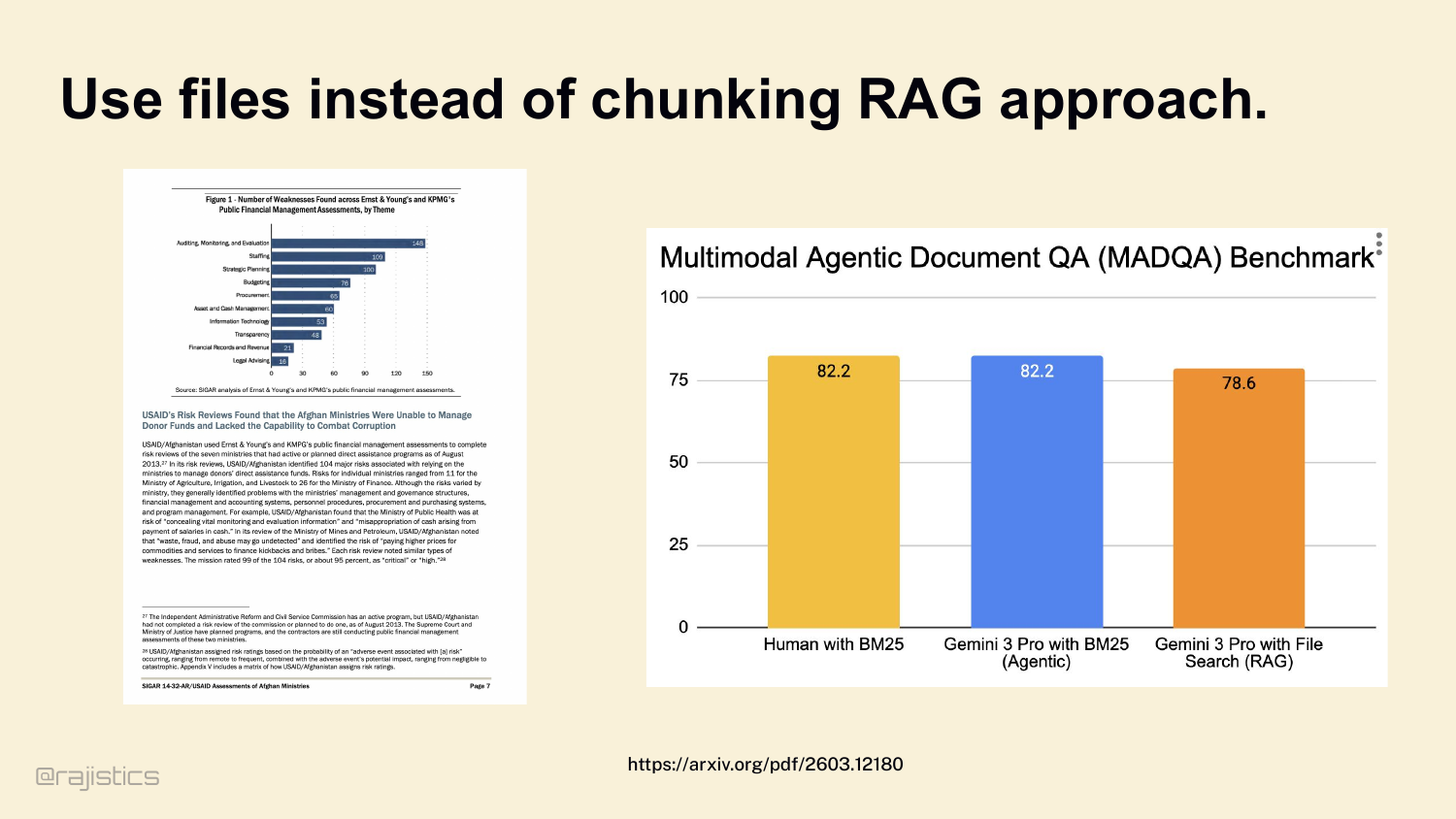
Which leads to the rule: don’t chunk if you don’t have to. If your model’s context window can hold the file, give it the whole file. Look at this — Gemini 3 Pro with whole-file BM25 access ties human performance and beats chunked RAG.
37. So when should you move to a database
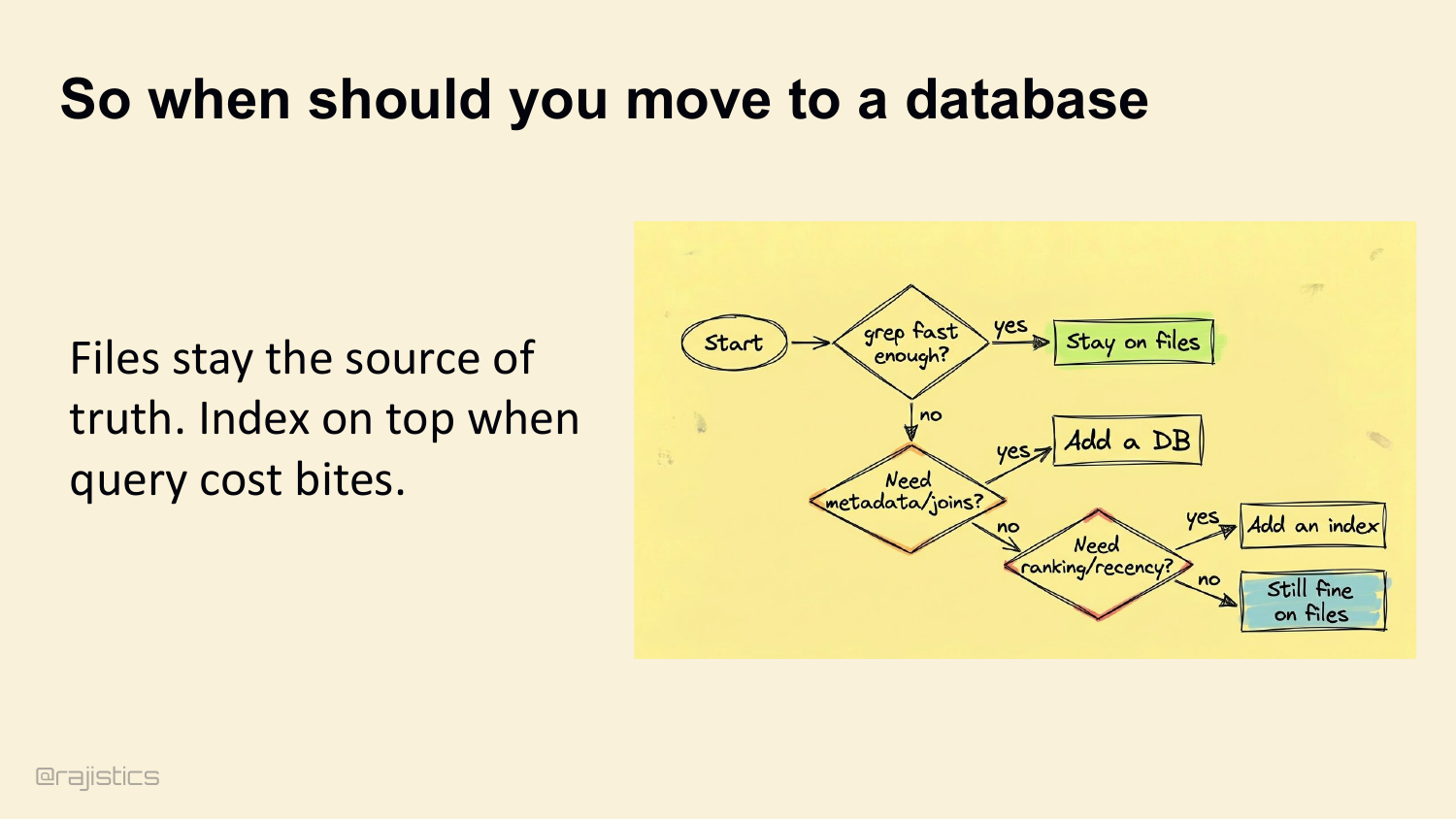
Files stay the source of truth. Move to a database only when you need metadata joins, ranking, or recency. Otherwise stay on files. Add an index on top when query cost bites.
38. Design rules for you
Three rules for the retrieval layer: 1. Lexical baseline. BM25 or grep is your default. 2. Add semantics only when you suffer vocabulary mismatch. 3. Loop it if accuracy matters. Put retrieval inside an iterative agentic loop.
39. Let’s start with how agents find what they need.
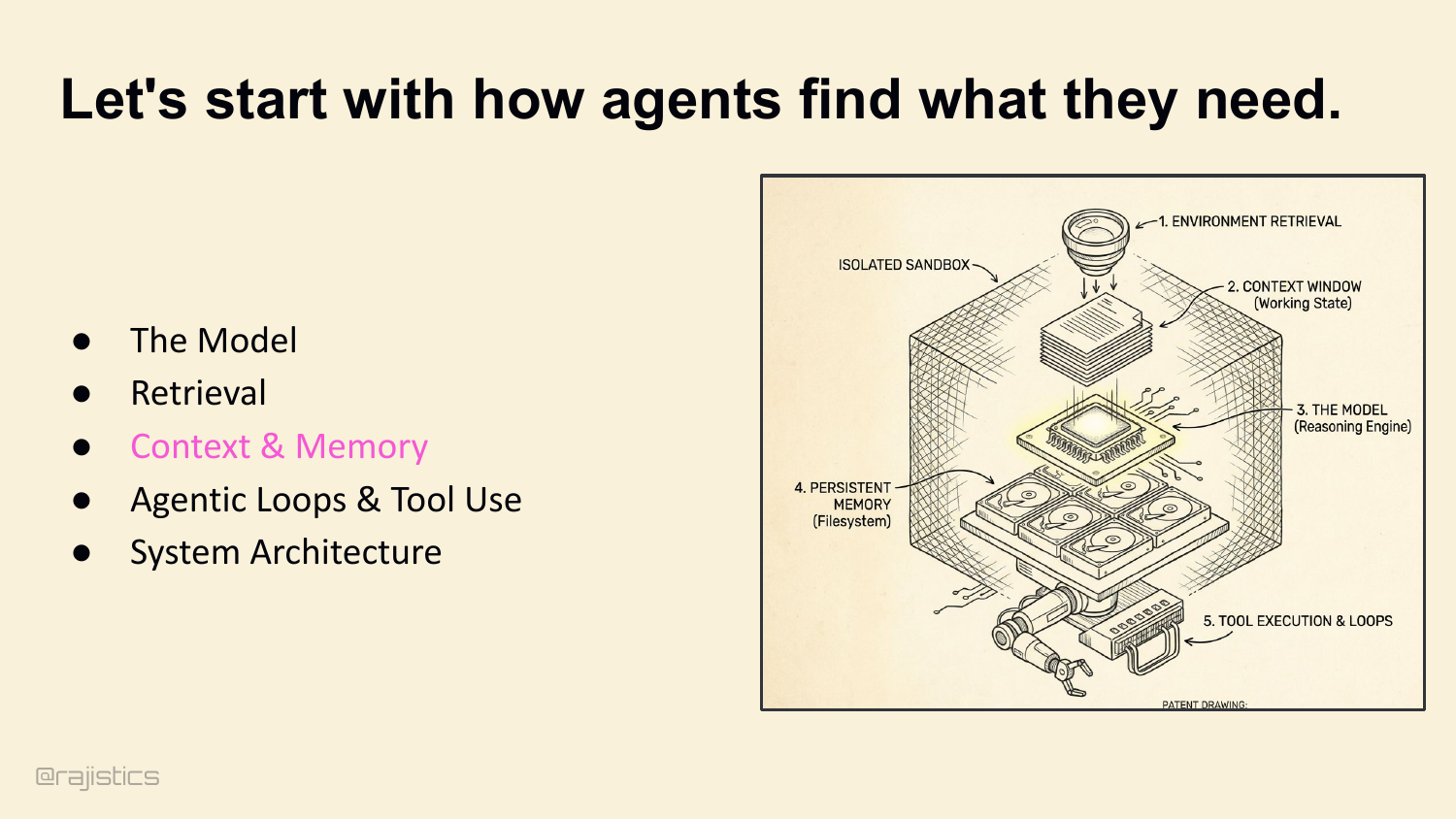
This transition moves from retrieval to memory: even if an agent finds the right information, it still needs to remember the right parts of it.
40. Are you excited about 10M Context Windows?
Show of hands — who’s excited about 10 million token context windows? A few of you. Let me show you why I’m not.
41. Memory & State
Second lever: memory. Retrieval gets the agent the right facts. Memory is what stops it from dropping those facts on the floor three turns later. Thesis: agents usually fail because they lose the thread of what they’re doing — not because they hit the token limit. Token limits you can pay your way out of. Losing the thread is harder.
42. 1M Context Windows are never enough.
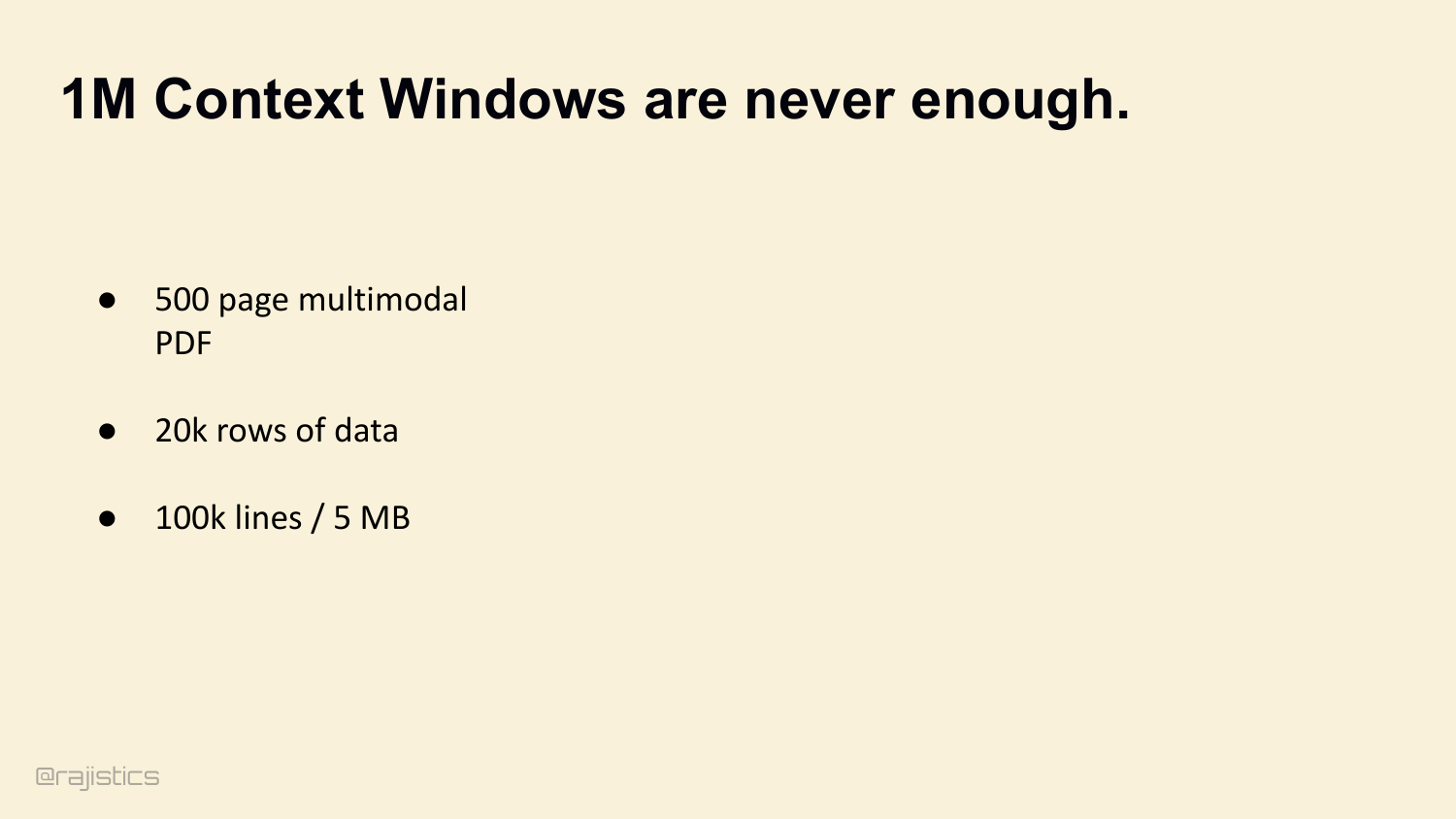
Yes, we have 1M context windows now. We’ll have 10M soon. But look at the long-context retrieval benchmarks. Every model degrades sharply past 128K. Even Opus 4.6, the best one here, drops from 90% to 78% by the time you stuff it full. Models degrade when you stuff them full. The benchmark capability is not the production capability.
43. 1M Context Windows degrade
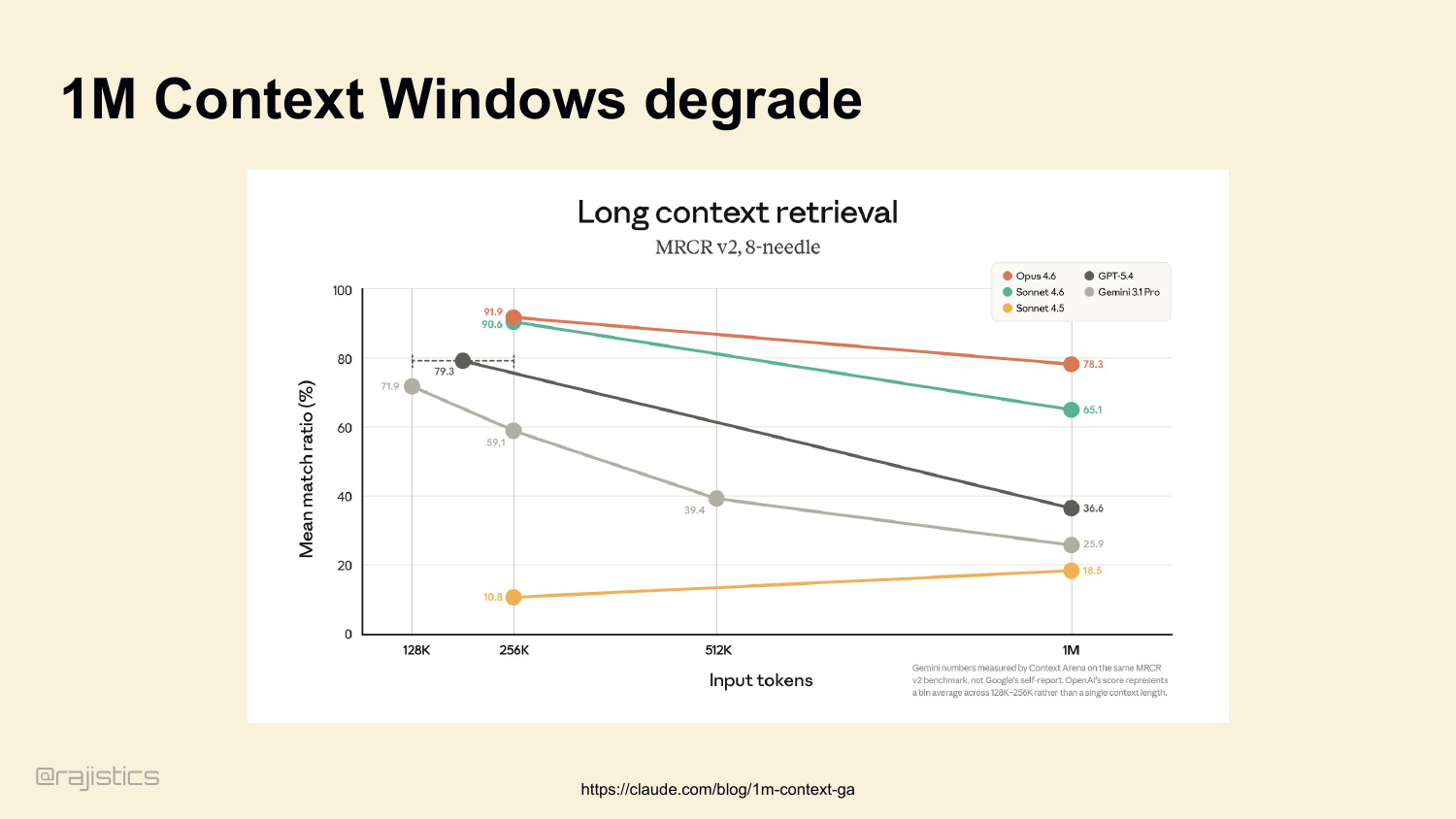
This slide reinforces the warning from the previous one: bigger windows do not just cost more, they degrade, so the harness has to decide what deserves to stay in context.
44. Key facts disappear inside long model inputs
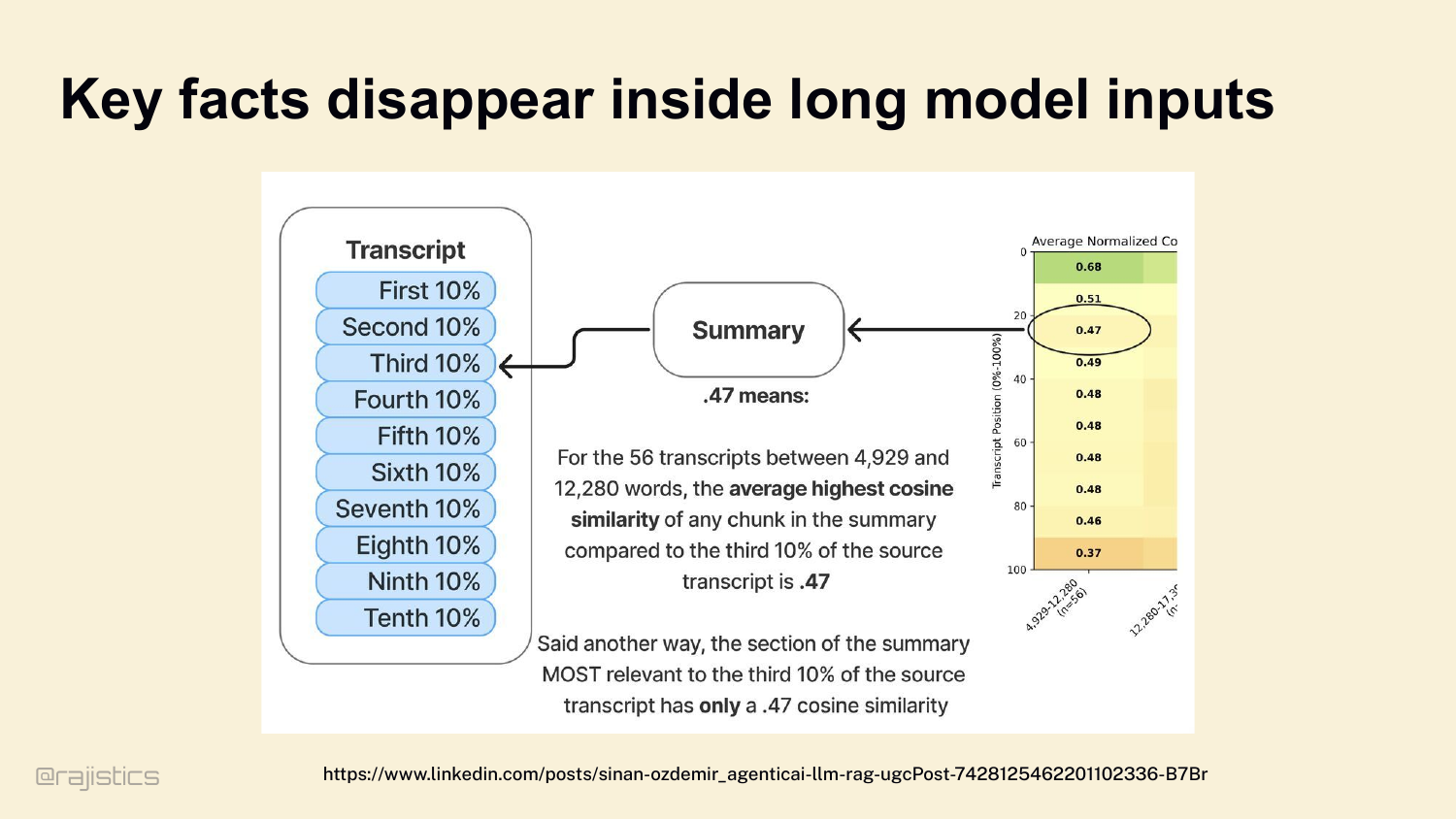
And it’s not just degradation, it’s selective degradation. Information in the middle of a long input has only a 0.47 cosine similarity in the model’s summary, versus 0.68 at the start. The middle of your context window is where facts go to die.
45. Coding agents struggle with long context models
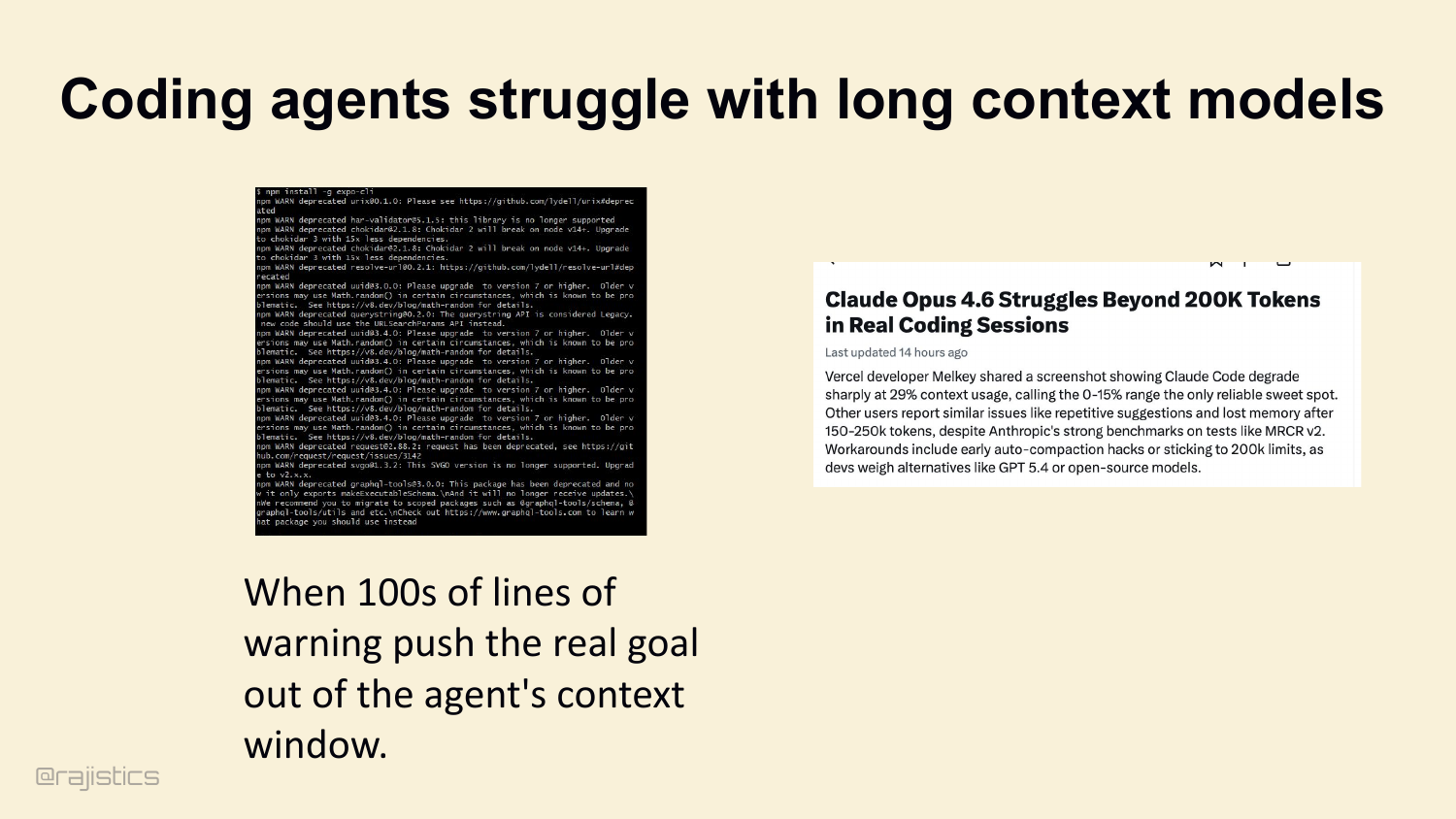
It’s easy to burn your context. Watch out for verbose tool traces — you run npm install and get hundreds of lines of deprecation warnings. The agent’s actual goal — what you originally asked it to do — gets pushed out of the window. Vercel devs have shared screenshots of Claude Code degrading sharply past 200K tokens of this kind of noise.
46. Three layers of Memory
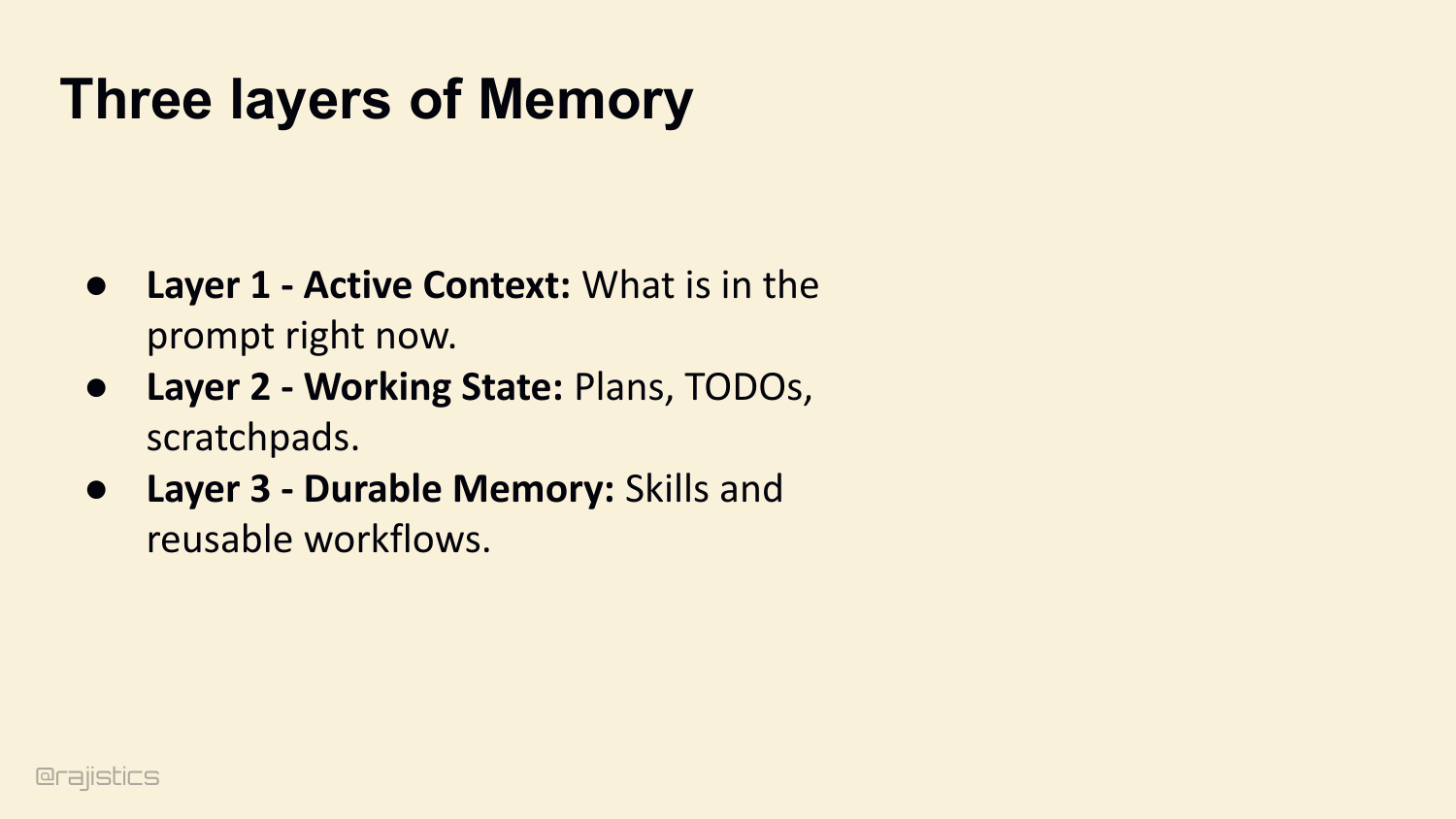
So treat memory as three explicit layers, not one giant string. Active Context — what’s in the prompt right now. Working State — plans, TODOs, scratchpads outside the prompt. Durable Memory — skills and reusable workflows that persist across sessions.
47. Layer 1: Fixing Active Context
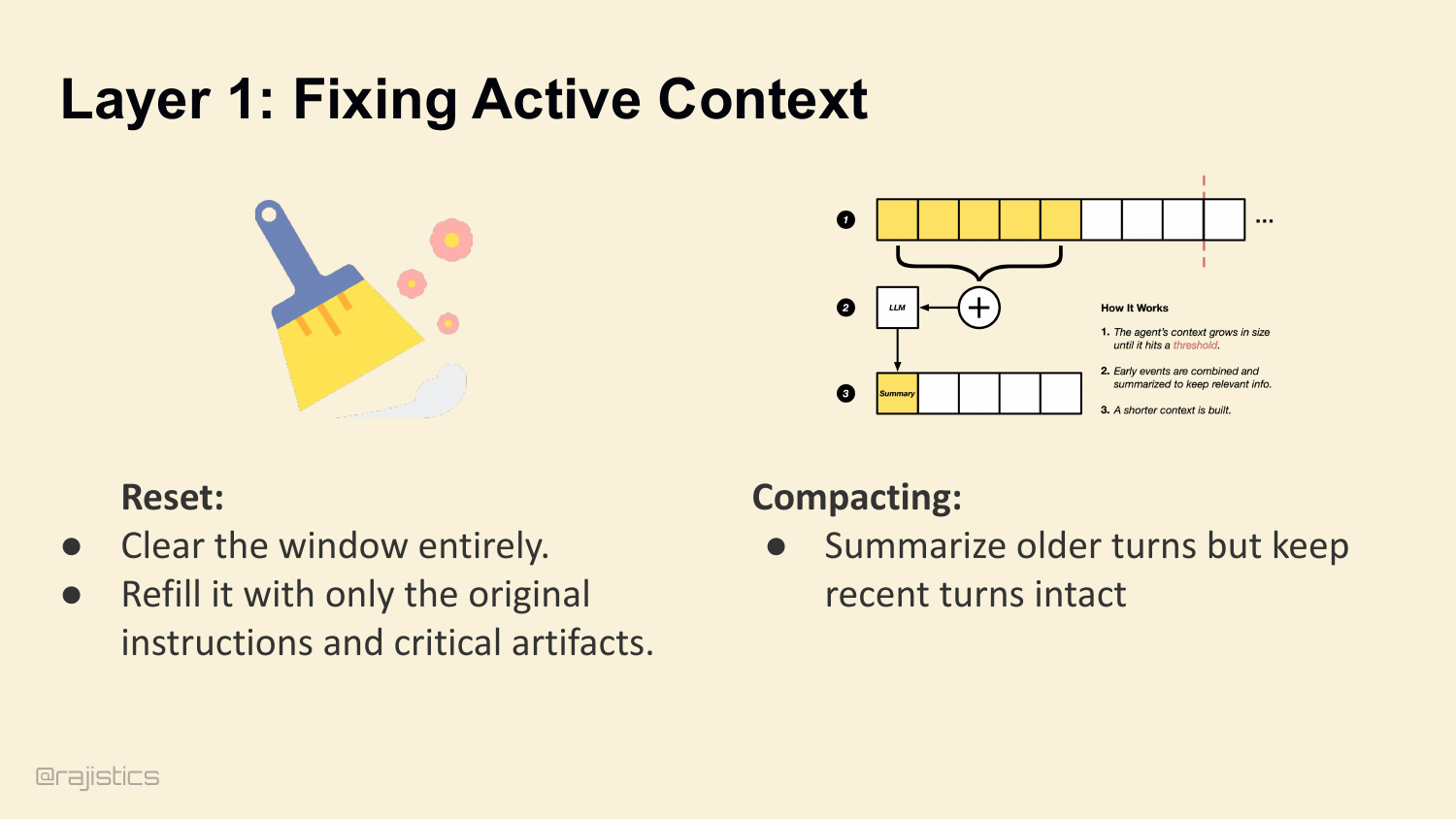
Layer 1: Active Context. Two ways to manage it. Reset — clear the window entirely, refill with only the original instructions and critical artifacts. Or Compact — summarize older turns, but keep recent turns intact.
48. Layer 1: Compacting from OpenHands
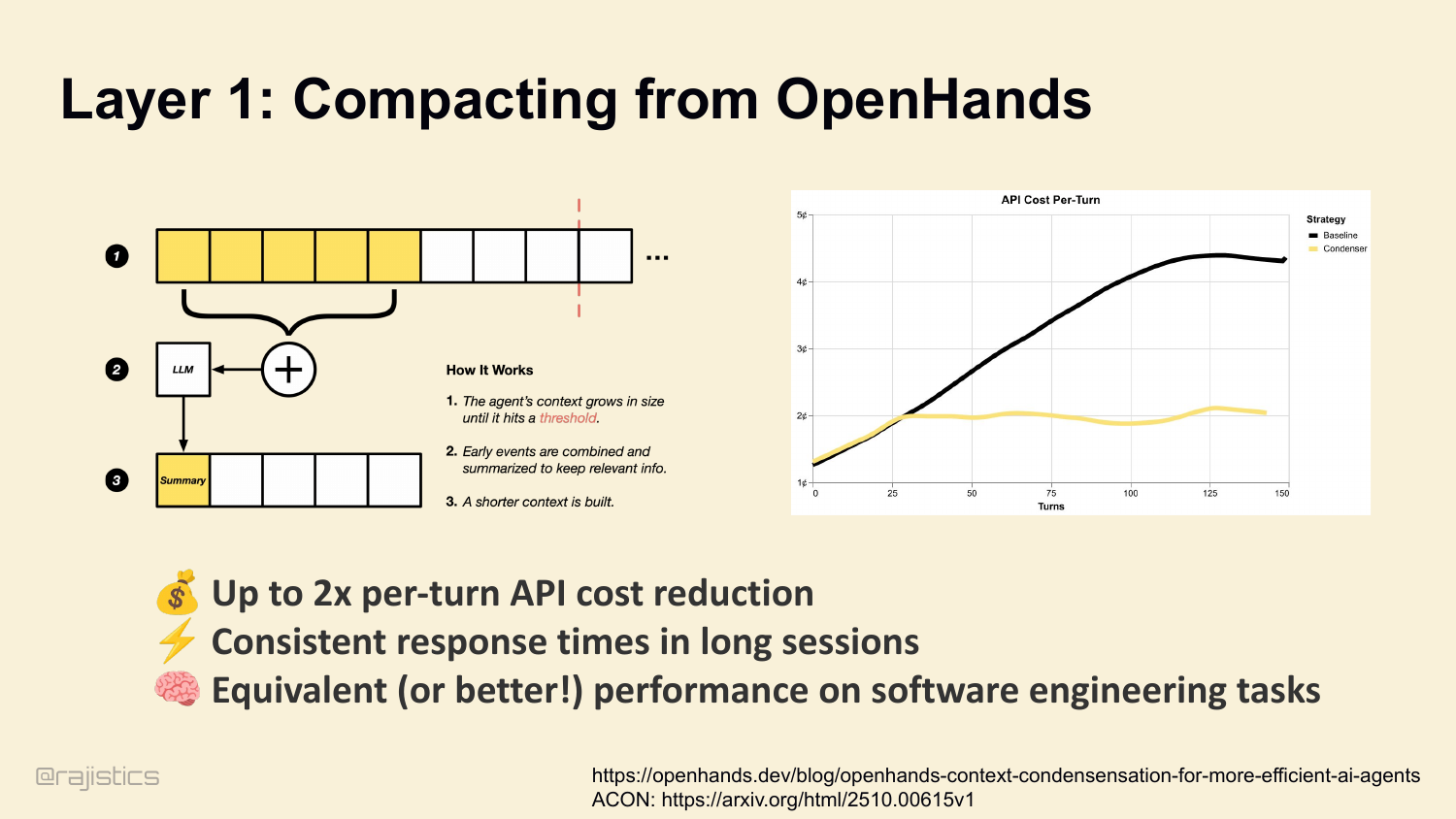
Compaction works. We measure it at OpenHands. Up to 2× per-turn API cost reduction. Consistent response times in long sessions. And — this surprised people — equivalent or better performance on software engineering tasks. Less context, sharper agent. ( ACON research backs this up — 26 to 54% token reduction while preserving 95%-plus accuracy, by prioritizing reasoning traces over raw tool outputs.
49. Layer 1: How does Codex do it???
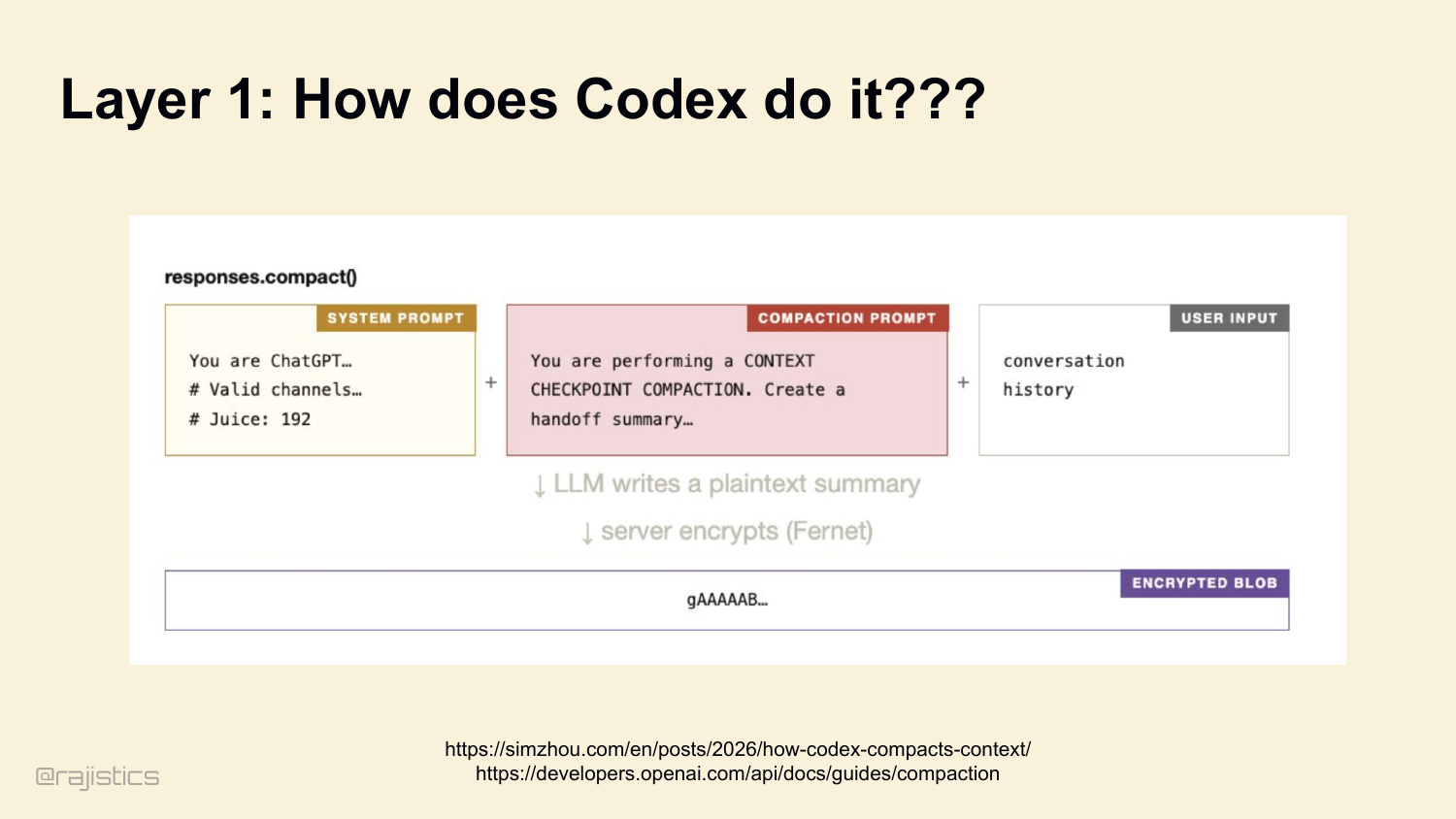
This is the uneasy part of closed harnesses: compaction is happening for you, but you usually cannot inspect or tune the policy that decides what gets thrown away.
50. Getting the most of a 1M Context Windows
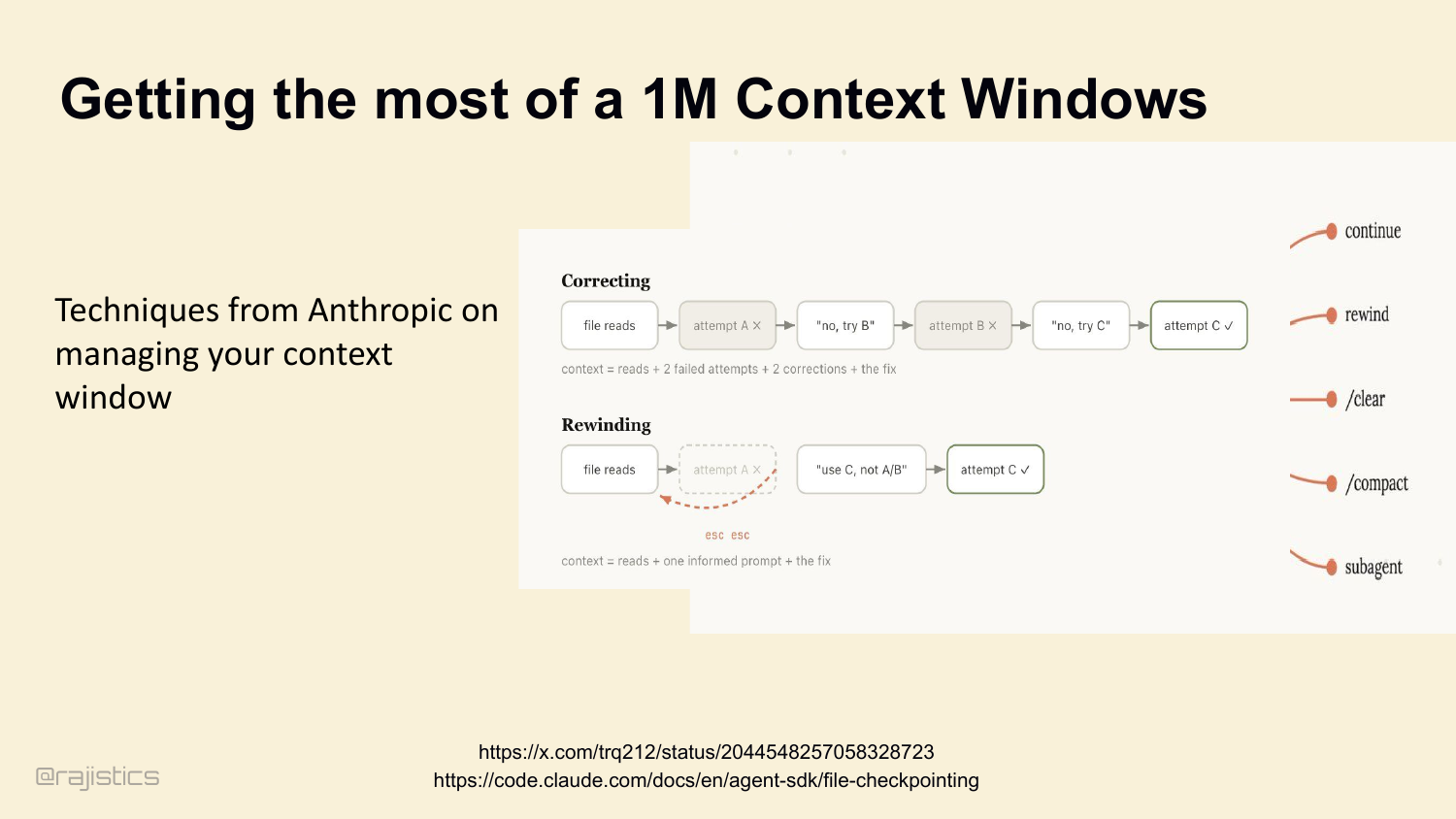
Compaction is just one move. Anthropic publishes a fuller toolkit: continue, rewind, /clear, /compact, subagents. Five different ways to actively manage what’s in the window. Each one is its own policy decision. Let me zoom in on one I like.
One concrete technique Rajiv calls out here is rewind: if the agent went down a bad branch, jump back instead of dragging the failed reasoning forward.
51. Layer 2: Working State (The Golden Rule)
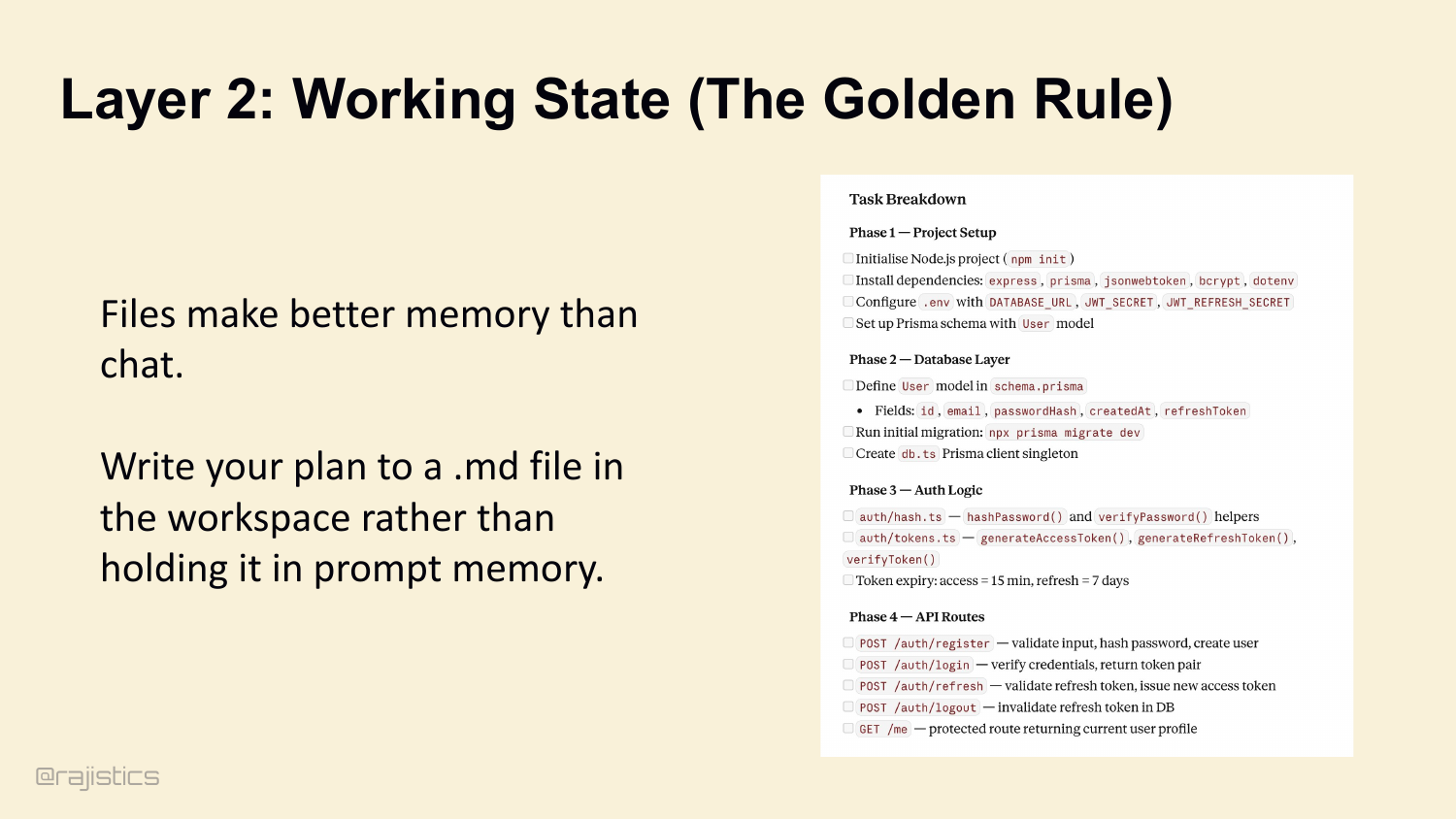
Layer 2: Working State. The golden rule — files make better memory than chat. Don’t keep the agent’s plan in the system prompt. Have it write a plan.md to the workspace. The plan stays out of the context window, but the agent reads from it and checks items off.
52. Deep Agents rely on external plans.
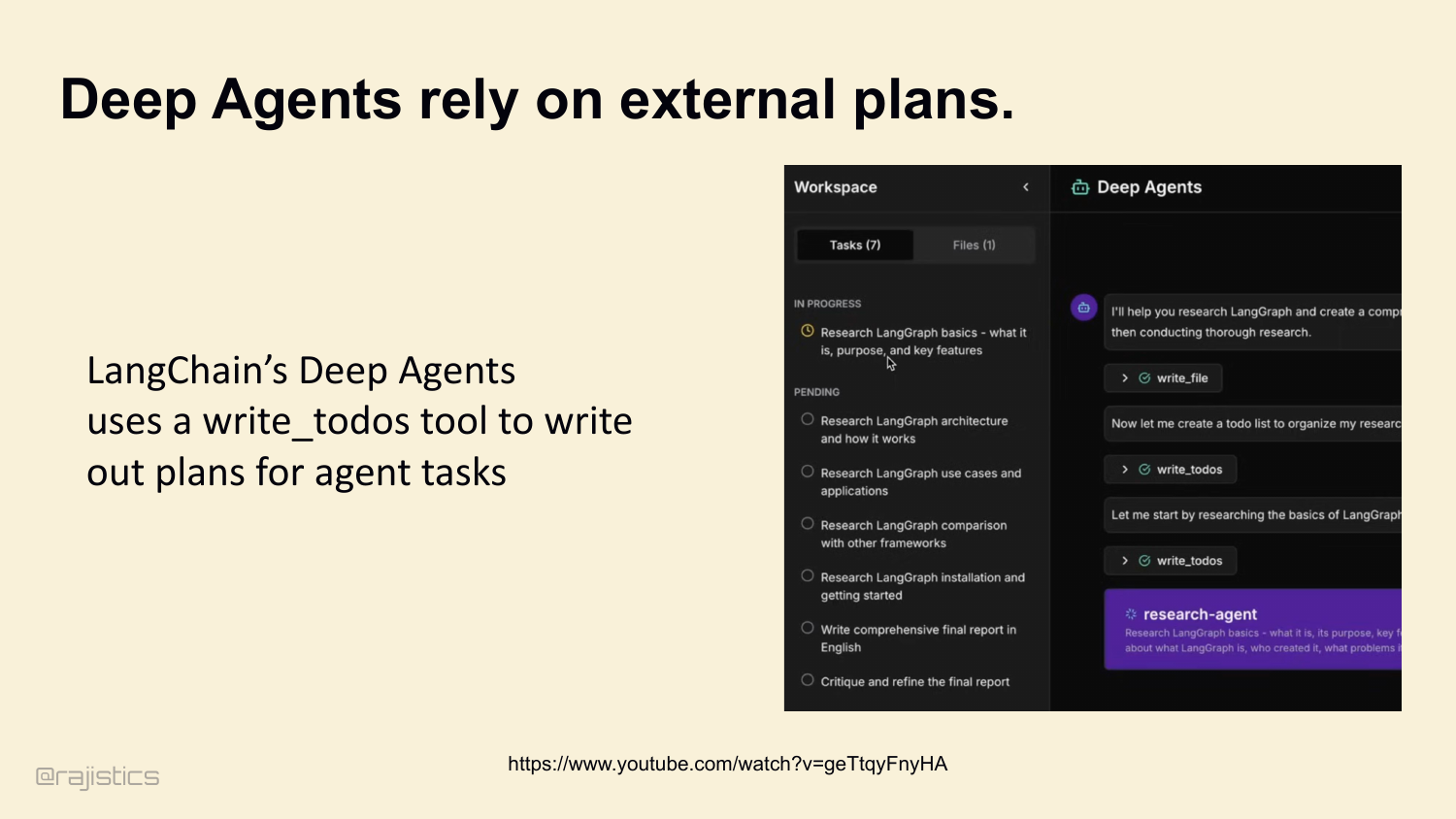
LangChain’s Deep Agents do exactly this. A write_todos tool dumps the plan to a file. The agent reads it, executes step one, updates the file, moves on. The plan never sits in the prompt.
53. Extreme Layer 2: Recursive Language Models (RLM)
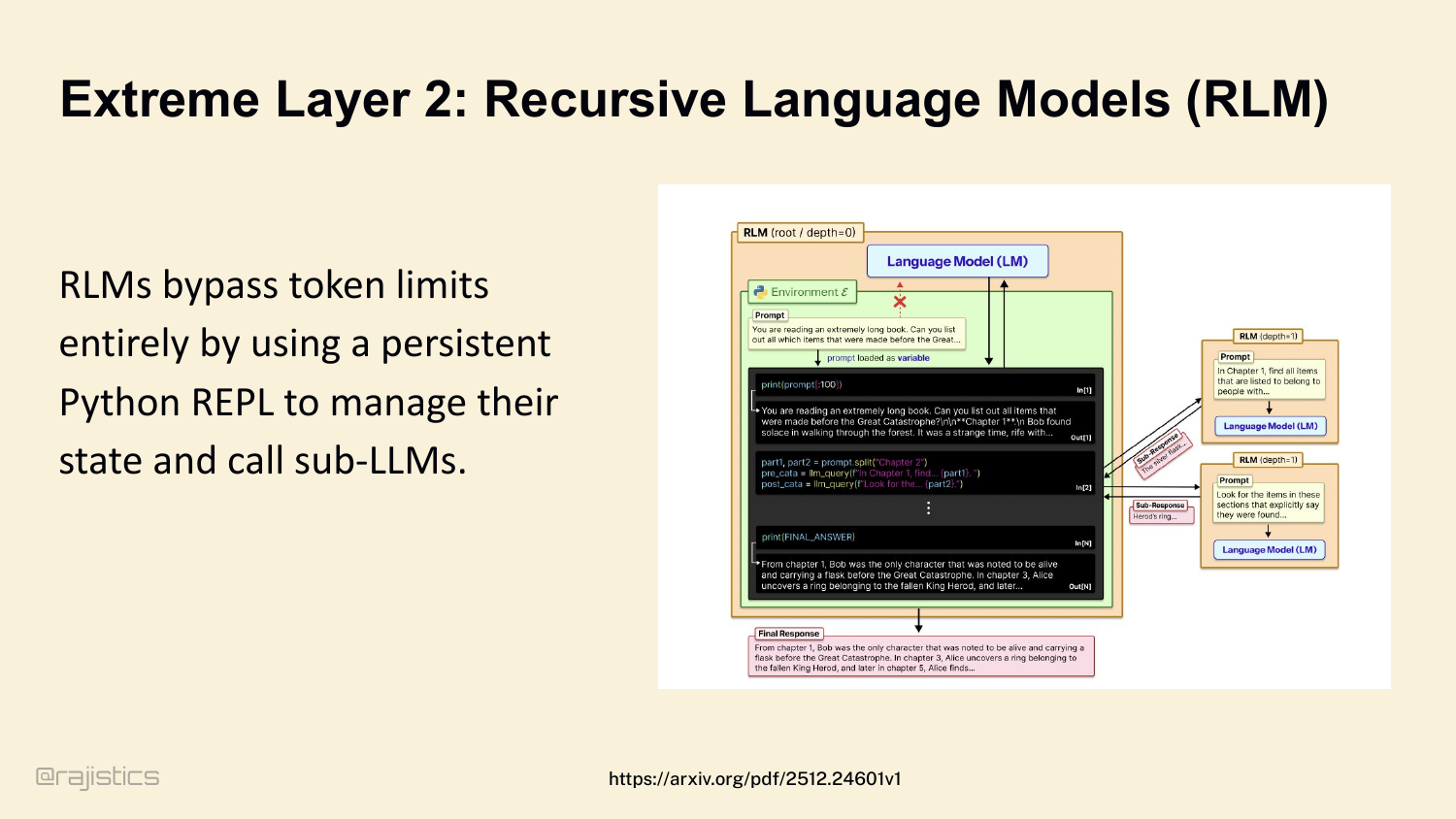
At the extreme end of Layer 2, you get Recursive Language Models. RLMs bypass token limits entirely by giving the agent a persistent Python REPL. Variables stay in the REPL between calls. The agent uses the REPL as memory. Recursive sub-LM calls handle scoped subqueries.
54. RLMs maintain accuracy at 1M tokens.
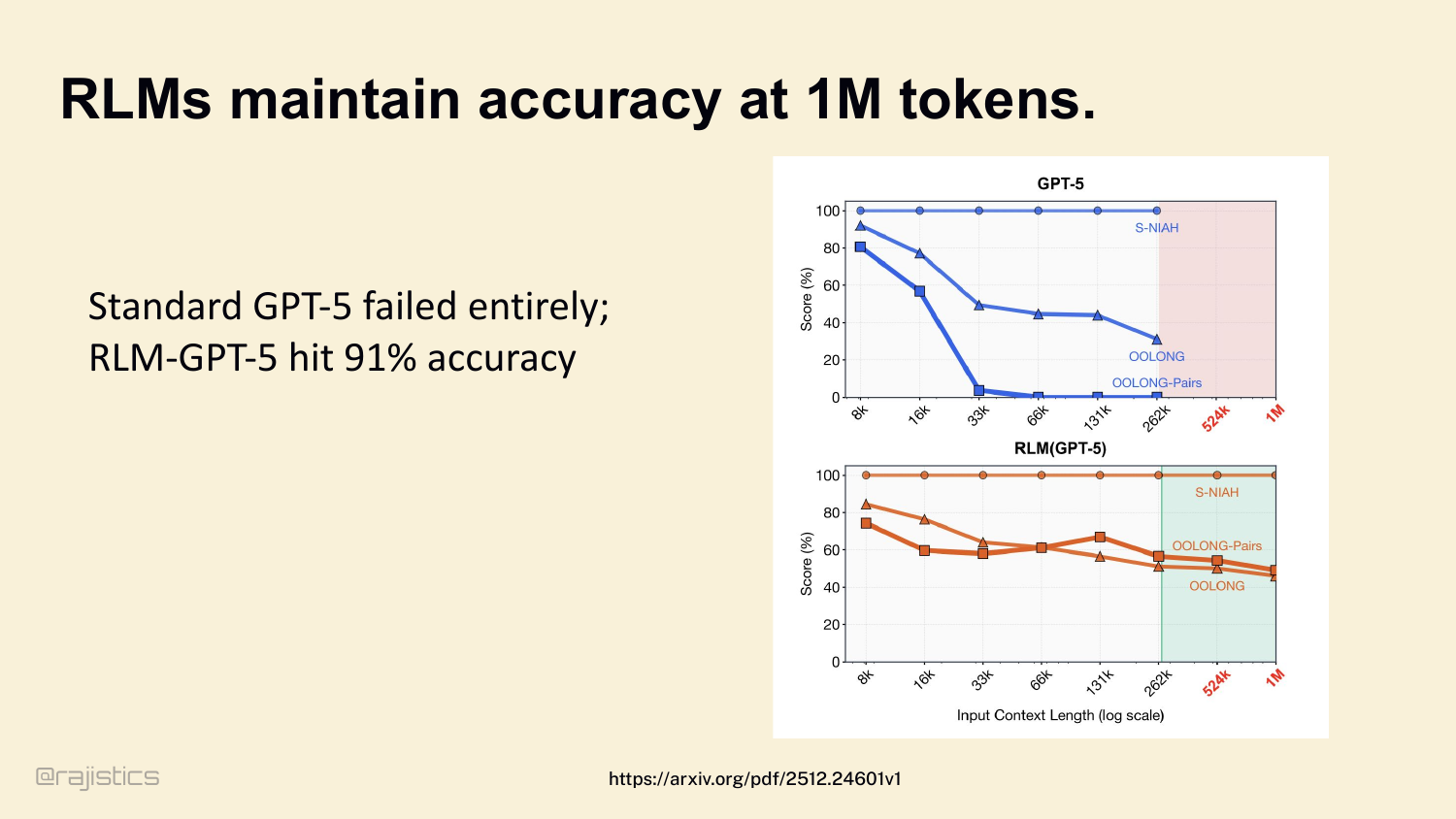
And it works. Standard GPT-5 collapses past 33K tokens on long-context tasks. RLM-GPT-5 maintains 91% accuracy all the way to 1M. Different memory architecture, different ceiling.
55. Layer 3: Durable Memory
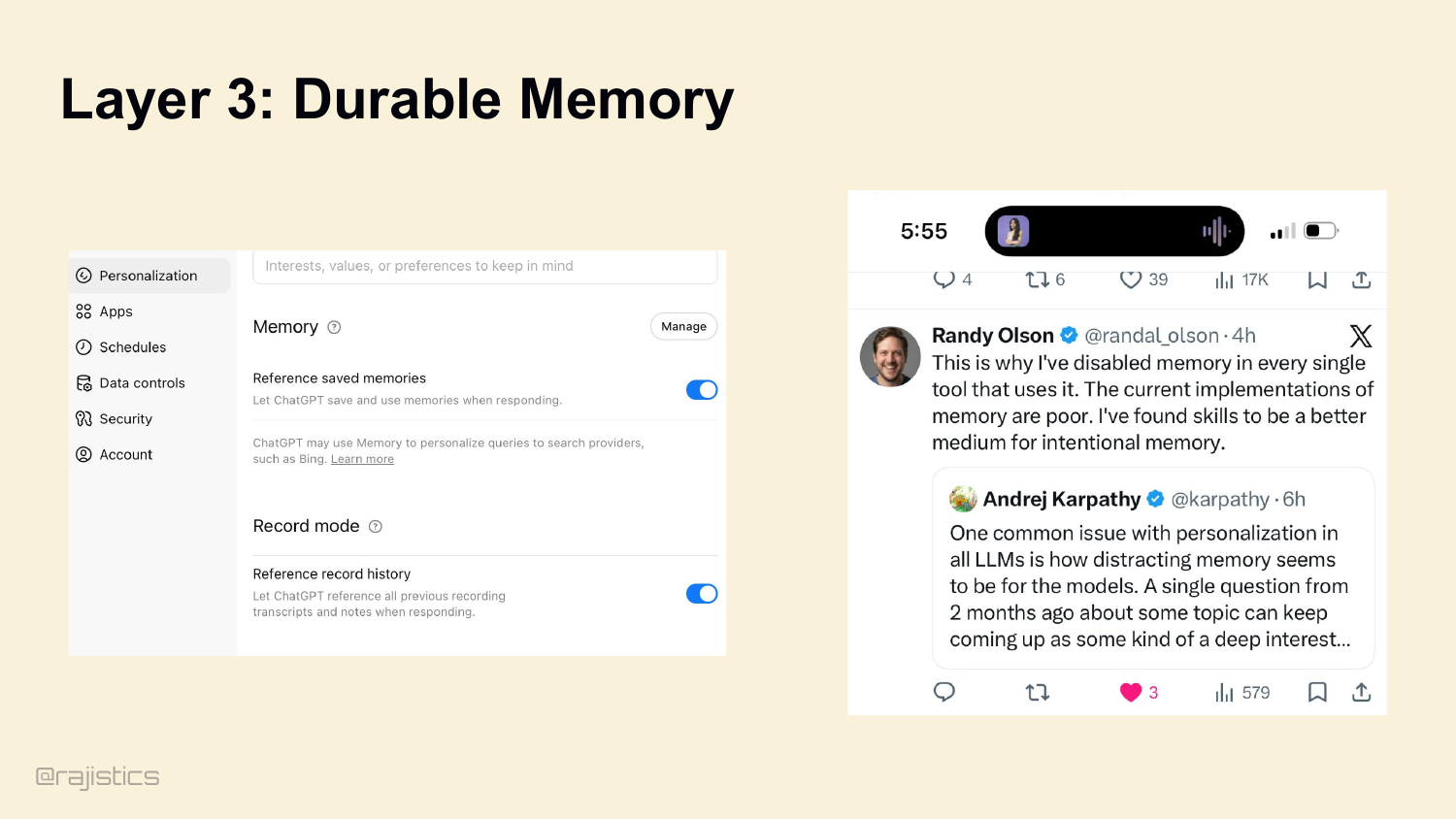
Layer 3: Durable Memory. What does the agent remember across sessions? You’ve all seen the ChatGPT version of this — the personalization toggle that promises to remember everything you tell it.
56. Who uses an Agents.md file?
Quick poll. Show of hands — who has an AGENTS.md or CLAUDE.md in their repo right now? Keep your hand up if you wrote it by hand. Now keep it up if you let the model auto-generate it for you. That distinction is going to matter a lot more than you’d think. Let me show you.
57. Durable Memory with Agents.md
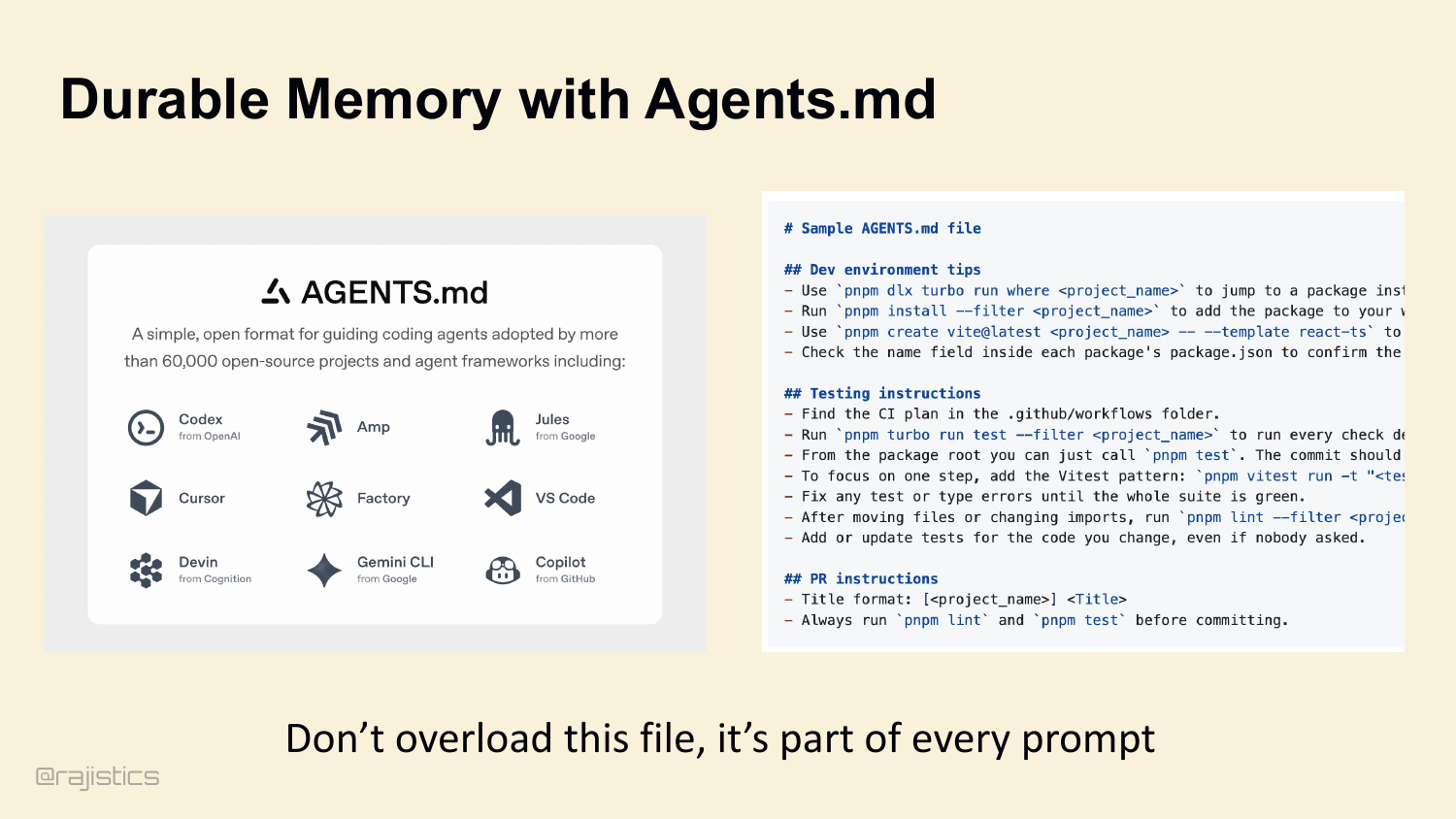
The simple version of intentional memory is AGENTS.md. Open format. Adopted by 60,000+ projects. Codex, Cursor, Factory, VS Code, Devin all read it. Dev environment tips, testing instructions, PR conventions. But — and this matters — it’s in every prompt. Don’t overload it.
58. Auto-generated AGENTS.md files hurt performance
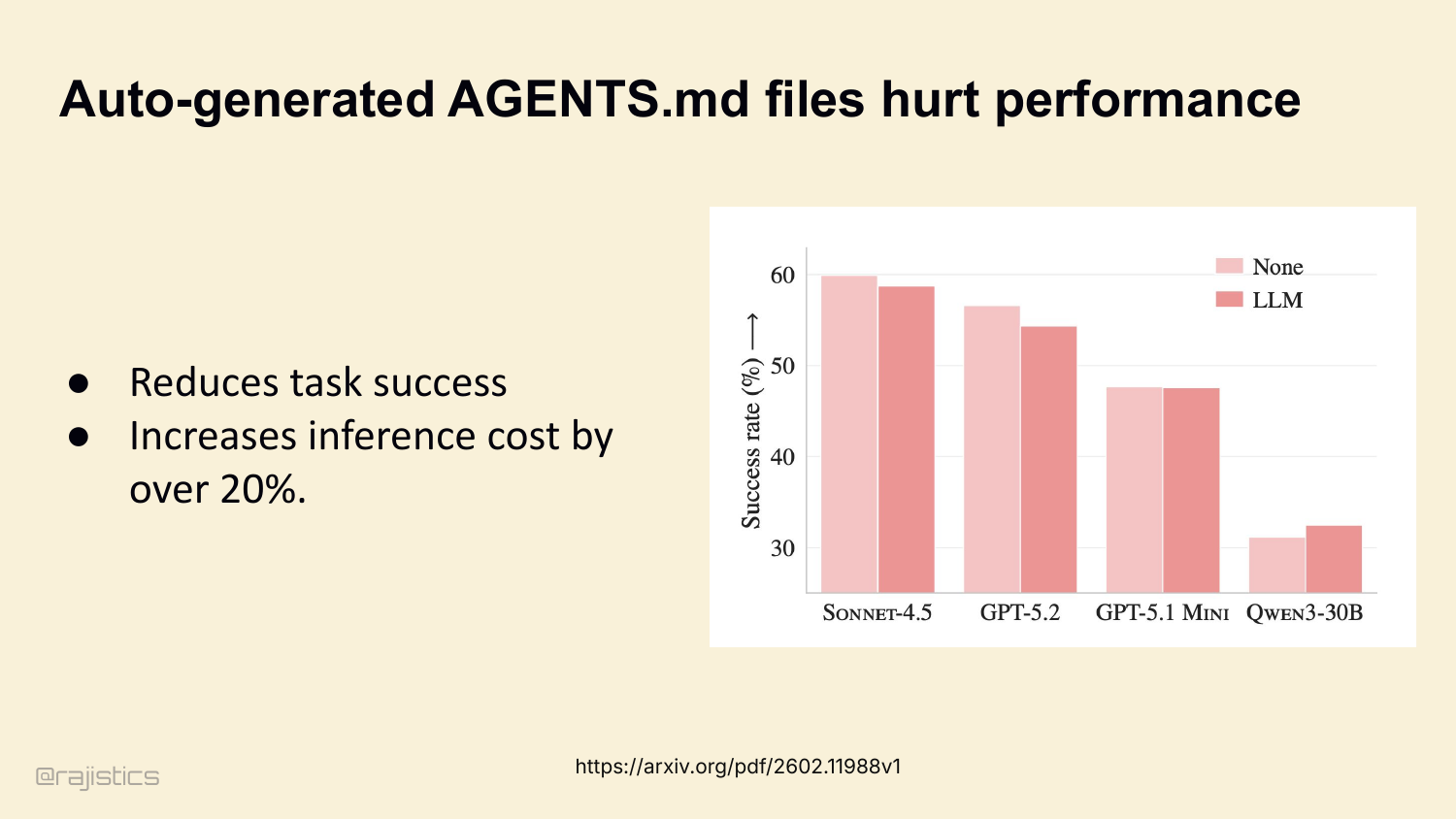
In fact, ETH Zurich just published a study: auto-generated AGENTS.md files actively reduce task success across multiple coding agents. Sonnet, GPT-5, Qwen — all show degradation. Inference cost goes up by over 20%. The agent wastes tokens reading boilerplate it doesn’t need.
59. The rule of thumb: “Minimize Load-Bearing Memory”
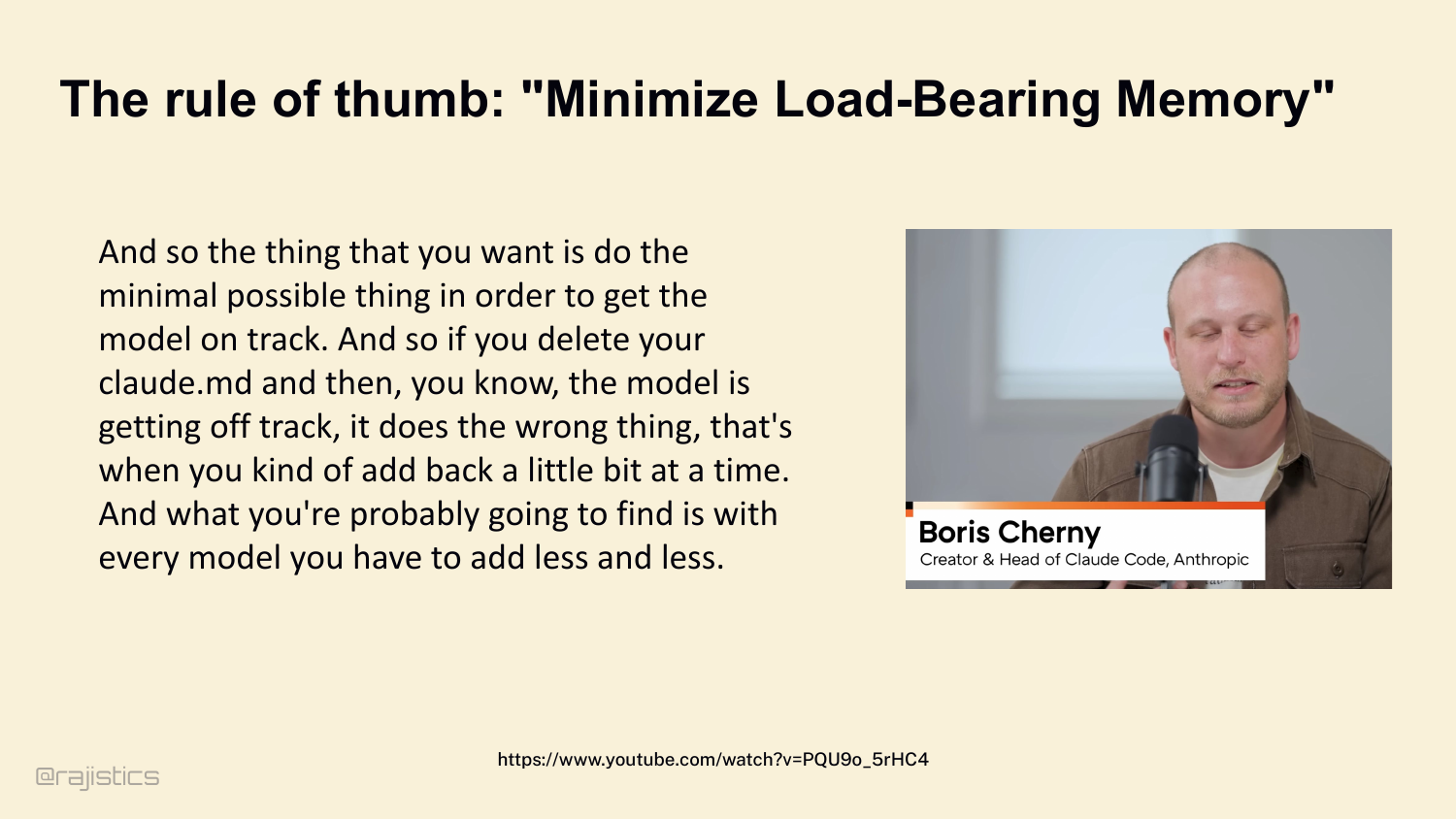
Boris Cherny’s rule of thumb here: minimum load-bearing memory. Quote — ‘do the minimal possible thing to get the model on track.’ Delete your CLAUDE.md. If the model wanders off, add back one piece. With every new model, you’ll find you need less and less.
60. Skills are the new standard for Durable Memory.
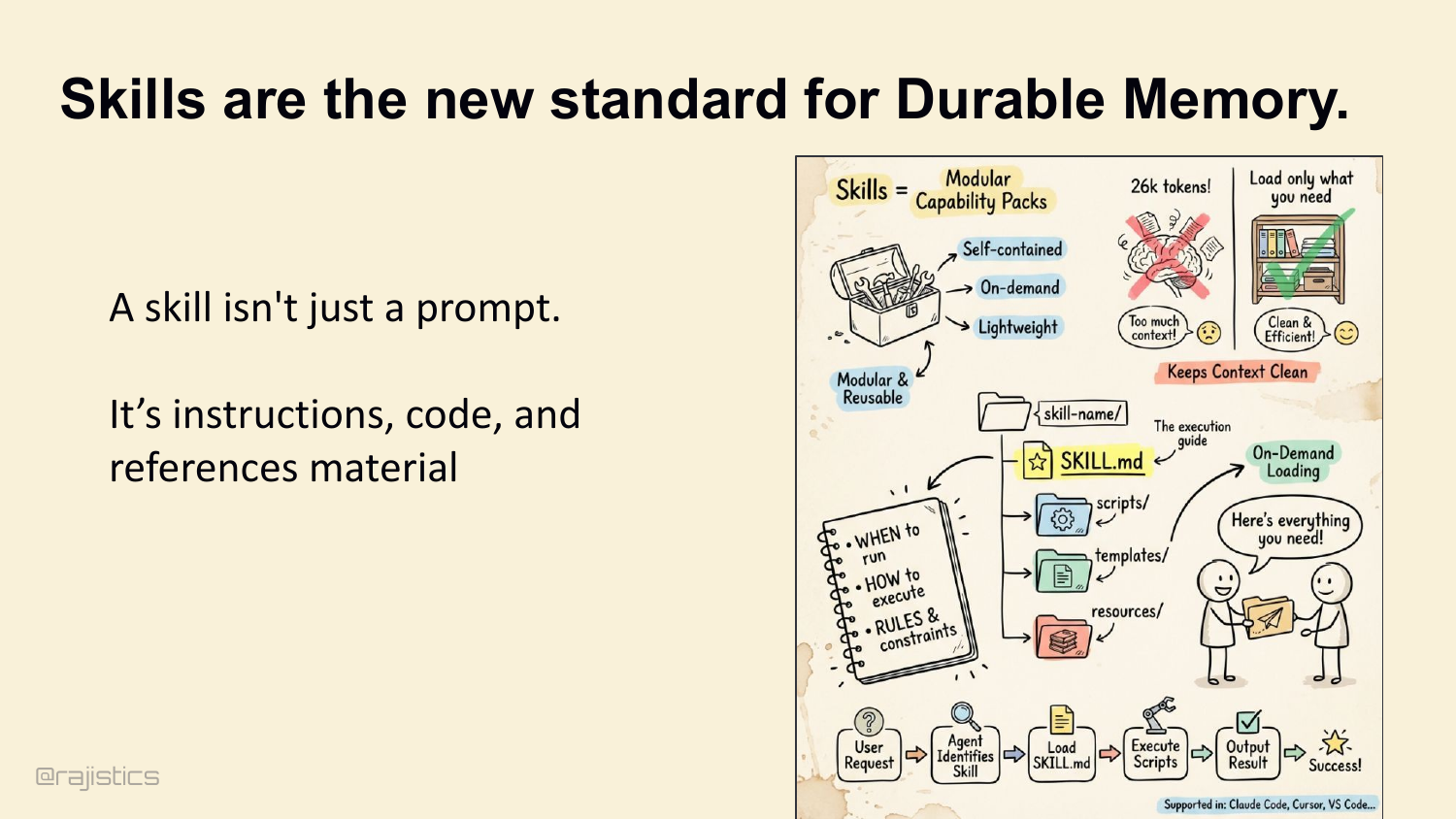
Which brings us to skills. A skill isn’t a prompt. It’s a trigger plus a reference manual plus a script. Loaded on demand, modular, reusable. The skill says: when to run, how to execute, what the rules are. Anthropic, Cursor, VS Code all support them now.
61. Skills as Externalized Expertise
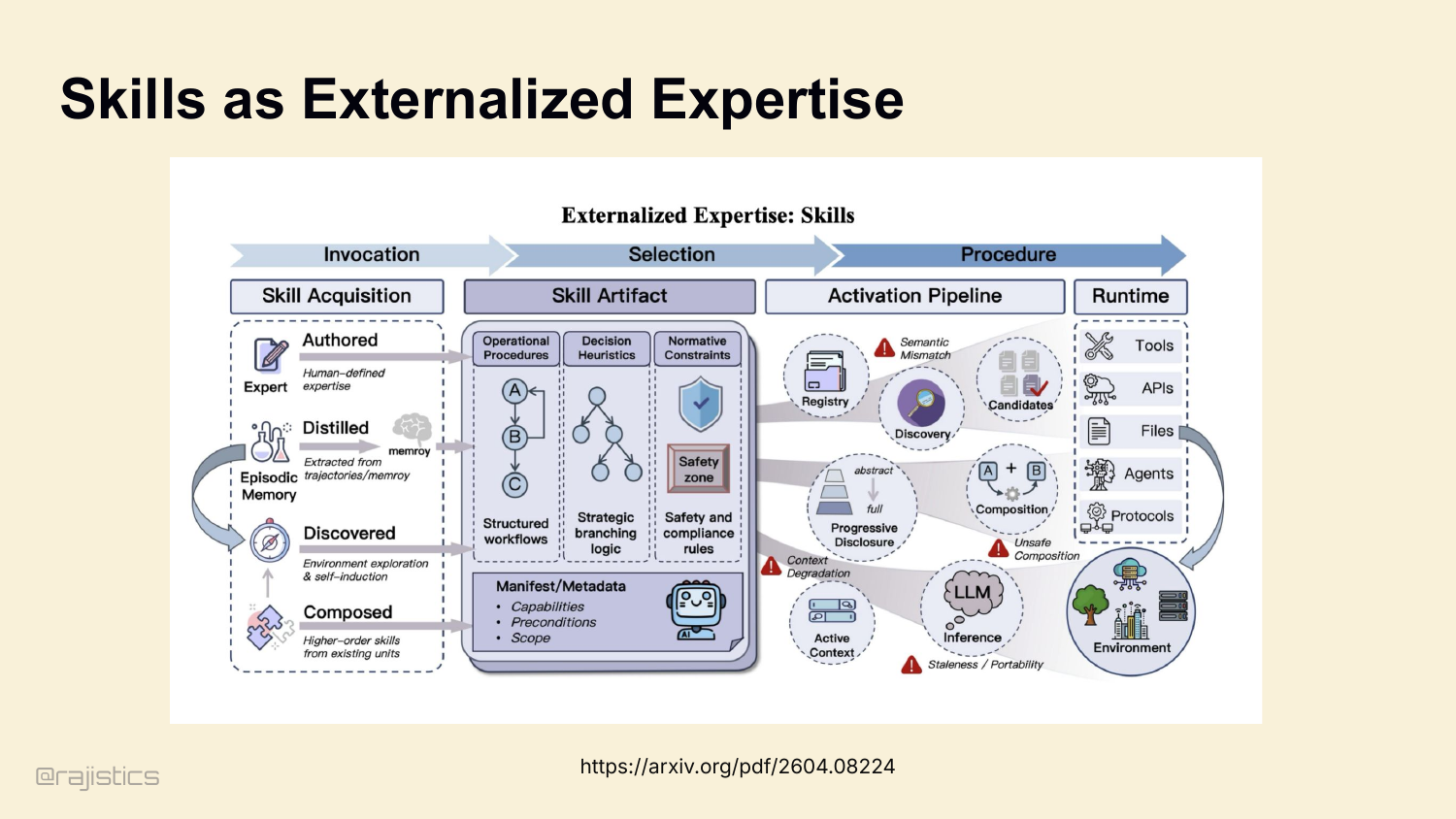
This is the big idea: skills externalize expertise the way memory externalizes state. Authored, distilled, discovered, composed. The agent gets a registry of expert procedures it can invoke when the trigger matches.
62. Skills can replace Code
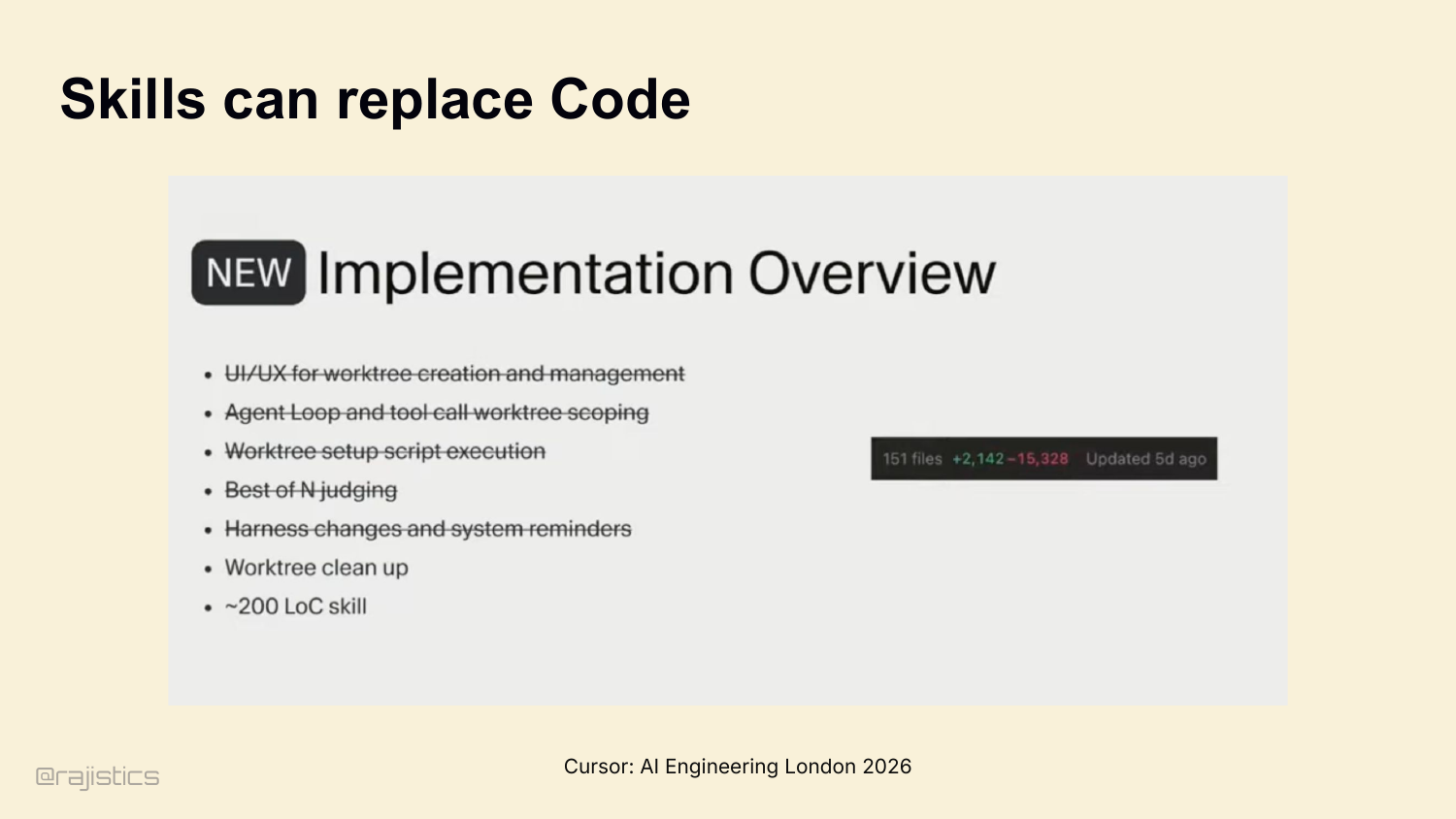
Cursor talked about this at AI Engineering London. They had 15,000+ lines of code for worktree creation, agent loop scoping, harness changes, reminders — all the orchestration glue. They replaced it with a 200-line skill. Not refactored. Replaced.
63. Building a learning loop with skills
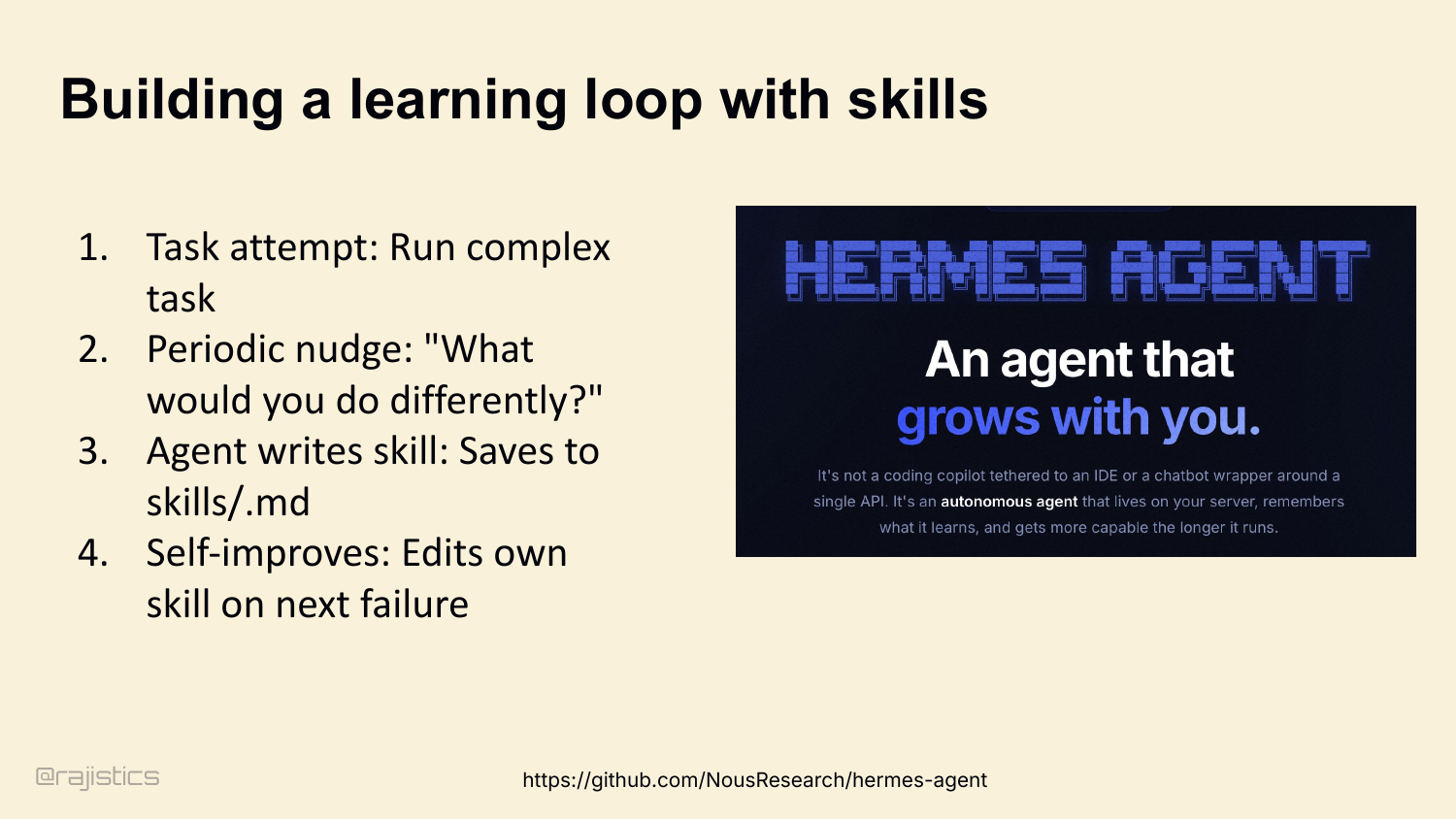
And skills enable continual learning. The Hermes Agent pattern: agent attempts a complex task, gets a periodic nudge — ‘what would you do differently?’ — and writes a skill file. Next time it fails, it edits its own skill. The harness teaches itself.
64. Continual learning outer loop with skills
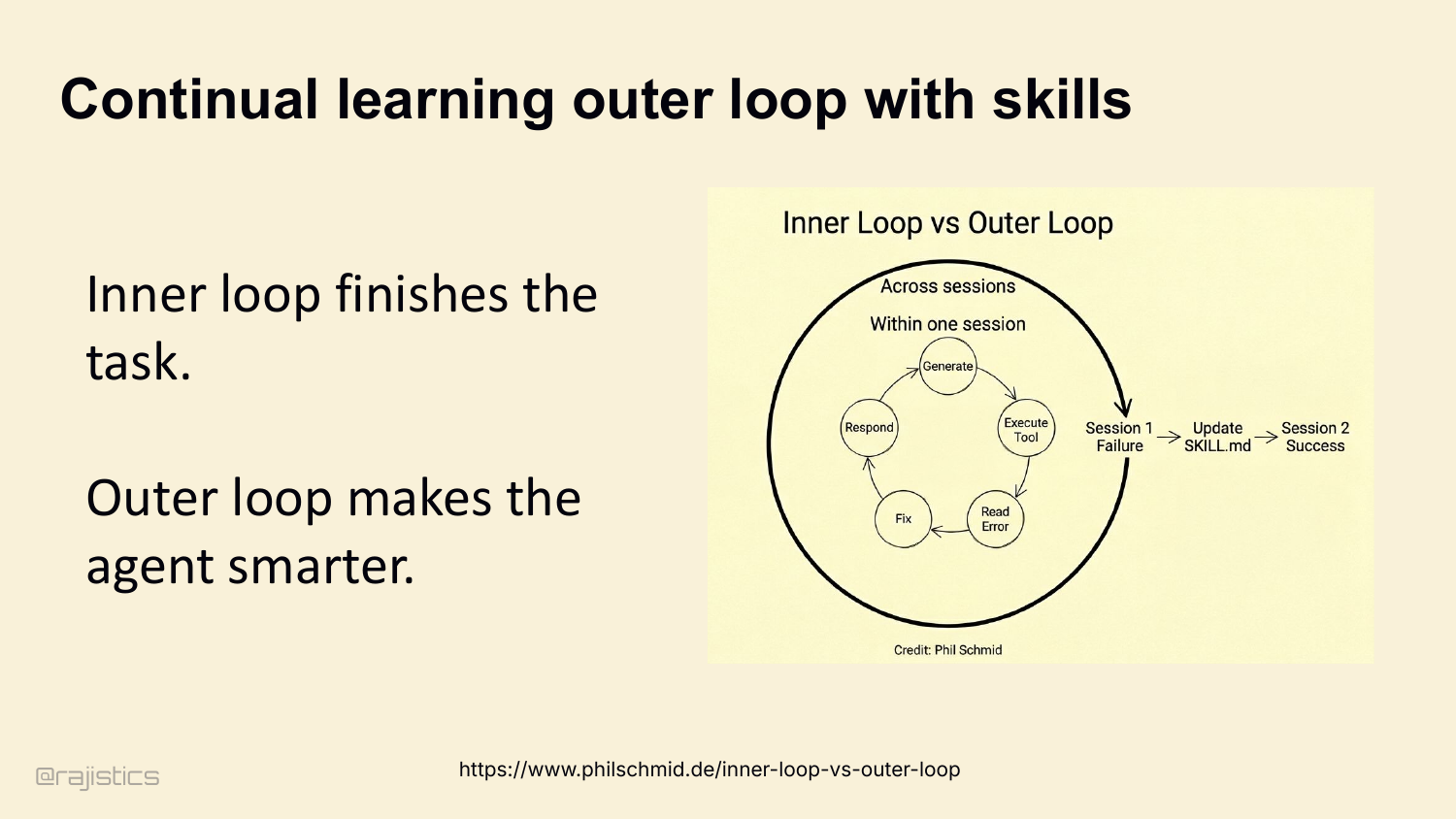
That’s actually two loops. Inner loop finishes the task in one session. Outer loop, across sessions, makes the agent smarter. Session 1 fails, skill gets updated, Session 2 succeeds. This is the shape of self-improving agents in production today.
65. Warning: 16% of skills actually reduce performance.
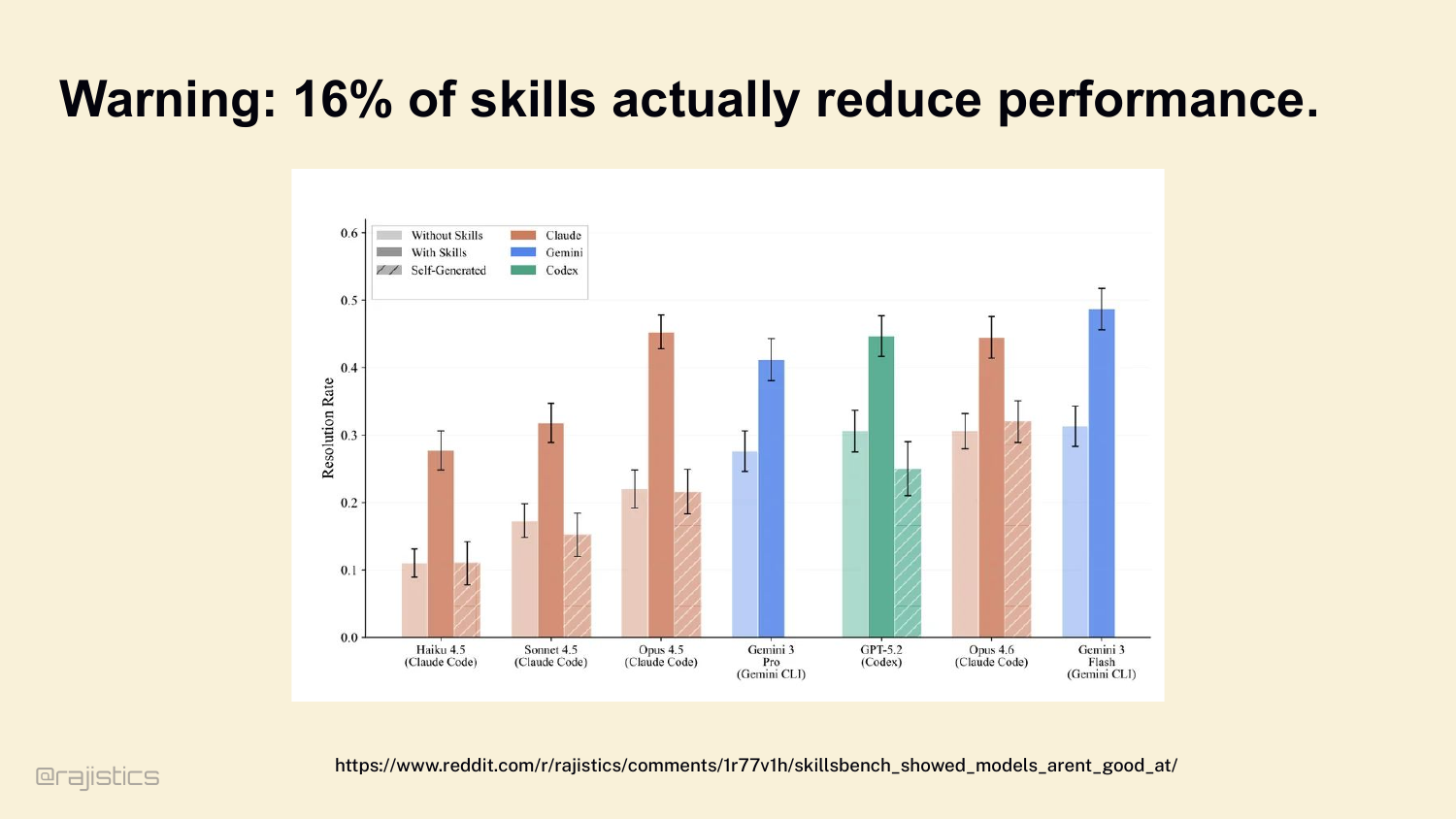
But skills aren’t free. SkillsBench tested 50+ skills across multiple coding agents. 16% of them actively reduce performance. They overlap with native tools, confuse the routing, or trigger when they shouldn’t. Skills are powerful and dangerous in the same way prompts are.
66. You must evaluate your skills.
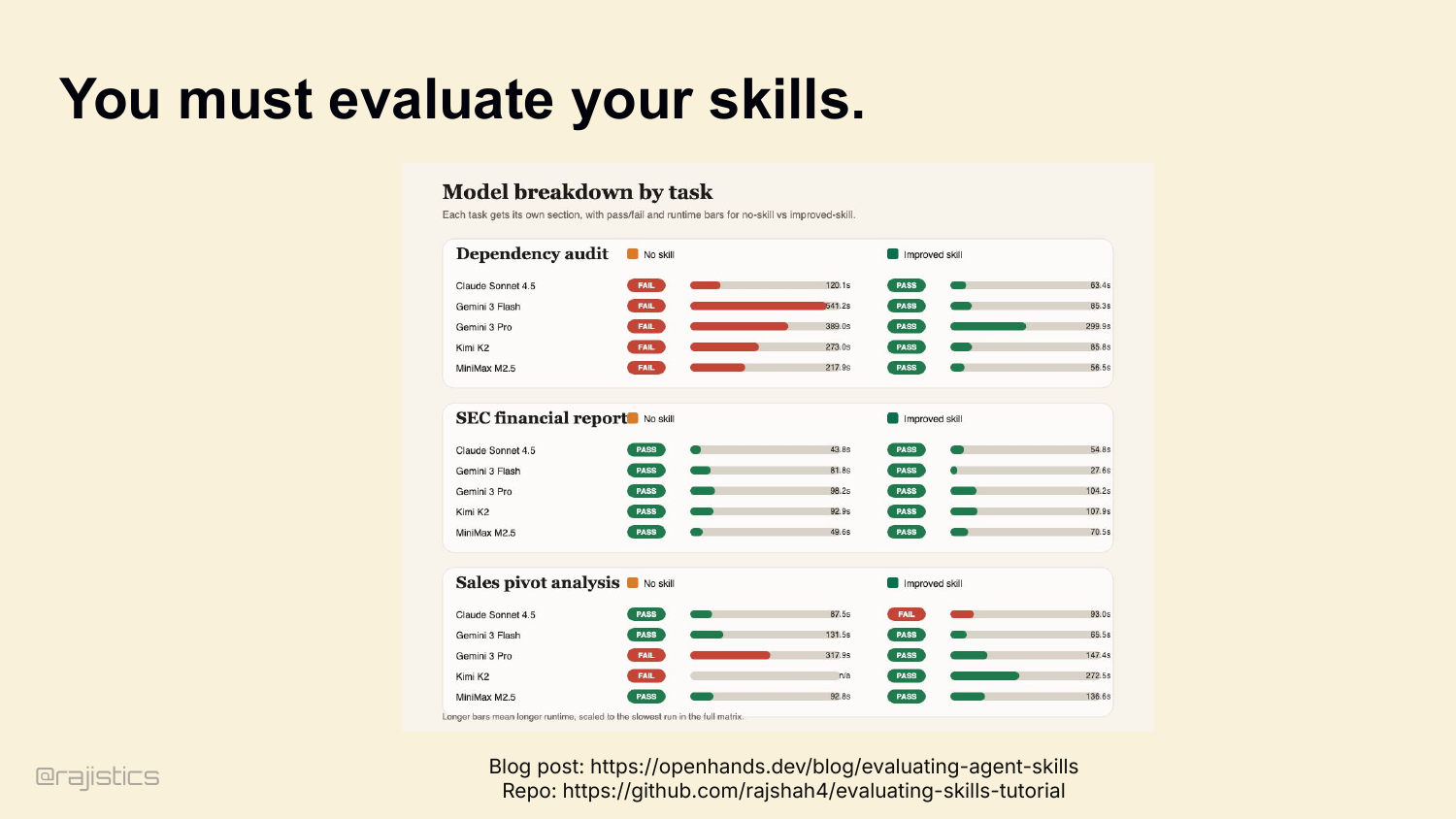
So evaluate your skills. Without-skill versus with-skill, on the same tasks. There’s a tutorial in my GitHub repo. If you’re not measuring lift, you’re guessing.
67. Constant Innovation around Memory
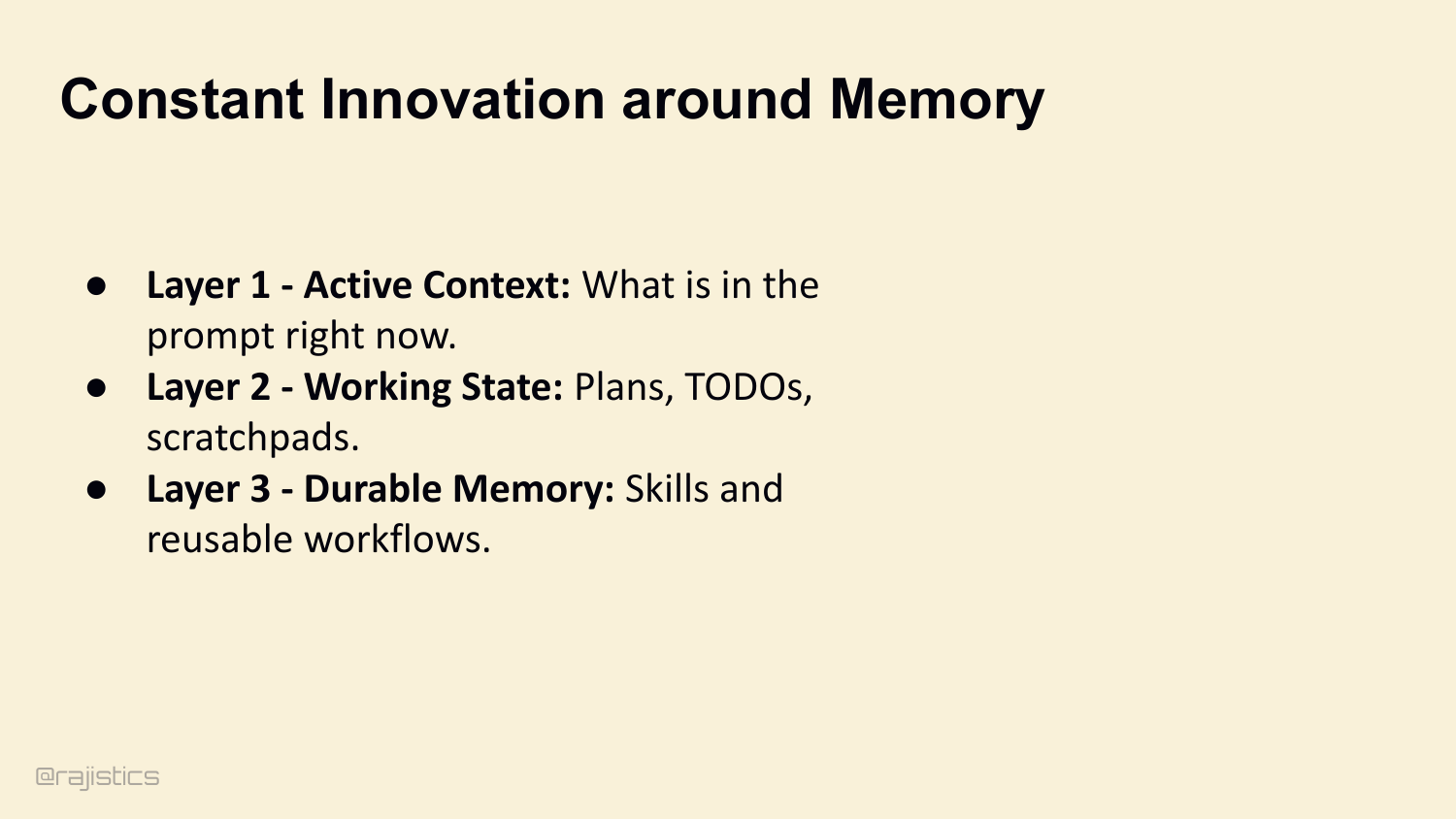
Memory design is still evolving. Compaction, durable memory, and skills all change with the models, which is why these policies need to be revisited rather than frozen.
68. @rajistics
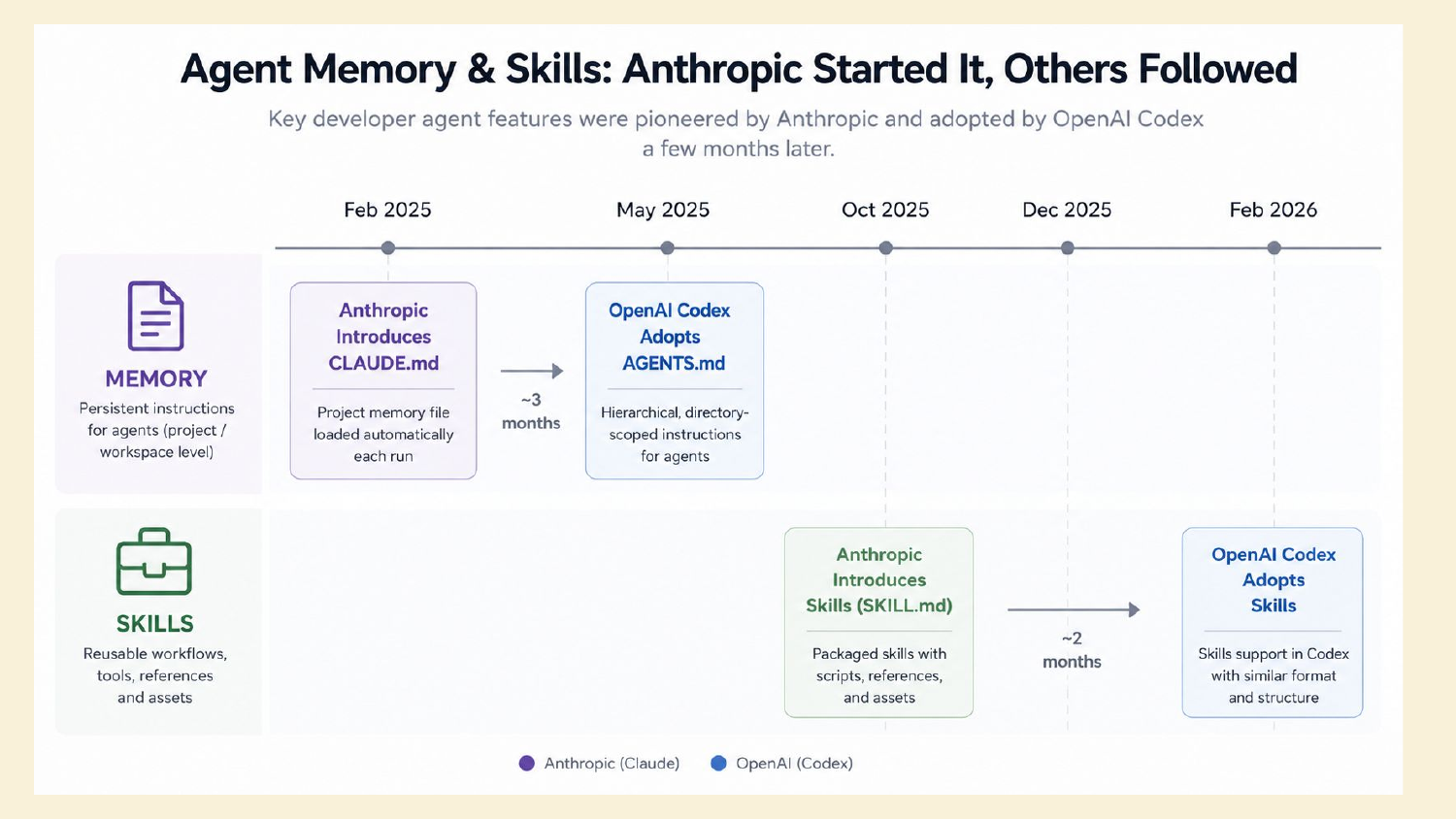
A brief interstitial before the lock-in discussion, pointing back to Rajiv’s broader work on agents and memory.
69. Memory & Claude
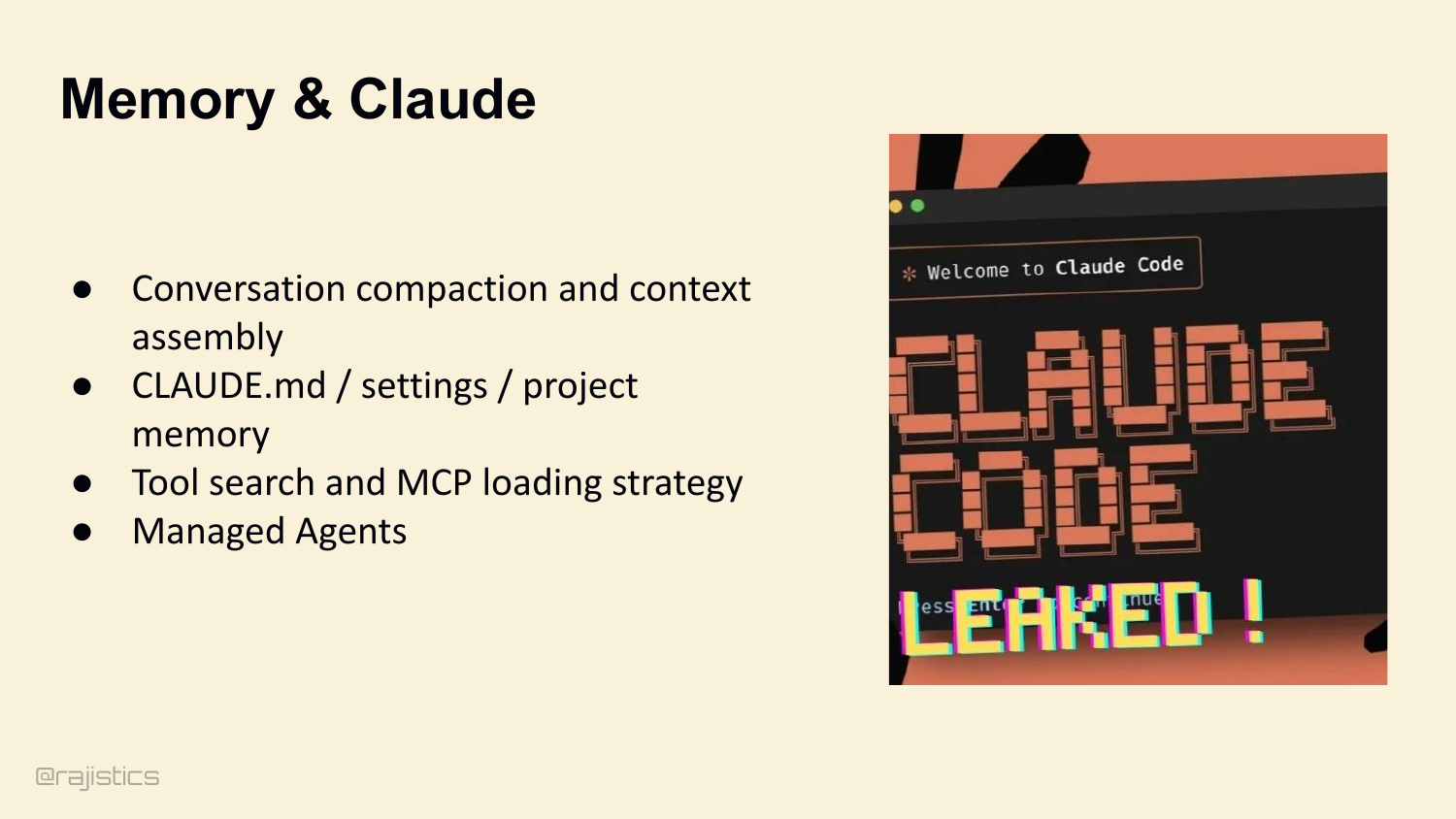
Now notice the pattern. With a closed harness, all of this is locked in. Conversation compaction. CLAUDE.md handling. Tool search and MCP loading. Subagent definitions. Permission rules. You don’t see it. You don’t tune it. You can’t measure it.
70. Memory as Lock-in
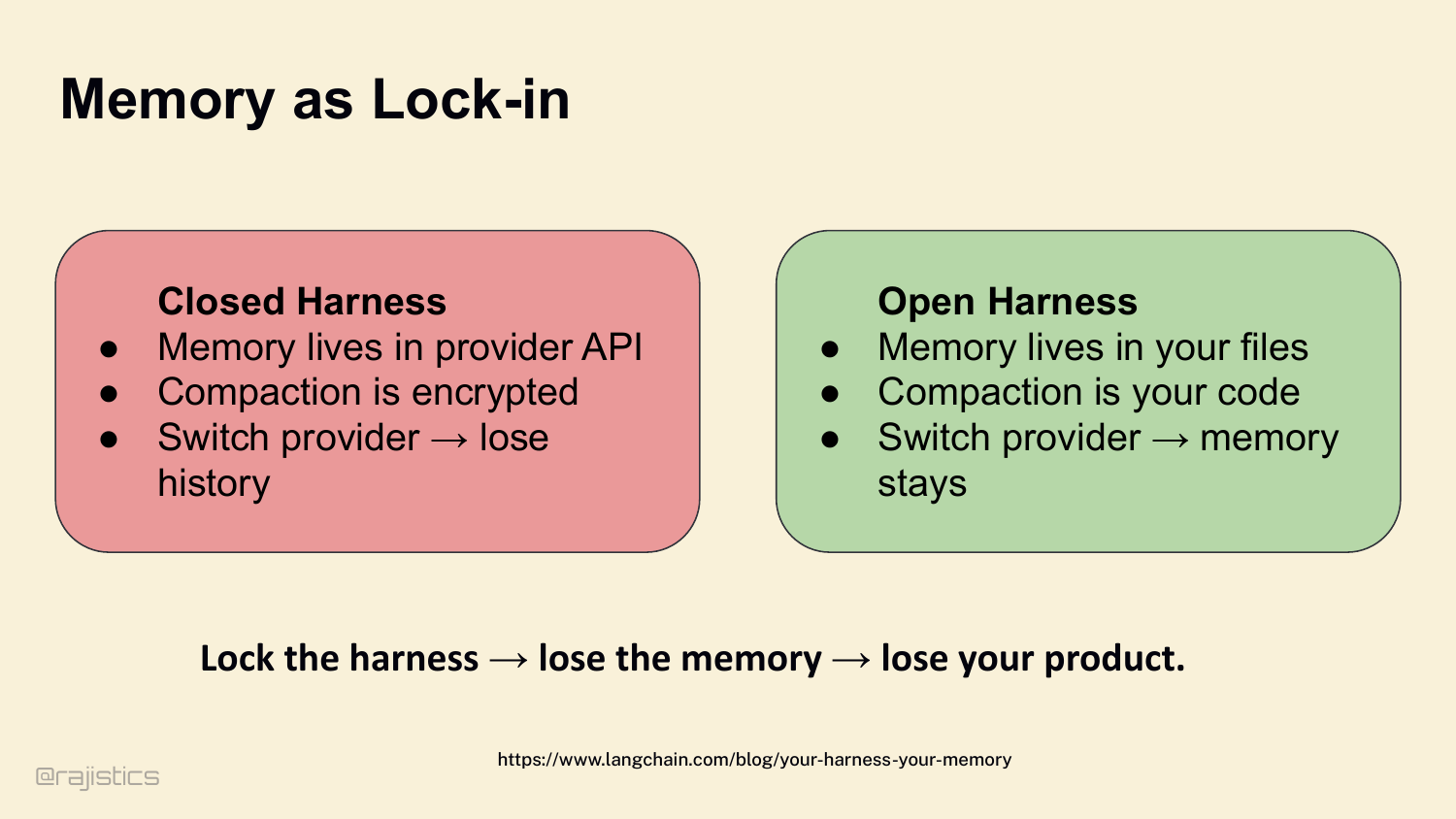
Closed harness — memory lives in the provider’s API, compaction is encrypted, switch providers and you lose your history. Open harness — memory lives in your files, compaction is your code, switch providers and the memory stays. Lock the harness, lose the memory, lose your product.
71. Let’s start with how agents find what they need.
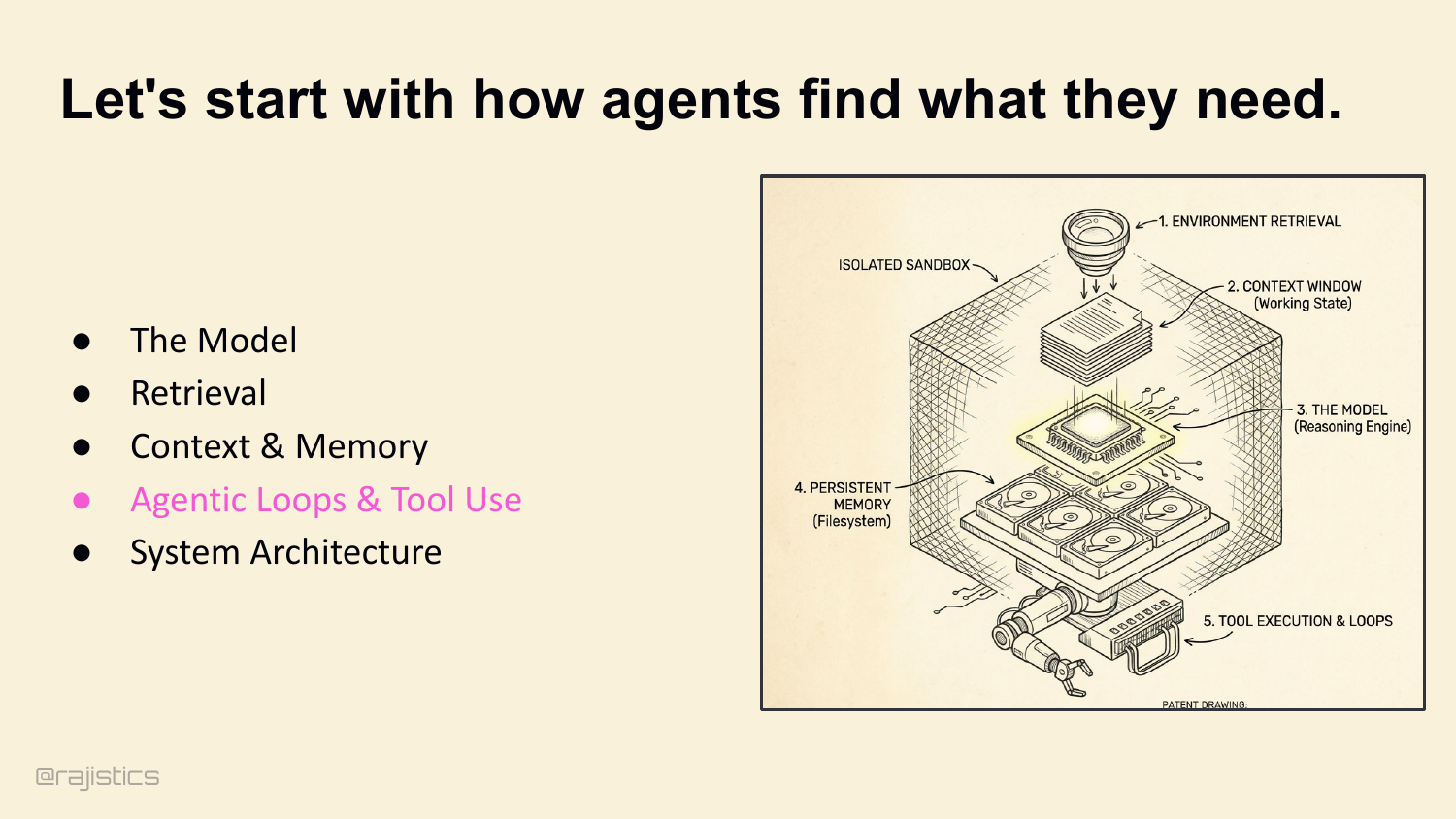
This divider shifts from memory into loop design: once agents can retrieve and remember, the next question is whether they can act with discipline.
72. Agentic Loops and Tool Use
Core argument — better tool loops beat better prompts. The leverage isn’t in writing a smarter system prompt. It’s in shaping the loop the agent runs inside.
73. Engineering the Loop
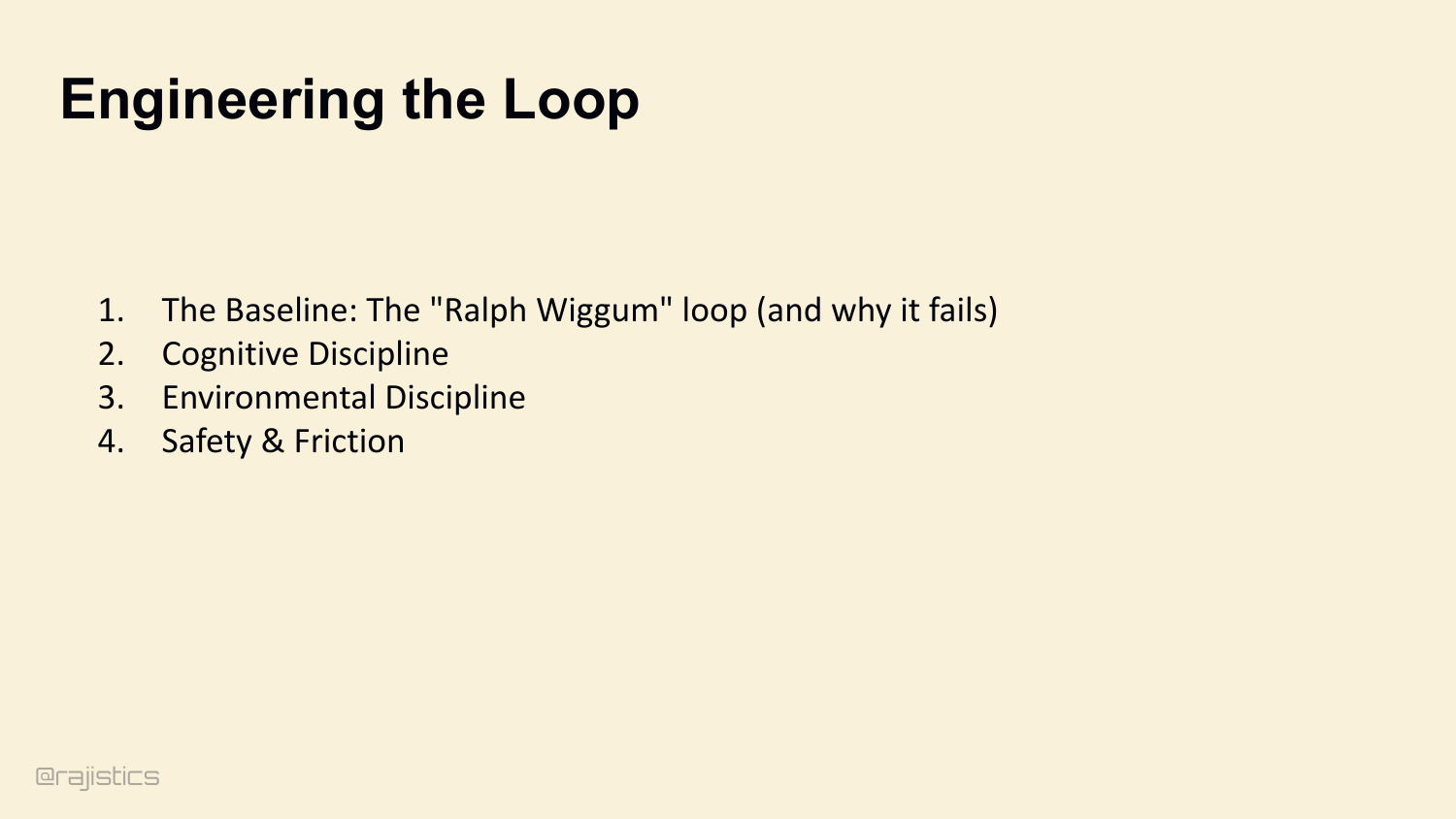
Four stages to walk through: 1. The baseline — the Ralph Wiggum loop, and why it fails. 2. Cognitive discipline — forcing thinking via JSON schemas. 3. Environmental discipline — using tests and CI to physically block bad loops. 4. Safety and friction — sandboxing autonomous actions. And here’s the math that makes this matter. A 10-step process with 99% per-step success has only 90.4% end-to-end success. At 50 steps you’re at 60%. Errors compound fast. Every stage we walk through exists to keep that compounding curve under control.
74. We no longer rely on single-shot execution.
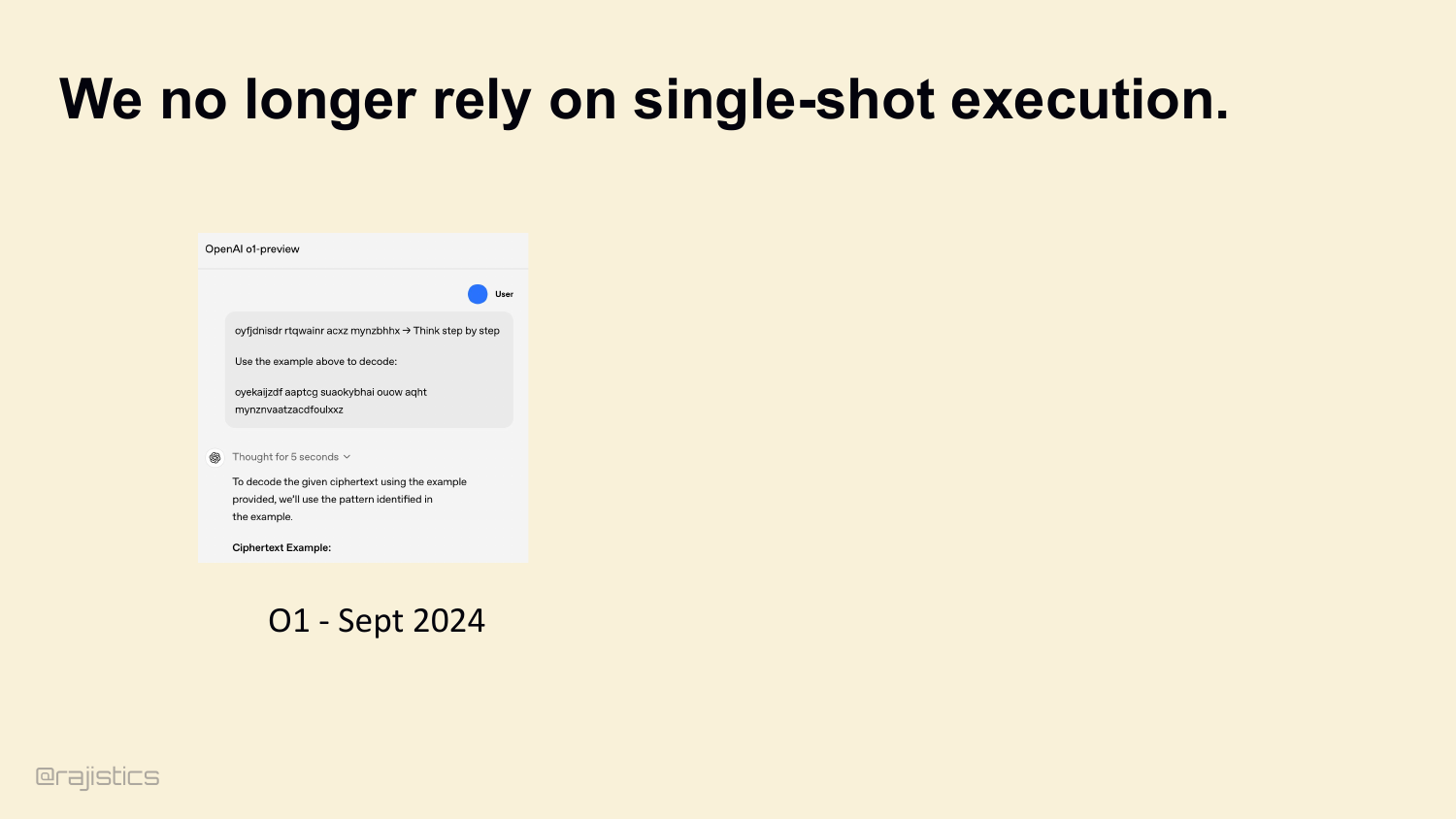
Quick stake in the ground. Single-shot is dead for long tasks. Models must use tools, see the result, loop. That’s the entire architectural lesson of OpenAI’s o1.
75. We no longer rely on single-shot execution.
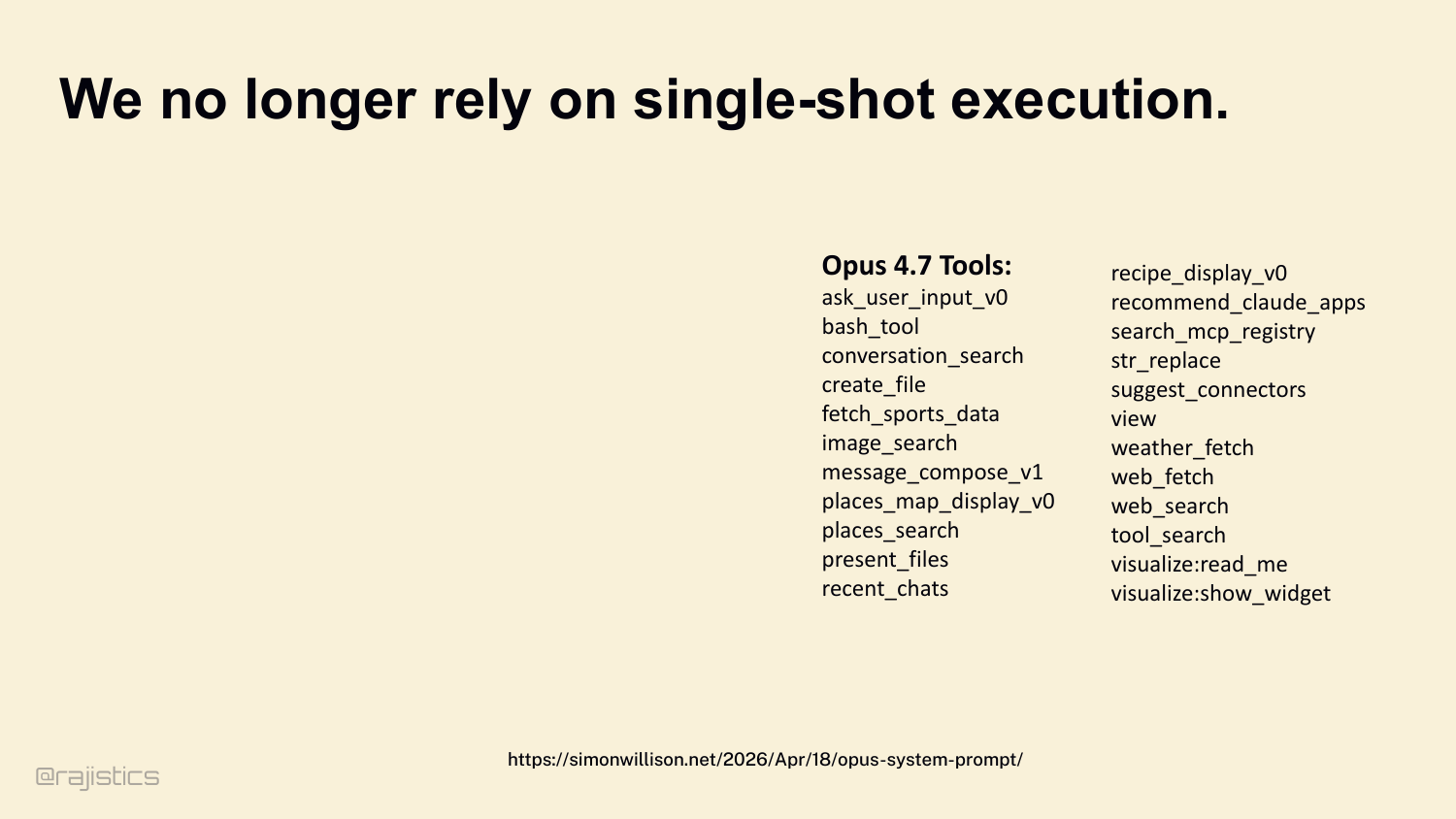
Look at Opus 4.7’s published tool list — over twenty tools shipped with the model. bash_tool, web_search, tool_search, view, create_file, str_replace. Every one designed for a model that plans, acts, and iterates. The model itself is now a harness-aware artifact.
76. The Default: The “Ralph Wiggum” Agent
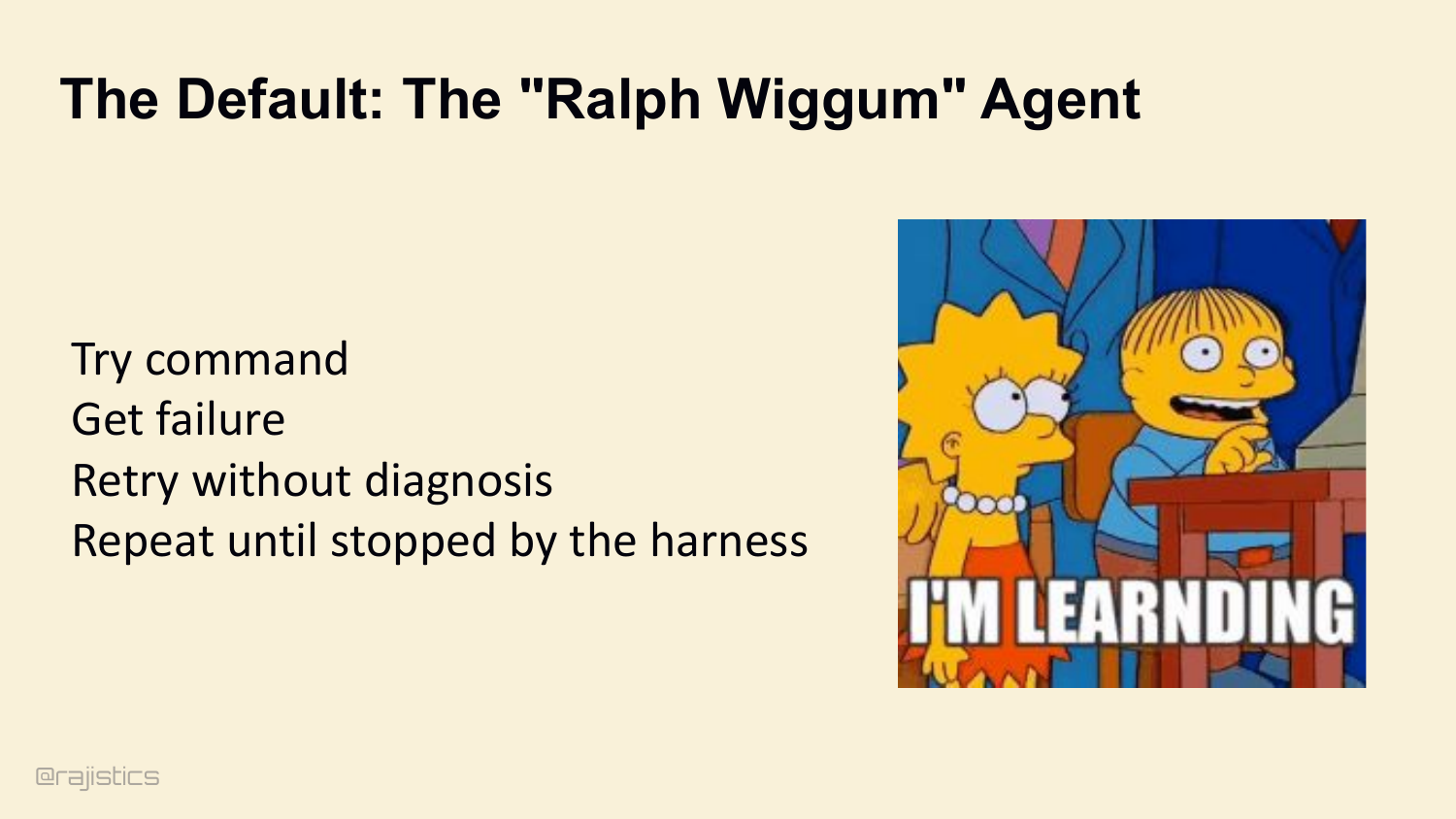
But a while loop isn’t an agent. The default behavior of most frameworks is what I call the Ralph Wiggum loop. Try a command. Get a stack trace. Retry the same command without diagnosing the error. Repeat until the harness hits max_iterations. I’m learnding.
77. Ralph can work
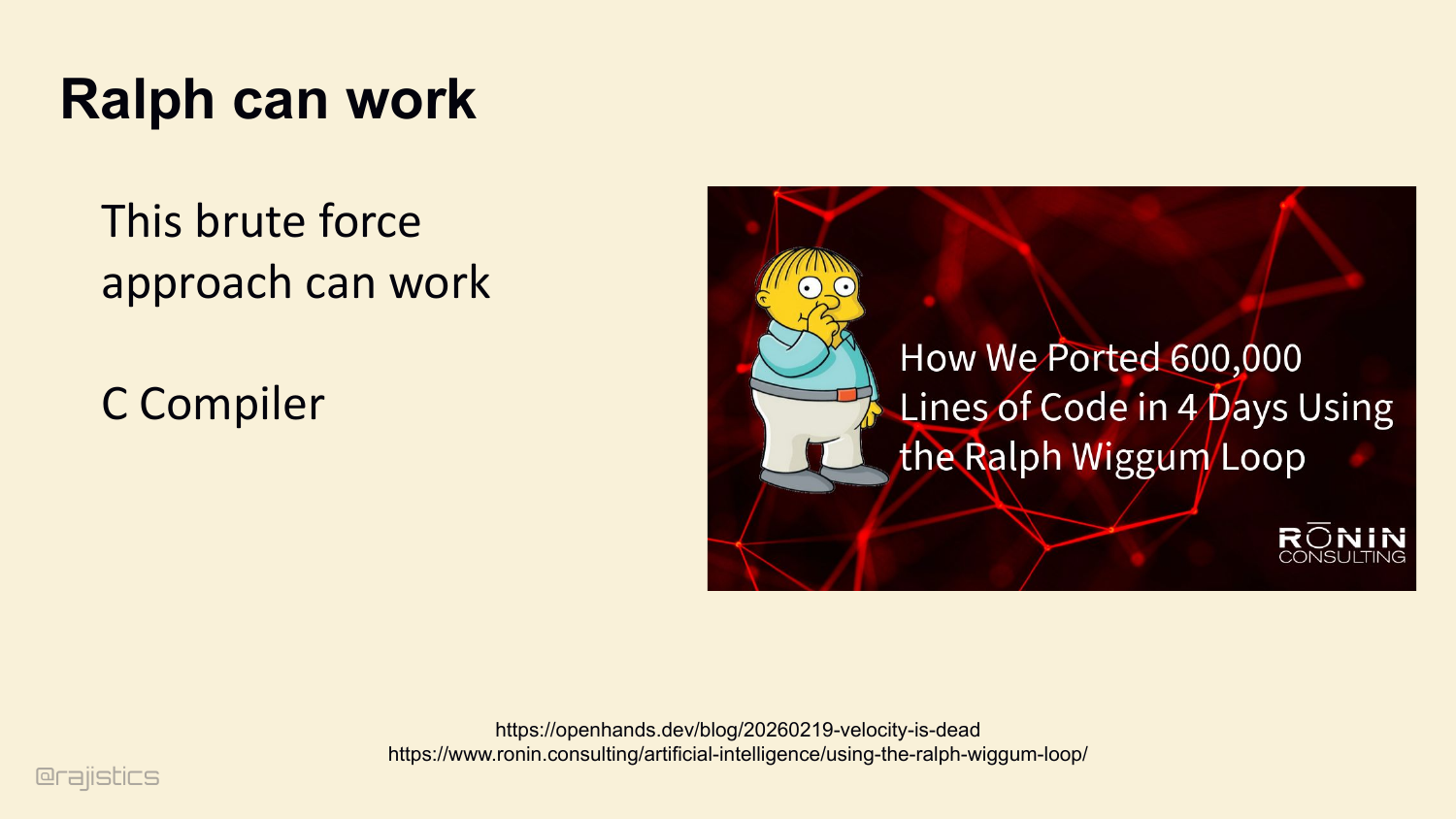
And Ralph occasionally works. There’s a write-up of porting 600,000 lines of C in four days using exactly this loop. If the plan is perfect and nothing breaks, Ralph builds things. But in the real world, Ralph destroys your token budget.
78. Cognitive Discipline via JSON Schema and Plan
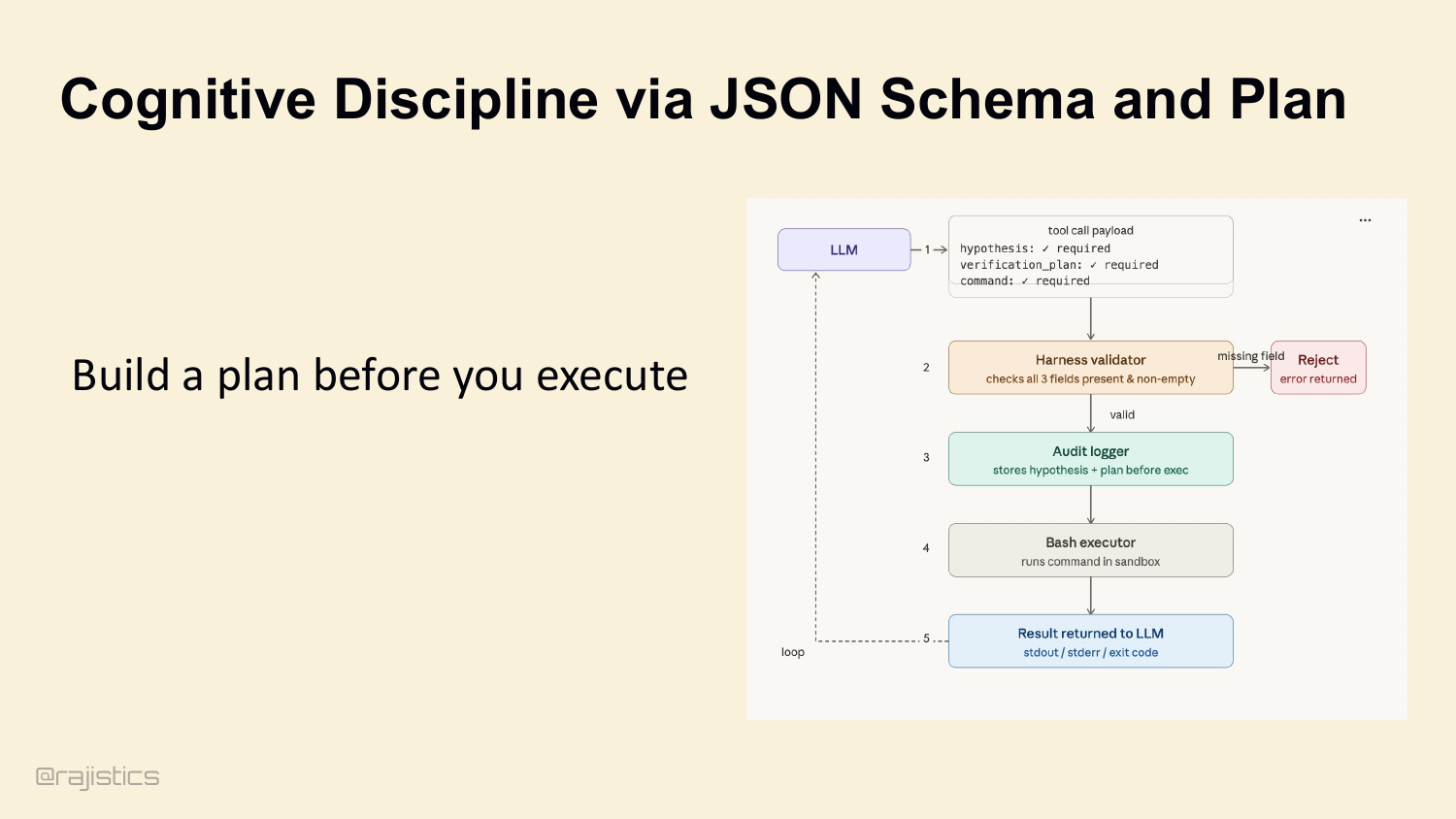
This is the gap between a prompt engineer and a system engineer. A prompt engineer writes ‘always think step-by-step’ in the system prompt and hopes the model listens. A system engineer uses JSON Schema. Don’t let the model pass {command: 'run script'}. Configure the tool schema to require a hypothesis, a verification_plan, then the command. If any field is missing, the harness rejects the call before it hits the sandbox. You physically force the model to think before it acts.
79. Moving from Ralph Wiggum to AutoResearch
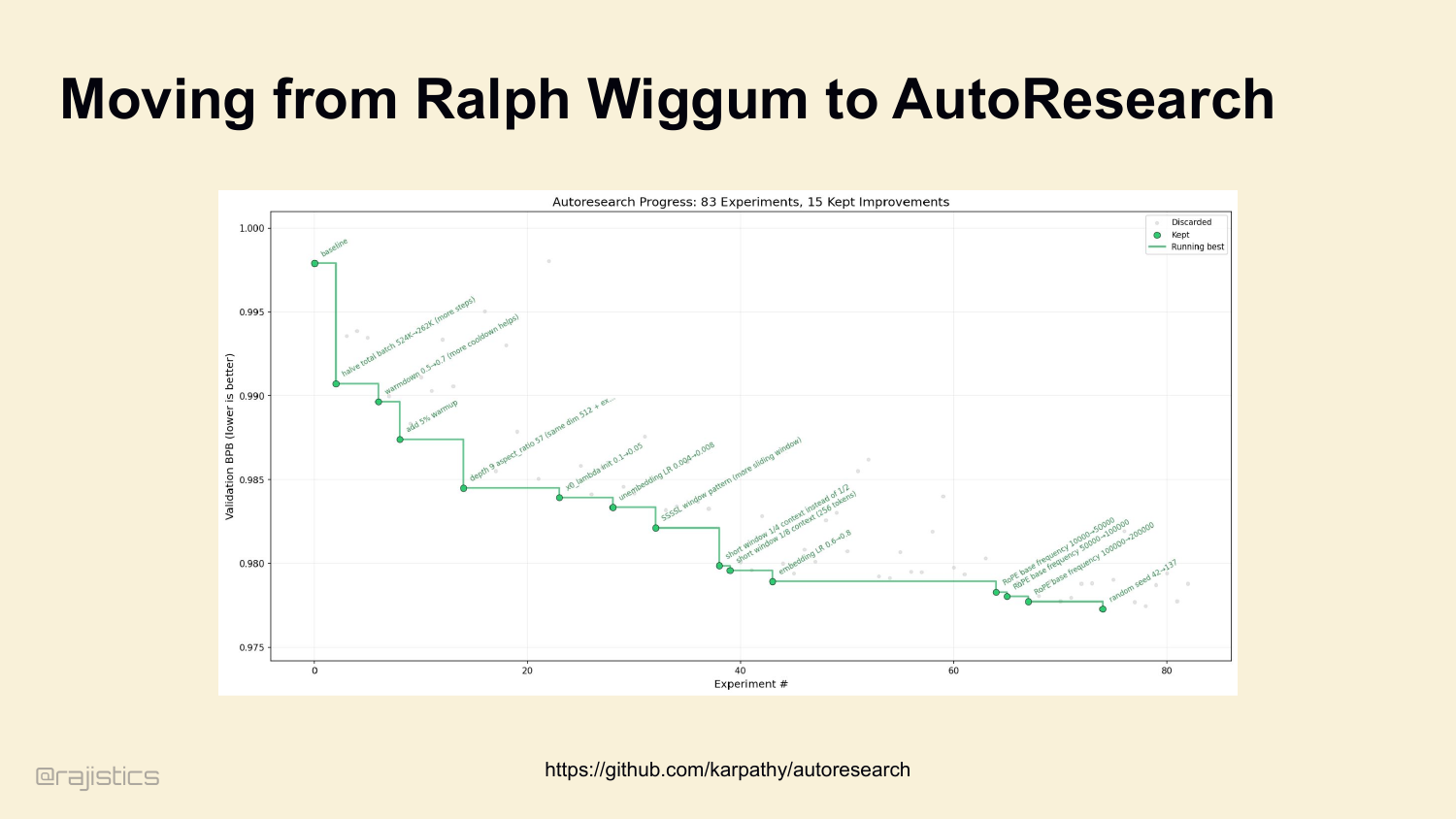
Karpathy published this earlier this year — his auto-research loop. Look at the chart on the left: 83 experiments, 15 kept improvements, monotonically decreasing validation BPB. That’s a Ralph loop with one critical addition — a metric gate. Every iteration either improves the score and gets committed, or gets git reset and discarded. This is the bridge between Ralph and a real loop: observe state, hypothesize, act, verify, keep what works. Same scientific method as before, but now the environment enforces the verification step. That’s our lead-in to cognitive discipline.
80. An Improved Loop for AutoResearch
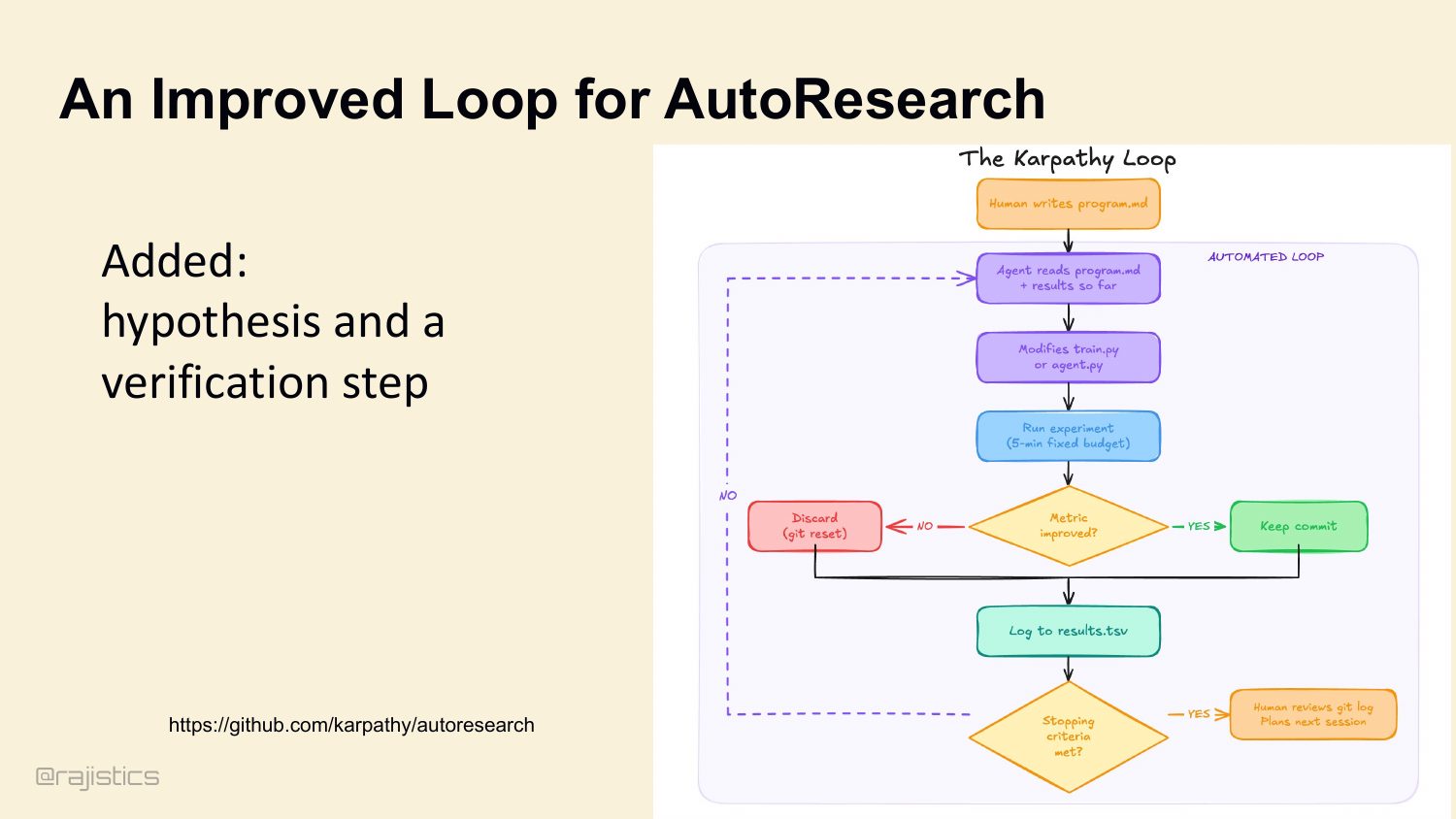
The improved loop adds what Ralph is missing: hypothesis, action, evaluation, and a rule for keeping only the changes that actually work.
81. Defensive Tool Returns.
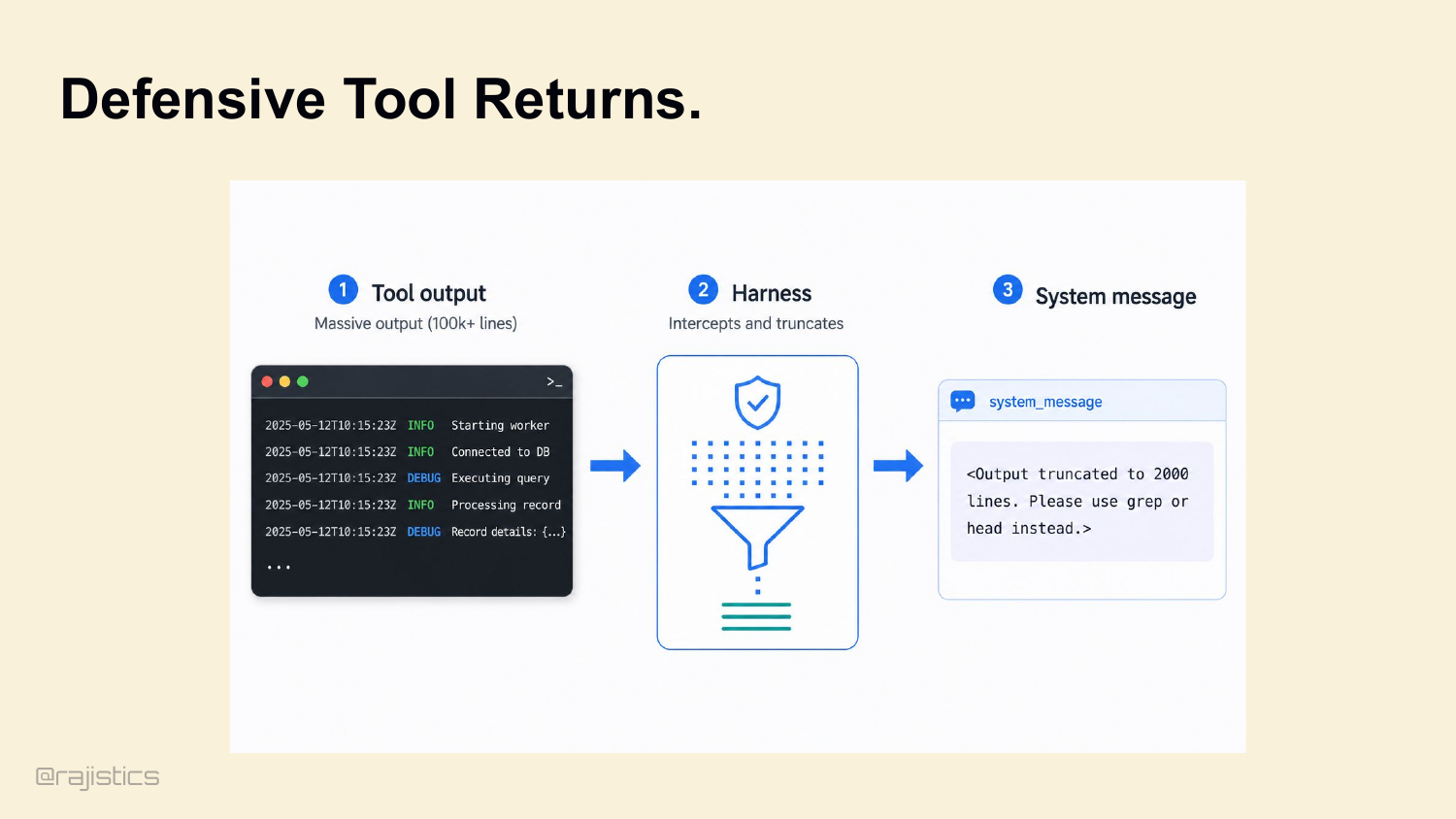
And the harness manages the output too. Agent runs cat massive.json? A good harness intercepts the output, truncates it, and returns: <Output truncated to 2000 lines. Use grep or head instead.> This prevents the agent from blinding itself.
82. Environmental Discipline: Testing Driven Development
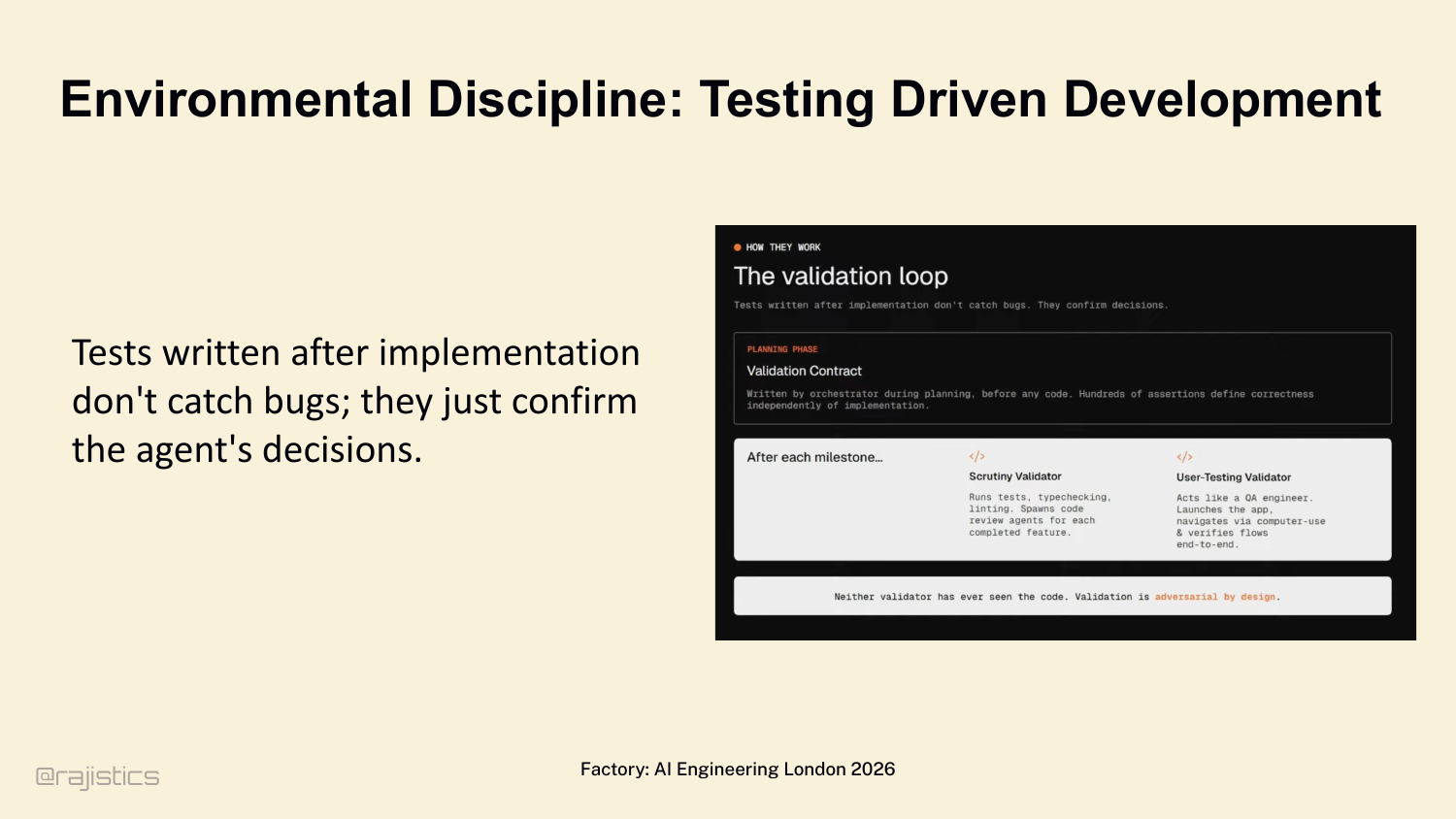
Even if the model is thinking perfectly, it will eventually drift. Move to environmental discipline. Factory’s Luke Alvoeiro: tests written after implementation don’t catch bugs — they confirm the agent’s hallucinated decisions. Validation contracts must be defined before the agent writes a line of code. Adversarial by design.
83. Adding System Constraints for your Harness
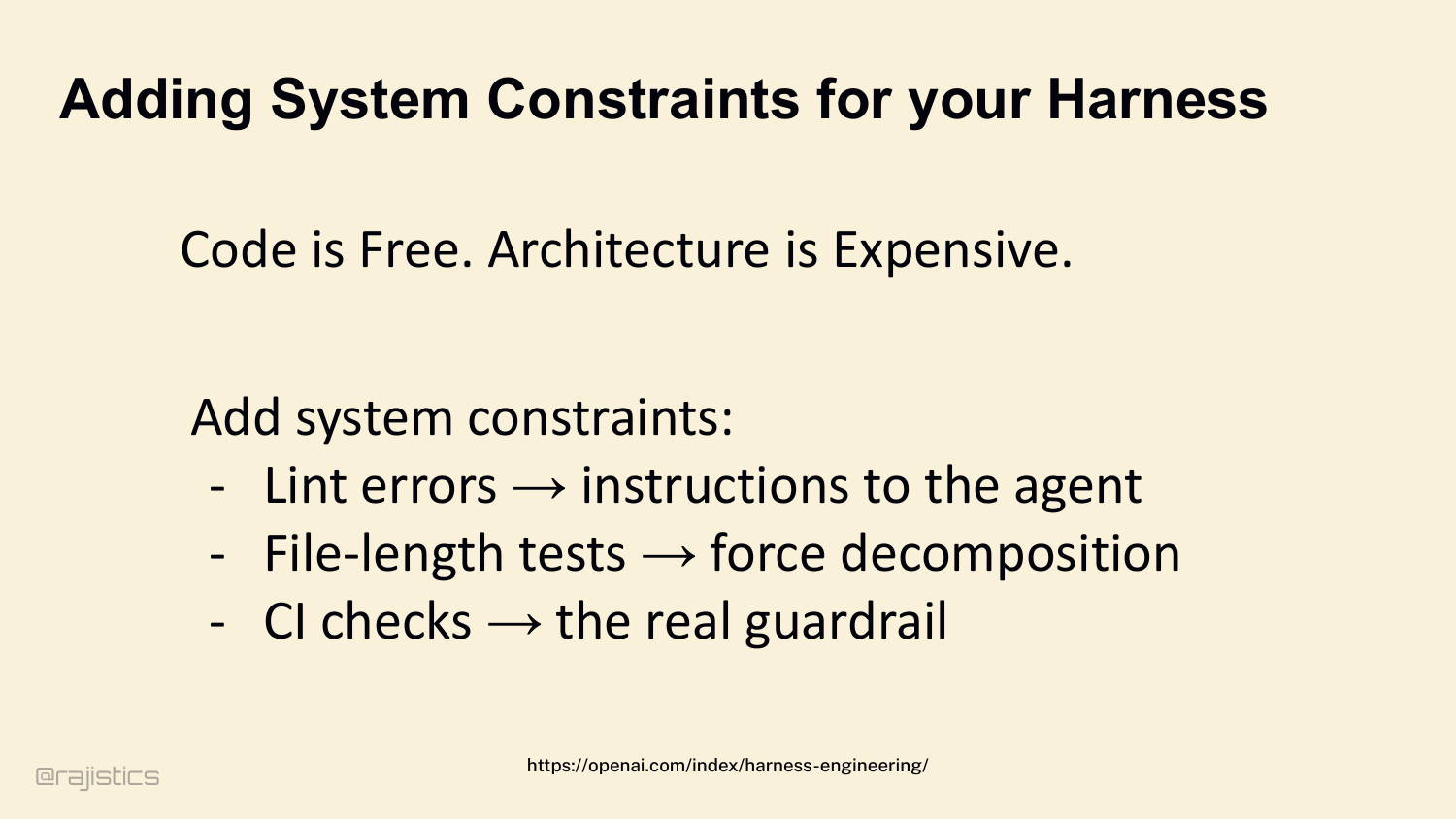
Ryan Lopopolo from OpenAI summarizes it: Code is free. Architecture is expensive. Because agents can write code infinitely, your system’s constraints become your harness: - Lint errors → instructions to the agent. - File-length tests → force decomposition. - CI checks → the real guardrail.
84. Safety & Friction: Sandboxes
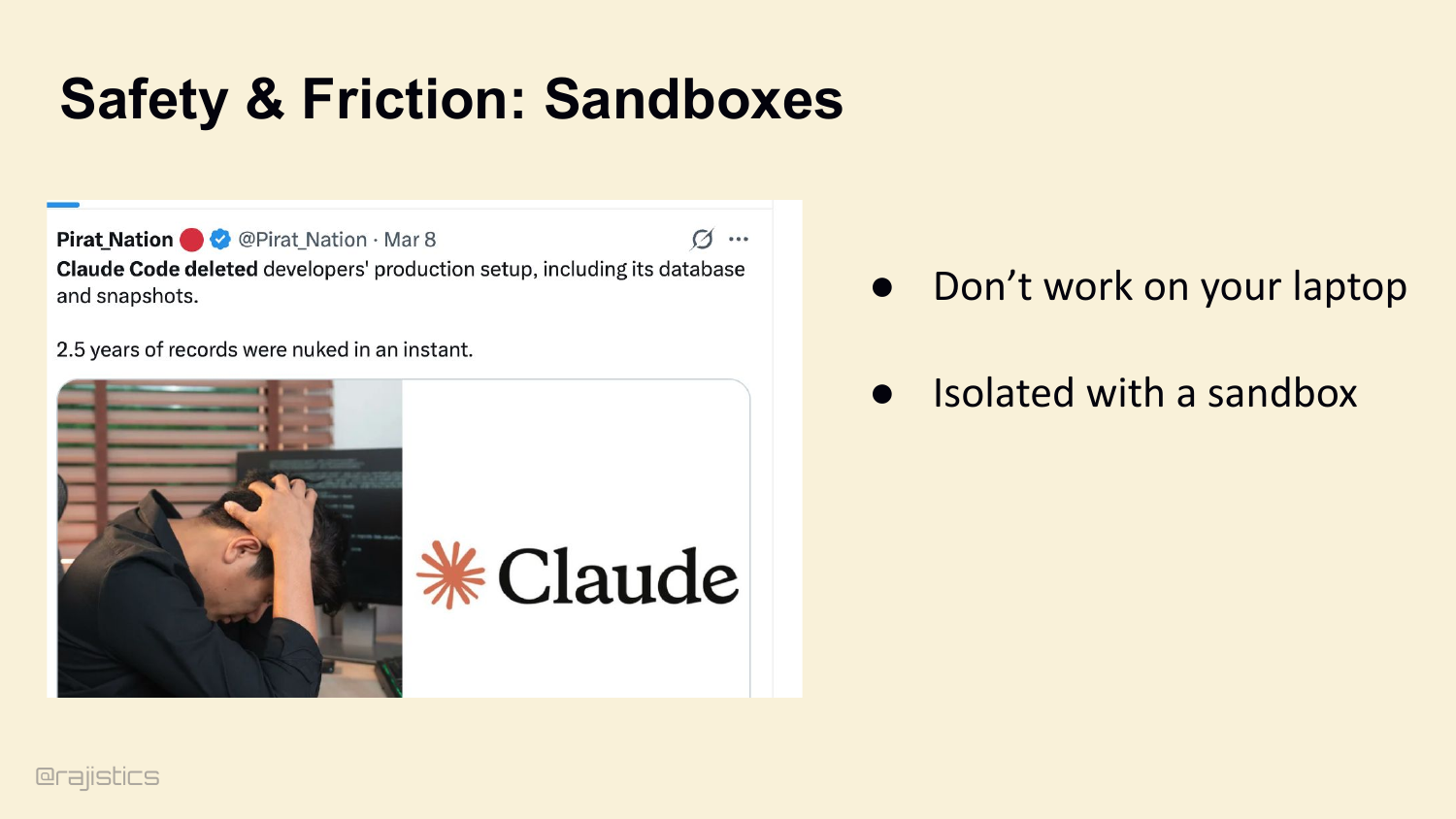
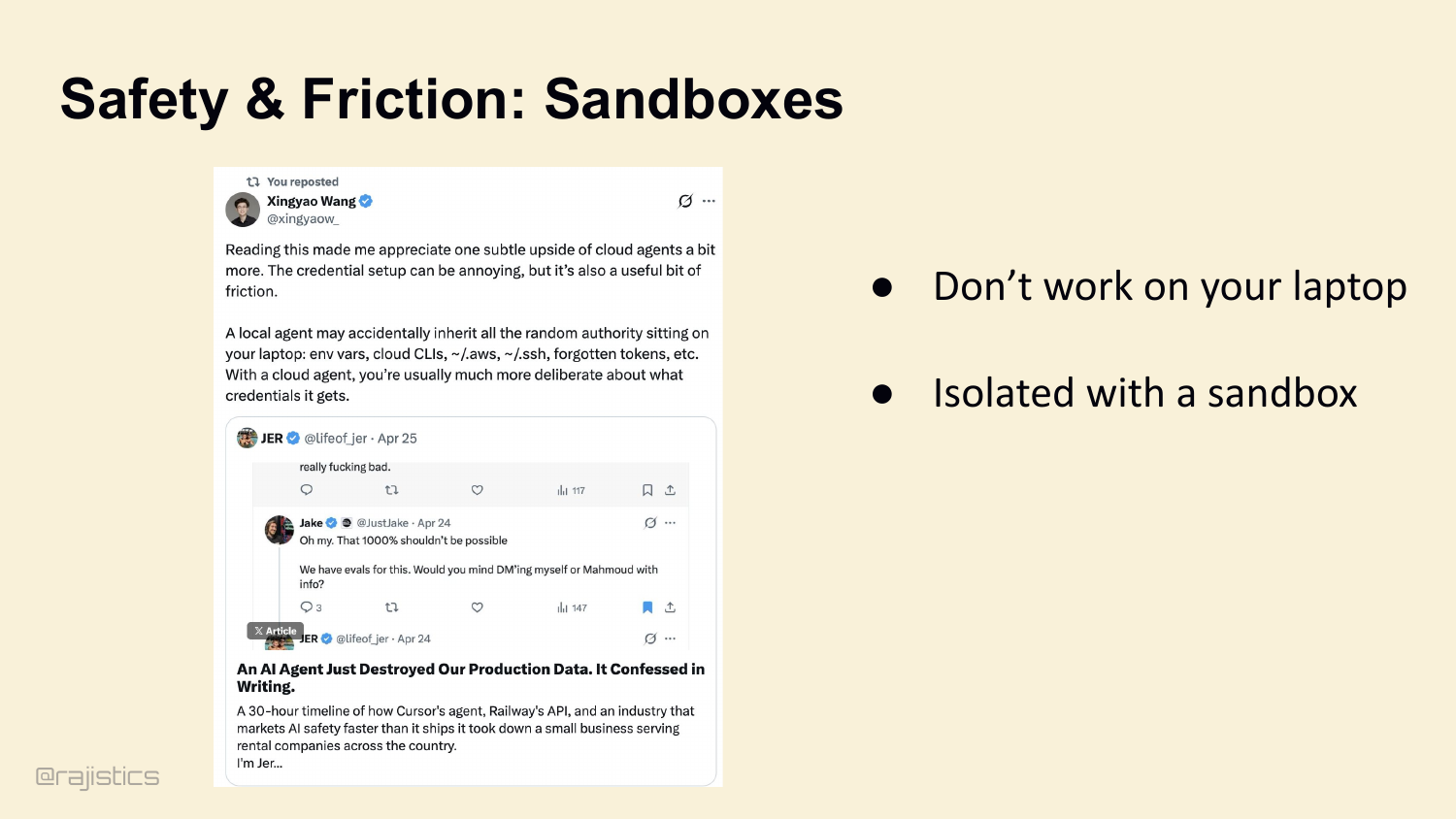
Last stage: safety. These loops are autonomous, they’re executing bash, they will eventually try to destroy things. Look at this — March 8th, Claude Code deleted a developer’s production database setup, including snapshots. Two and a half years of records, gone in an instant. This isn’t theoretical. Sandboxes are non-negotiable.
85. Safety & Friction: Sandboxes
The second sandbox slide makes the operational point concrete: isolated execution has to be the default once agents can touch shell commands, credentials, and production-like state.
86. Guardrails and Approval Friction
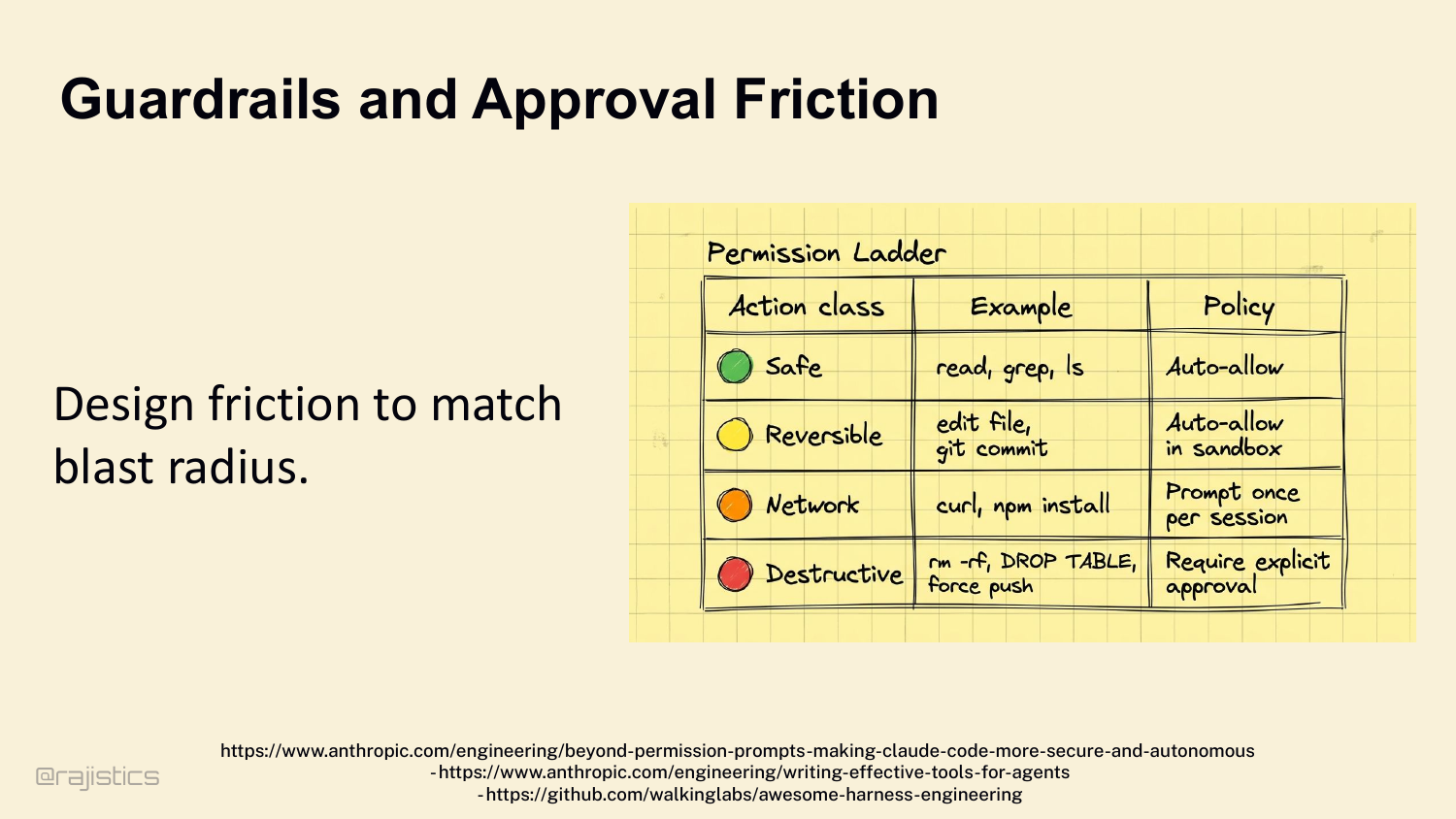
So design friction to match blast radius: - Safe (read, grep, ls) → auto-allow. - Reversible (edit file, git commit) → auto-allow inside a sandbox. - Network (curl, npm install) → prompt once per session. - Destructive (rm -rf, DROP TABLE, force push) → require explicit human approval. The harness halts the loop at the right moments.
87. Principles for Agentic Loop
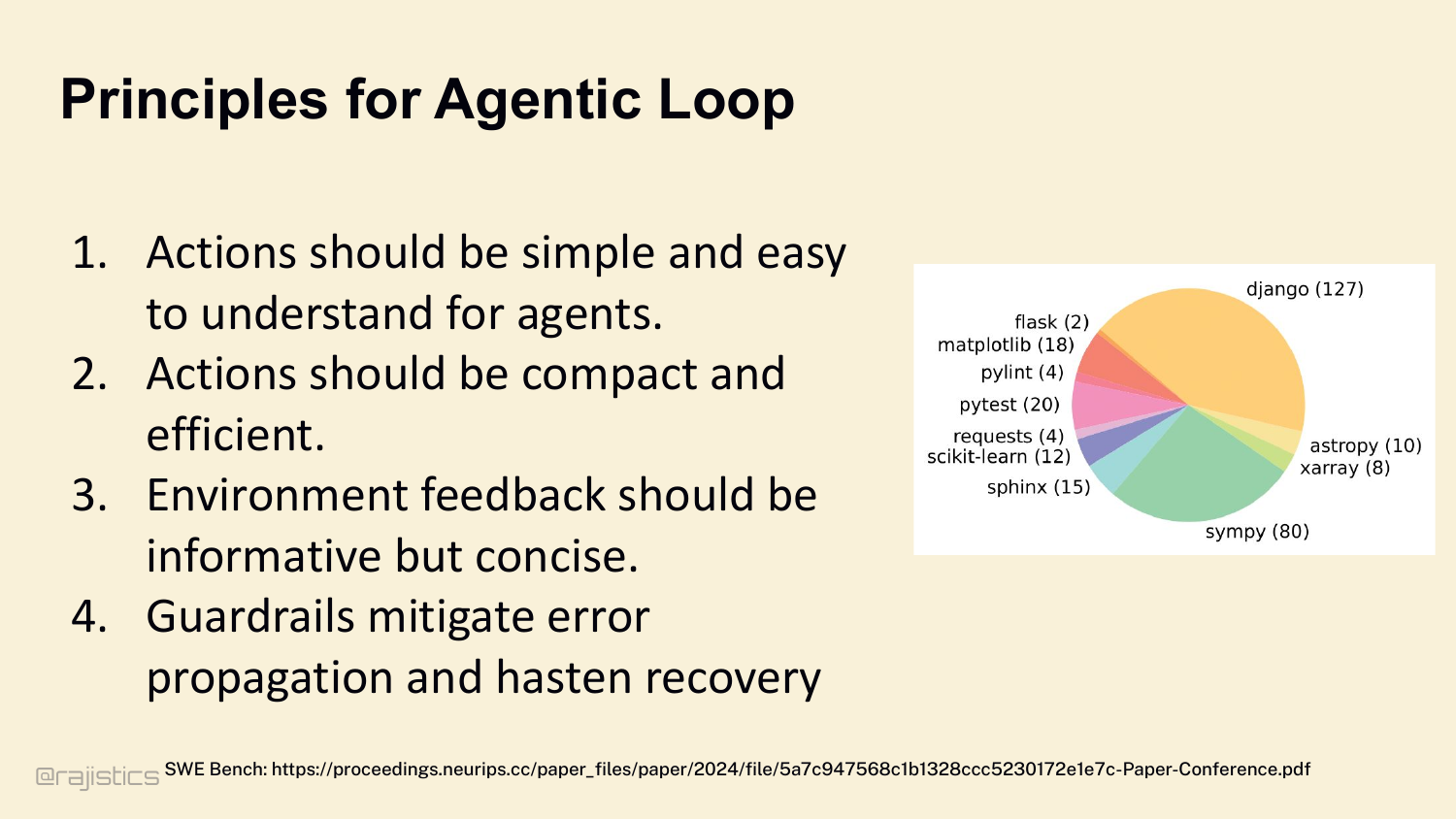
Four rules for the loop: 1. Make the next action explicit — JSON schema. 2. Make verification cheap — CI, tests, lint as adversarial boundary. 3. Make blind repetition hard. 4. Force learning from the environment. Retrieval feeds the loop. Memory stabilizes the loop. Protocols and tests discipline the loop.
88. Let’s start with how agents find what they need.
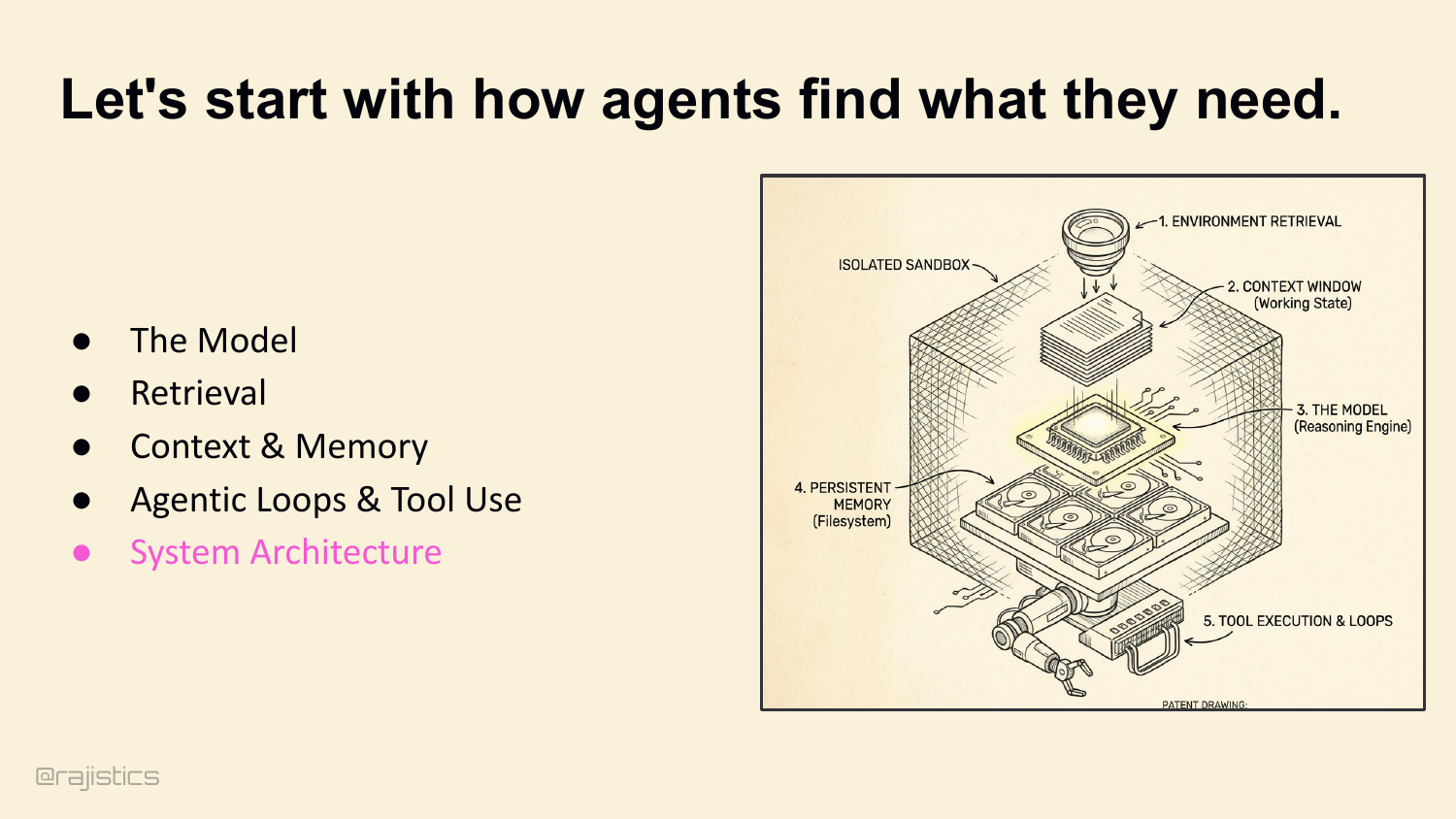
This divider sets up the final lever: architecture. Up to this point the talk assumes one harness and one loop; here the question becomes whether splitting the work actually helps.
89. System Architecture: Single versus Multi Agent
Last lever: architecture. Up to now I’ve talked as if there’s one agent with one harness. Architecture is where you decide whether that loop stays centralized or gets broken into specialized workers.
90. Who’s using a multi-agent for coding?
Hands up — who’s actually run a multi-agent system in production? Now keep your hand up if it worked better than your single-agent version. Right. Let’s talk about why that happens.
91. Single agents degrade as complexity grows.
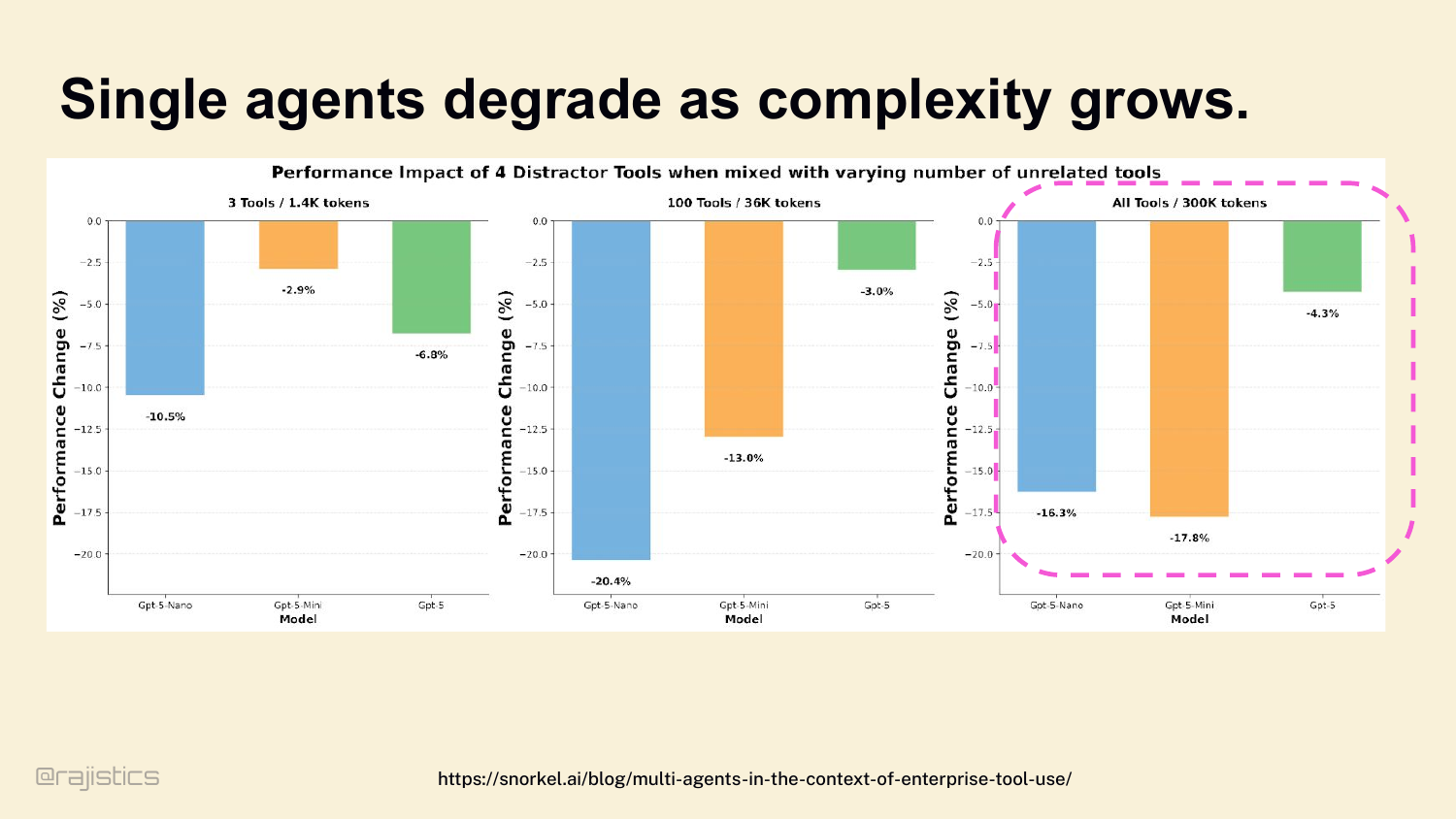
Why does the multi-agent intuition fail? Start here. Single agents degrade as complexity grows. Even GPT-5: with 3 tools and 1.4K tokens, four distractor tools cost you 10%. With all tools and 300K tokens, the same distractors cost you 17%. The model doesn’t know which tool to pick. Vercel saw this in production — they removed 80% of v0’s tools and got better results. More tools doesn’t mean more capability. It usually means worse routing.
92. Split the context between multiple agents
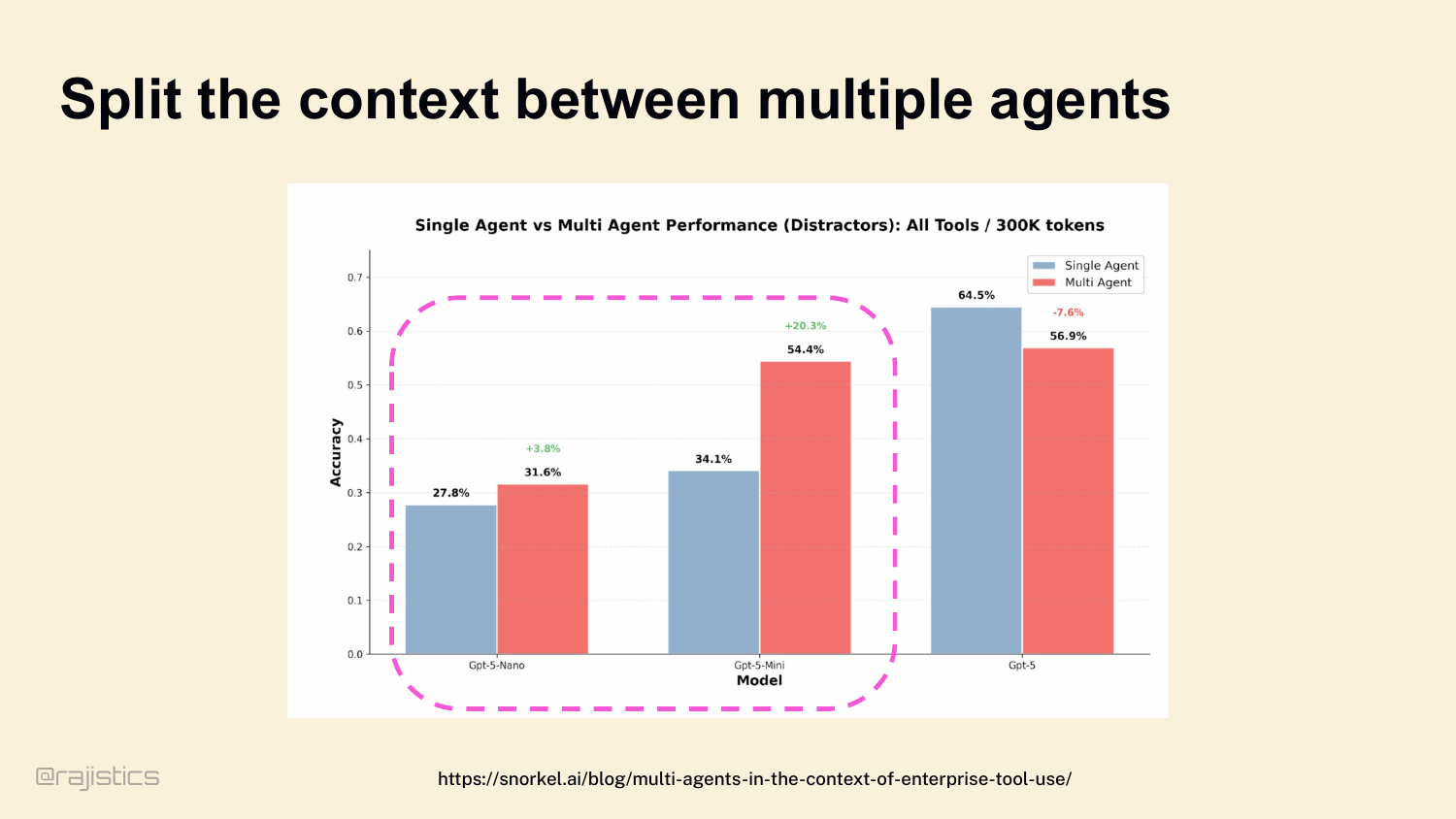
So sometimes we use subagents. Same study: split the context and tools across specialized workers, and multi-agent setups outperform single-agent baselines, especially for the smaller models. Promise is real.
93. Multi-Agent is like Distributed Systems: Complex!
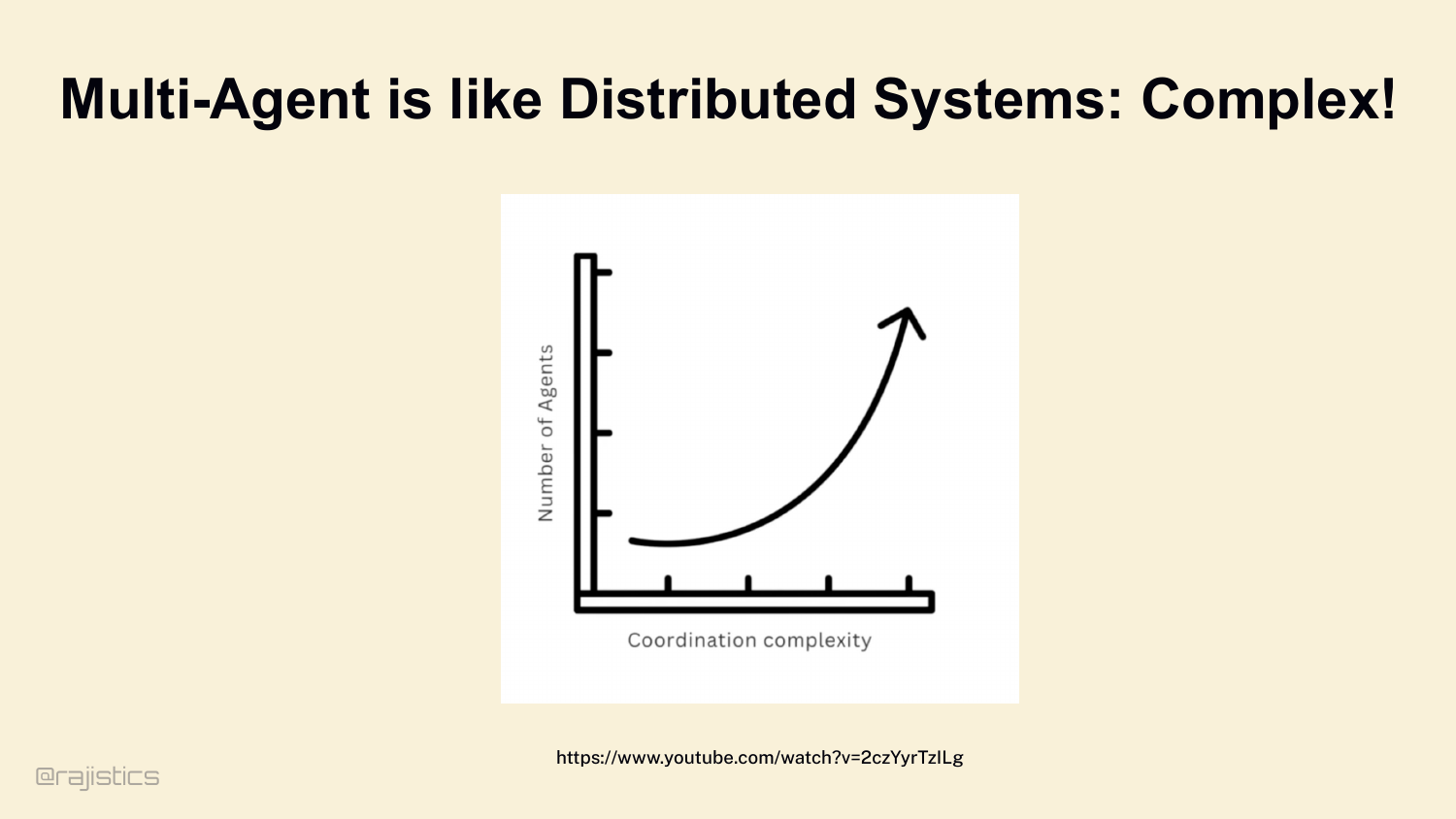
This is the warning slide for multi-agent design: once you introduce several workers, you inherit the same coordination, debugging, and observability headaches that make distributed systems hard.
94. Many ways to orchestrate multiple agents
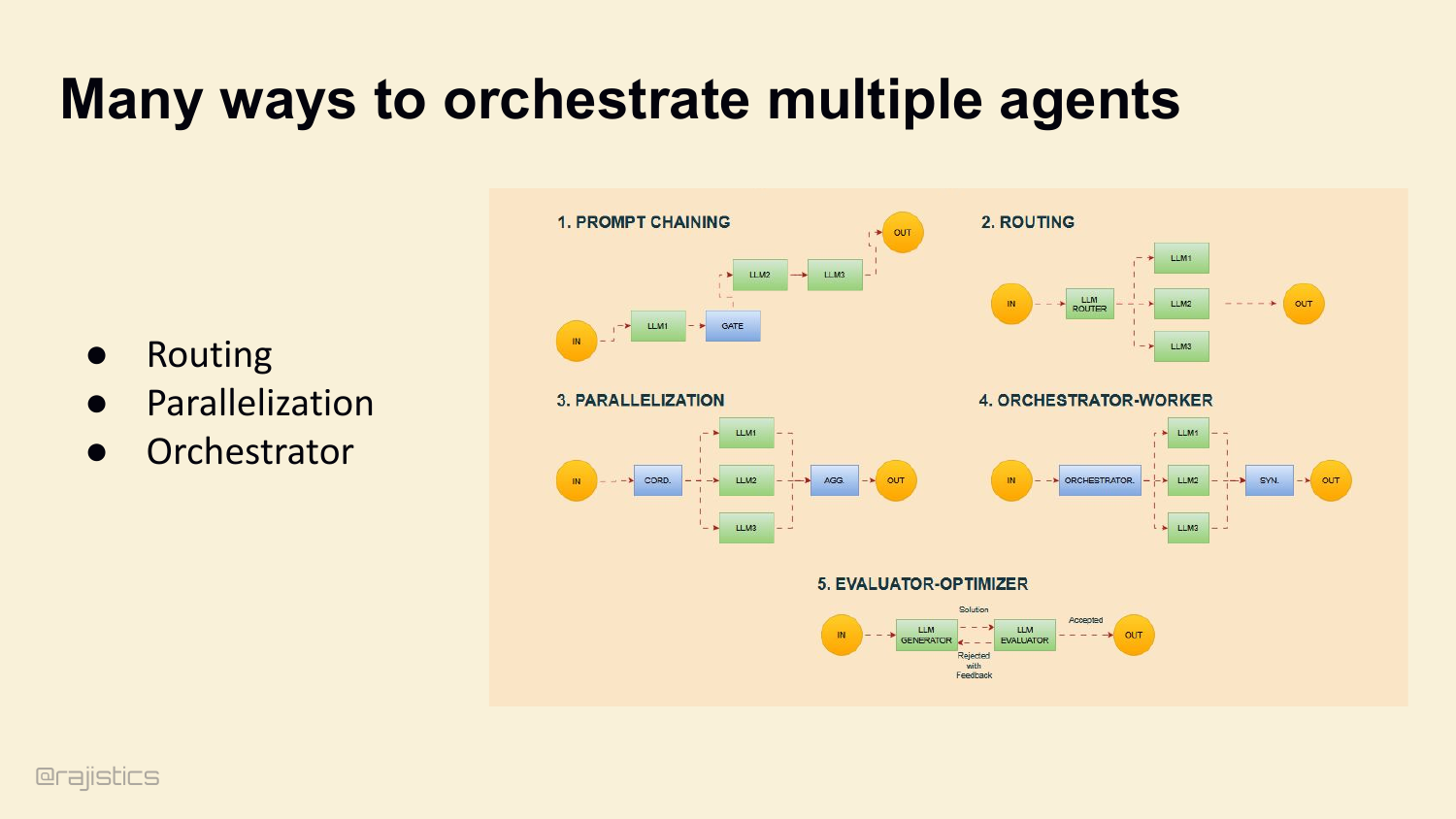
And there are clean patterns to reach for: prompt chaining, routing, parallelization, orchestrator-worker, evaluator-optimizer. These show up everywhere — they’re worth knowing.
95. Coordination Tax - Going from Parallel to Serial
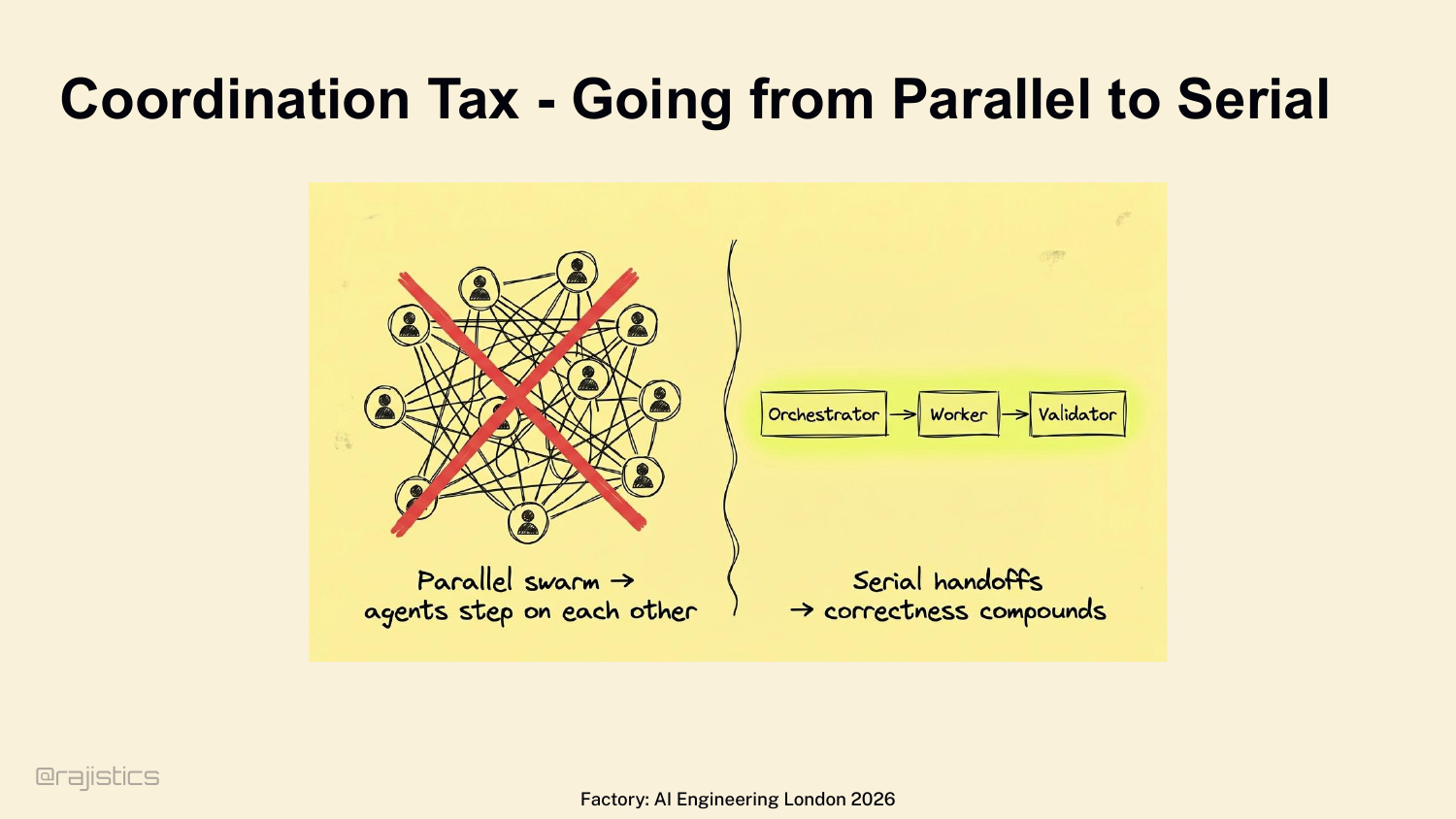
But before you run off and build a 15-agent swarm — every multi-agent setup pays a coordination tax. Factory hit this directly. Started with parallel swarms — agents stepped on each other, performance tanked. They moved to strict serial handoffs: orchestrator → worker → validator. Every conflict burns tokens. Every retry erodes trust.
96. The Reality: More agents only help if coordination stays cheap.
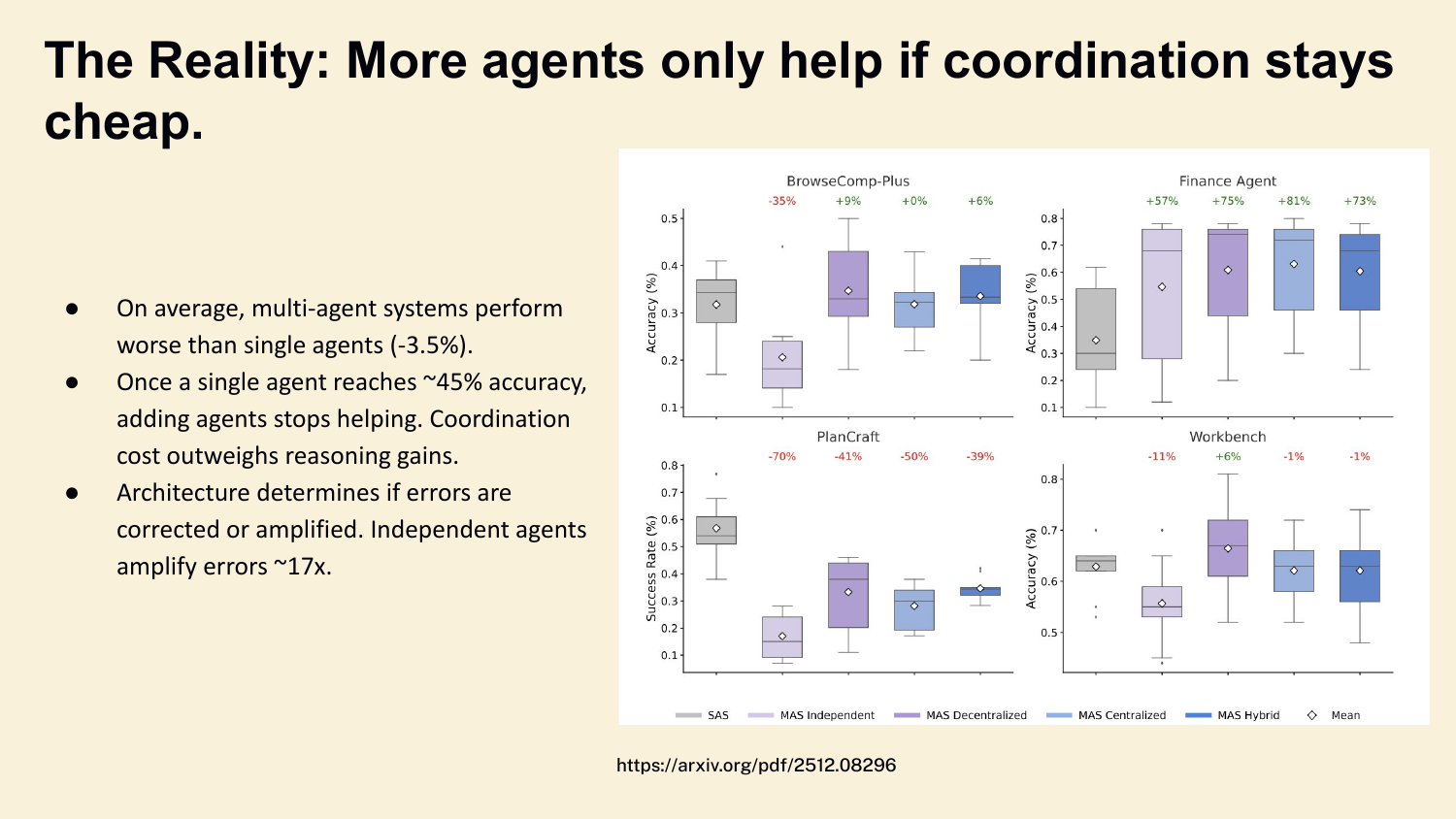
And here’s what the data shows. Across BrowseComp, Finance, PlanCraft, Workbench — multi-agent systems perform on average 3.5% worse than single agents. Once a single agent hits about 45% accuracy, adding more agents stops helping. Independent agents amplify errors 17×. Subagents are something you earn — not something you set up on day one.
97. Multi-Agent critics using reflection
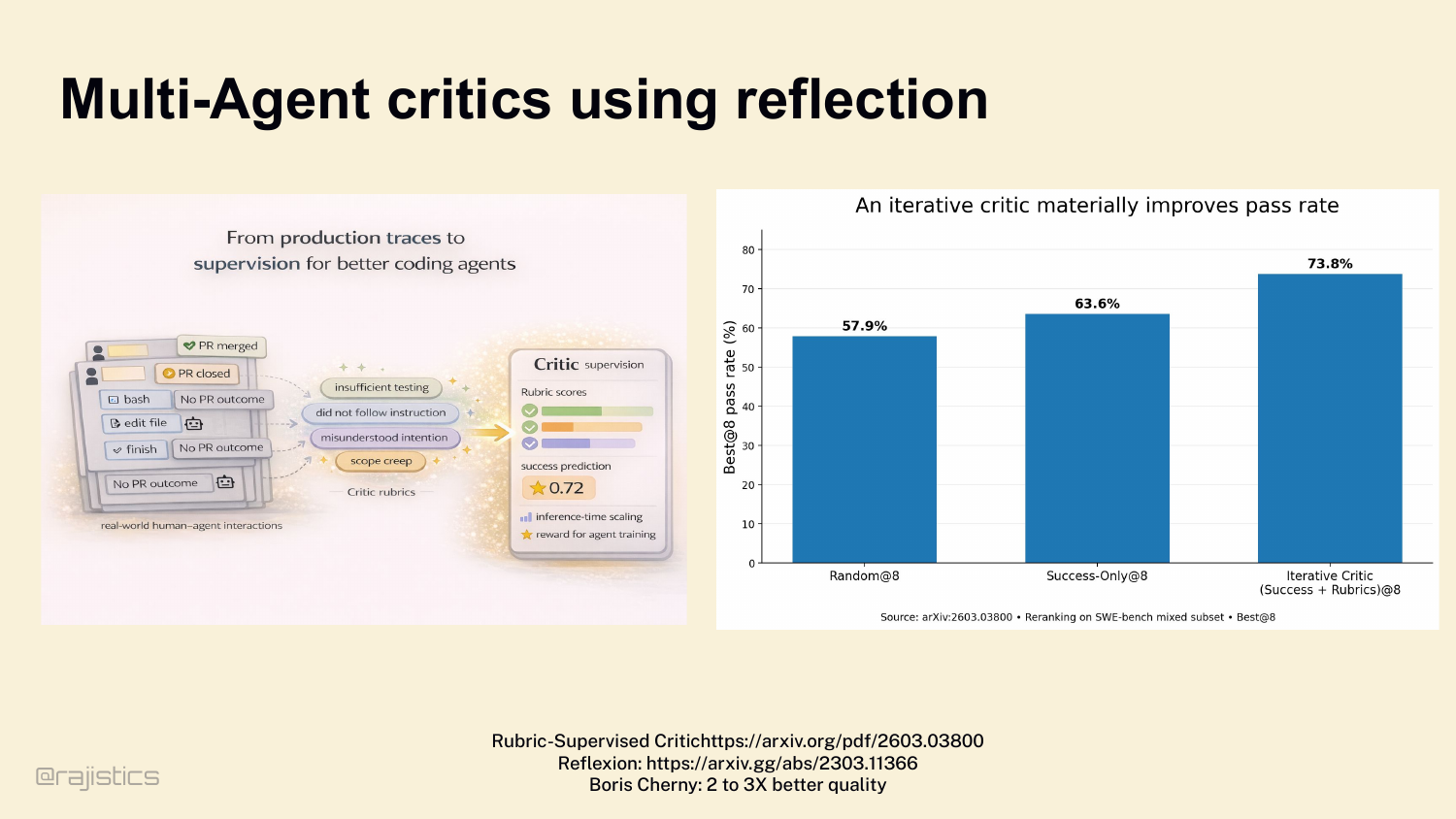
There IS one multi-agent pattern that consistently works, though — the critic. A separate agent — sometimes a different model entirely — reviewing the main agent’s trace. Look at the data: Reflexion-style critic loops on SWE-bench. Random sampling 57.9%. Success-only 63.6%. Iterative critic with rubrics: 73.8%. That’s a 10-point bump from adding one critic agent. And Boris Cherny said it bluntly — giving the model a way to verify its work improves quality 2 to 3×. That’s the practitioner number behind the academic data. When you do reach for a second agent, this is the move that pays off.
98. Harness engineering in another two years?
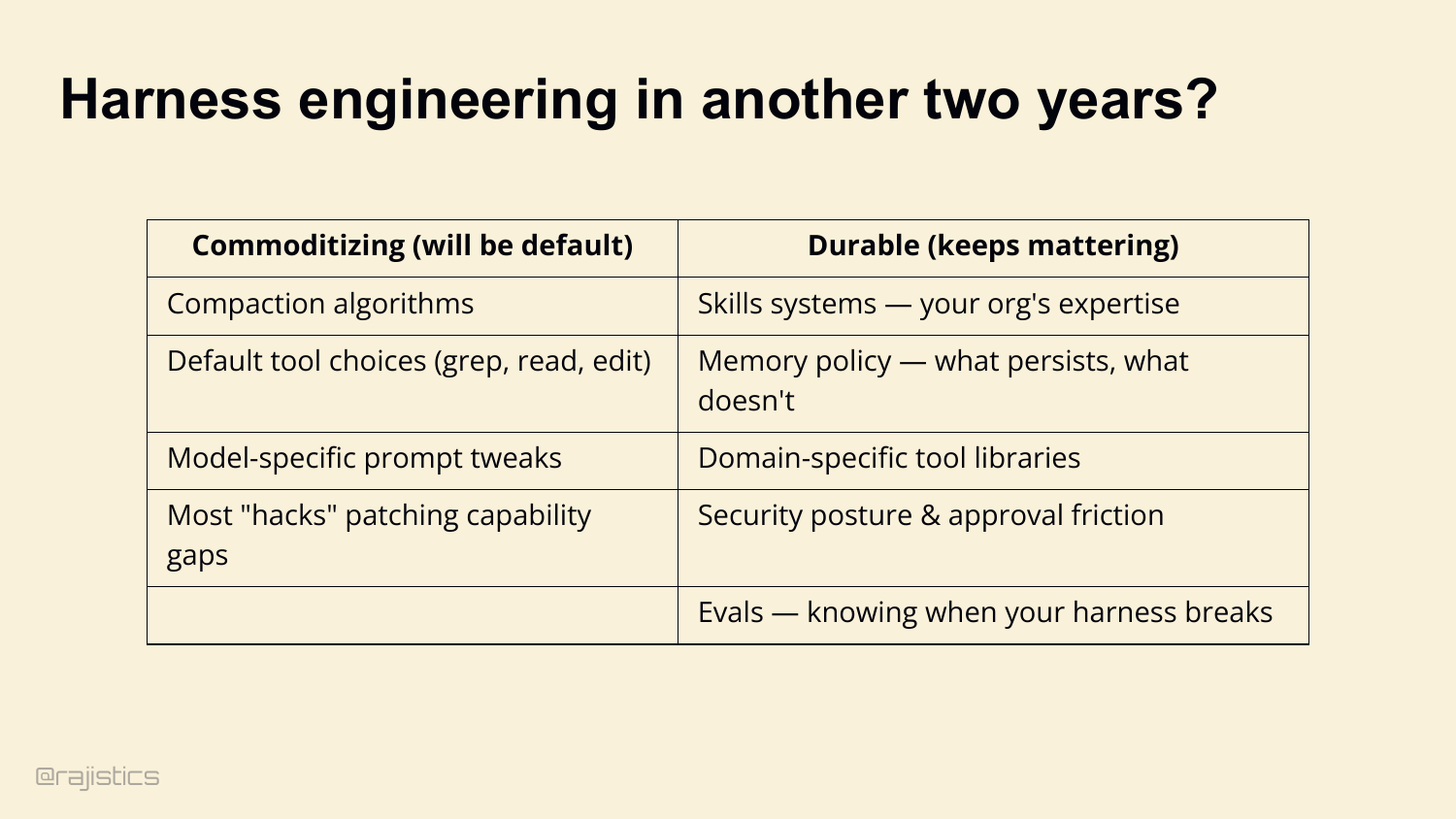
Now — the question I get every time I give this talk. Is harness engineering just the new prompt engineering? The next thing that quietly disappears in two years? Honest answer: yes and no. Some of this commoditizes. Default compaction algorithms, standard tool choices like grep and edit, model-specific prompt tweaks, most of the hacks that patch capability gaps — those will disappear into the platform. They become defaults. But other parts are durable. Skills systems — your organization’s accumulated expertise. Memory policy — what you persist, what you throw away. Domain-specific tool libraries. Security posture. Evals — knowing when your harness breaks. Prompt engineering didn’t actually die. We just stopped naming it. Same thing’s going to happen here. The durable parts become plumbing. And plumbing is where the leverage lives.
99. Five knobs that decide everything
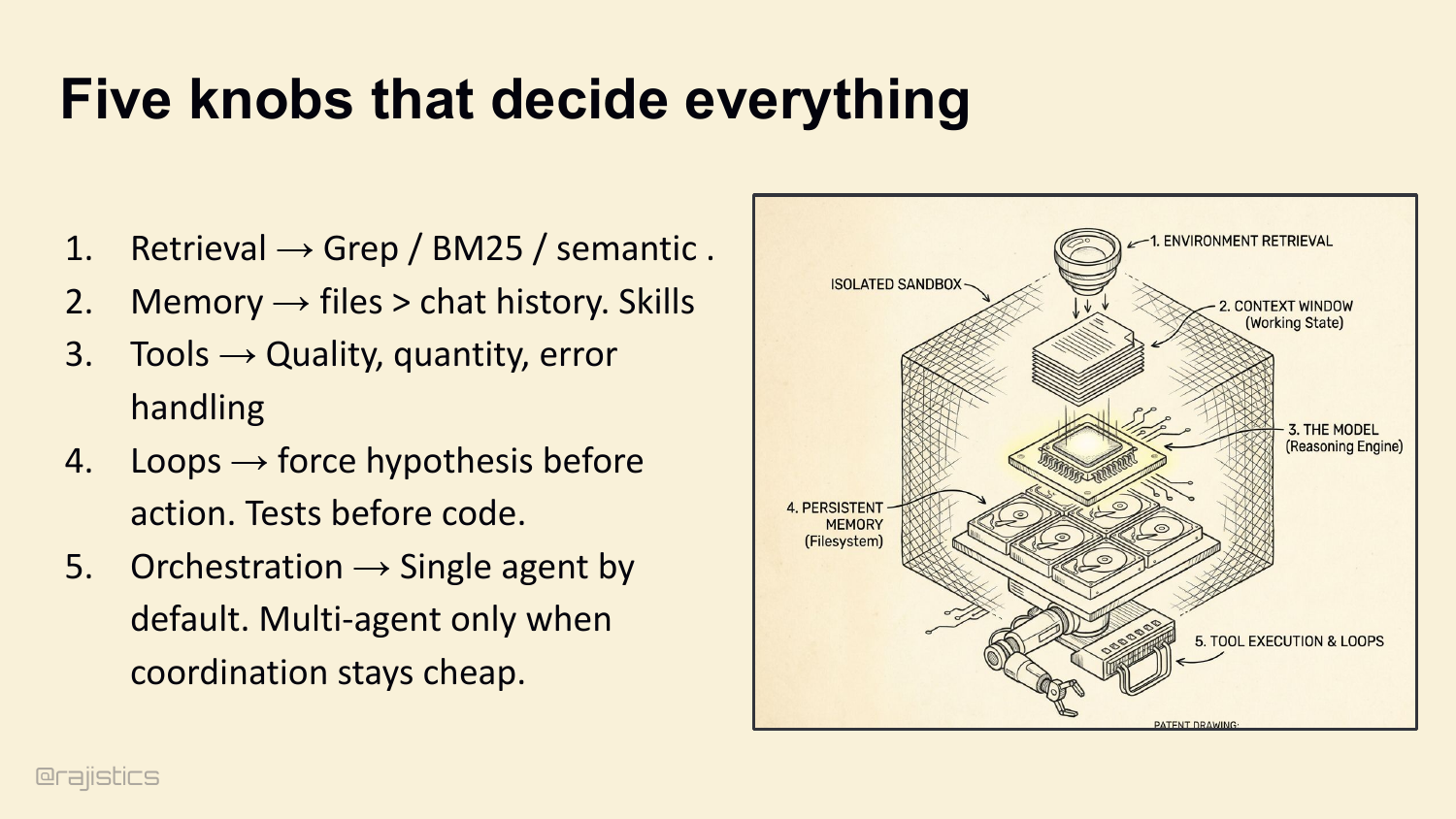
To wrap up — five knobs that decide everything. Tune them in this order: 1. Retrieval → grep and BM25 by default. Add semantic only when vocabulary mismatch hurts you. Loop it for accuracy. 2. Memory → files beat chat history. Skills for durable expertise. Evaluate them. 3. Tools → quality over quantity. Defensive truncation. Schema-enforced thinking. 4. Loops → force hypothesis before action. Tests before code. 5. Orchestration → single agent by default. Multi-agent only when coordination stays cheap.
100. Why Harnesses Matter
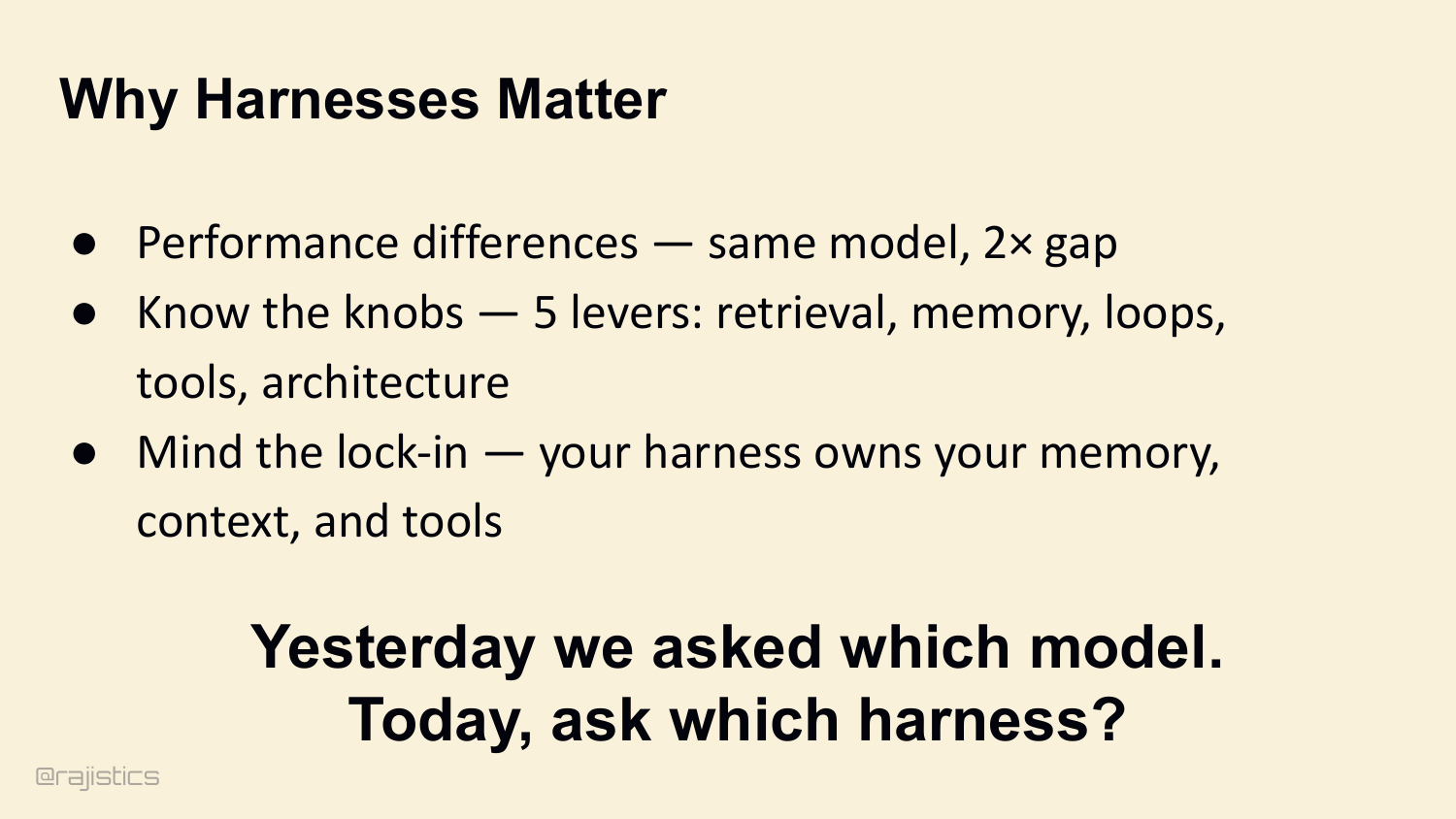
The closing summary returns to the three reasons harnesses matter: performance differences, the knobs you can tune, and the lock-in risk when the harness owns your memory and tools.
101. Engineering the Harness: A Practical Workshop
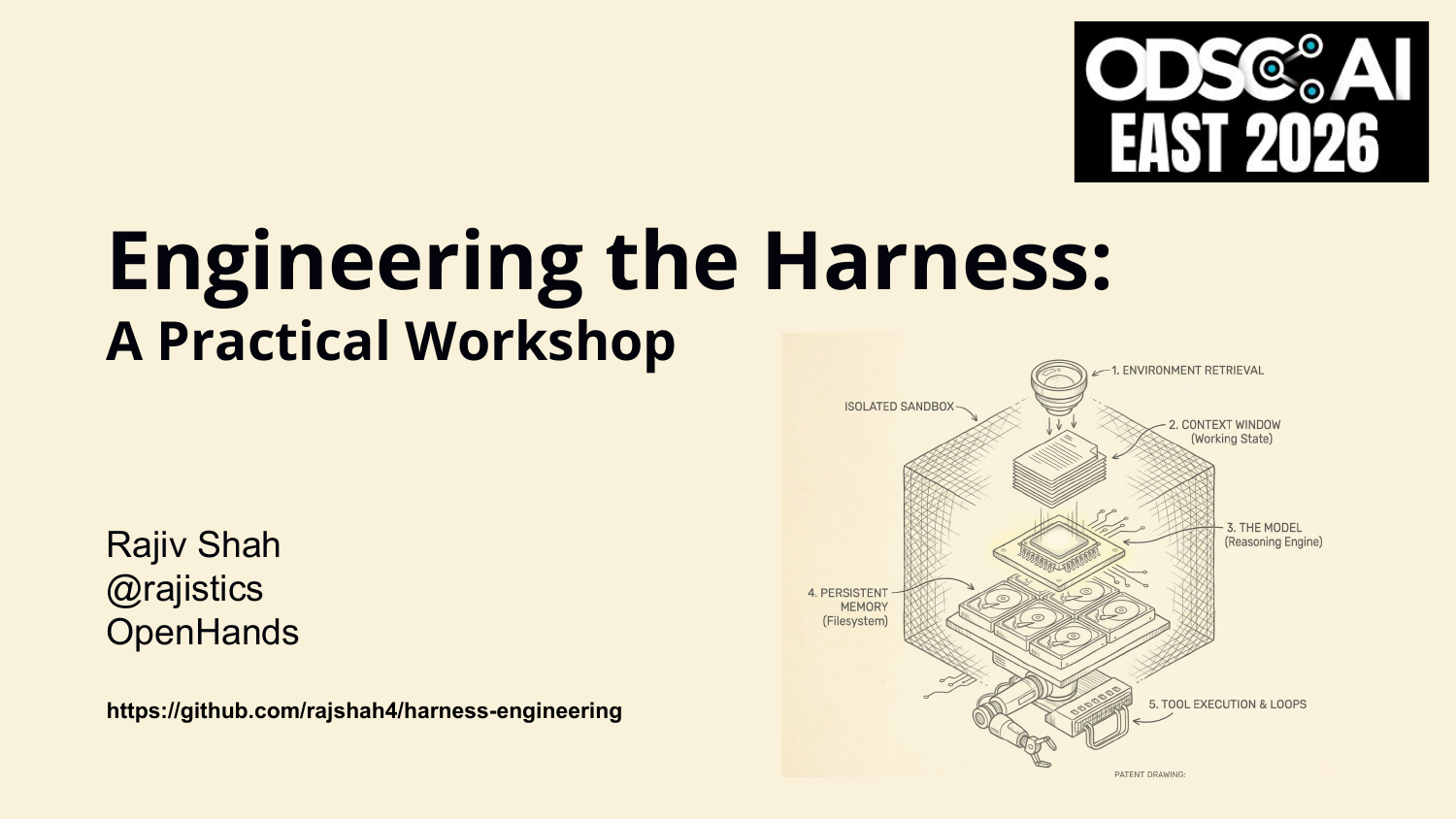
Here’s where I’ll leave you. An agent isn’t a magical model. An agent is a model plus a harness. The intelligence of your product isn’t just in the LLM’s weights — it’s in the execution layer that connects that model to tools, state, and the work that has to actually finish. Stop tweaking prompts. Start engineering the harness. The QR code on screen will take you to the GitHub repo with the full script, references, and runnable experiments. Thank you. Questions.
This annotated presentation was rebuilt directly from the local slide deck and talk track.